Showcase Your Skills
Build a Portfolio of DevOps Playgrounds
This section is about how to stand out in the job market as a DevOps/SRE/Platform engineer by showcasing your Linux, networking, containers, and Kubernetes skills using iximiuz Labs playgrounds and your public learner profile.
Hands-on experience and real-world problem solving skills are two factors that truly differentiate tech candidates. Certificates? In our opinion, not so much. The latter often focus on Linux or Kubernetes trivia and command-line muscle memory, which are becoming of questionable day-to-day utility, especially with AI generating better and better YAML manifests and CLI commands.
However, the question is, how to prove your experience and provide evidence of your infrastructure skills? Showcasing software development skills is somewhat easier - devs can create GitHub repositories with their code and even deploy sites demonstrating their work. But how to prove your DevOps/SRE/sysadmin abilities?
This is the problem that shareable online Linux playgrounds can solve.
When you encounter an interesting automation use case or nail a particularly tricky multi-server setup, or bend a Kubernetes cluster to your will, we recommend preparing a custom iximiuz Labs playground to demonstrate the problem and the solution(s) you've come up with.
Some examples:
- Set up Kubernetes the Hard Way
- Configure a HA Kubernetes Cluster
- Configure an etcd Cluster (often overlooked)
- Compare two alternative solutions (e.g., OpenBao vs. Vault)
- Set up an ELK Stack
- Make Docker work on Btrfs
- Deploy a 3-tier web app (and record a demo)
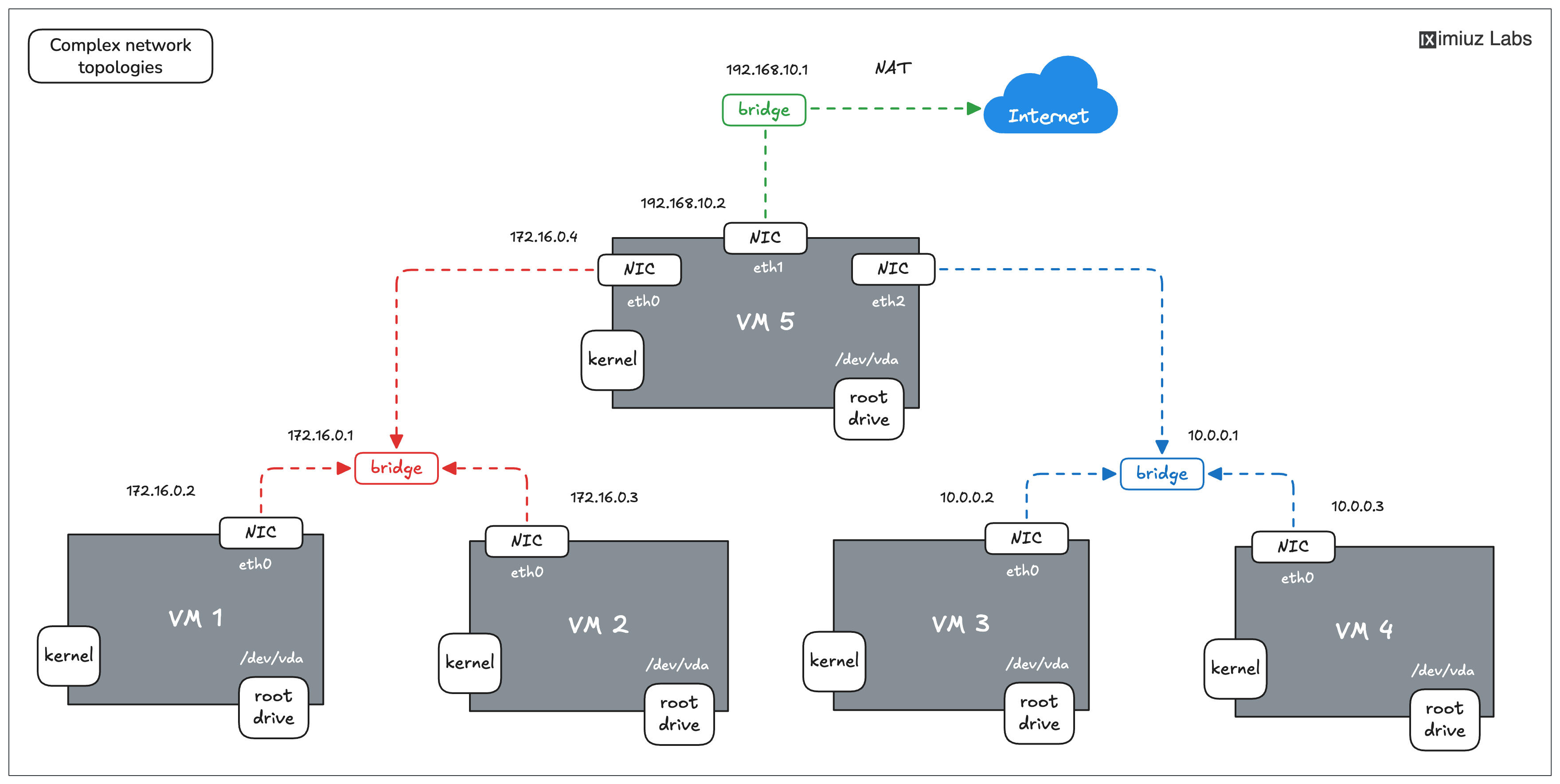
An example of a setup you can configure using a 5-node Flexbox playground.
All of the above are technically just remote Linux VMs, configured in a certain way and exposed publicly with a URL,
which makes them a perfect shareable unit of experience.
Now, instead of including a link to a GitHub repo with a bunch of Terraform files (which may or may not be AI slop working),
you can include a link to an interactive environment that the hiring team can actually start and explore (and get impressed by your Linux, Docker, or Kubernetes talent).
Getting started with custom playgrounds is straightforward: fill out the name and (optionally) description on labs.iximiuz.com/new/playground and click Create.
Once the playground is created, you can use the UI constructor to add or remove virtual machines, deploy custom init scripts, set up multiple networks, or add extra drives:
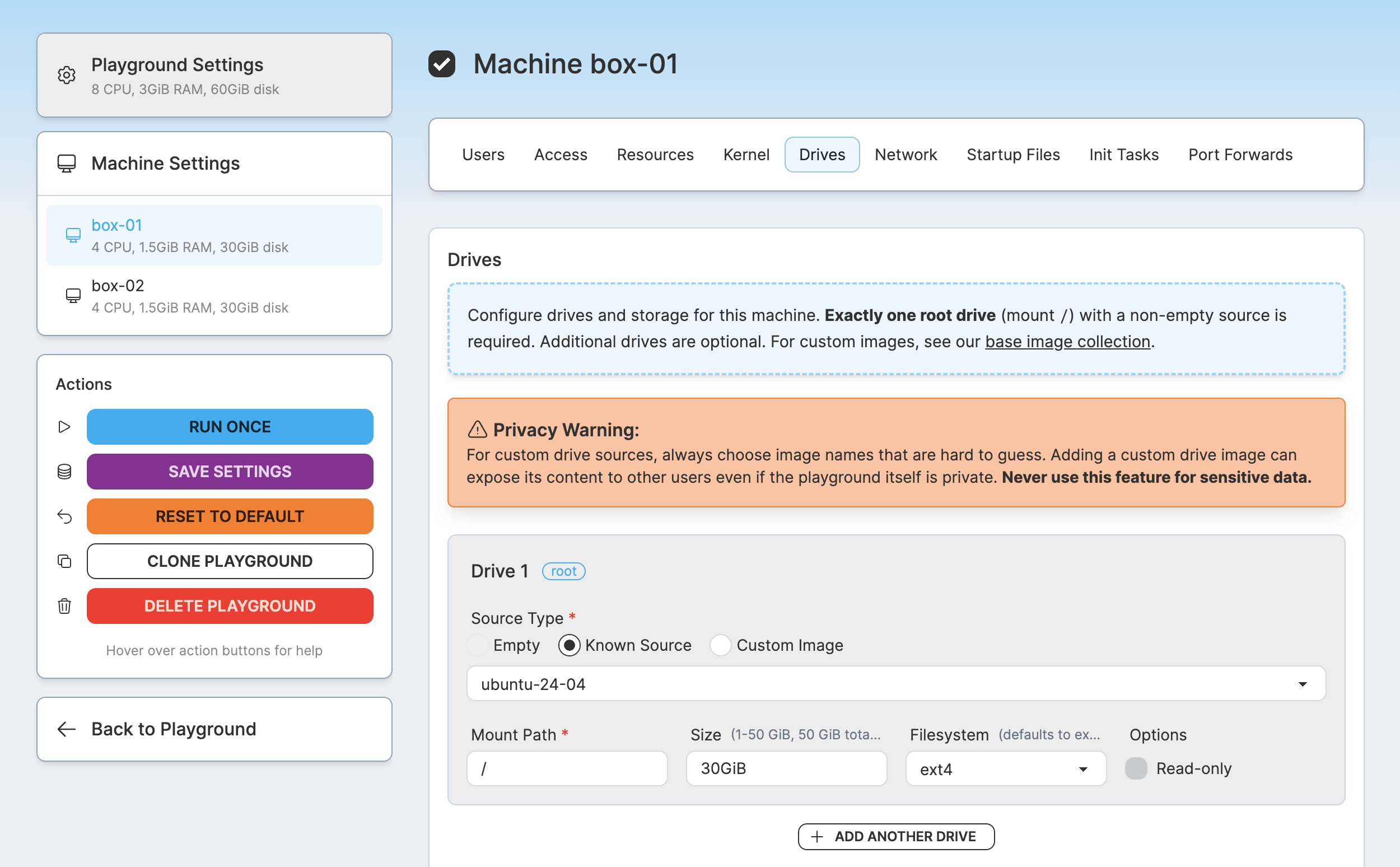
Of course, all of the above can also be done in the command line with labctl:
labctl playground createto get startedlabctl playground manifestto view a YAML manifest of an existing playgroundlabctl playground updateto update the playgroundlabctl playground startto start a new instance of the playground
Click here for a working "labctl playground create" example
labctl playground create --base flexbox my-custom -f -<<EOF
kind: playground
title: My Awesome Custom Playground
categories:
  - linux
playground:
  accessControl:
    canList:
      - owner
    canRead:
      - owner
    canStart:
      - owner
  machines:
  - name: vm-1
    users:
    - name: root
      default: true
    drives:
    - source: ubuntu-24-04
      mount: /
    network:
      interfaces:
        - network: local
    resources:
      cpuCount: 2
      ramSize: 4G
EOF
You can find a few more practical examples of how to create custom playgrounds in this blog post,
and, of course, you can always get some inspiration from the playgrounds published by other iximiuz Labs users -
there are quite a few already!
The best part about it is that you can always explore how the existing playgrounds are implemented
(by either adding /settings to the playground URL or using the labctl playground manifest command).
And you can even clone an existing playground and base your own work on it, dodging the "blank page" trap (a.k.a., writer's block).
By assembling a few Linux, networking, Docker, or Kubernetes playgrounds, you'll gain invaluable insights into the target technology, navigate and resolve several automation challenges, and deepen your own understanding (even if you thought you were already an expert - happens to me all the time, even after all the years of tinkering).
But don't stop at scripting!
The playground is only done when other people can understand how (and why) to use and learn something from it. Prepare a good problem description, add a diagram or two, and write helpful welcome messages that people will see when they log in to your playground VMs. It'll make the playground much easier to share on social, in a blog post, or with teammates, and including a link to such a well-crafted playground in your resume will showcase another key skill hiring managers look for: clear communication.
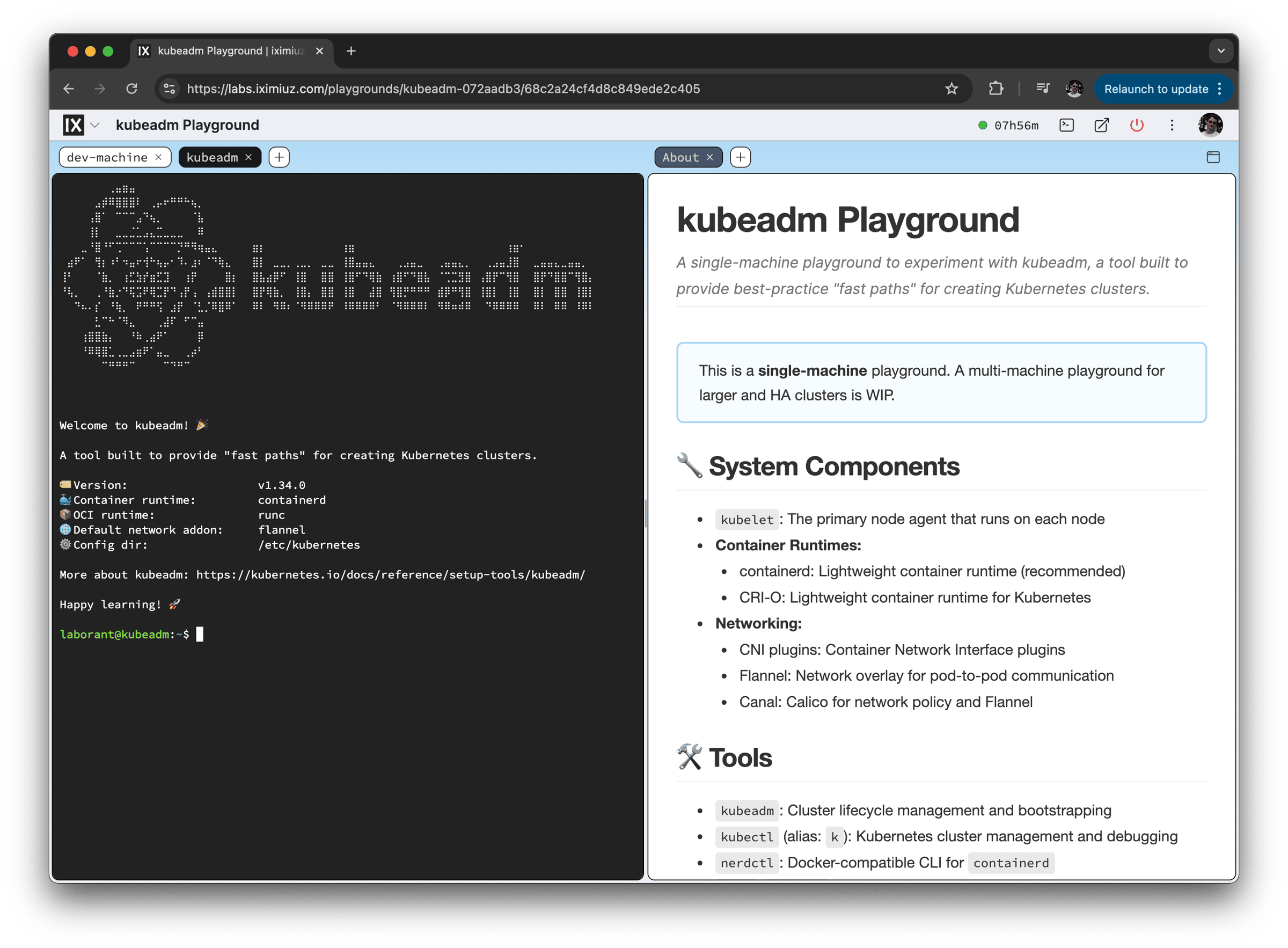
Kubeadm Playground by Márk Sági-Kazár
Your Public Learner Profile
A few well-crafted playgrounds are a great start, but a resume has room for only so many links, and a list of playgrounds also tells only part of the story. It shows the end results, while the hours of practice that went into them may stay invisible.
Your public learner profile solves both problems.
Every iximiuz Labs account comes with a learner profile page at labs.iximiuz.com/u/<nickname>.
It's private by default, but once you make it public, it becomes a single URL to put on your resume or LinkedIn profile and share on social media.
The profile shows how much effort you've put into hands-on learning, and every number on it comes from actual practice in real Linux environments:
- Highlights - challenges solved, playgrounds started, and hours of hands-on practice. If you're ahead of most other learners, the profile says so, and a top 10% result earns a "Top N%" badge.
- Learning progress - the courses, tutorials, skill paths, and shell gyms you've completed or are working through, plus a daily activity calendar that shows how consistently you practice.
- Learning by teaching - up to 12 of your playgrounds, tutorials, challenges, or other materials that you choose to feature.
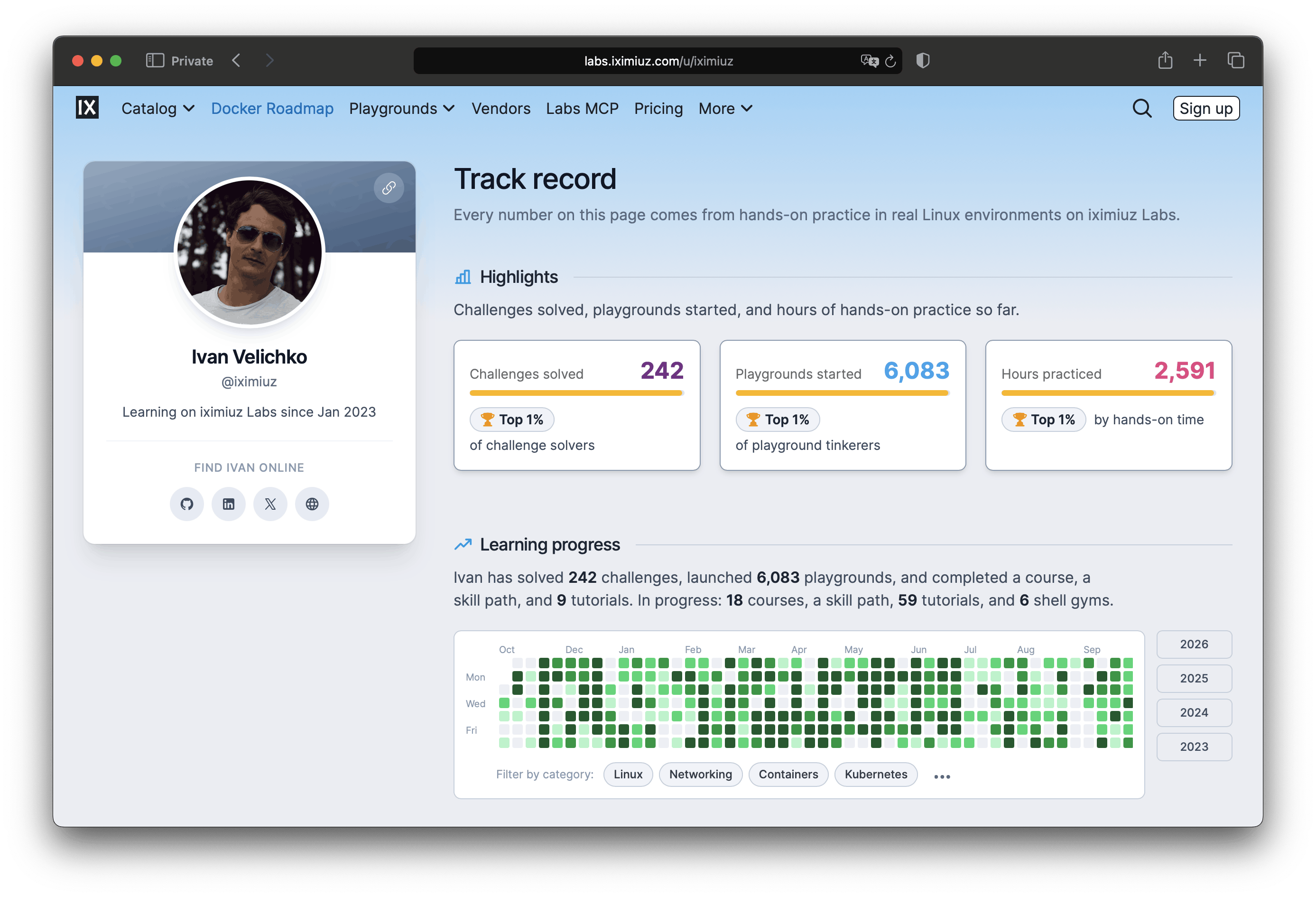
Pretty much every DevOps resume lists Linux, Docker, and Kubernetes among the skills. Very few can back that list with hundreds of solved problems and months of steady practice that anyone can check with a single click.
The best way to learn something is to try explaining it to others.
When you put a topic into words, the gaps in your understanding show up right away. This works especially well in writing. In a conversation, you can wave your hands and skip the parts you're unsure about. A written explanation needs every step in place and in the right order, and every claim in it has to hold up. Many of my blog posts started as an attempt to finally understand a topic, and the writing usually taught me more than the reading.
So writing about things you've just learned is already valuable for an audience of one (yourself). It makes the knowledge stick, and you end up with notes to come back to. On iximiuz Labs, such notes can become a tutorial with a playground attached, or a challenge that turns the problem you've just solved into an exercise with automated solution checks (see How to Publish Content to get started).
Your write-ups can stay private for as long as you like. But once you're happy with them, publish the best ones and feature them on your profile next to your playgrounds. The track record proves that you've put in the work, and a few well-written tutorials or challenges show that you understand the topic well enough to teach it (and can communicate clearly, too). Together, they make your profile stand out for hiring managers.
Setting up the profile takes a couple of minutes:
- Pick a nickname on the Profile tab of your account page. While there, add your name, an avatar, links to your GitHub, LinkedIn, X, or personal website, and choose a profile color.
- Open the profile (Your profile in the avatar menu) and flip the Public toggle.
- Pin your best playgrounds and write-ups to the Learning by teaching section. Only public materials can be featured.
If you'd rather not show some of the stats, you can hide the Highlights or Learning progress sections from visitors at any time.
Finally, by sharing your work publicly long enough, you'll signal your professional interests to the outside world, attract like-minded people, and form the much-needed connections for a successful career, gaining people's trust. Start investing in your public profile today, one playground, blog post, or side project at a time.
Examples of Playgrounds Created by iximiuz Labs Users
Here are some of the playgrounds created by iximiuz Labs users that showcase their skills and creativity:
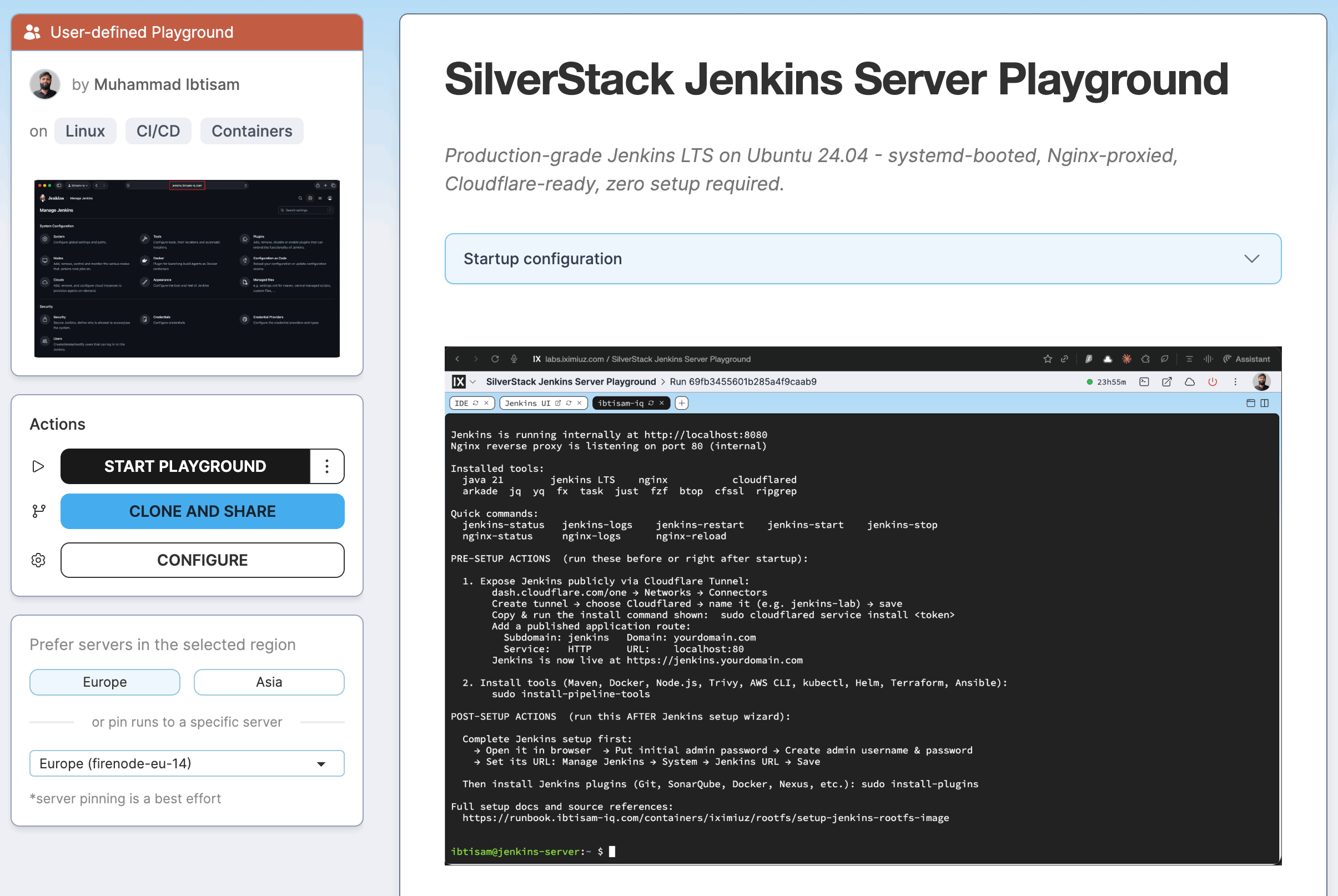
Ibtisam's CI/CD Lab
A series of playgrounds starting with an Ubuntu-based Dev Machine carrying the common DevOps tools, then adding Jenkins, Nexus, and SonarQube servers, and finally combing all 4 VMs into a complete CI/CD solution. And the best part, all the machines can be accessed on their own domains like jenkins.ibtisam-iq.com or sonar.ibtisam-iq.com - thanks to the Cloudflare Tunnel magic. Ibtisam thoroughly documented his setup in a blog post Building a Self-Hosted CI/CD Stack Behind NAT: From EC2 to iximiuz Labs with Cloudflare Tunnel, and the iximiuz Labs playground manifests he wrote to create the lab are available on GitHub. Ibtisam even went the extra mile and baked custom rootfs images for each of the servers, outlining the process in a separate runbook.
I cannot think of a better way to demonstrate your infrastructure skills than this combo 👏
Arjun's Full Ubuntu Desktop in the Browser
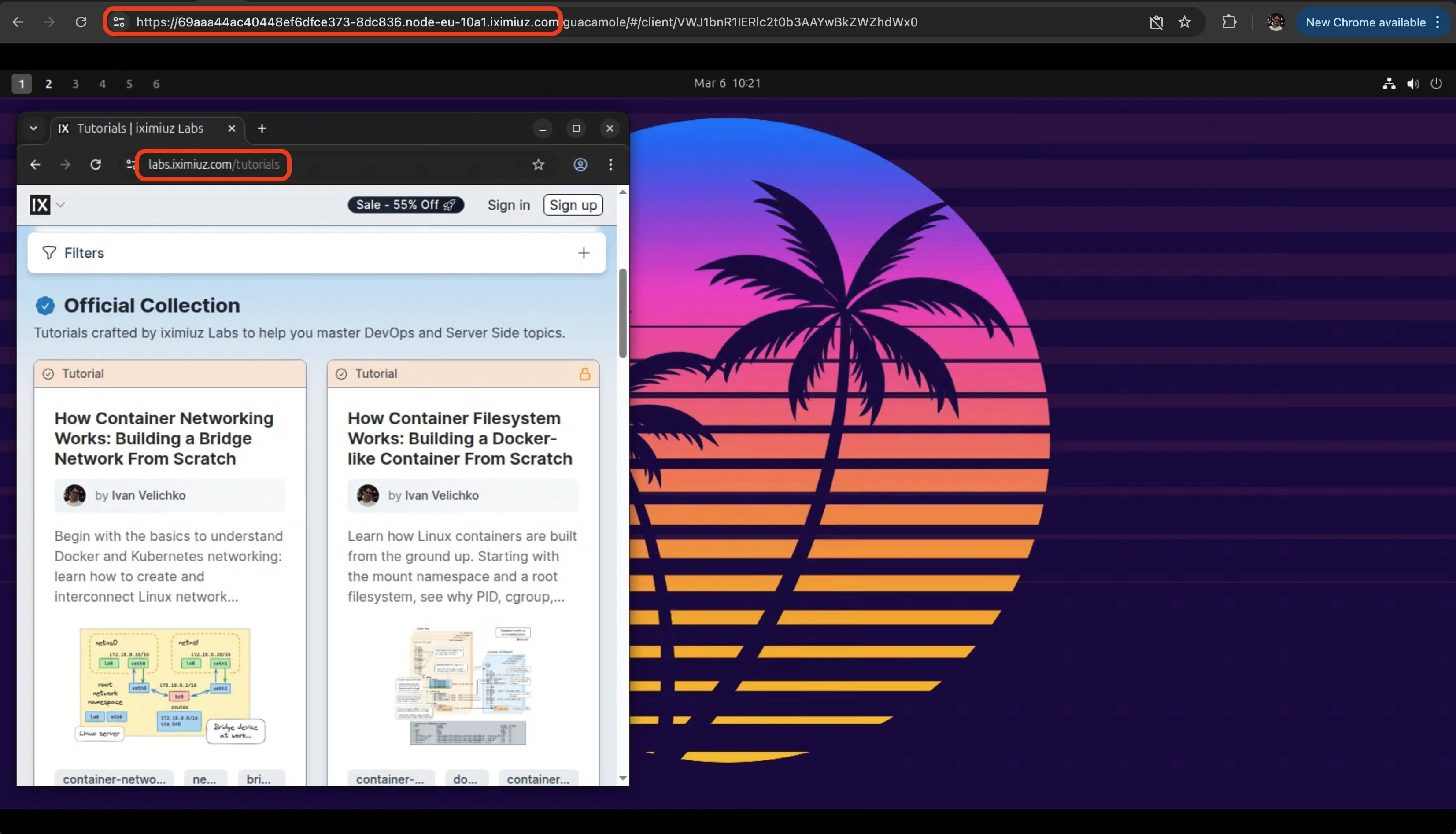
Arjun created a playground that runs a full Ubuntu Desktop in the browser using Apache Guacamole. The playground both shows Arjun's ability to set up a complex infrastructure and his outside-the-box thinking - using a headless remote VM to run a full Linux desktop isn't the most obvious way to go, but it's a creative alternative for purchasing a Mac mini to run your OpenClaws.
- Previous
- For Experienced Engineers
- Next
- Challenges