Shell Gyms
Shell Gyms are interactive command-line trainers. Where a Tutorial explains an idea and a Challenge asks you to solve a problem once, a Shell Gym makes you repeat small actions until they become reflexes: enter a directory, create a file, kill a process, free a port, redirect an output.
"Learn the idea in a tutorial. Build the reflex in a Shell Gym."
What a Shell Gym looks like
A Shell Gym is a Playground VM with the shellgym trainer running a learning path - a sequence of modules, each holding a handful of reps.
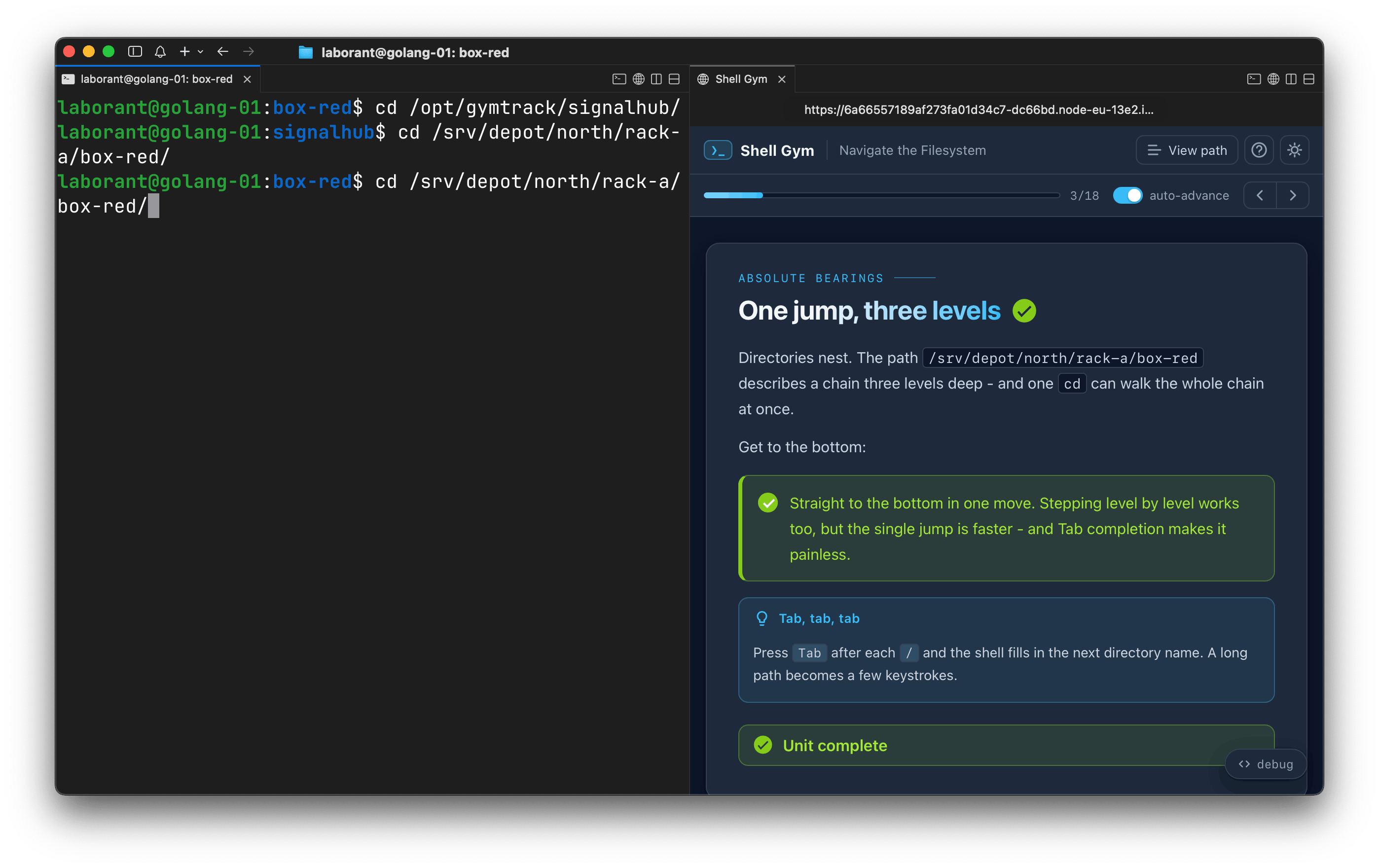
When you start a session, the page opens in a split view:
- on the left, a completely ordinary terminal on the VM;
- on the right, the gym's UI showing the current rep.
Each rep asks for one concrete action. There is no "check" button and nothing to copy-paste: the trainer observes the system from the outside (which shells are open, their working directories, which commands were executed, which files, processes, and ports exist) and completes the rep the moment the system state changes. Because nothing is injected into your shell, the skills you practice transfer one-to-one to any real terminal.
Browse the collection of Shell Gyms and pick one to start building your reflexes.
Spaced repetition
Reflexes need repetition, so every Shell Gym comes with a built-in schedule. After your first session, the gym tells you when to come back - typically the next day, then three days later, then a week, and so on (the exact intervals are set by the gym's author). Gyms that are due show up in the Daily Practice section of your dashboard, next to the daily challenges.
On a Shell Gym's page you can:
- see your past sessions (each with how much of the path you got through, e.g.
7/12 · 58%) and the next scheduled one; - pause the schedule when you are done with a gym for now, and resume it later;
- mark the gym completed once the moves are second nature - that stops the schedule for good (you can reopen it any time); only a gym you have trained in at least once can be completed.
The schedule is a suggestion, not a lock: you can train any time, and an overdue gym stays due until you do.
Sessions
A session is a regular Playground run: it ends when you finish it (or when the Playground's lifetime runs out). Your progress inside a session (which reps you completed) is recorded by the system and kept even when the playground itself is gone.
Where to start
Explore the Shell Gym catalog and pick one that targets the commands or skills you want to memorize or sharpen.
Start a session, work through the reps in the split view, and let the schedule bring you back for the next round. Because sessions are short, a few minutes a day is enough to turn the moves into reflexes - and once they are, mark the gym completed and move on to the next one.
- Previous
- Roadmaps