Multi-Drive VMs
A single root drive is enough for most use cases, but topics like disk partitioning, LVM, RAID, or filesystem comparisons call for VMs with several block devices. Adding drives to a playground machine is a one-liner per drive:
kind: playground
name: storage-lab
title: Storage Lab
playground:
  machines:
    - name: storage-01
      users:
        - name: laborant
          default: true
      drives:
        - source: ubuntu-24-04
          mount: /
          size: 10GiB
        - mount: /mnt/data
          size: 5GiB
        - mount: /mnt/scratch
          size: 5GiB
          filesystem: xfs
        - size: 20GiB
      network:
        interfaces:
          - network: local
      resources:
        cpuCount: 2
        ramSize: 2GiB
  accessControl:
    canList:
      - owner
    canRead:
      - owner
    canStart:
      - owner
labctl playground create storage-lab --base flexbox -f manifest.yaml
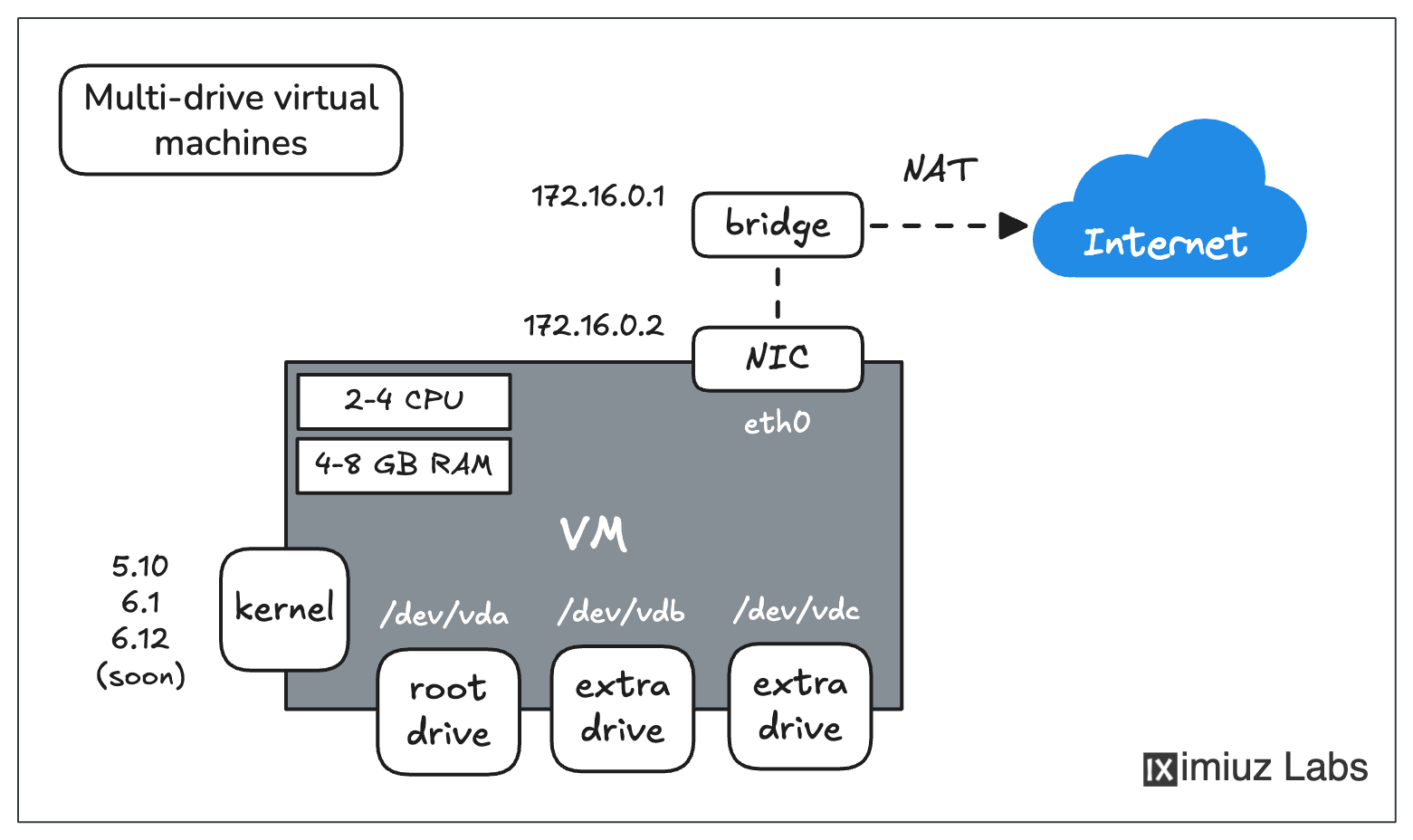
Playground VMs can be used to simulate complex server setups - pick a kernel and a rootfs, add extra drives with different filesystems, configure multiple networks, etc.
How drives work
- Device names follow the list order: the first drive becomes
/dev/vda, the second/dev/vdb, and so on. - Exactly one drive must have
mount: /- that's the root drive, and it's the only drive that requires asource(a rootfs image to build the filesystem from). - Extra drives are optional in every respect. Omit
sourceto get an empty drive. Drives with amountare formatted (withext4unlessfilesystemsays otherwise) and mounted automatically at boot via/etc/fstab- the mount directory is created for you. - A drive with neither
sourcenormountnorfilesystem(like the 20 GiB one above) is attached as a raw, unformatted block device - perfect for practicingfdisk,mkfs, and friends. Specifyfilesystemwithoutmountif you want the drive pre-formatted but not mounted. - Supported filesystems:
ext4(default),ext2,ext3,xfs, andbtrfs.
Verify the result from inside the playground:
lsblk -f
NAME FSTYPE FSVER LABEL UUID                                 FSAVAIL FSUSE% MOUNTPOINTS
vda  ext4   1.0         a9928411-dea4-472c-9109-c1a334bcb8ab    7.6G    17% /
vdb  ext4   1.0         bb6438a0-a96c-4965-9b31-4837d8b6a9a0    4.4G     0% /mnt/data
vdc  xfs                e7d3bc38-8b7a-45d3-85ff-c6254da83cc3    4.8G     3% /mnt/scratch
vdd
Sizes and limits
- If
sizeis omitted, the platform default applies (the defaults depend on the base playground). - A drive can be from 1 GiB to 50 GiB, and the total across all drives of a playground must stay within 150 GiB.
- A machine can have up to 24 drives.
💡 Drives are ephemeral by default - they live and die with the playground instance. To carry data across sessions, use persistent playgrounds, which snapshot all drives on stop and restore them on the next start.
The same drive configuration can also be assembled in the Playground Constructor UI - each machine's Drives section offers the identical source/mount/size/filesystem knobs.
Additional Resources
- 🎯 Disk partitioning challenges - to see multi-drive playgrounds in action
- Previous
- Your First Custom Playground