For Experienced Engineers
If you're already comfortable with Linux and have built or debugged a fair share of Docker setups (or other runtimes),
iximiuz Labs is not here to teach you ls and docker run.
It's here to help you understand what's actually happening under the hood.
Go Beyond the Docker CLI
If you've been using containers for a while but want to deeply internalize how they work, start with our flagship "from scratch" tutorials:
- How Container Networking Works: Building a Bridge Network From Scratch
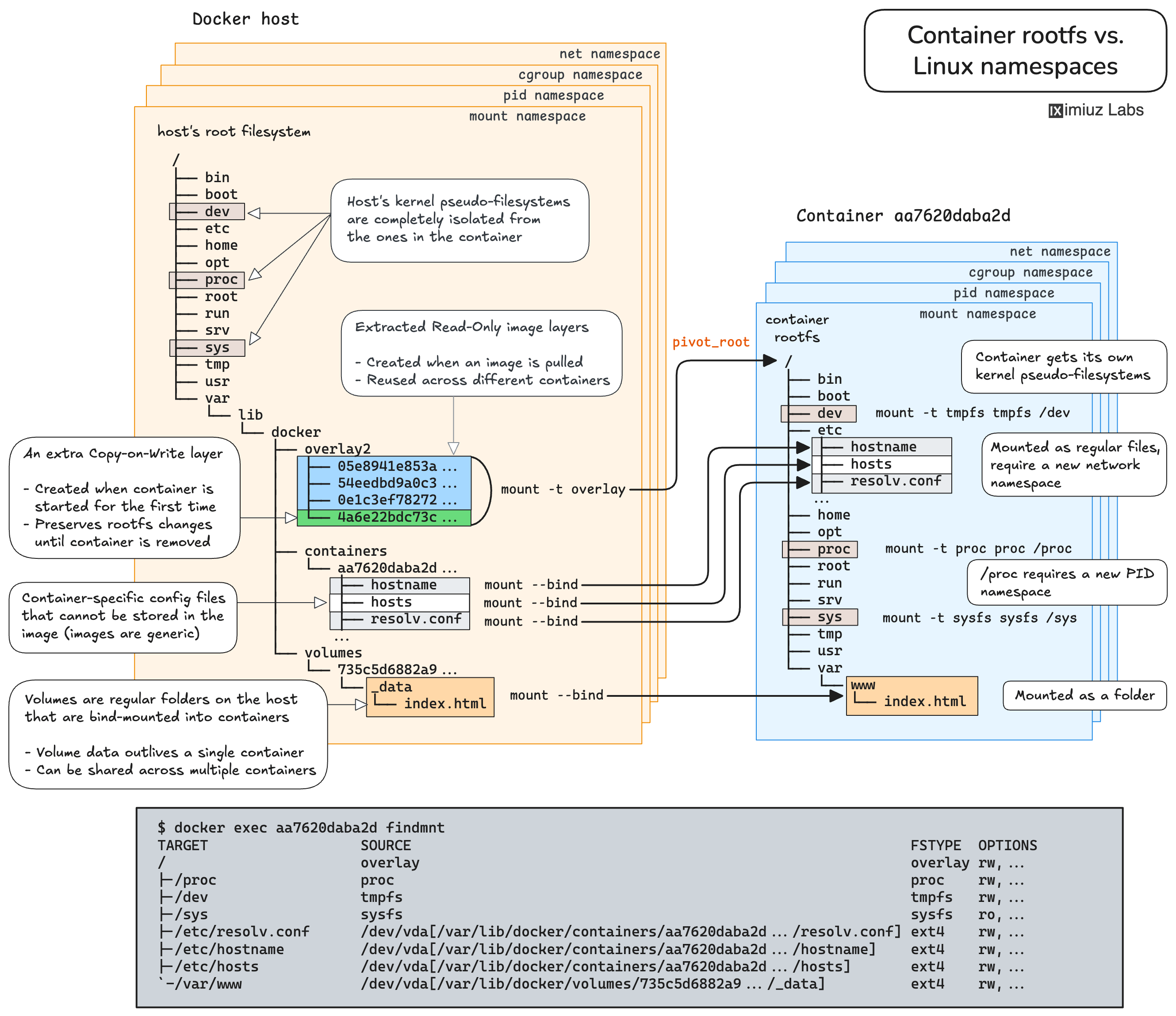
- How Container Filesystem Works: Building a Docker-like Container From Scratch
These are not surface-level walkthroughs. You will:
- Create network namespaces and bridges manually
- Wire up veth pairs by hand
- Reproduce Docker-like filesystem isolation with lower-level primitives
- Connect the dots between Linux features and container runtime behavior
Each tutorial comes with hands-on playground exercises and complementary Challenges, so you won't just read about namespaces and overlay filesystems - you'll build with them.
Sharpen Specific Skills with Advanced Skill Paths
Once you're comfortable with fundamentals, check out the more advanced Skill Paths - focused sequences designed to level up specific capabilities:
- Beyond Docker: Run Containers Across Runtimes
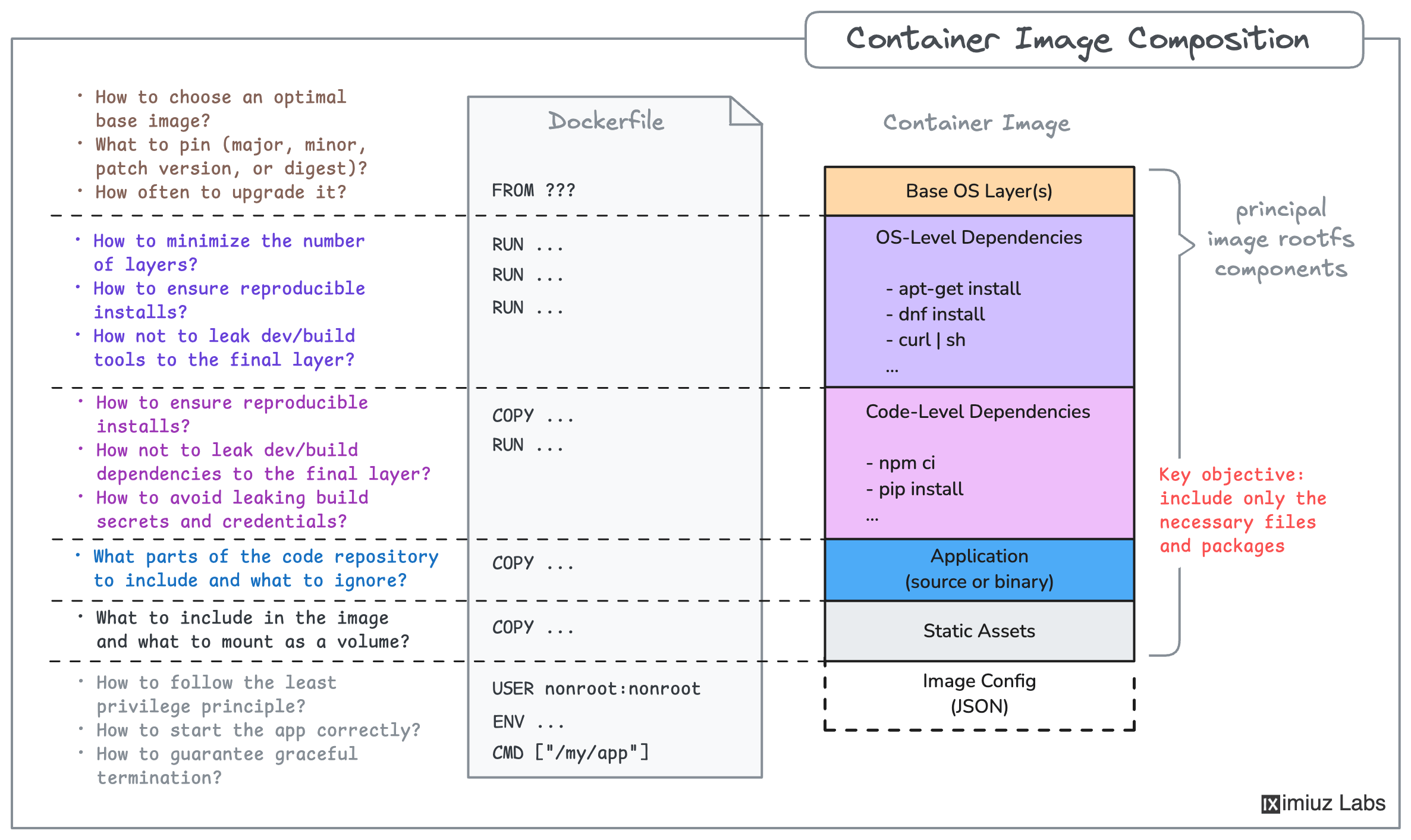
- Build Container Images Like a Pro
- Copy Container Images Like a Pro
They are focused, and deeply technical - designed for engineers who already know the basics and want to become real pros in their craft.
Tackle Medium & Hard Challenges
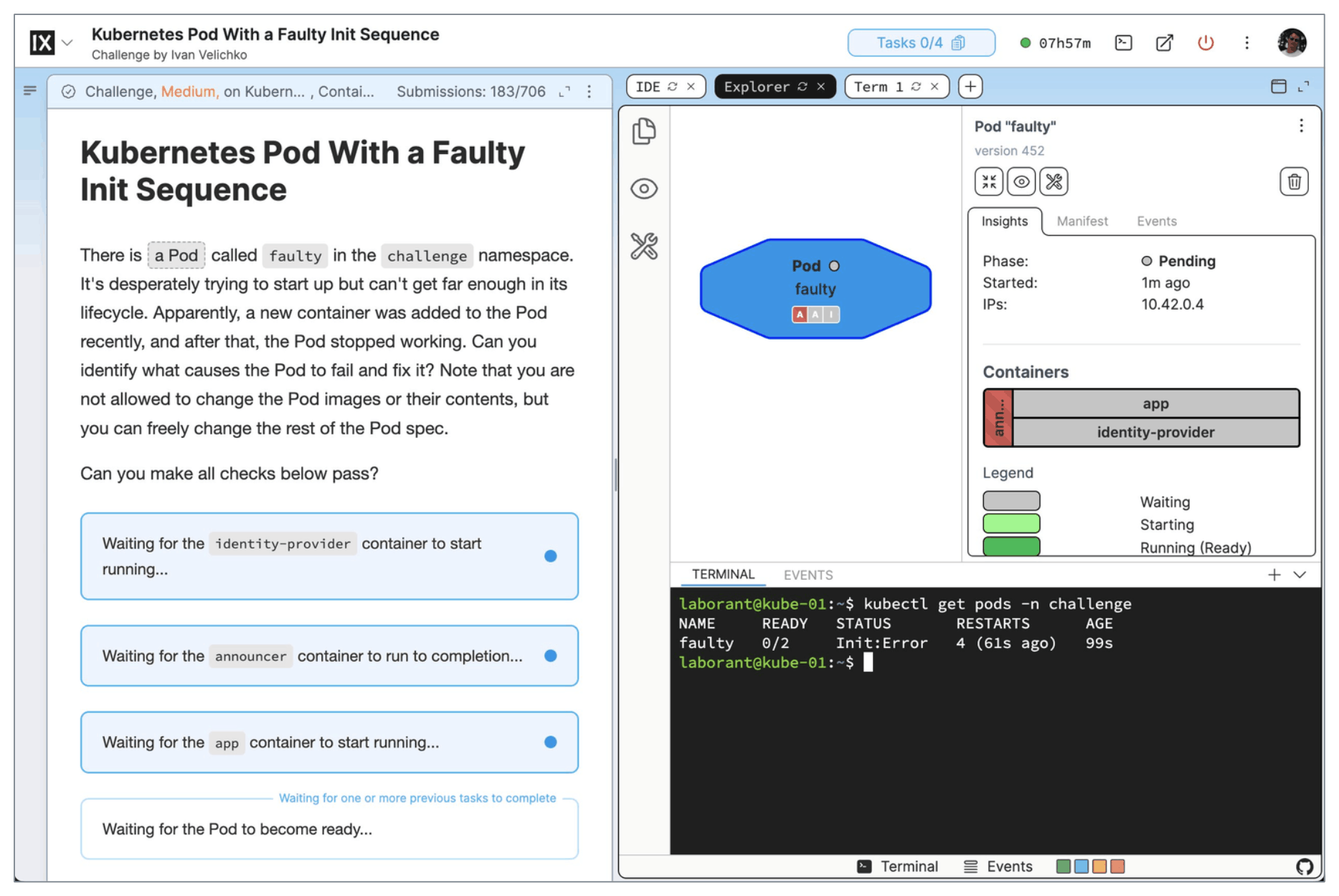
If you prefer problem-solving over more guided learning, jump straight into our medium and hard Challenges:
These challenges simulate realistic production-like scenarios, such as:
- Establishing port forwarding and debugging broken connectivity
- Controlling process resources with cgroups
- Troubleshooting containerized applications
- Debugging misbehaving Kubernetes workloads
You're given a system in a certain state - and expected to fix it. No step-by-step instructions. Just the problem, the playground, and your skills.
This is the closest you can get to production incidents - without risking production.
Replace (or Augment) Your Homelab
Finally, don't underestimate free-form experimentation.
With multi-VM, multi-network, multi-disk playgrounds, persistent storage, cloning, and custom rootfs support, iximiuz Labs can serve as:
- A lightweight remote homelab
- A Kubernetes sandbox
- A safe place to test upgrades or risky changes
- A demo environment for blog posts or talks
- A reproducible debugging setup you can snapshot and share
You can create your own custom playgrounds, wire complex network topologies, attach extra drives, switch kernels, or even bake and use your own rootfs images. That's where the real fun and growth happens.
- Previous
- For Linux and DevOps Beginners
- Next
- Showcase Your Skills