Multi-Machine Playgrounds
Most real-world setups are distributed systems: a client and a server, a CI runner and a builder, a Kubernetes control plane and its workers.
On iximiuz Labs, a playground can contain up to 5 virtual machines, and adding a machine is just another entry in the machines list:
kind: playground
name: client-server-lab
title: Client / Server Lab
playground:
  machines:
    - name: client-01
      users:
        - name: laborant
          default: true
      drives:
        - source: ubuntu-24-04
          mount: /
      network:
        interfaces:
          - network: local
      resources:
        cpuCount: 1
        ramSize: 1GiB
    - name: server-01
      users:
        - name: laborant
          default: true
      drives:
        - source: docker
          mount: /
      network:
        interfaces:
          - network: local
      resources:
        cpuCount: 2
        ramSize: 2GiB
  accessControl:
    canList:
      - owner
    canRead:
      - owner
    canStart:
      - owner
labctl playground create client-server-lab --base flexbox -f manifest.yaml
The flexbox base is the base for custom topologies: it's the only one that accepts an arbitrary machine set - any number of VMs (up to 5), any hostnames, and a different rootfs image per machine (the example above mixes a plain Ubuntu VM with a Docker-enabled one; video). Other bases keep their original machines - more on that below.
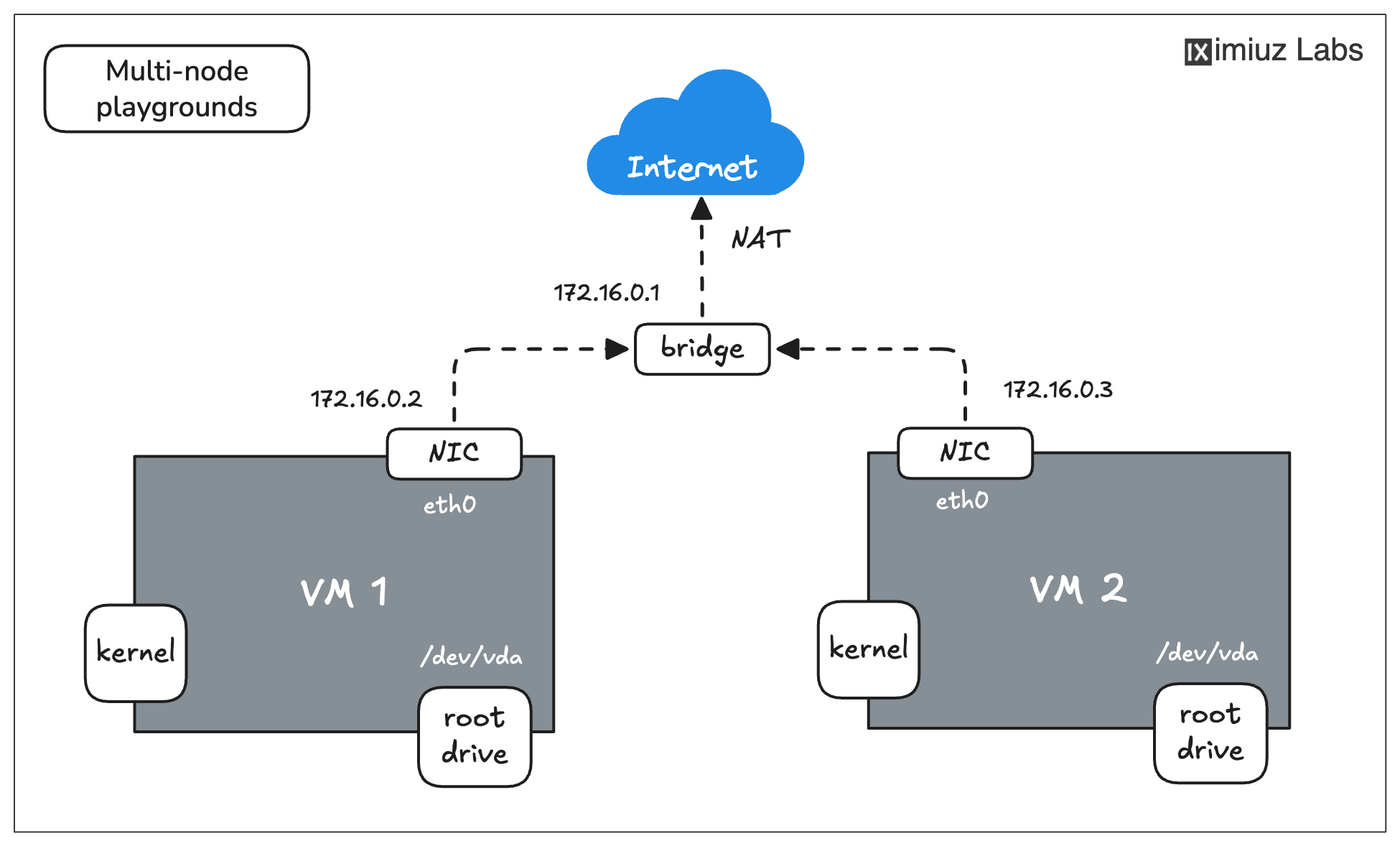
Each playground can have up to 5 VMs, connected into one or more networks, which allows provisioning multi-node Kubernetes clusters and practicing complex networking scenarios.
How machines find each other
With every machine on the shared local network, machine names double as hostnames, so from client-01 you can simply:
ping server-01
curl http://server-01:8080
Machines are also resolvable by their network-qualified names (e.g., server-01.local), and cross-machine SSH works out of the box.
From your own terminal, pick the machine to enter with the -m flag:
PLAY_ID=$(labctl playground start client-server-lab-...)
labctl ssh $PLAY_ID -m server-01
Machines can also be rebooted, shut down, and booted again one at a time, without touching the rest of the playground -
see labctl playground machine in Debugging Playgrounds.
For custom subnets, static IPs, and isolated network segments, see Multi-Network Playgrounds.
Per-machine configuration
Each machine is configured independently - users, welcome messages, drives, resources:
  machines:
    - name: server-01
      users:
        - name: root
        - name: laborant
          default: true
          welcome: |
            This is the application server. The app lives in /opt/app.
      drives:
        - source: docker
          mount: /
      network:
        interfaces:
          - network: local
      resources:
        cpuCount: 2
        ramSize: 2GiB
usersmust exist in the rootfs image (official images shiprootandlaborant; Alpine defaults torootonly). The user markeddefault: trueis the one terminals and SSH sessions log in as;welcomesets the login banner (use'-'to disable it).resourcesrequests CPU and RAM per machine. The per-VM and per-playground totals are capped by your plan (currently 2 vCPU / 4 GiB per VM and 5 vCPU / 8 GiB per playground on the free tier; 4 vCPU / 10 GiB and 10 vCPU / 16 GiB on paid plans) - requests above the budget are scaled down proportionally.
Customizing multi-VM bases
Bases other than flexbox come with a fixed machine set: machines in your manifest are matched to the base's machines by name,
and adding new names is rejected (Machine dev-01 is not present in the base playground.).
You can, however, keep a subset of the machines and tweak the ones you keep. A popular example - hiding the Kubernetes system nodes
of the k3s base while keeping the dev machine interactive:
  machines:
    - name: dev-machine
    - name: cplane-01
      noSSH: true
    - name: node-01
      noSSH: true
noSSH: true disables interactive access to a machine and hides its terminal tab in the web UI - also handy on flexbox for verifier or "pre-provisioned remote server" machines that are part of the setup but not of the user experience.
💡 Several official bases are already multi-VM - k3s (a dev machine + a 3-node cluster), docker-swarm, mini-lan-ubuntu - so check the catalog before assembling a cluster from scratch.
- Previous
- Multi-Drive VMs