How to Share a Terminal Session
You can let other people access your running playground by sharing a terminal session with them. This is useful when you need to collaborate with others on a project or get help from a support engineer. This capability can also be used to let yourself access your playground from another device or browser.
Private vs. public terminal sessions
Terminal sessions are shared by generating a unique URL that opens a page with a web-based terminal (and no other controls). Generated URLs are private by default, meaning only the playground owner can access them. If you want to share a terminal session with others, you need to set the access control to public before generating the URL. Note that public terminal sessions are visible to everyone, including anonymous users, so be mindful and avoid pasting shared URLs in non-trusted environments.
Sharing a terminal session using the web UI
To share a terminal session, simply click the Share Terminal button in the top right corner of a running playground and select which VM and login user the new session should use:
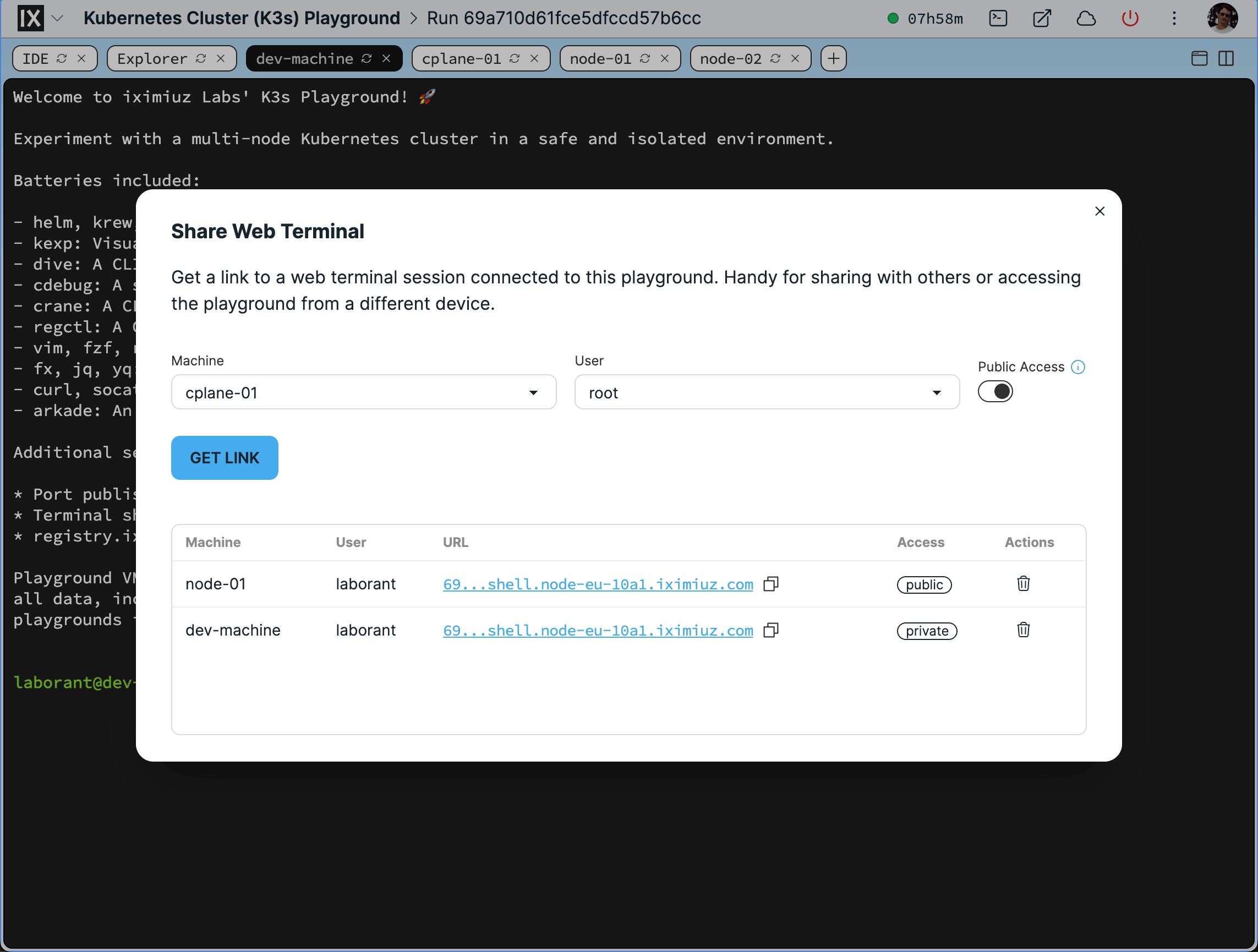
The Share Web Terminal dialog.
Once the terminal is shared, a unique URL will be generated and displayed in the dialog. You can copy it to the clipboard and share it with others, or open in another browser or device.
Sharing a terminal session using the CLI
You can also share a terminal session using labctl:
labctl expose shell --help
Expose a web terminal session with a handy URL

Usage:
  labctl expose shell <playground> [flags]

Flags:
  -h, --help             help for shell
  -m, --machine string   Target machine (default: the first machine in the playground)
  -o, --open             Open the exposed shell URL in browser
  -p, --public           Make the exposed shell URL publicly accessible
  -u, --user string      Username for the shell session (default: machine's default user)
Here is a quick example of how to share a terminal session for a newly started playground:
PLAY_ID=$(labctl playground start docker)
labctl expose shell $PLAY_ID --public --open
Shell session laborant@docker-01 exposed as https://69a7155fc951af1834a1382b-98c787-shell.node-eu-d241.iximiuz.com
Opening https://69a7155fc951af1834a1382b-98c787-shell.node-eu-d241.iximiuz.com in your browser...
https://69a7155fc951af1834a1382b-98c787-shell.node-eu-d241.iximiuz.com
This will generate a unique URL and immediately (attempt to) open it in the browser.
- Previous
- How to SSH into Playgrounds