How to Forward Remote Ports
You can securely expose TCP services running on your local machine to the playground VM using the labctl port-forward command -
a simplified equivalent of the standard ssh -R command:
labctl port-forward PLAYGROUND_ID -R [[REMOTE_HOST:]REMOTE_PORT:][LOCAL_HOST:]LOCAL_PORT
This capability comes in handy when you need to make a service running on your local machine (on intranet) accessible for services running in the remote playground. For example, you can use it to expose a Chrome's debugging port (9222) to a coding agent running in the sandbox VM (see Chrome DevTools MCP). Or you can combine it with exposing HTTP/HTTPS ports to make a local web server accessible on a public URL.
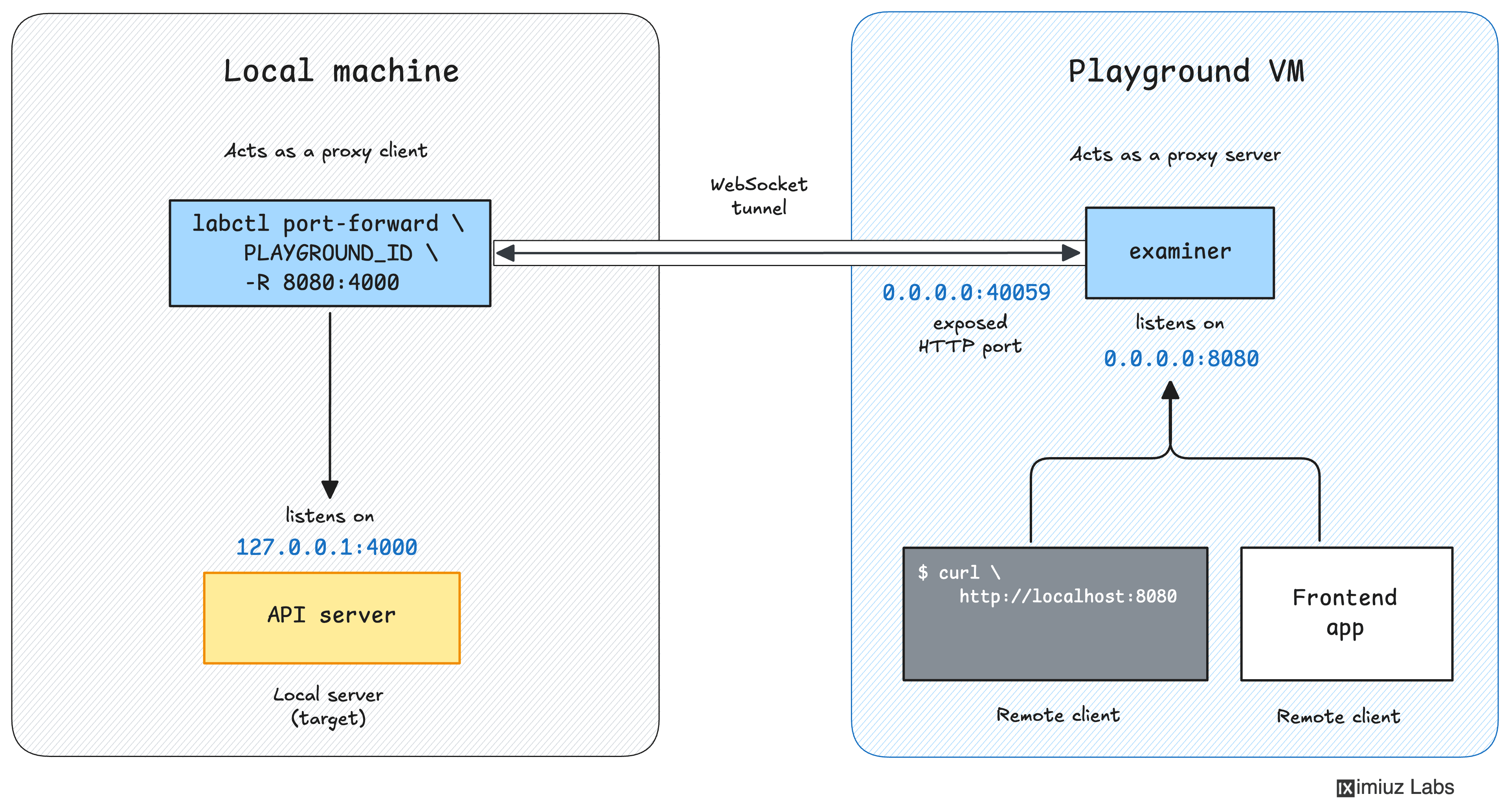
The labctl port-forward -R command starts a foreground process on your machine that forwards all connections from a remote port on the playground VM to the corresponding local address.
Below is a practical example of how to use the labctl port-forward -R command.
Exposing a local web server to the playground VM
- Start a simple HTTP server on your local machine:
python3 -m http.server 4000
- Start a new playground:
PLAY_ID=$(labctl playground start docker)
- In a new terminal, forward the playground VM's
0.0.0.0:8080to your local machine's127.0.0.1:4000:
labctl port-forward $PLAY_ID -R 8080:4000
Forwarding 0.0.0.0:8080 (remote) -> 127.0.0.1:4000 (local)
- Verify that the local web server is now accessible from inside the playground VM:
labctl ssh $PLAY_ID -- curl -s http://localhost:8080
The output should be the directory listing produced by the Python HTTP server running on your local machine.
- Previous
- How to Forward Local Ports