What are iximiuz Labs Playgrounds
Playgrounds are fast-booting Linux microVMs that run on a fleet of large bare-metal servers. You can start a playground right from your browser or via a handy CLI tool called labctl. Once up and running, accessing a playground is no different from SSH-ing into a remote server rented from your favorite VPS or Cloud provider.
You can use iximiuz Labs playgrounds to:
- Practice Linux and networking (either in a free-play mode or by solving guided hands-on Challenges)
- Build a "remote" homelab or a few (unlike with most physical setups, at iximiuz Labs, you can build as many labs as you like)
- Create your public DevOps portfolio (CodePen/StackBlitz, but for Linux projects)
- Experiment with new tools, confine coding agents, do security research, and whatnot.
Playgrounds in a nutshell
At its simplest, a playground is just a VM running on a large bare-metal server. Since it's a full-fledged VM and not a container, you can run most typical workloads in it, including Docker and Kubernetes, without the annoying limitations of Docker-in-Docker or a shared kernel.
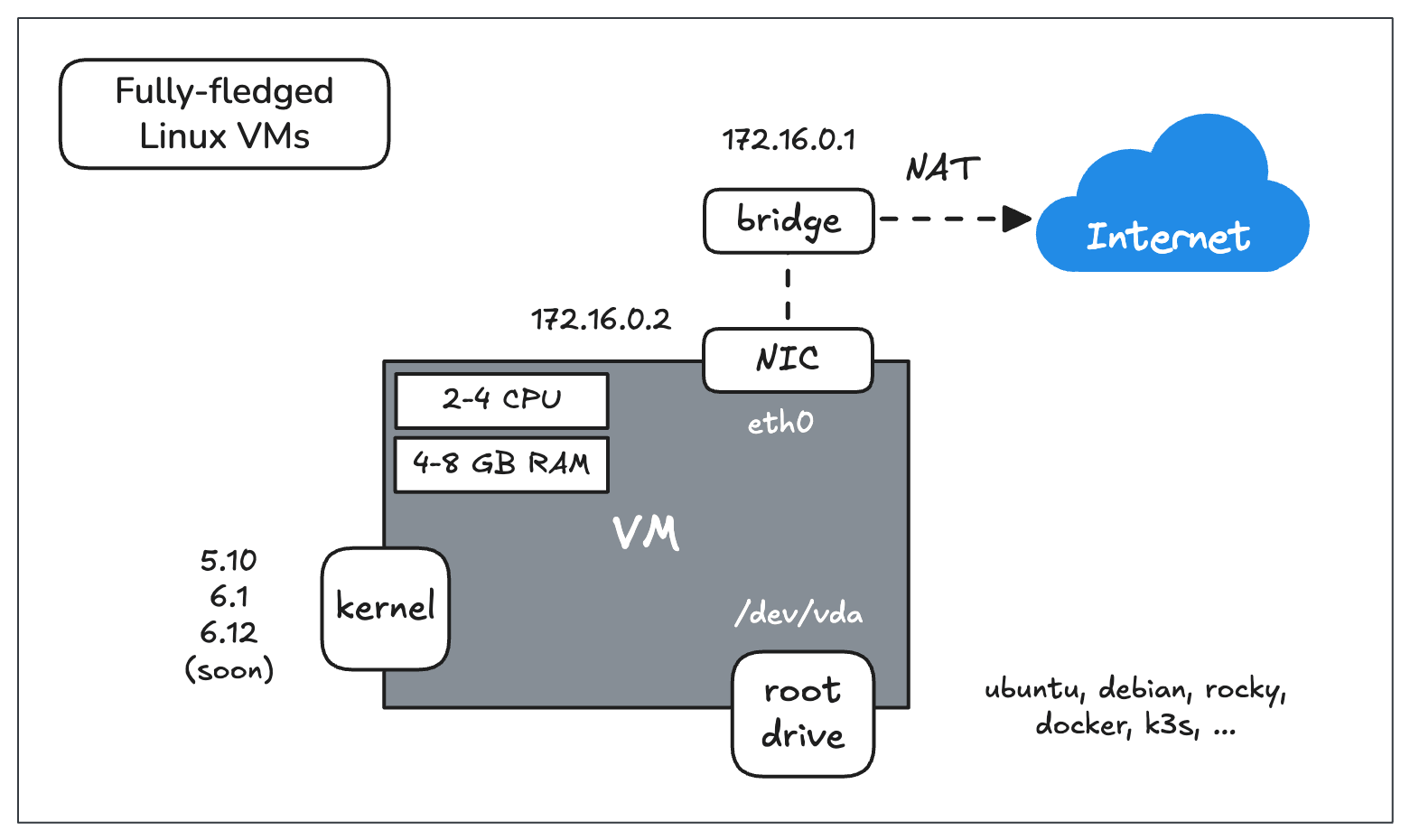
iximiuz Labs Playgrounds are fully-fledged VMs that allow you to run a wide range of server-side technologies - from simple web servers to Docker and Kubernetes.
Each playground VM gets a root drive and its own kernel, a network adapter with a local IP address assigned, 2-4 vCPU, and 4-8 GB of RAM. Accessing a playground VM is no different from SSH-ing to a regular Linux server, and you can also:
- Expose applications running in the playground
- Forward local and remote ports
- Access the playground from your IDE (VS Code, Cursor, etc.)
When a single drive is not enough
For many tasks, the above basic VM will already be enough, but if you want to practice more advanced sysadmin topics like disk partitioning or try using different filesystems, you can easily add extra drives to the playground VM using either the constructor UI or a Kubernetes-style manifest:
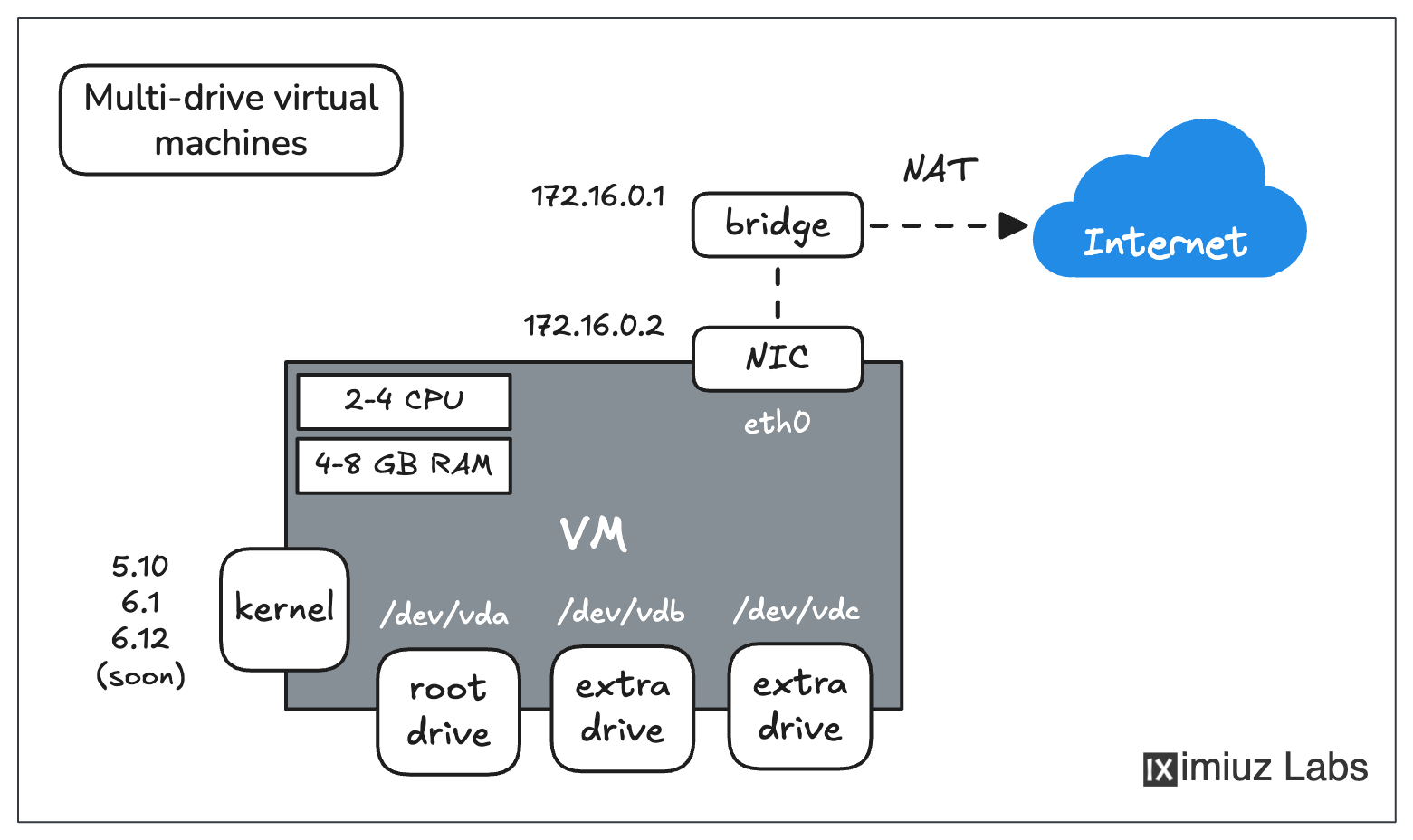
Playground VMs can be used to simulate complex server setups - pick a kernel and a rootfs (Ubuntu, Rocky, Alpine, etc.), add extra drives with different filesystems, configure multiple networks, etc.
A single VM is not a limitation
Most of the real-world setups you'll be dealing with are distributed systems with more than one node. The good news is that on iximiuz Labs, you can easily start a playground with up to 5 VMs in it using the so-called Flexbox base (video):
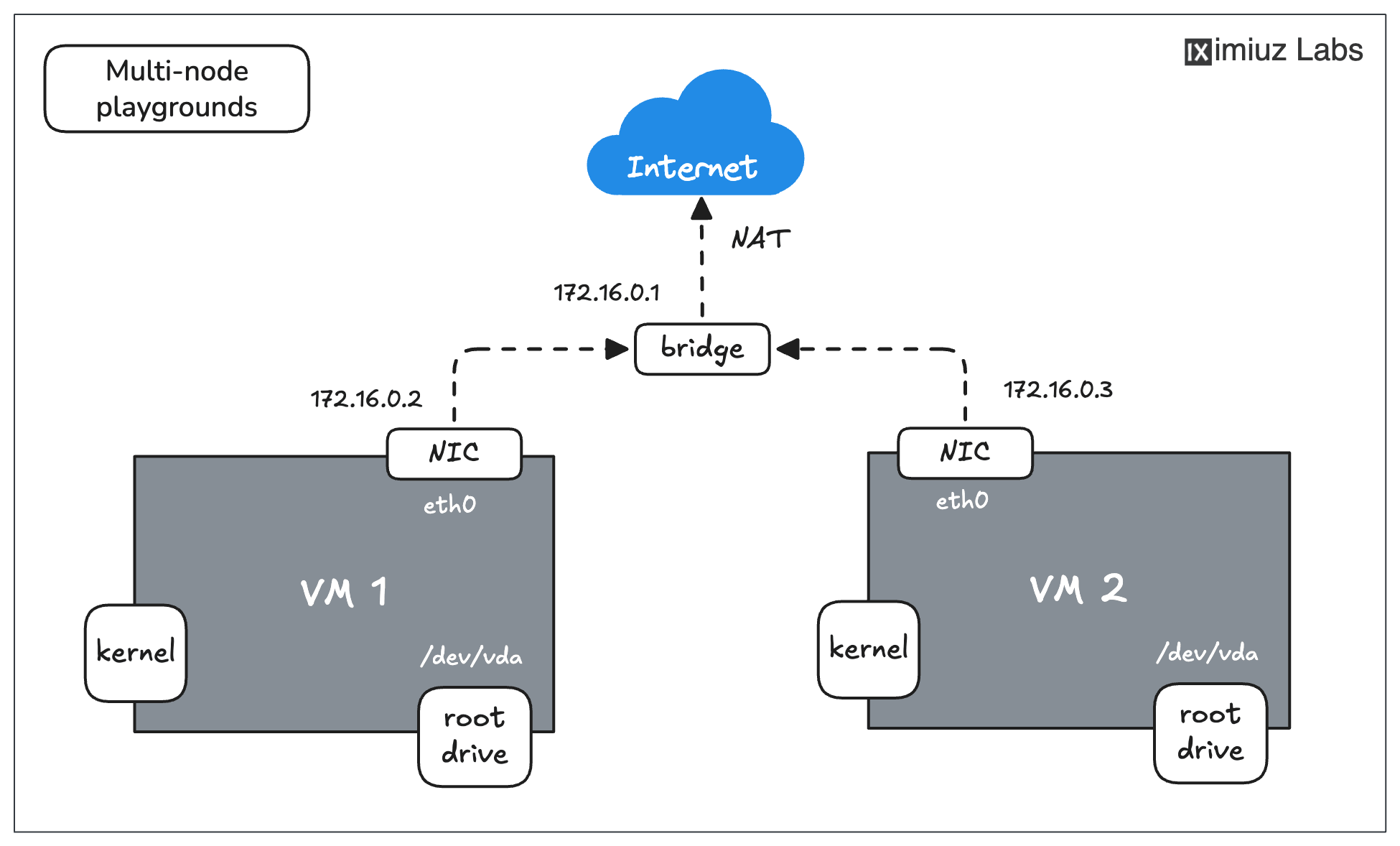
Each playground can have up to 5 VMs, connected into one or more networks, which allows provisioning multi-node Kubernetes clusters and practicing complex networking scenarios.
Multi-VM playgrounds is where iximiuz Labs starts to noticeably outperform its alternatives:
- Renting multiple VPS (e.g., Digital Ocean droplets or EC2 instances) to reproduce a similar setup is significantly more expensive.
- Using local virtualization software (e.g., VirtualBox) requires a relatively powerful laptop or PC.
- Slicing a remote server into multiple VMs with KVM is tricky, and the resulting setup will likely be less flexible.
Complex network topologies
The two-VM setup from the above diagram was only scratching the surface. On iximiuz Labs, you can connect a VM to an arbitrary number of bridge networks, simulating rather complex network topologies. This is a much-needed capability for practicing routing problems or exploring real-world hierarchical topologies.
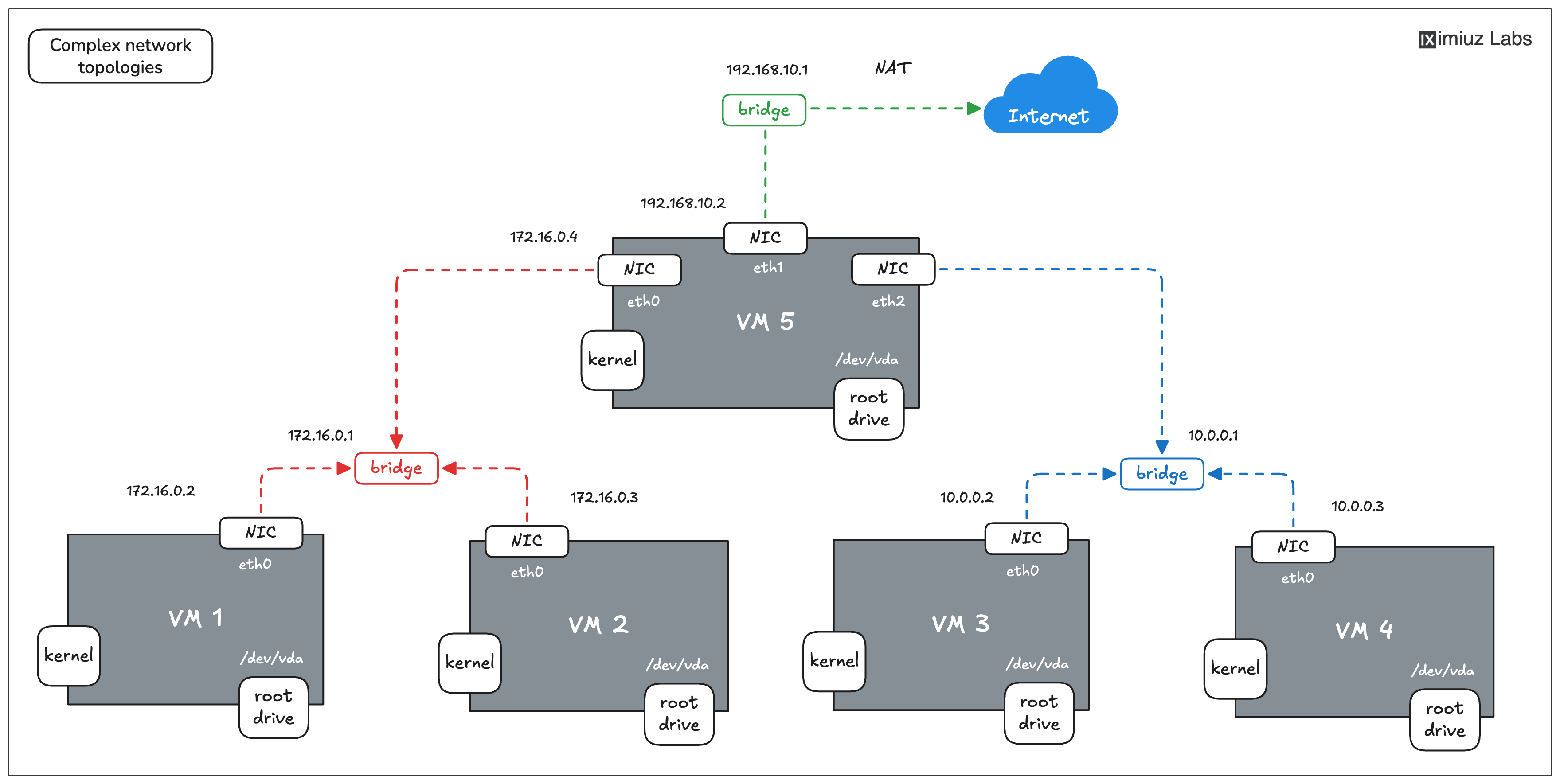
An example of a setup you can configure using a 5-node Flexbox playground.
A rich collection of playgrounds
The current collection of playgrounds ranges from a simple Linux VM to multi-node Kubernetes clusters, and always comes with the latest and greatest:
- Ubuntu 24.04/22.04, Debian Bookworm/Trixie/Forky, Fedora 43, Rocky 10
- Docker 29 and containerd 2.2
- Kubernetes 1.35
...and two dozen more! Give them a try and see what you can build!
- Previous
- Shell Gyms