Explore the Catalog

Tutorials, challenges, courses, skill paths, playgrounds, and more — search the whole library in one place.

Tutorial

How Container Filesystem Works: Building a Docker-like Container From Scratch

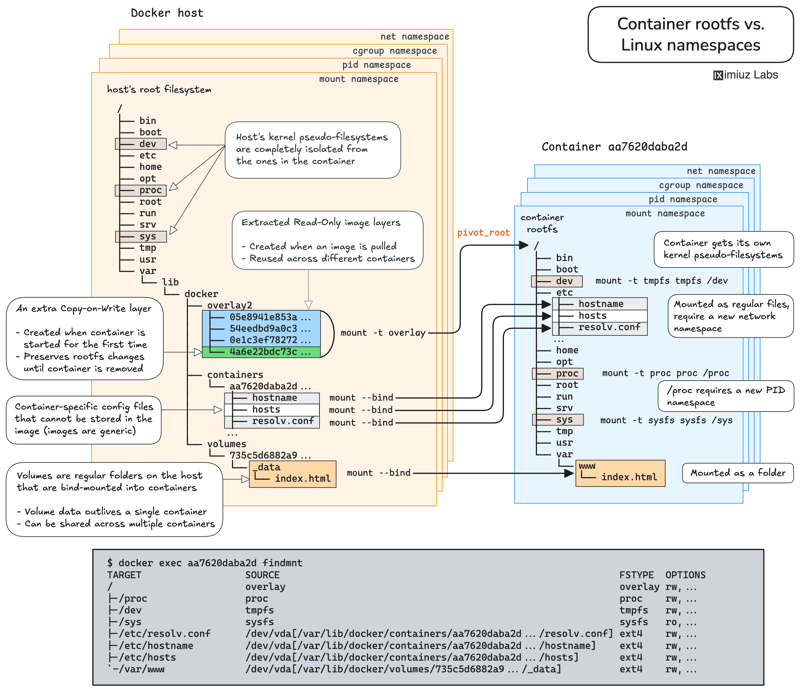
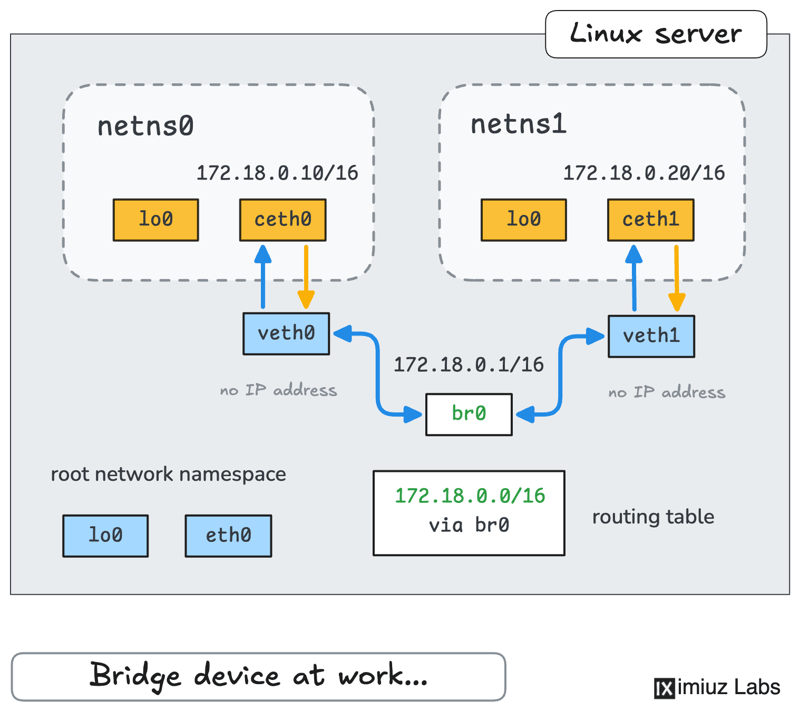
Learn how Linux containers are built from the ground up. Starting with the mount namespace and a root filesystem, see why PID, cgroup, UTS, and network namespaces naturally follow - and how this foundation makes concepts like bind mounts, volumes, and persistence in Docker or Kubernetes much easier to grasp.
How Container Filesystem Works: Building a Docker-like Container From Scratch (cover image)
See all tutorials →
Challenge

Fix a Node-Level Config File Without SSH Access

A telemetry agent on node-02 crashes after a change to a config file on the node, and none of the cluster nodes accept SSH connections. Working only from the dev machine, fix the file on the node and delete any Pods you created to reach it. Practice getting a root shell on a node through the Kubernetes API, the way you would when a node has no SSH access.

Challenge

Create a Custom Resource Definition and Verify It in the Kubernetes API

Register a Website custom resource type with a CRD, give a service account read access to it with RBAC, and query the new endpoint with curl. Learn how a CRD turns into a live API endpoint and how RBAC applies to custom resources.

Challenge

Move a Multi-Container Application Off the Host Network

An application moved to Docker in a hurry runs on the host network, leaving its internal services exposed to the internet. Redesign the application's networking to restrict external and internal access and harden the setup.

See all challenges →
Course

Kubernetes the (Very) Hard Way

A hands-on, step-by-step guide to assembling a Kubernetes cluster from the ground up, (without using any automation) while deeply exploring each component's role and functionality along the way.

Kubernetes the (Very) Hard Way (cover image)
Course
Unavailable

Hands-On Firecracker: microVMs From First Principles to Production

A hands-on introduction to Firecracker that takes you from booting your first microVM to building secure, production-ready sandbox infrastructure. Learn how to launch and control microVMs, wire up networking, share data efficiently, and harden execution - the essential skills for running autonomous agents and untrusted workloads safely at scale.

Hands-On Firecracker: microVMs From First Principles to Production (cover image)
See all courses →
Skill Path

Master SSH Tunnels: Local and Remote Port Forwarding

Learn how to reach an internal port on a remote machine from the local system, jump through a bastion into a private VPC, expose a development server to the Internet through a reverse tunnel, publish a home network device, and spin up a full-fledged SOCKS proxy with nothing but a regular SSH connection.

See all skill paths →
Shell Gym

Linux 101: Meet the Linux Shell

Your first hands-on session in a Linux terminal. Practice running commands, reading their output, using arguments and options, checking whether commands succeed or fail, and chaining commands together. No prior Linux experience is required.

See all shell gyms →
Roadmap
Work-in-Progress

Docker The Hands-On Way

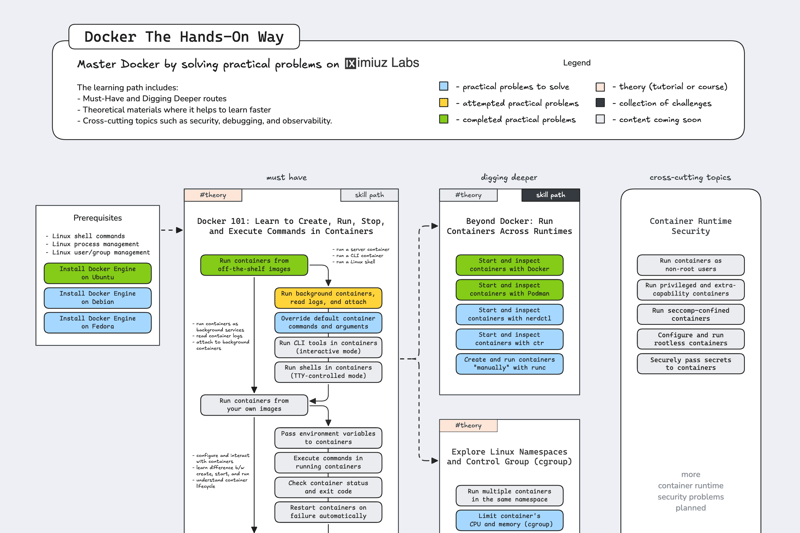
Master Docker by solving practical problems. The learning path includes: Must-Have and Digging Deeper routes, theoretical materials where it helps to learn faster, and cross-cutting topics such as security, debugging, and observability.

  • 1 Course
  • 15 Tutorials
  • 8 Skill Paths
  • 120 Challenges
Docker The Hands-On Way (cover image)
See all roadmaps →
Playground on  Kubernetes

Kubernetes Cluster

A multi-node Kubernetes cluster provisioned with kubeadm, allowing you to choose your preferred container runtime and networking plugin. Perfect for CKA, CKAD, and CKS preparation.

Playground on  Containers

Docker

A Linux server with Docker engine pre-installed.

Playground on  Linux

Ubuntu 26.04

A vanilla Ubuntu 26.04 server.

Playground on  Generative AI, Programming

Coding Agent Base

Get a disposable agentic coding environment in seconds. Claude Code, Codex, Gemini CLI, and Opencode pre-installed and ready to use.

See all playgrounds →