Full Ubuntu Desktop Experience in web Playground

Access your remote server’s full desktop directly from the browser using Apache Guacamole, eliminating the need for a local RDP client 💻🌐
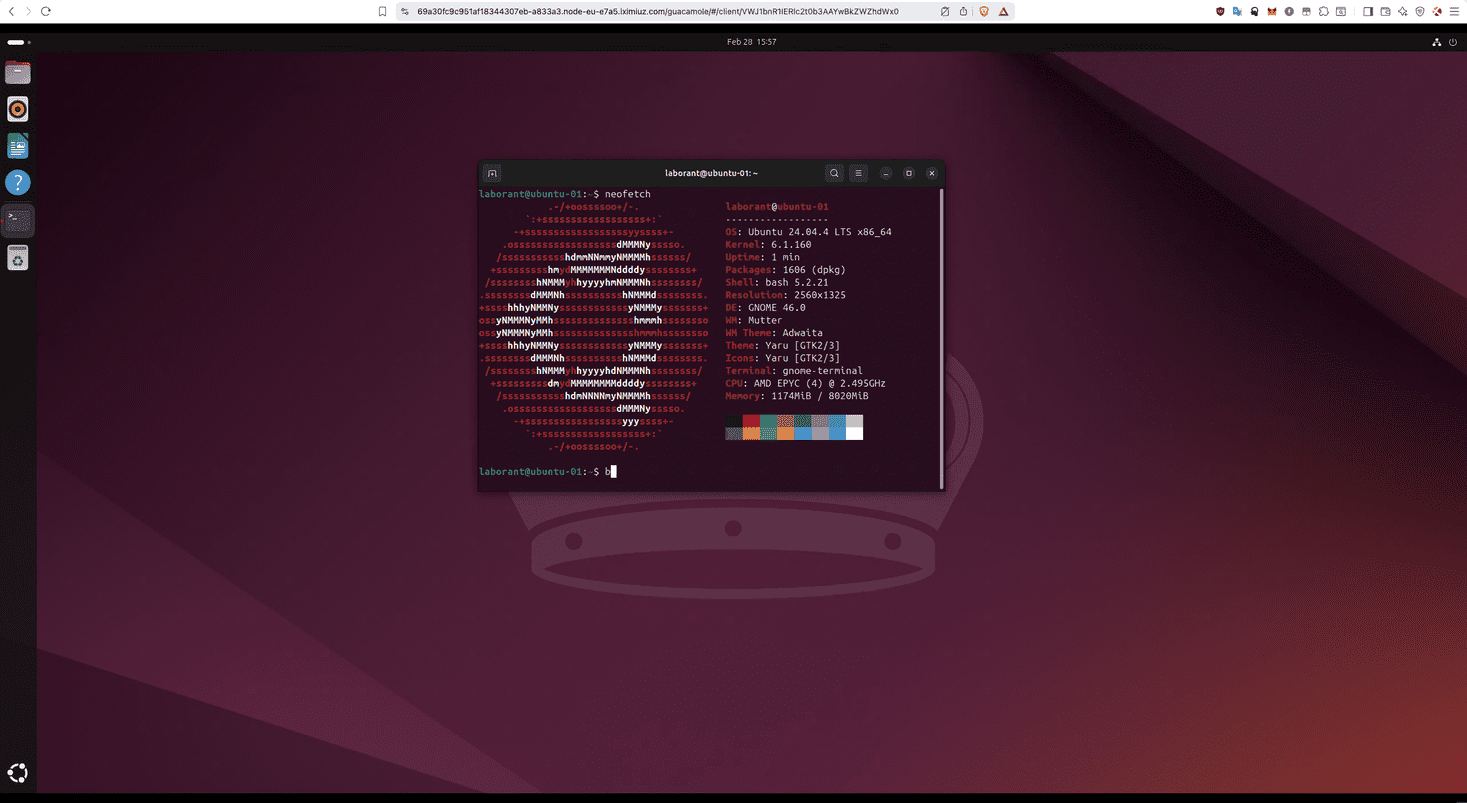
What if you wanted to see the UI for your remote server ? well you have XRDP for that , yes true . and what if you don't want to install a rdp client on your laptop and then access the server?
Enters apache guacamole.
Try this playground for the same reason:
- start the machine
- docker containers are already running and ports are published
- expose the host port 8080 in the playground
- you can now access desktop at https://EXPOSED_URL/guacamole
guacamole :
username: guacadmin
password: guacadmin
this opens xorg login session
now you enter your linux username and password
laborant / laborant
explore the ~/guac directory and play with user-settings.xml by learning about apache guacamole Here
The audio was not working i fixed it but creating a new playground requires more attempt to ask permission for publishing you can rerun this script to fix it.
Read more here in the medium blog
A real VM, not a container
Get root on a VM with its own kernel, so Docker, Kubernetes, and systemd just work.
Read the docs →
SSH from browser or CLI
Use the built-in web terminal, or connect with labctl ssh, plain ssh, scp, or rsync.
Read the docs →
Drive it with AI
Let Claude, Codex, or any MCP client start this playground and run commands in it.
Read the docs →
Expose HTTP(S) ports
Give any web app running inside the VM a public URL - for yourself or to share with others.
Read the docs →
Share terminals
Invite others into your terminal session, or open it yourself from another device.
Read the docs →
Customize with init scripts
Add shell scripts that run at boot to install packages, clone repos, or seed test data.
Read the docs →
Private networking
VMs reach the internet via NAT with no public IP; several VMs share bridge networks.
Read the docs →
Ephemeral or persistent
By default, VMs are destroyed when the session ends; enable persistence to keep the disks for next time.
Read the docs →
Built-in container registry
A private registry.iximiuz.com for every playground to share images across services and VMs.
Read the docs →