Challenges
Challenges are bite-sized, hands-on problems for practicing Linux, networking, Docker, Kubernetes, and other server-side skills in realistic environments.
Unlike Tutorials, which guide you through a topic step by step, Challenges start with a problem and expect you to find the solution yourself. They are designed to feel closer to real work: inspect the system, form a hypothesis, try commands, read docs, make mistakes, and eventually bring the environment into the expected state.
What a Challenge looks like
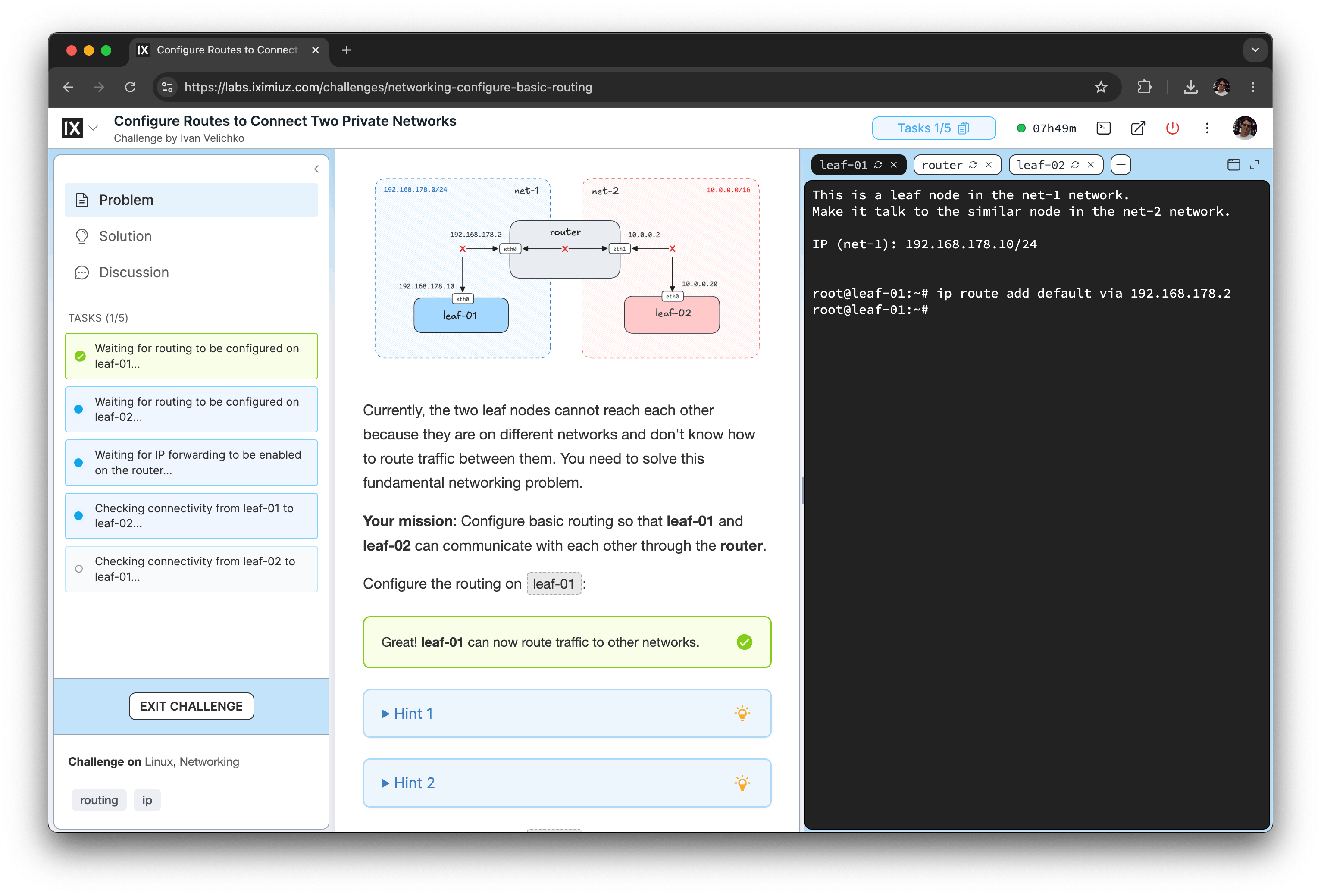
A Challenge is a short problem statement paired with an interactive Playground.
The Playground is a remote Linux environment prepared specifically for the task. Depending on the Challenge, it may contain one or more VMs, preinstalled tools, broken services, missing configuration, constrained resources, or a partially completed setup.
Your job is to fix the problem or complete the task.
For example, a Challenge may ask you to:
- Limit CPU and memory usage of a Linux process
- Forward a port using
socat - Run your first containers
- Build and publish a container image
- Enable Internet access for a private network with a NAT gateway
- Troubleshoot a failing Kubernetes Pod
How Challenges are verified
Each Challenge includes automated verification.
When you submit your solution, iximiuz Labs checks the final state of the Playground. In most cases, it does not care which exact commands you used. If the system ends up in the expected state, the Challenge is solved.
This means you are free to take your own path:
- Use familiar tools
- Try alternative approaches
- Inspect the system before changing it
- Research the problem
- Experiment until things click
That freedom is intentional. Real production systems rarely come with a single prescribed command sequence, and Challenges are meant to help you build practical problem-solving skills, not just memorize commands.
Hints and solutions
Most Challenges include hints, usually hidden behind collapsible sections.
Use them when you are stuck, but try not to open them too early. A good learning flow is:
- Read the problem carefully.
- Explore the Playground.
- Try to solve the task on your own.
- Use hints only when you have a concrete blocker.
- Check the editorial solution after solving the Challenge, or after making a serious attempt.
Many Challenges also include an editorial walkthrough. These solutions often explain not only what to do, but also why the approach works, what alternatives exist, and what concepts are involved.
How to approach Challenges
Challenges work best when you treat them like small real-world tasks.
You are encouraged to:
- Inspect files, processes, services, containers, routes, logs, and cluster state
- Use man pages, official docs, search engines, and ChatGPT
- Test different approaches
- Break things and recover from mistakes
- Compare your solution with the editorial walkthrough afterward
What you should avoid is delegating the whole task to an autonomous coding agent and watching it solve the problem for you. That may complete the Challenge, but it defeats the purpose. The learning happens in the doing.
When to use Challenges
Challenges are especially useful when you want to:
- Turn passive knowledge into practical skill
- Build confidence with command-line tools
- Prepare for real operational tasks
- Practice debugging and troubleshooting
- Reinforce concepts from Tutorials and Courses
- Discover gaps in your understanding
If a Challenge feels too hard, that is usually a signal to step back and study the related material. Many Challenges link to Tutorials or Course lessons that explain the underlying concepts in more depth.
Challenges, Tutorials, and Courses
Challenges are one of several learning formats on iximiuz Labs.
Challenges start with a problem and ask you to solve it in a prepared Playground.
Tutorials are long-form, guided articles with explanations, diagrams, reproducible steps, and often an embedded Playground.
Courses combine theory and practice into a structured sequence of lessons. Many Course lessons require solving linked Challenges before moving forward.
A common learning loop is:
- Try a Challenge.
- Get stuck.
- Read the linked Tutorial or Course lesson.
- Return to the Challenge.
- Solve it.
- Review the editorial solution.
This keeps learning hands-on without leaving you unsupported.
Rewards for solving Challenges
Solving Challenges also improves your free iximiuz Labs account:
- Each solved Challenge adds 5 minutes to your maximum daily Playground usage time
- Solving 3 Challenges unlocks unrestricted Internet egress from Playgrounds
- Solving 10 Challenges grants one free month of all-inclusive Premium access
These rewards are meant to encourage regular practice. The more you solve, the more useful your Playgrounds become.
Where to start
Pick a Challenge that matches your current interests and skill level.
If you are new to containers, start with beginner Docker Challenges. If you want to get better at networking, try routing, NAT, and port-forwarding tasks. If you are preparing for Kubernetes work, choose Challenges around Pods, Deployments, scheduling, cluster debugging, and resource management.
Do not worry about solving everything in order. The important part is to practice regularly, reflect on what you learned, and gradually increase the difficulty.
- Previous
- Showcase Your Skills
- Next
- Tutorials