Persistent Playgrounds
Preserve your playground progress
For a long time, iximiuz Labs playgrounds were fully ephemeral. You'd start a new environment, perform some tasks in it for up to a few hours, but eventually, the playground would have to be terminated and its data completely removed.
While ephemeral playgrounds remain a completely valid (and still dominant) way to use the labs, since November 2025, it's also possible to save your playground progress and restart it after lunch the next day, or even after a lengthy vacation.
The playground termination dialog now offers two actions:
- Stop - the playground VMs will be terminated, but their drives will be snapshotted and offloaded to a remote storage.
- Destroy - the historically only option that completely disposes of the playground's data after terminating the VMs.
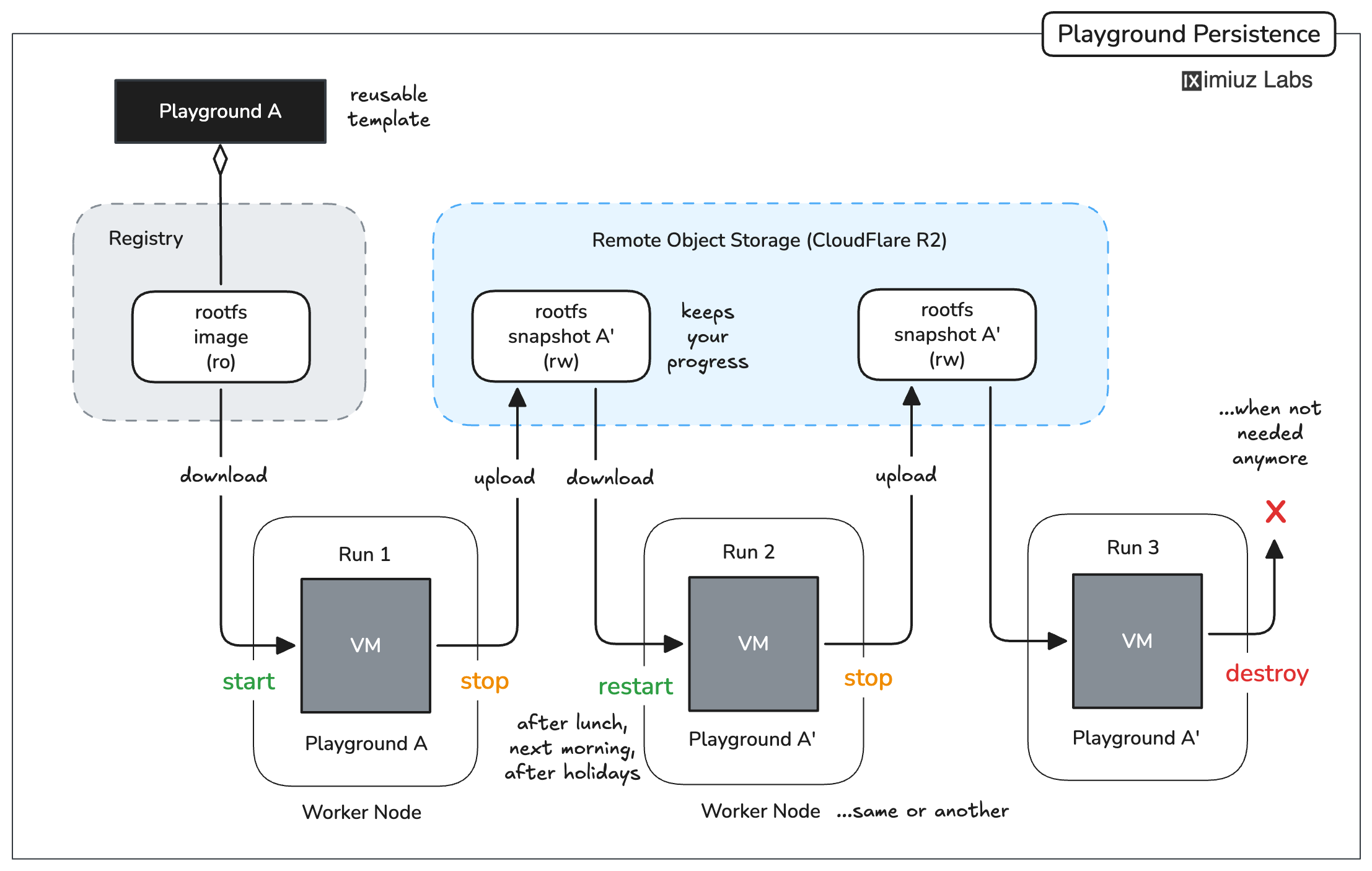
A new playground starts from a read-only rootfs image, but all modifications to the filesystem are preserved in an overlay volume, which is then snapshotted and offloaded to a remote storage.
Instantly fork playground runs
Using copy-on-write overlay volumes for playground persistence enables some really powerful use cases.
Imagine you're working on a task - it can be a server configuration issue, a particularly involved Kubernetes cluster, or a coding problem. You've been on it for hours - cloning GitHub repos, running ad hoc shell commands, restarting services, etc. Finally, you manage to produce a certain state you want to preserve. You hit the Stop button, enjoying the playground persistence, and go to sleep.
But the next day, you wake up not with 1 but with 3 ideas how to proceed. If only it were possible to "clone" the state of your playground and try all three hypotheses against the same system.
Infrastructure as Code is the way, but there is a big problem with this approach - you need to know upfront that the setup should be scripted. Clearly, we're already past that point.
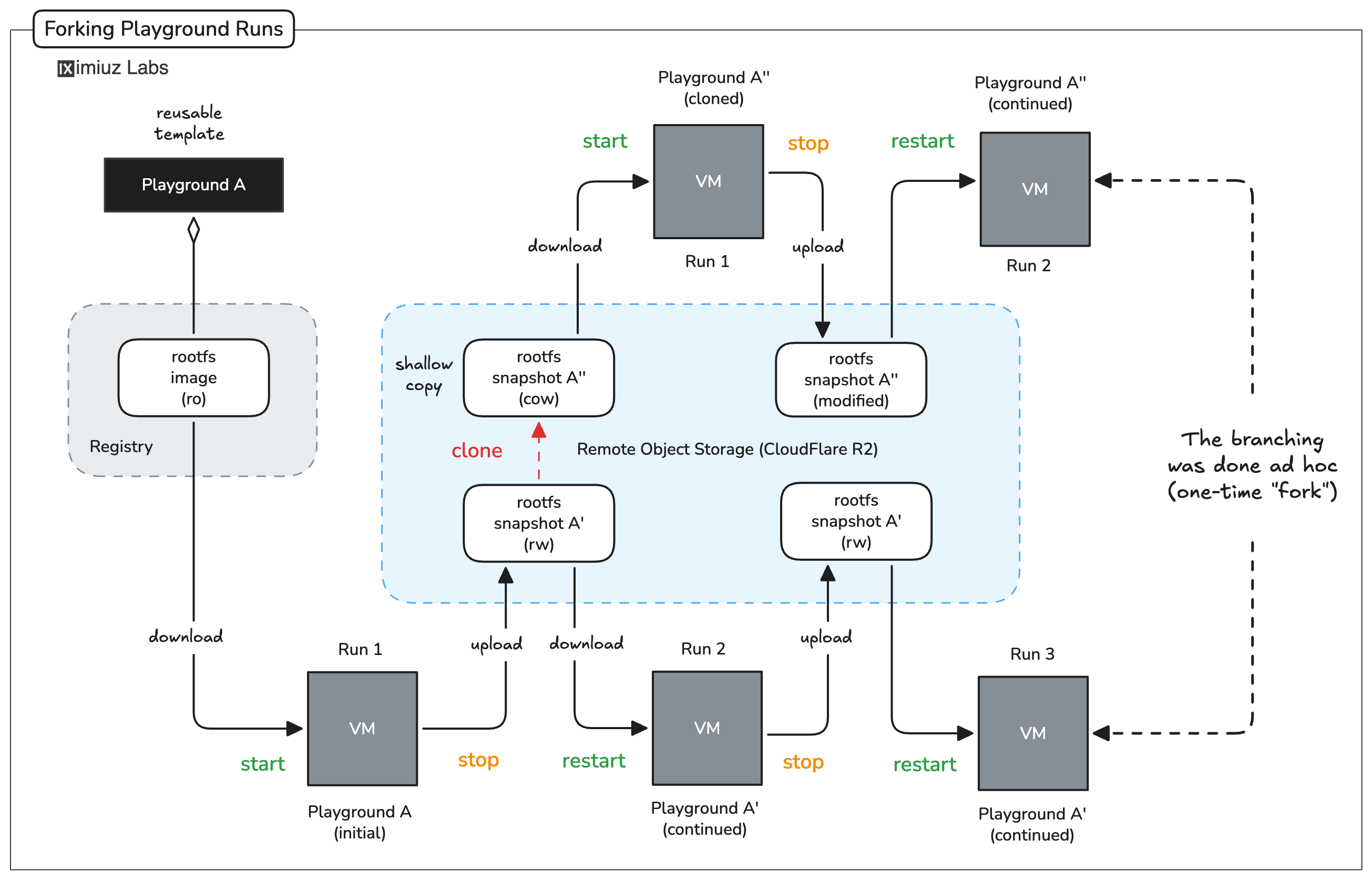
Once a playground is stopped, you can fork it to create a new playground with the exact same state. The best part is that forks are instant and take no extra space (until modified).
Create custom playgrounds
Last but not least, some accidental (or intentional) "clickops" setups are worth preserving as reusable templates for a long time. This is where another capability of persistent playgrounds comes in handy - saving a stopped run as a custom playground.
Cloning a run ad hoc creates two independently mutable playground runs. But saving a stopped run as a custom playground creates a read-only template that can then be used to branch out as many mutable runs off it as needed. And as with any playgrounds, you can also share it with others or embed it in tutorials, challenges, or course lessons.
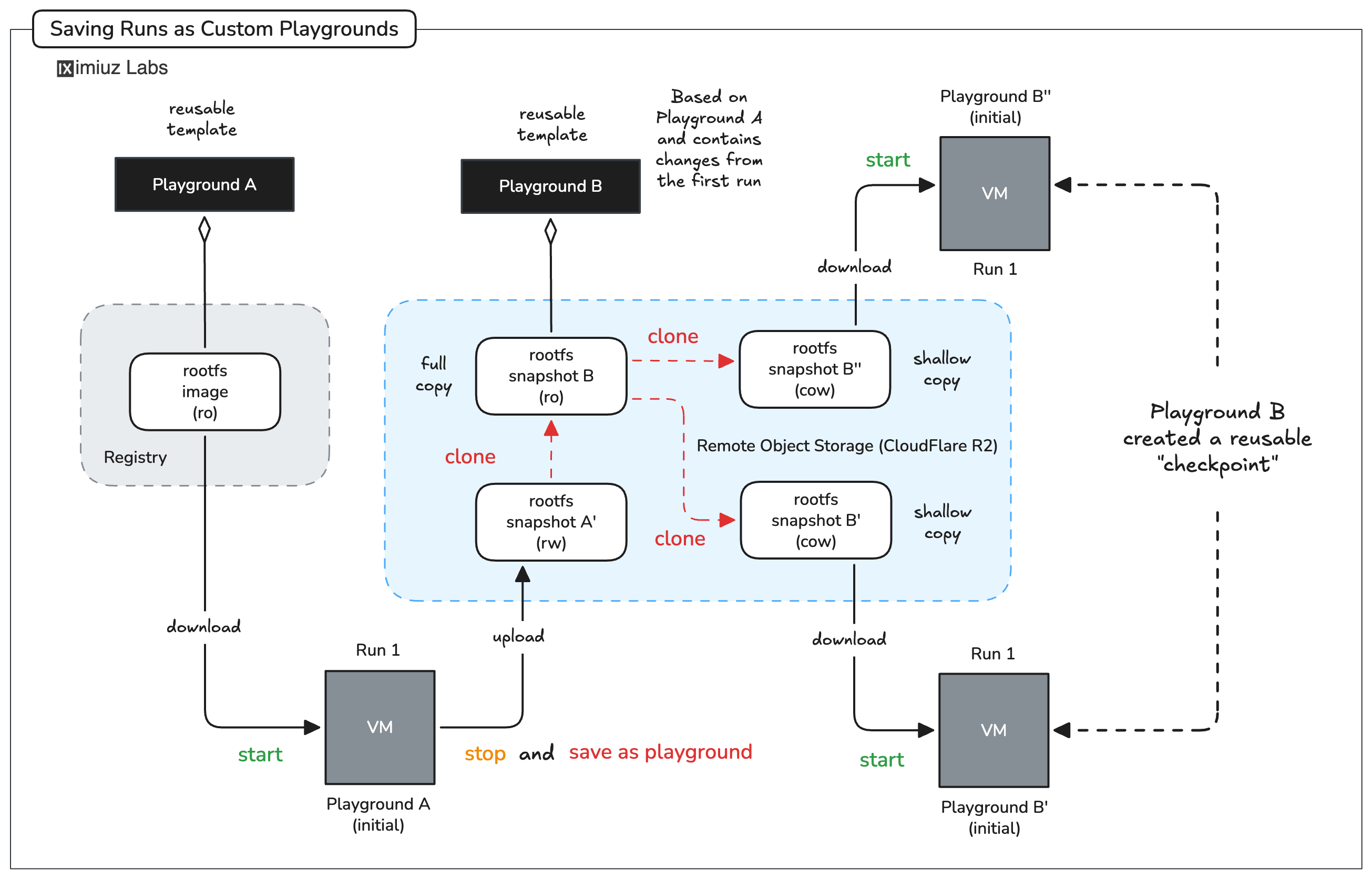
Saving a stopped run as a custom playground creates a read-only template that can then be used to branch out as many mutable runs off it as needed.
- Previous
- How to Expose Local Endpoints