Custom Rootfs Images
Every drive source in a playground manifest ultimately points to an OCI image whose filesystem becomes the drive's content.
Named sources like ubuntu-24-04 or docker are just aliases for the official rootfs images -
and you can bring your own image instead. Reasons you might want to:
- You need something that's not available in the existing base images.
- You want to add extra dependencies on top of an existing base image.
- Your playground's init tasks install so much that users wait too long - baking the dependencies into the rootfs makes startup nearly instant.
The workflow
- Write a Dockerfile - ideally based on one of the official rootfs images, so all the platform conveniences (users, sshd, init system) are already in place:
FROM ghcr.io/iximiuz/labs/rootfs:ubuntu-24-04

RUN apt-get update && apt-get install -y postgresql-16 && apt-get clean
- Build and test it locally:
docker build -t ghcr.io/<your-username>/amazing-demo-image:v1 .
- Push the image to a container registry. Docker Hub is not supported (due to its strict rate limiting) -
ghcr.iois the recommended choice, and the image must be publicly pullable. - Reference the image as a drive source using the
oci://scheme:
kind: playground
name: my-postgres-lab
title: My PostgreSQL Lab
playground:
  machines:
    - name: db-01
      users:
        - name: laborant
          default: true
      drives:
        - source: oci://ghcr.io/<your-username>/amazing-demo-image:v1
          mount: /
          size: 30GiB
      network:
        interfaces:
          - network: local
  accessControl:
    canList:
      - owner
    canRead:
      - owner
    canStart:
      - owner
labctl playground create my-postgres-lab --base flexbox -f manifest.yaml
The same can be done in the Playground Constructor UI:
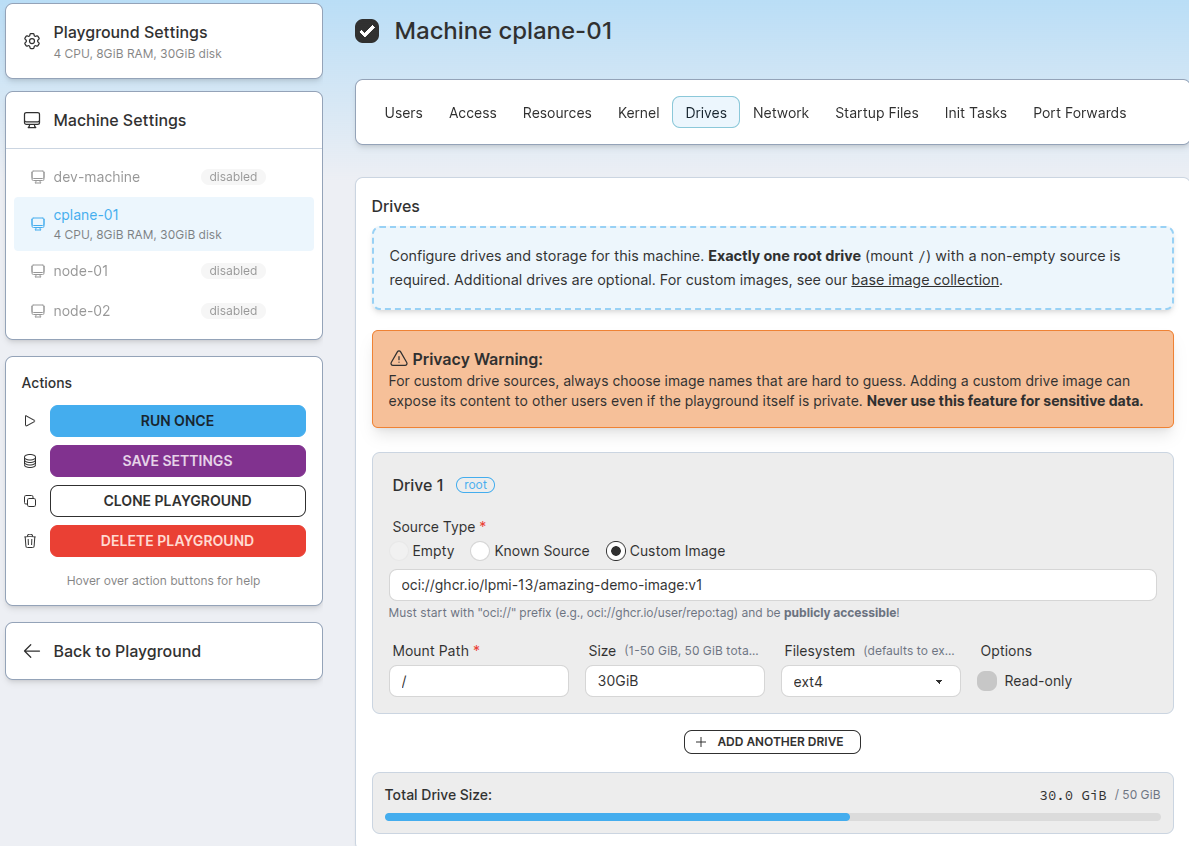
Setting a custom OCI image as a VM drive rootfs source using the Playground Constructor UI.
Image requirements
A rootfs image is not a regular application container image - it becomes the root filesystem of a full VM, so it must be a bootable Linux userland:
- Architecture:
linux/amd64. - No kernel needed: the platform supplies the kernel; the image provides everything from
/sbin/initup. - Init system: the image must ship one - systemd for most distros (Alpine's OpenRC works too).
- Images built
FROMan official rootfs image inherit this for free - Images built from a plain distro base (e.g.
FROM ubuntu) need systemd, sshd, and standard system files added.
- Images built
- Users: any user referenced in the manifest's
userslist must already exist in the image (rootalways does; official images also shiplaborant).
If a machine built from your image doesn't come up, its serial console output (kernel messages and the init system's boot sequence) is the first thing to check -
it's available in the Boot Logs tab of the Play Debug Console and via labctl playground machine console <play-id> <machine>.
💡 If building an image feels like too much, there is a "click-ops" alternative: start an off-the-shelf playground, install everything interactively, then stop the running instance, and save it as a custom playground.
Additional Resources
- 📝 Custom rootfs for playgrounds in iximiuz Labs - a community writeup of the process
- 🧱 Official rootfs image definitions - a rich collection of VM rootfs Dockerfile (for inspiration and/or to find a suitable
FROMimage)
- Previous
- UI Tabs