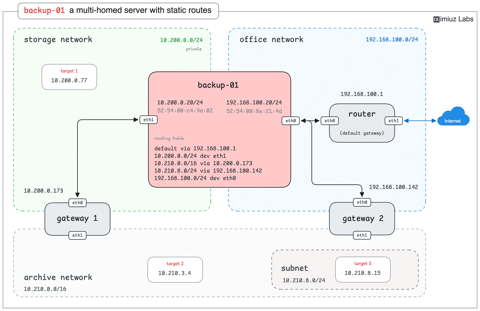
I finally added dynamic social preview images to my site, and they cost me close to $0/mo. Here is the design I ended up with after several iterations, in case you need the same thing.
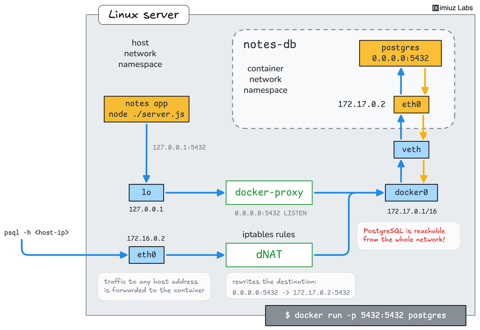
Learn how to access a service bound to localhost of the Docker host from a bridge-networked container, without exposing the service to the local network or disabling network isolation.
Learn how to access services running on the Docker host from a bridge-networked container, without hardcoding host IP addresses or disabling network isolation.
A stock Django + Strawberry GraphQL service ships with five common weaknesses. Probe each one from the terminal, fix it in the real project, and watch the lab confirm the remediation against the live endpoint.
Play a security researcher: identify the hosts a black-box container keeps making encrypted HTTPS calls to, route them through a MITM proxy, fake the certificate, and see what the container sends over the network.
Sometimes you need an app to talk to a different backend, but its configuration is unknown or the destination address is hard-coded. Practice overriding hostname resolution for a single Docker container to redirect its requests without modifying the app or rebuilding its image.
node-01 is due for maintenance, and it hosts two of the three checkout-api replicas. Add a PodDisruptionBudget so the drain can never take checkout below two available replicas, then drain the node.
Run a Deployment under the container runtime's seccomp profile, roll out a custom profile to the worker nodes, and fix a profile that blocks a syscall the application needs.
The platform team is rolling out Pod Security Admission. A monitoring agent is already blocked, the storefront team needs a staged rollout, and payments must move to the strictest level without losing its running service.
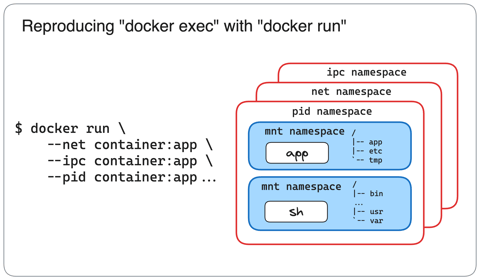
A distroless container serves a debug interface on its own loopback address. Can you reach this debug endpoint using nothing but standard Docker commands?
You are containerizing the dev workflows of a legacy Python service and you need to find out which external services its test suite talks to. Can you think of an easy way to do it?
Ad-hoc containers are a handy way to run command-line tools without installing them on the host. Use one to access a production Redis server and turn off a feature flag. But beware of the gotcha: the production server can only be tunneled to the localhost.
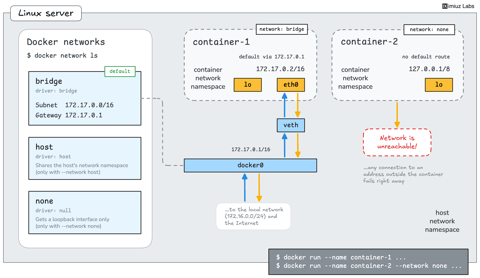
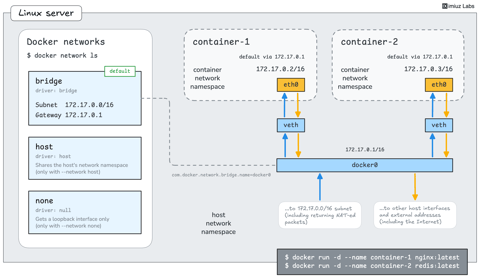
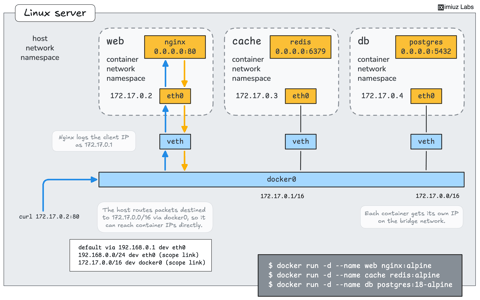
Explore the container networks of a freshly installed Docker host: find the default network, its subnet and gateway, and the Linux interface behind it.
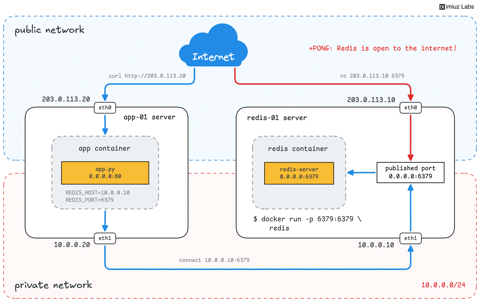
A common setup for small deployments: two servers (VM or bare-metal), each with a public and a private IP. The app listens on the public port but wants to talk to Redis over the private network. Can you set it up?
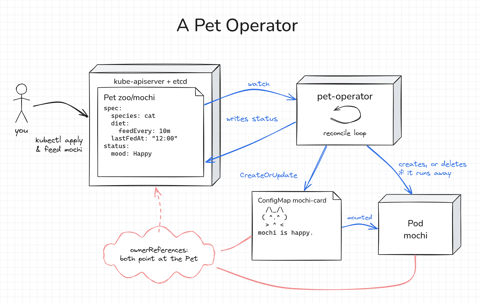
Build a Kubernetes operator for a small Pet API, first as a 15-line bash loop and then as a Go controller with controller-runtime. Every Pet gets a Pod to live in, gets hungry as time passes, and runs away if nobody feeds it. Along the way, you'll see how the reconcile loop works.
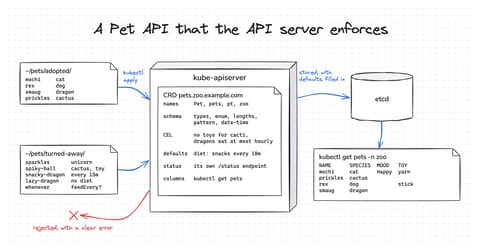
Build a CustomResourceDefinition for a small Pet API one layer at a time, and see how much the API server does with it on its own. By the end, it rejects invalid Pets, fills in defaults, keeps status separate, and prints useful columns. No controller and no code needed.
node-02 is back from a kernel upgrade but still shows Ready,SchedulingDisabled, and the Pods that can only run on it are stuck in Pending. Bring the node back into service and get the workload running, without touching the workload itself.
A storefront needs eight replicas, and the platform team wants them split down the middle between the two availability zones. An uneven split must be refused by the scheduler rather than quietly tolerated.
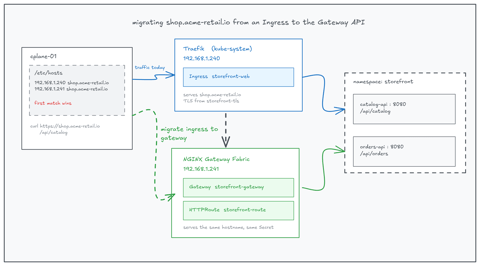
The storefront APIs are served through a Traefik Ingress with TLS and two path rules. Reproduce that configuration with a Gateway and an HTTPRoute on the same hostname, cut traffic over to it, and retire the Ingress.
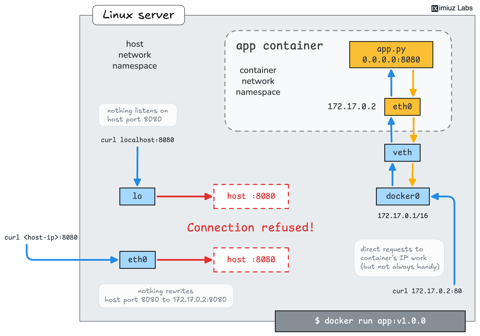
A web app is listening inside a container, but the browser can't reach its IP address. Recreate the container so the app is available on port 80 of the Docker host.
Practice authenticating to an HTTP API from the command line using both a username and password and a bearer token, and learn a couple of tricks along the way.
Practice one of the most common command-line combinations for HTTP API access: fetch a JSON response with curl and pipe it into jq to pretty print, reshape, or get only the relevant parts.
Practice calling HTTP APIs from the command line: send JSON bodies with POST, PUT, and PATCH, upload a file, delete a resource, and read the status codes the server answers with.
Learn the basics of accessing HTTP APIs from the command line: call different endpoints, read the response body, headers, and status code, follow redirects, and request an alternative representation of a server resource.
An internal service started receiving requests from unexpected IP addresses. Identify the unexpected sources and find out which workloads and teams are behind them.
An internal service started receiving requests from unexpected IP addresses. Identify the unexpected sources and find out which systems are behind them.
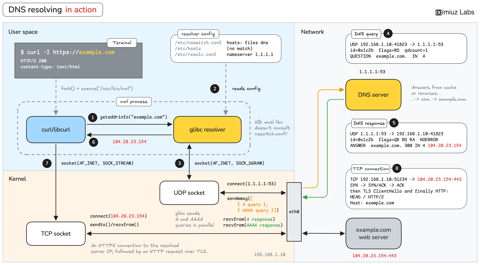
Practice manually resolving public domains, internal hostnames, and locally defined names to the corresponding IP addresses so you feel confident next time a DNS issue occurs.
Inspect directory contents from the Linux terminal, read what a listing tells you, sort it to find the entry you need faster, and use shell patterns to name groups of files.
Create files and directory structures from the Linux terminal. Practice using touch and mkdir, building nested directory trees, working with tricky names, and creating groups of files in one go.
Your third hands-on session in a Linux terminal. Learn how the Linux directory tree is organized and practice navigating it with absolute paths, relative paths, and common shell shortcuts.
Practice reading the network configuration of Linux hosts: find interface names, IP and MAC addresses, the default gateway, and detect which routes a server uses to reach different destinations.
Your second hands-on session in a Linux terminal. Find out what a command name really runs, learn how to get help with --help and man pages, and stop or suspend commands that do not give the prompt back.
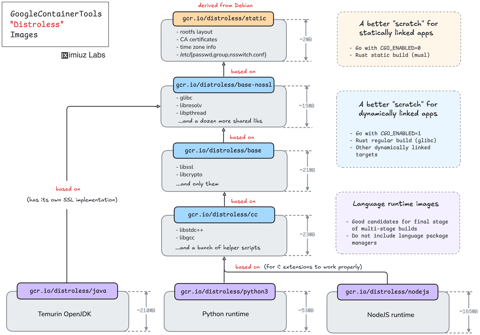
A Go service that has always been shipped as a static binary in a scratch-y image suddenly fails to start in a container, while the local build works as before. Find what recent changes caused it and fix the image without reverting them.
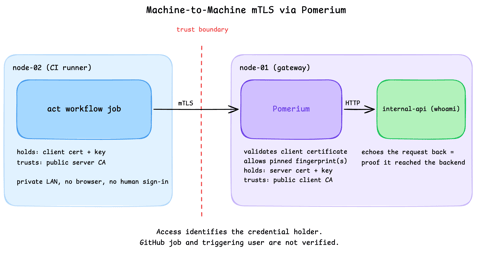
Run a GitHub Actions-compatible continuous integration (CI) job on a private runner and protect its internal API call with mutual TLS (mTLS) and Pomerium. Build separate server and client trust chains, authorize one machine certificate by fingerprint, then revoke, restore, and rotate its credentials through live policy changes.
A new intern learning about probes wrote a small Pod manifest. The exec command and the application are both correct, but the Pod never becomes Ready because one probe parameter is missing. Find it and add it.
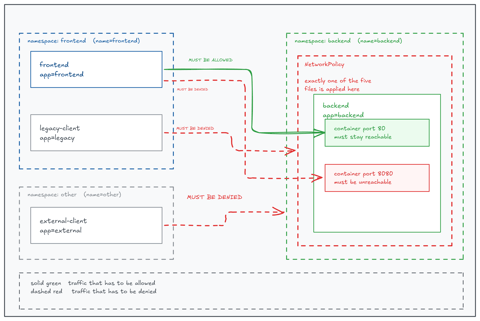
The security team left five NetworkPolicy files on the workstation. Only one of them lets the frontend reach the backend while granting nothing more. Identify it and deploy it, unchanged.
Your first hands-on session in a Linux terminal. Practice running commands, reading their output, using arguments and options, checking whether commands succeed or fail, and chaining commands together. No prior Linux experience is required.
Explore live host CPU/Memory/Disk/Network telemetry as an interactive Doom diagnostics lab. All the elements in the game react to system signals (eg, the cpu cores glow red when there's high utilization).
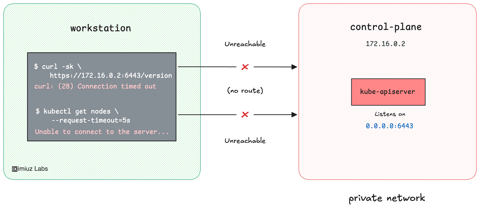
The production Kubernetes cluster lives inside a private VPC, and its API server has no public endpoint. Turn an SSH connection to the bastion host into a SOCKS proxy and teach kubectl to use it, so the cluster becomes manageable from your workstation.
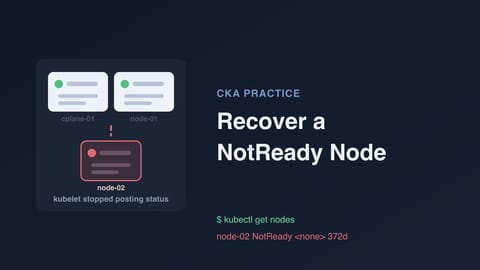
A worker node dropped to NotReady and part of the workload went with it. The container runtime is fine and the control plane is healthy; the trail leads from kubectl symptoms down into systemd and the kubelet configuration. Diagnose the node and bring it back.
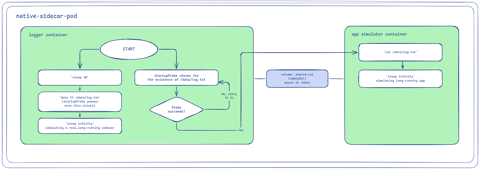
Build five ways to combine containers in one Pod: a sidecar that extends the app, an init container that finishes before the app starts, a native sidecar with a startup guarantee, an ambassador that mutates an outbound call, and an adapter that translates an inbound one.
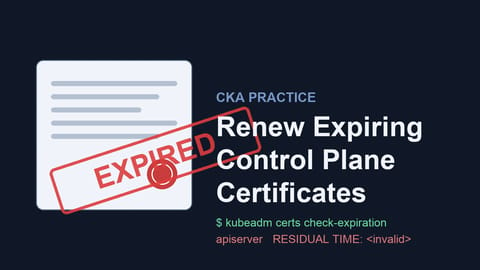
kubectl is dead: the kube-apiserver certificate expired and the control plane is down, while the workload quietly keeps serving. Diagnose the expiry offline, renew the certificates, bring the control plane back, and prove the cluster recovered.
Every kubectl command against a kubeadm cluster fails, and the workload is still serving. With no API to query, the usual tools tell you nothing. Work from the node itself to find what broke and bring the control plane back.
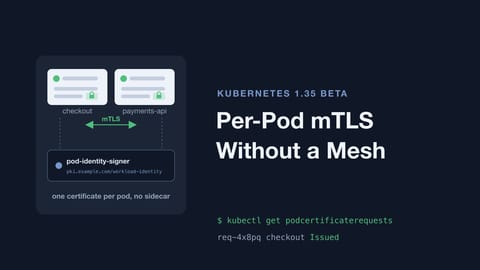
Kubernetes 1.37 can hand every pod its own short-lived X.509 identity, no service mesh and no sidecar involved. The API is served out of the box, but it issues nothing without a signer, and a request nobody answers leaves the pod waiting forever. Get a stalled workload its certificates, give its client an identity of its own, and make the server actually enforce mutual TLS.