Copy Config Files from a Running Pod

Scenario
The platform namespace runs a config-service Deployment with 3 replicas. The Deployment mounts a ConfigMap (app-config) as a volume at /app/config/ inside each pod. The ConfigMap holds four runtime configuration files:
/app/config/
├── database.conf
├── feature-flags.conf
├── logging.conf
└── server.conf
The service is exposed via a ClusterIP Service — not reachable from outside the cluster.
Task
Copy the four files mounted from the app-config ConfigMap at /app/config/ inside any running pod in the platform namespace to /home/laborant/config/ on dev-machine.
The destination directory /home/laborant/config/ already exists.
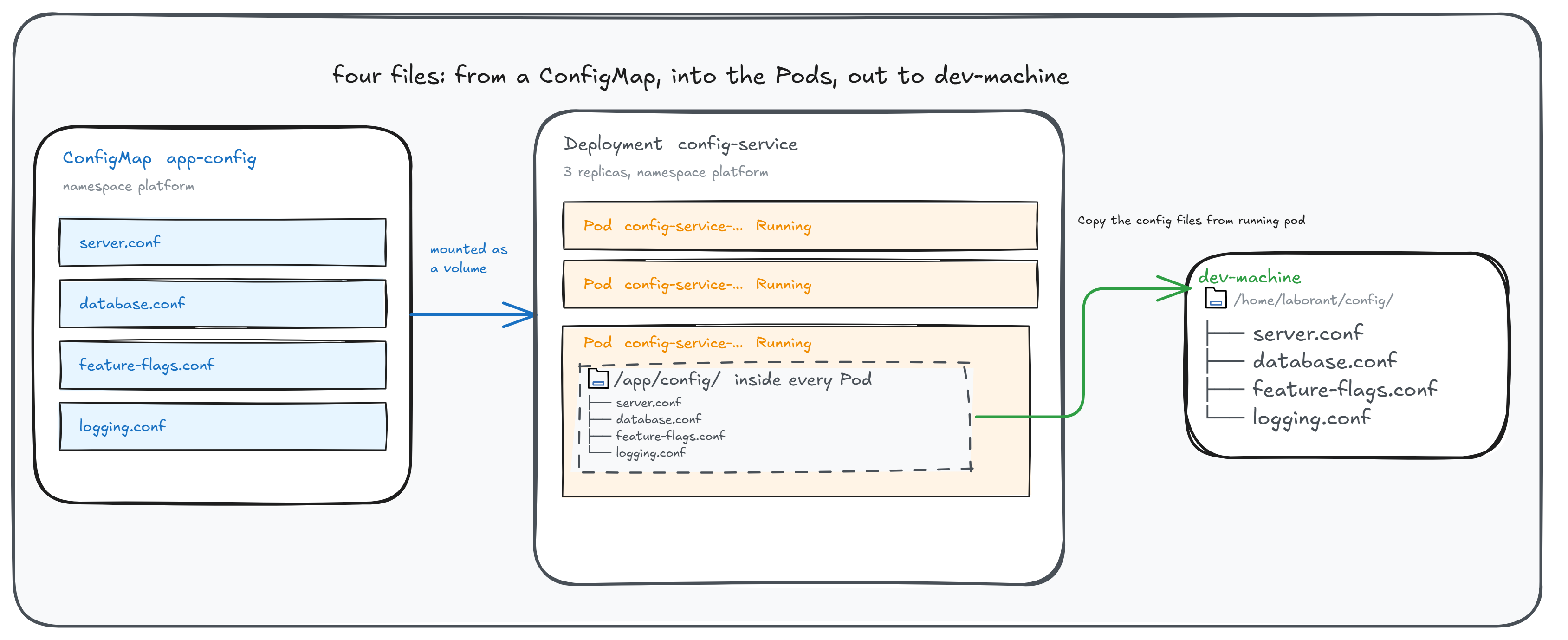
The same four files in three places: the ConfigMap, /app/config/ inside every Pod, and /home/laborant/config/ on dev-machine.
Do not modify the Deployment, ConfigMap, or Service.
Hint 1 — Find a pod to work with
You need a running pod name from the platform namespace. List the pods and
note any one with Running status — you will use its name in the next step.
kubectl get pods -n platform
Documentation
Hint 2 — Try the obvious copy command first
kubectl has a built-in subcommand for copying files between a pod and your
local machine. Try it against the /app/config/ path and observe what happens:
kubectl cp platform/<pod-name>:/app/config/ /home/laborant/config/
Look carefully at the output. Are the files actually written to
/home/laborant/config/? What does the output tell you about why?
Documentation
Hint 3 — Use a tar pipe through kubectl exec
ConfigMap volumes do not write regular files to disk — kubectl cp skips the
symlinks it sees at /app/config/, so no named files appear at the top level
of your destination. Confirm the symlink structure first:
kubectl exec -n platform <pod-name> -- ls -la /app/config/
The l at the start of each permission string (lrwxrwxrwx) means symlink.
The fix is to run tar inside the pod yourself via kubectl exec, then pipe
the archive out to a local tar -x. Unlike kubectl cp, this archives the
directory exactly as it stands — the ..data link and the timestamped
directory it points at travel with it, so the resolution chain survives the
copy and every file is readable at the destination.
Think about:
- how to write archive bytes to stdout from inside a pod
- how to strip the leading path components so files land directly in
/home/laborant/config/
Documentation