Split a Deployment Evenly Across Two Zones

Scenario
The cluster has three nodes, all of which accept workloads. They are not spread evenly across the two availability zones:
| Node | topology.kubernetes.io/zone |
|---|---|
cplane-01 | zone-a |
node-01 | zone-a |
node-02 | zone-b |
Have a look at what the nodes actually carry before you start:
kubectl get nodes -L topology.kubernetes.io/zone
The storefront namespace is empty.
Task
In the storefront namespace, create a Deployment named web:
- Image:
nginx:alpine-slim - Replicas:
8 - Pod label and Deployment selector:
app: web
Add one topologySpreadConstraints entry to the Pod template with these parameters:
| Parameter | Value |
|---|---|
maxSkew | 1 |
topologyKey | topology.kubernetes.io/zone |
whenUnsatisfiable | DoNotSchedule |
labelSelector.matchLabels | app: web |
All 8 Pods must be Running, 4 in zone-a and 4 in zone-b.
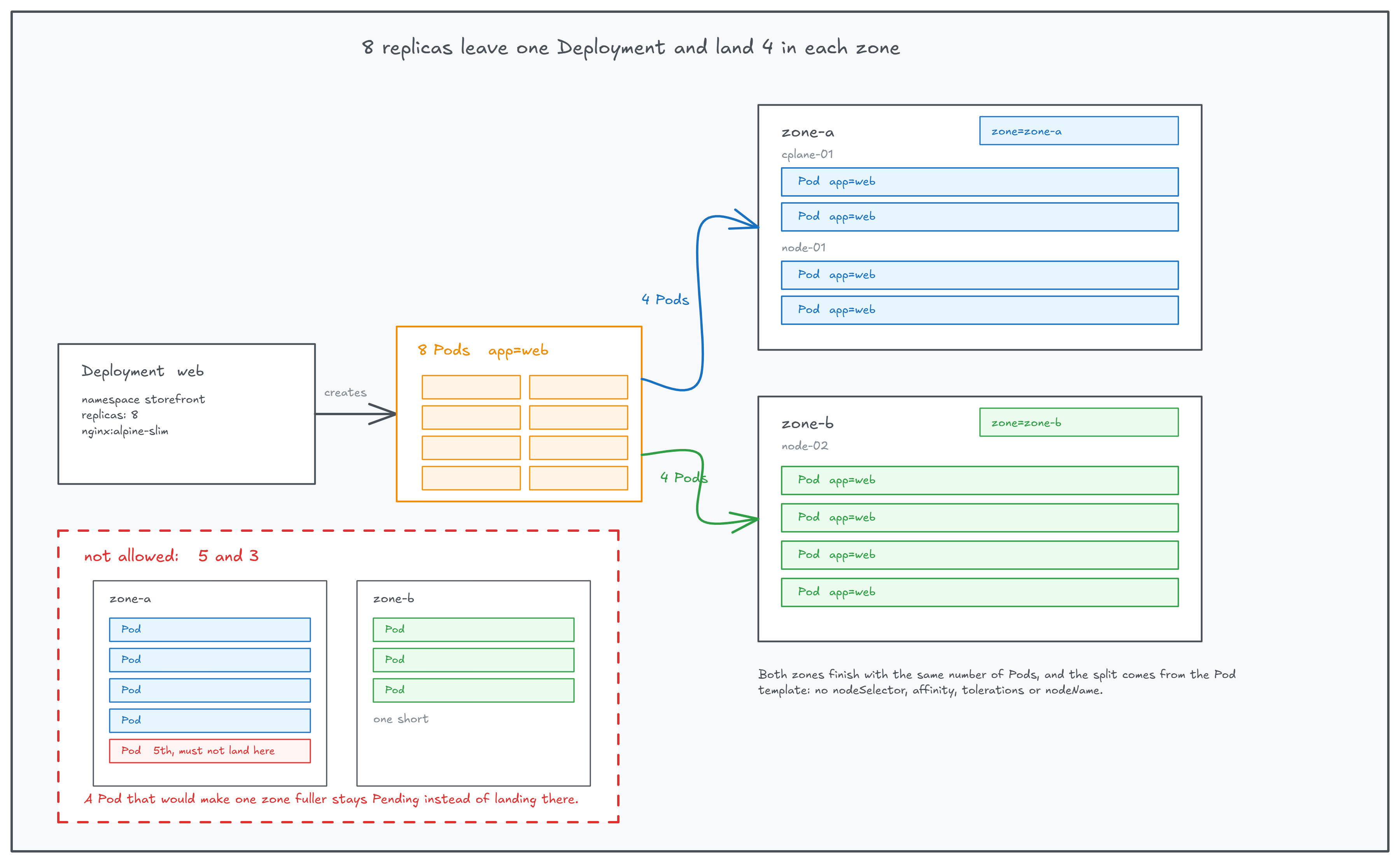
Eight Pods, four per zone. A Pod that would make one zone fuller waits instead of landing there.
The spread constraint is the only placement setting in the Pod template. No nodeSelector, no
node or Pod affinity, no tolerations, no nodeName. Leave the constraint's optional fields
(minDomains, nodeAffinityPolicy, nodeTaintsPolicy, matchLabelKeys) unset, and leave the
node labels alone.
Hint 1: Generate the Deployment skeleton
There is no need to type the Deployment from scratch. kubectl can write the boilerplate to a
file for you:
kubectl create deployment <name> -n <namespace> --image=<image> --replicas=<count> \
  --dry-run=client -o yaml > web.yaml
The generated file already has the name, image, replicas, and the app label on both the
selector and the Pod template.
Hint 2: Where the constraint goes
The scheduler reads placement rules from the Pod, so the constraint belongs in the Pod template,
next to containers, not under the Deployment's top-level spec.
Check the field and its parameters:
kubectl explain deployment.spec.template.spec.topologySpreadConstraints
Hint 3: The shape of the block
Fill in the four values from the task table:
spec:
  template:
    spec:
      topologySpreadConstraints:
      - maxSkew: <...>
        topologyKey: <...>
        whenUnsatisfiable: <...>
        labelSelector:
          matchLabels:
            <key>: <value>
      containers:
      - name: nginx
        image: nginx:alpine-slim