Run the Application's Test Suite in a Container Without Network Access

You've inherited a legacy Python service from another team. It stores invoices in a database and converts numbers in them to other currencies.
Historically, the development version of the service has always run right on the developer's workstation.
The project is in ~/invoicer, and its dependencies are installed in the .venv folder.
Here is how you start the dev server from the project directory:
.venv/bin/flask --app invoicer.app run --debug --port 8000
And here is how you run the end-to-end test suite:
.venv/bin/pytest
You've been tasked with improving the development experience by containerizing invoicer's dev workflows.
You've already written a Dockerfile.dev for a dev image with Python and the project's dependencies preinstalled,
and built the image:
docker build -f Dockerfile.dev -t invoicer-dev .
The image doesn't include the source code.
Containers get it from the project directory mounted at /app,
so code changes take effect without rebuilding the image.
Here is how you start the dev server and run the tests in containers:
docker run --rm -v $(pwd):/app -p 8000:8000 invoicer-dev

docker run --rm -v $(pwd):/app invoicer-dev pytest
Now you want to check if invoicer accesses external services in its tests.
Can you think of a way to adjust the above docker run command to find out?
Run the test suite in a container without network access and name the services it depends on.
Hint: Taking the network away from a container
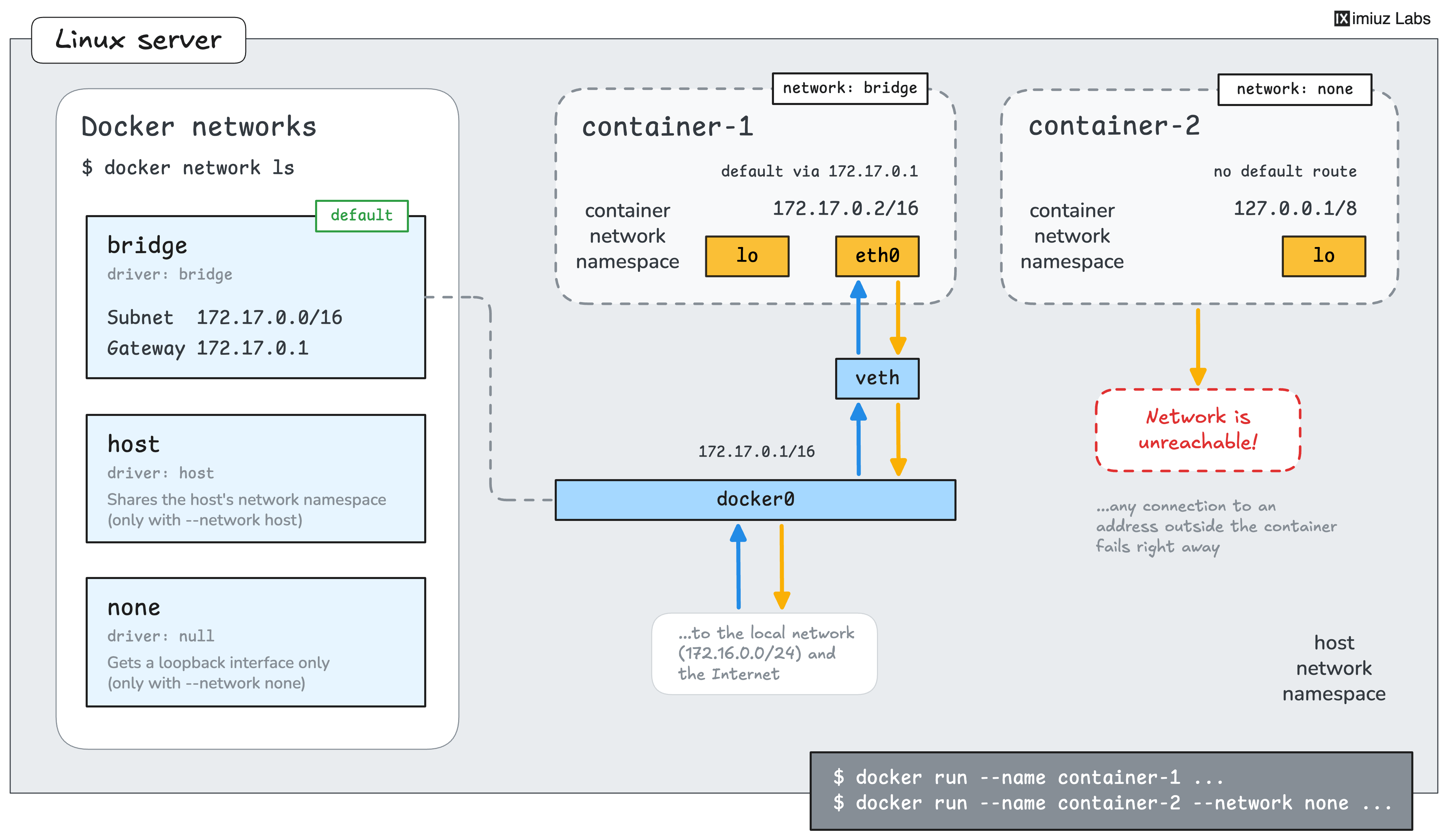
The docker run command has a --network flag that decides which network a container joins.
Every Docker host has a few networks out of the box - you can use docker network ls to list them.
One of these default networks is a perfect match. Can you guess which one?
Hint: Reading the test report
The output of the failed pytest run from a container with the disabled network access contains the addresses of all services the tests couldn't reach.