Turn Off a Feature Flag in a Production Redis Server Using a Local Containerized redis-cli

You shipped a feature recently, and it has started failing in production.
Now you want to quickly turn it off, but feature flags live in Redis,
and there is no "proper" interface to toggle them yet,
so you'll have to use redis-cli:
GET feature:new-checkout
SET feature:new-checkout off
The production Redis server runs on 172.16.0.40:6379 in a private VPC subnet,
and the only way to reach it from your workstation
is through a bastion jump host.
The below command opens a tunnel from 127.0.0.1:6379 on the workstation to the Redis server:
ssh -f -N -L 127.0.0.1:6379:172.16.0.40:6379 bastion
There is another catch: the workstation doesn't have redis-cli, and you don't want to install it.
Luckily, Docker is already running on the workstation,
so you can use a containerized redis-cli to turn off the feature flag in the production Redis server.
Hint: How the tunnel works
The ssh -L command forwards a local port to a remote address through the SSH server.
The remote address does not have to be the SSH server itself:
the bastion accepts the connection from the workstation and opens a second hop to 172.16.0.40:6379 inside the VPC.
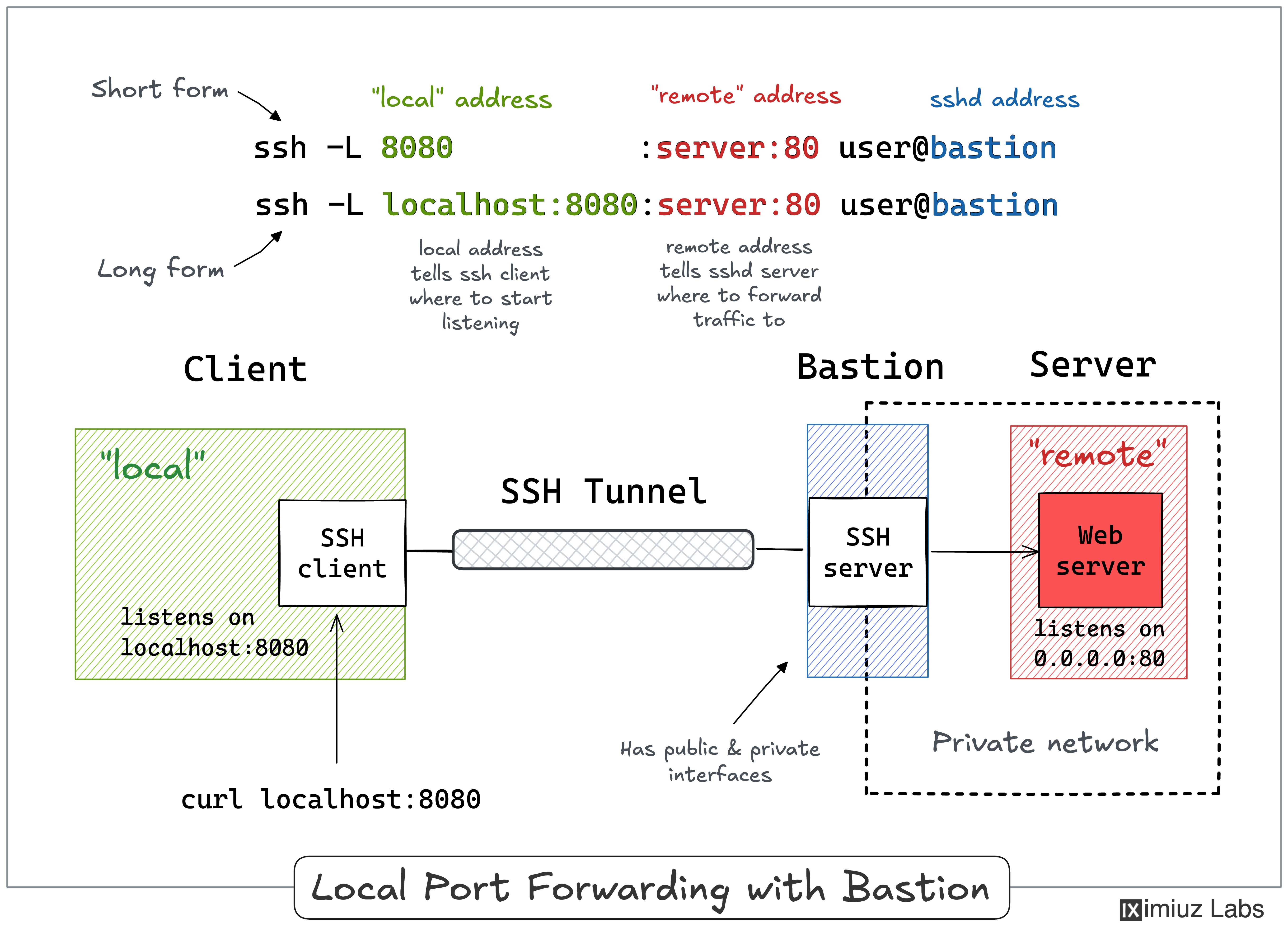
The SSH Tunnels tutorial explains this setup in detail, and the jump host challenges let you practice it.
Hint: Running redis-cli without installing it
The default command of the redis image starts redis-server.
The Run a Container Overriding its Default Command challenge
shows how to run redis-cli from the same image instead.
Hint: Connection refused
The tunnel listens on 127.0.0.1 of the workstation.
A container started with default settings gets a network namespace of its own,
and 127.0.0.1 inside it is the container's own loopback interface.
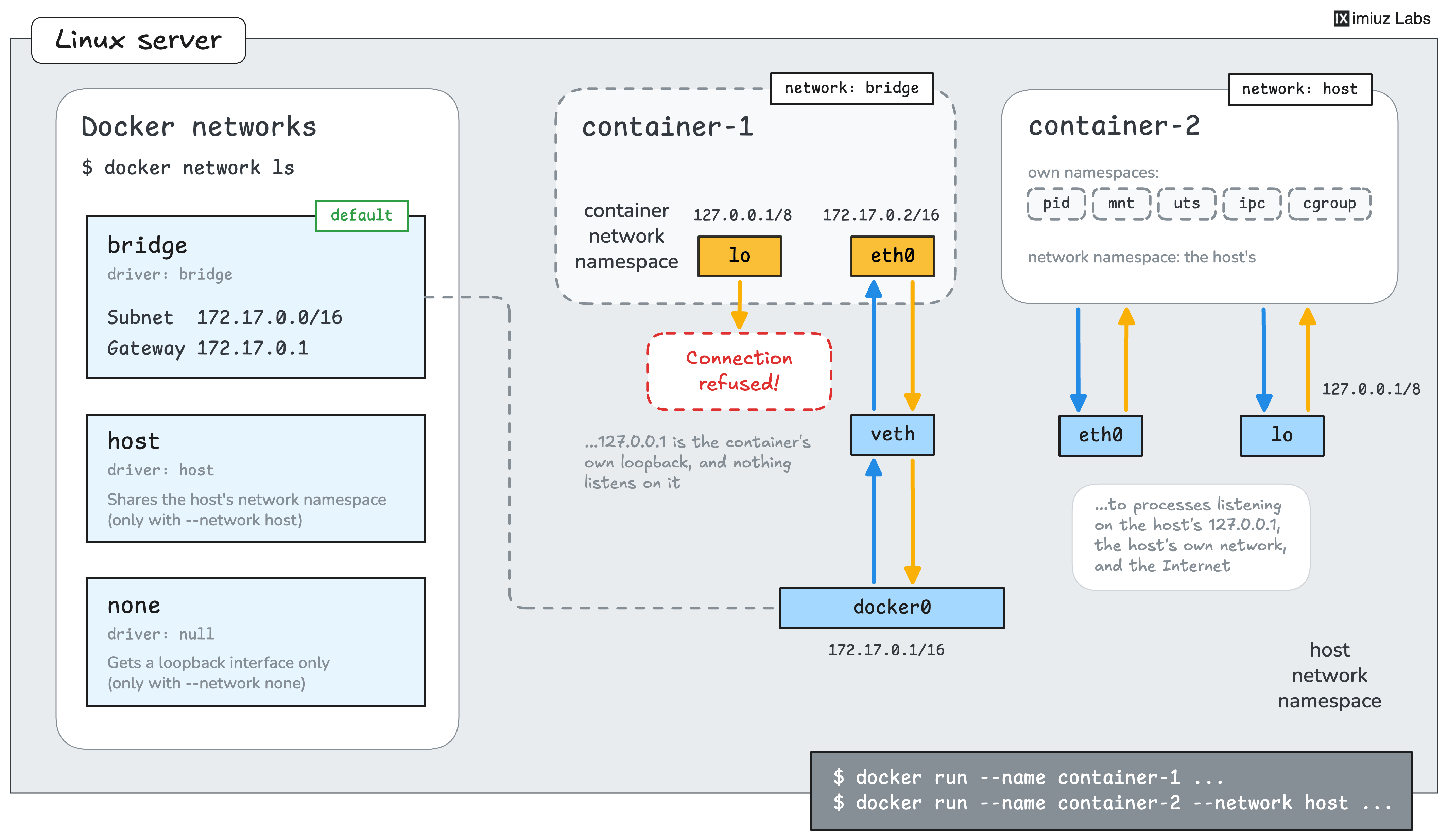
The docker run command has a --network flag that decides which network a container joins,
and docker network ls lists the networks every Docker host has out of the box.
One of these networks allows the container to skip its own network namespace and reuse the host's network interfaces.
Can you guess which?