Building REST APIs with CFML
What is a REST API, and why does it matter?
A REST API (Representational State Transfer) is a way for two systems to talk to each other over HTTP. Instead of returning an HTML page, the server returns structured data — almost always JSON — that a client (a browser, a mobile app, another server) can consume programmatically.
Why does this matter for ColdFusion developers?
- Modern frontends (React, Vue, plain JavaScript) don't load full pages — they fetch JSON and update the UI
- Mobile apps need data, not markup
- Microservices and integrations call each other via HTTP APIs
- ColdFusion sits naturally in this model: it already handles HTTP requests, runs queries, and can serialise any struct or array to JSON with a single function call
In this lesson you will work with a fully functional REST API that is already deployed in your environment. The goal is to understand how it's built, explore it with curl, and internalise the patterns you'll use in your own projects.
![[object Object]](/content/files/courses/ColdFusion-2025-Foundations-5151cba6/module-3/3.lesson-rest-apis/__static__/rest-api-request-response-cycle-v1.png?v=1791349307475)
Three layers in every CFML REST request: the client sends HTTP, ColdFusion processes and queries, the H2 database returns rows — serialised back as JSON.
What's already running in your lab
Three files are pre-deployed on the ColdFusion server:
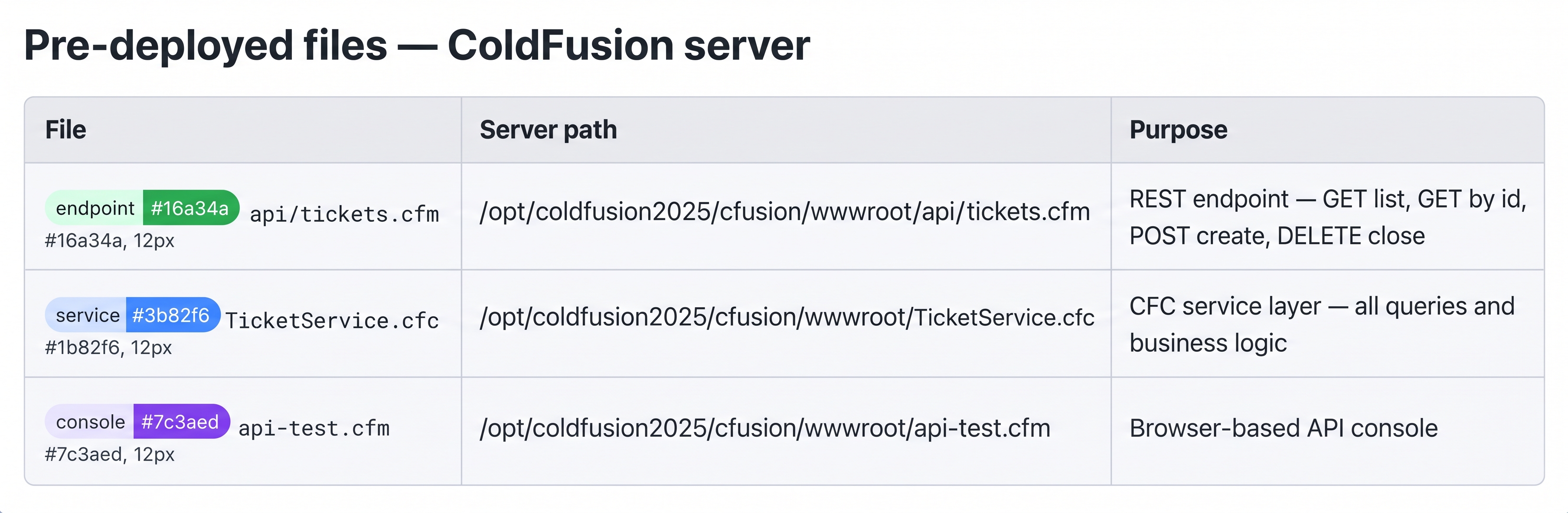
All three files are baked into the lab image — nothing to create or install.
To open the API console, right-click the ColdFusion tab in the lab panel and open it in a new browser tab, then navigate to /api-test.cfm.
![[object Object]](/content/files/courses/ColdFusion-2025-Foundations-5151cba6/module-3/3.lesson-rest-apis/__static__/cf-api-test-console-v1.png?v=1791349307475)
api-test.cfm — a browser-based console showing all four endpoints. Click any card to expand it and send a live request.
📖 HTTP methods — GET, POST, DELETE, PUT, PATCH
REST APIs use the HTTP method (also called a verb) to express what the client wants to do to a resource. You've seen all four in the console — here's what each one means:
| Method | Meaning | Safe? | Idempotent? |
|---|---|---|---|
GET | Read — fetch a resource or a list | ✅ yes | ✅ yes |
POST | Create — submit new data to the server | ❌ no | ❌ no |
PUT | Replace — overwrite an existing resource entirely | ❌ no | ✅ yes |
PATCH | Update — modify part of an existing resource | ❌ no | ✅ yes* |
DELETE | Remove — close or destroy a resource | ❌ no | ✅ yes |
Safe means the request does not change server state — you can call it as many times as you like with no side effects. GET is safe; POST is not (each call creates a new ticket).
Idempotent means calling the request twice produces the same result as calling it once. DELETE is idempotent — deleting something that is already deleted is still "deleted". POST is not — two POST calls create two tickets.
In this lesson the API uses three methods:
GET /api/tickets.cfm— returns the full list of tickets; no body, no side effectsGET /api/tickets.cfm?id=1— returns one ticket by idPOST /api/tickets.cfm— creates a new ticket; requires a JSON bodyDELETE /api/tickets.cfm?id=1— closes ticket #1; no body required
PUT and PATCH are not implemented here — the ticket model only needs create and close, not partial updates. On a full production API you would add them to support editing ticket fields.
1. The simplest JSON endpoint
A ColdFusion REST endpoint is just a .cfm file that:
- Sets the
Content-Typeheader toapplication/json - Writes serialised data to the response and exits
<!--- /api/tickets.cfm (GET — list all tickets) --->
<cfscript>
  cfheader(name="Content-Type", value="application/json");
  cfheader(name="Access-Control-Allow-Origin", value="*");

  q = queryExecute(
    "SELECT t.id, t.title, t.status, t.priority, t.created_at, u.name AS submitter
     FROM   hd_tickets t
     JOIN   hd_users   u ON u.id = t.user_id
     ORDER  BY t.created_at DESC",
    {}, { datasource: "training_db" }
  );

  writeOutput(serializeJSON({ "total": q.recordCount, "tickets": queryToArray(q) }));
</cfscript>
No framework, no routing config, no annotations. Just headers, a query, and serializeJSON.
2. Reading URL parameters safely
Always use val() or explicit type checks before using URL values in queries.
Never concatenate URL params directly into SQL.
<cfscript>
  id = structKeyExists(url, "id") ? val(url.id) : 0;
  if (id LTE 0) {
    cfheader(statuscode="400", statustext="Bad Request");
    writeOutput(serializeJSON({ "error": "id must be a positive integer" }));
    abort;
  }

  q = queryExecute(
    "SELECT id, title, status, priority, description FROM hd_tickets WHERE id = :id",
    { id: { value: id, cfsqltype: "cf_sql_integer" } },
    { datasource: "training_db" }
  );

  if (q.recordCount == 0) {
    cfheader(statuscode="404", statustext="Not Found");
    writeOutput(serializeJSON({ "error": "Ticket not found" }));
    abort;
  }

  writeOutput(serializeJSON(queryToArray(q)[1]));
</cfscript>
The :id named binding in queryExecute is a cfqueryparam equivalent — it escapes the value and prevents SQL injection.
3. Accepting a JSON POST body
POST requests carry their payload in the request body, not the URL. ColdFusion exposes it via getHttpRequestData().content:
<cfscript>
  rawBody = toString(getHttpRequestData().content);

  if (!isJSON(rawBody)) {
    cfheader(statuscode="400", statustext="Bad Request");
    writeOutput(serializeJSON({ "error": "Request body must be valid JSON" }));
    abort;
  }

  data = deserializeJSON(rawBody);

  if (!structKeyExists(data, "title") || !len(trim(data.title))) {
    cfheader(statuscode="400", statustext="Bad Request");
    writeOutput(serializeJSON({ "error": "title is required" }));
    abort;
  }

  queryExecute(
    "INSERT INTO hd_tickets (title, description, status, priority, user_id, created_at)
     VALUES (:title, :desc, 'open', :priority, :user_id, CURRENT_TIMESTAMP)",
    {
      title:    { value: left(trim(data.title), 255), cfsqltype: "cf_sql_varchar" },
      desc:     { value: data.description ?: "",       cfsqltype: "cf_sql_varchar" },
      priority: { value: data.priority    ?: "medium", cfsqltype: "cf_sql_varchar" },
      user_id:  { value: data.user_id     ?: 1,        cfsqltype: "cf_sql_integer" }
    },
    { datasource: "training_db" }
  );

  cfheader(statuscode="201", statustext="Created");
  writeOutput(serializeJSON({ "created": true }));
</cfscript>
4. Routing on HTTP method
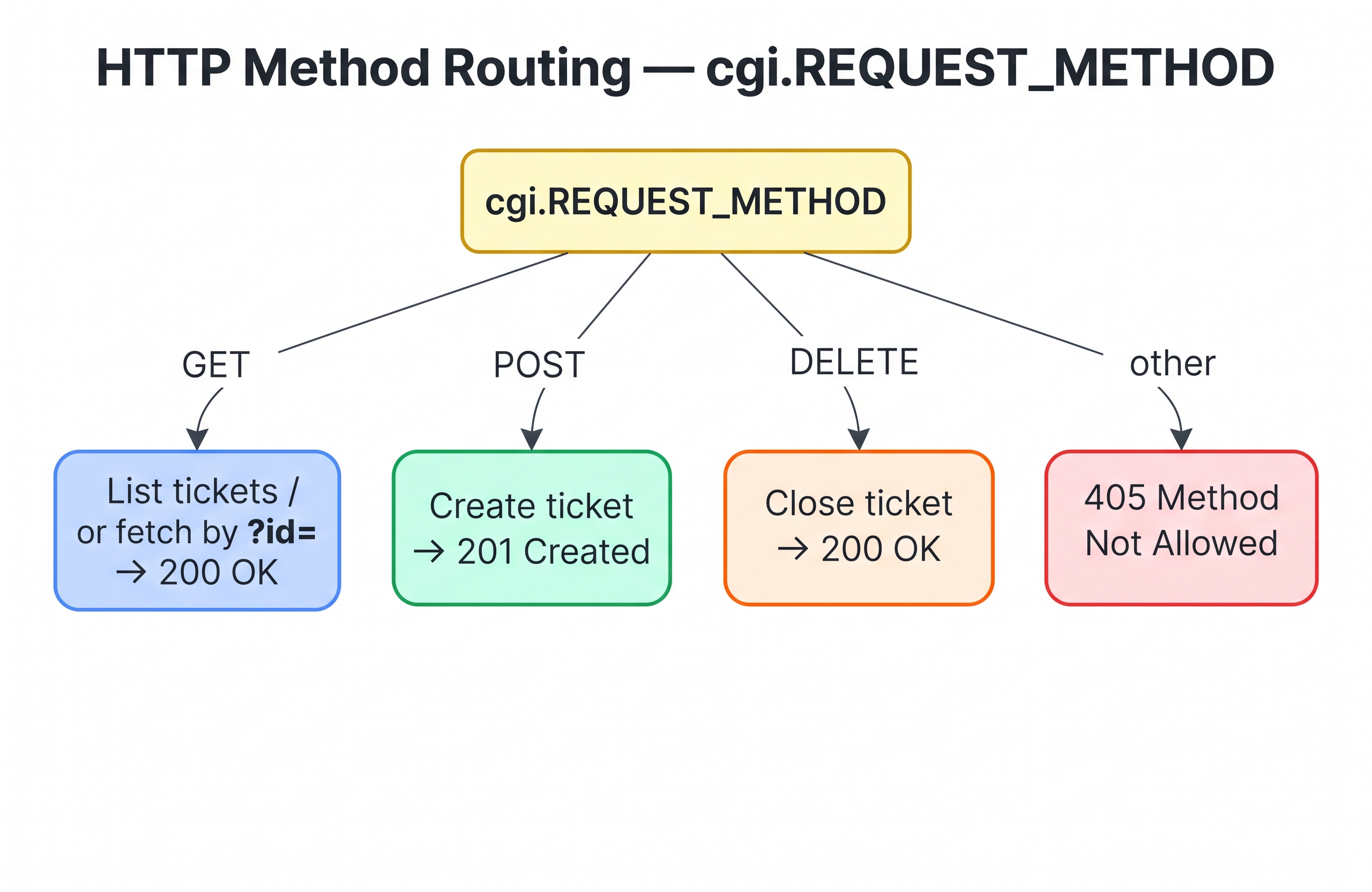
Route on cgi.REQUEST_METHOD to handle GET, POST, and DELETE in a single .cfm file.
ColdFusion exposes the HTTP verb via cgi.REQUEST_METHOD. A single file can handle all methods:
<cfscript>
  cfheader(name="Content-Type", value="application/json");
  method = cgi.REQUEST_METHOD;

  if (method == "GET")    { /* list or fetch */ }
  if (method == "POST")   { /* create */        }
  if (method == "DELETE") { /* close ticket */  }

  cfheader(statuscode="405", statustext="Method Not Allowed");
  writeOutput(serializeJSON({ "error": "Method not allowed" }));
  abort;
</cfscript>
💡 Why is it called cgi.REQUEST_METHOD?
The cgi scope is not a ColdFusion invention — it is the Common Gateway Interface (CGI), a standard from 1993 that defined how web servers pass request information to server-side programs. Every web server still populates these variables for every request, and ColdFusion exposes them all in the cgi scope.
The most useful ones for API development:
| Variable | Contains |
|---|---|
cgi.REQUEST_METHOD | The HTTP verb — GET, POST, DELETE, etc. |
cgi.QUERY_STRING | Everything after the ? in the URL |
cgi.CONTENT_TYPE | The Content-Type header of the request body |
cgi.REMOTE_ADDR | The client's IP address |
cgi.HTTP_HOST | The Host header sent by the client |
cgi.SERVER_NAME | The hostname of the server |
A Perl CGI script from 1995 read the same variable as $ENV{REQUEST_METHOD}. The names haven't changed in 30 years because the HTTP spec hasn't changed. When you write cgi.REQUEST_METHOD in CFML you are reading the exact same live request metadata — nothing legacy about it.
5. CFC Service pattern
Large APIs benefit from separating the HTTP layer (request/response handling) from the data layer (queries and business logic). TicketService.cfc is already deployed and provides a clean interface:
<cfscript>
  svc     = createObject("component", "TicketService");
  tickets = svc.getAll();           // array of structs
  ticket  = svc.getById(1);         // struct + comments array
  newId   = svc.create("My ticket", "Details here", 1, "high");
  svc.close(newId);
</cfscript>
The endpoint file stays thin — it validates input, calls the service, and writes the response. The service holds all the SQL. This separation makes both easier to test and maintain.
📖 What is the Service pattern — and what other patterns exist?
Why a Service CFC?
When your API endpoint does everything — parse the request, validate input, run queries, format output — it becomes hard to read and impossible to test in isolation. The Service pattern splits that into two distinct responsibilities:
| Layer | File | Responsibility |
|---|---|---|
| HTTP layer | api/tickets.cfm | Parse request, validate input, set headers, write response |
| Data layer | TicketService.cfc | All SQL queries, business rules, data transformation |
The benefit is immediate: you can call TicketService.getAll() from a scheduled task, a test script, or a different endpoint without touching any HTTP logic. And you can swap the HTTP layer (say, from .cfm to a REST handler) without rewriting any queries.
Is this a common pattern?
Yes — it is the CFML equivalent of what most frameworks call a Service Layer or Repository pattern. You will see the same idea in:
- Java / Spring —
@Serviceclasses called by@RestController - PHP / Laravel — Service classes called by Controllers
- Node.js / Express — service modules called by route handlers
- .NET — Service / Repository classes called by API Controllers
The names differ but the principle is identical: keep HTTP concerns out of your data logic.
Other patterns used in ColdFusion APIs
| Pattern | What it does | When to use |
|---|---|---|
| Service layer (this lesson) | CFC holds all queries and business logic | Any API with more than a few endpoints |
| DAO (Data Access Object) | CFC per table — only raw CRUD, no business logic | Large apps where business logic is separate from data access |
| Gateway | CFC returns sets of data (queries/arrays) for display | Reporting, list pages — read-heavy, no writes |
| Bean / Transfer Object | CFC represents a single entity (one ticket) with getters/setters | Strongly-typed data passing between layers |
| Facade | Single CFC that wraps multiple services behind one interface | Simplifying a complex subsystem for callers |
In the TicketService.cfc here, the lines between Service and DAO are intentionally blurred — it is a pragmatic single-CFC approach suited to a training environment and small-to-medium production apps.
Is this covered in the Advanced Course?
Yes. The Advanced Course goes into:
- Full MVC with ColdBox — Model (Service + DAO), View (templates), Controller (handlers) with dependency injection via WireBox
- REST handlers —
coldbox.system.RestHandlerreplaces the manualcgi.REQUEST_METHODrouting you see here - ORM with Hibernate —
component persistent="true"maps CFCs directly to database tables, eliminating manual SQL for CRUD operations - Unit testing with TestBox — testing Service CFCs in isolation without an HTTP request
For this lesson, the single-CFC Service pattern is the right level of abstraction — it introduces the concept without the overhead of a full framework.
Seed the Help Desk database
Before hitting the API, make sure the Help Desk schema is populated. Open the ColdFusion 2025 browser tab and click the DB Test button.
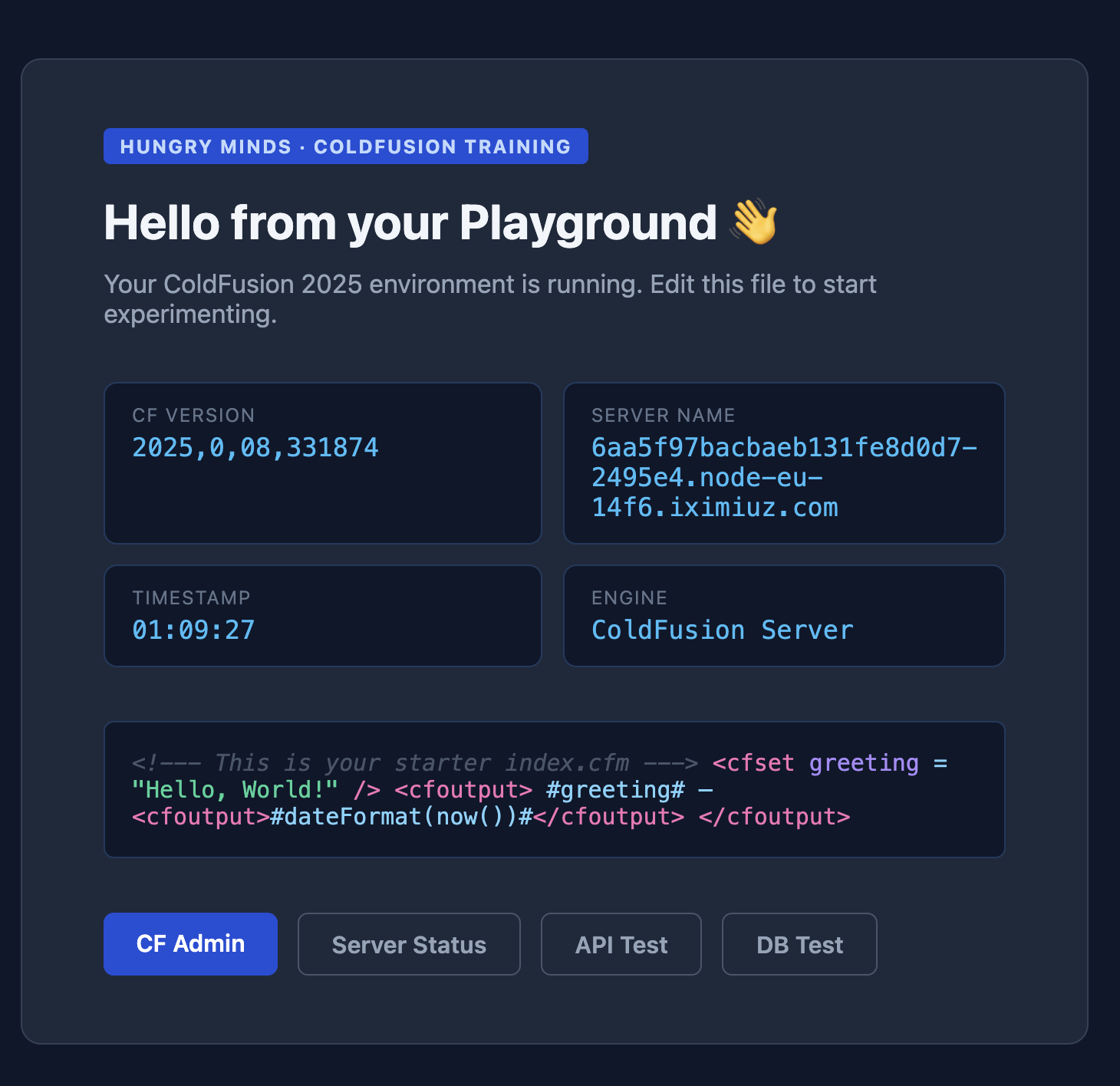
Click the DB Test button to open the seed utility.
- Click Run Seed Script
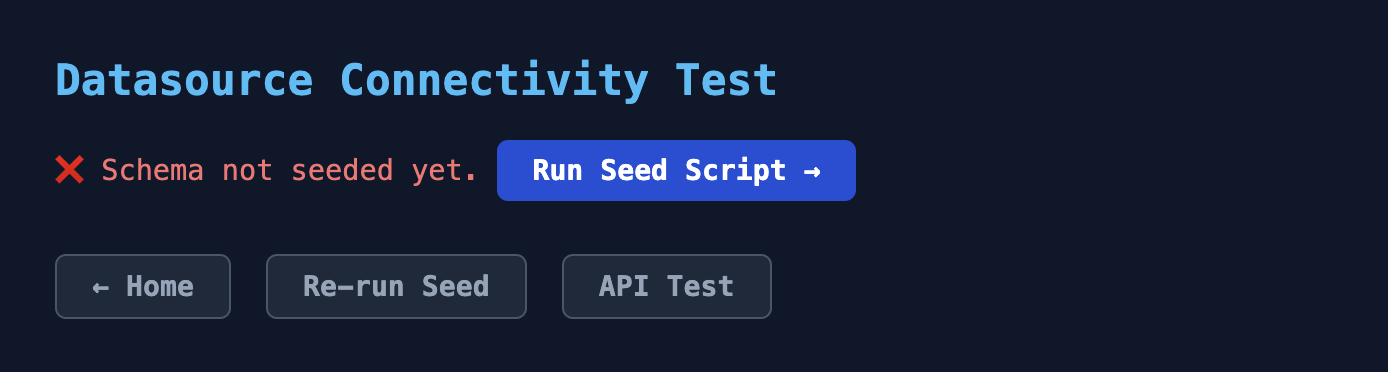
Click Run Seed Script to create and populate the Help Desk schema.
- A confirmation screen confirms the seed completed successfully
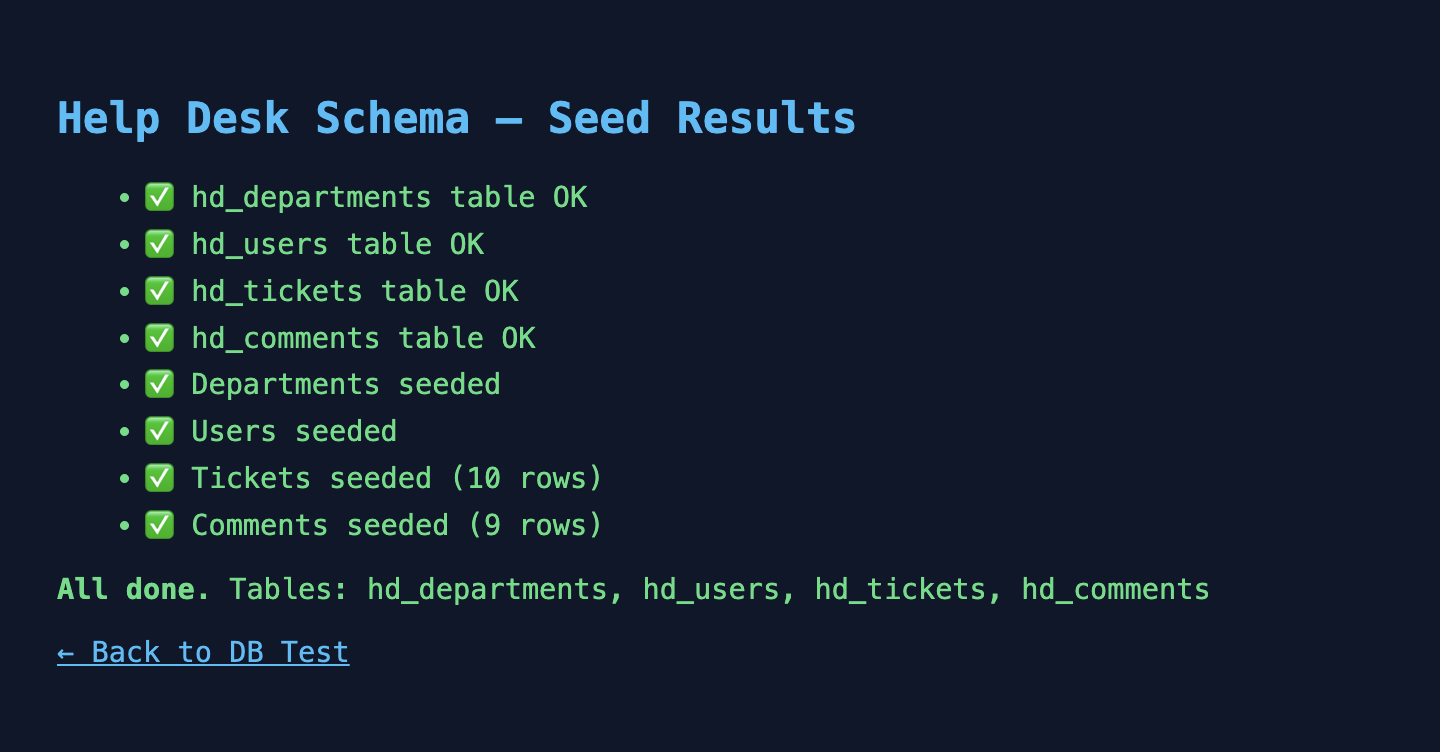
All four tables created and sample rows inserted — the database is ready.
Or seed from the terminal if you prefer:
curl -s http://localhost:8500/seed-db.cfm
If the data is already present it skips all inserts and tells you — safe to run multiple times.
Activity 1 — Explore the live API
The endpoint is already running. Use curl to inspect it:
# List all tickets
curl -s http://localhost:8500/api/tickets.cfm | python3 -m json.tool

# Confirm Content-Type header
curl -s -I http://localhost:8500/api/tickets.cfm | grep -i content-type
You should see a JSON response with a total count and a tickets array. The Content-Type header must be application/json.
💡 What does python3 -m json.tool do?
It pretty-prints raw JSON with indentation. Without it, curl returns the JSON as a single compact line. Use it any time you want to read the response clearly in the terminal.
Activity 2 — Fetch a single ticket
Add the ?id= parameter to fetch one specific ticket:
# Fetch ticket #1
curl -s "http://localhost:8500/api/tickets.cfm?id=1" | python3 -m json.tool

# Test a 404 — ticket 999 does not exist
curl -s -w "\nHTTP %{http_code}\n" "http://localhost:8500/api/tickets.cfm?id=999"
The first command should return a single ticket object with a title field. The second should return HTTP 404 and {"error":"Ticket not found"}.
Activity 3 — Create a ticket via POST
Send a JSON body to create a new ticket:
curl -s -X POST http://localhost:8500/api/tickets.cfm \
  -H "Content-Type: application/json" \
  -d '{"title":"Monitor flickering","description":"Display flickers on login","priority":"high","user_id":3}' \
  | python3 -m json.tool
A successful response returns HTTP 201 and {"created": true}. Verify the ticket was actually saved by listing again:
curl -s http://localhost:8500/api/tickets.cfm | python3 -m json.tool | grep -A3 "Monitor flickering"
💡 Why 201 and not 200?
HTTP 201 Created is the correct status code when a new resource has been successfully created. Using 200 OK for a POST that creates data is technically incorrect — it makes it harder for clients to distinguish between "I retrieved data" and "I created something new".
Key takeaways
| Concept | ColdFusion approach |
|---|---|
| Set response type | cfheader(name="Content-Type", value="application/json") |
| Serialize data | serializeJSON(struct_or_array) |
| Parse JSON input | deserializeJSON(toString(getHttpRequestData().content)) |
| HTTP status codes | cfheader(statuscode="404", statustext="Not Found") |
| Route on verb | cgi.REQUEST_METHOD — "GET", "POST", "DELETE" |
| Safe SQL params | cfqueryparam / queryExecute named bindings |
| Halt execution | abort after writing the response |
When all the checks above are green, this lesson is complete. Your progress is saved automatically — move straight on to the next lesson.
Found a bug or an issue with this lesson? Please reach out — your feedback helps improve the course for everyone.
📧 Alex — mercadoalexatgmail.com
- Previous lesson
- Lucee Server — Configuration & Administration
- Next lesson
- Testing & Debugging CFML