Variables, Data Types & Scopes
Data types
ColdFusion is dynamically typed. Variables are created on assignment and their type is inferred at runtime — no int, String, or var declarations required.
| Type | Example | Notes |
|---|---|---|
| String | "Hello" | Immutable; & concatenates |
| Numeric | 42, 3.14 | Integer and float unified |
| Boolean | true, false, yes, no | yes/no are aliases |
| Date | now(), "2026-09-03" | Rich date/time functions built in |
| Array | [1, 2, 3] | 1-based index |
| Struct | {name: "Alex", age: 30} | Key-value map; keys case-insensitive |
| Query | result of cfquery / queryExecute() | Tabular result set |
![[object Object]](/content/files/courses/ColdFusion-2025-Foundations-5151cba6/module-1/3.lesson-variables-scopes/__static__/cfml-data-types-overview-v1.png?v=1791349307475)
CFML's six core data types — dynamically inferred at runtime, no explicit type declarations needed.
Activity: Create data_types.cfm to explore all six data types.
Terminal tab:
sudo tee /opt/coldfusion2025/cfusion/wwwroot/student/data_types.cfm << 'EOF'
<cfscript>
  // String
  myString = "Hello ColdFusion";
  writeOutput("<strong>String:</strong> " & myString & "<br>");

  // Numeric
  myInt  = 42;
  myFloat = 3.14;
  writeOutput("<strong>Numeric:</strong> " & myInt & " / " & myFloat & "<br>");

  // Boolean
  isActive = true;
  writeOutput("<strong>Boolean:</strong> " & isActive & "<br>");

  // Date
  today = now();
  writeOutput("<strong>Date:</strong> " & dateFormat(today, "yyyy-mm-dd") & "<br>");

  // Array
  fruits = ["apple", "banana", "cherry"];
  writeOutput("<strong>Array[1]:</strong> " & fruits[1] & "<br>");

  // Struct
  person = {name: "Alex", age: 30};
  writeOutput("<strong>Struct:</strong> " & person.name & " is " & person.age & "<br>");
</cfscript>
EOF
✏️ Using the IDE tab instead? Create the file here
In the IDE tab, click File → Open Folder…, type /opt/coldfusion2025/cfusion/wwwroot/student and press Enter. If VS Code asks "The folder does not exist. Would you like to create it?" — click Yes. Then right-click in the Explorer panel → New File → name it data_types.cfm, paste the content below, and save with Ctrl+S:
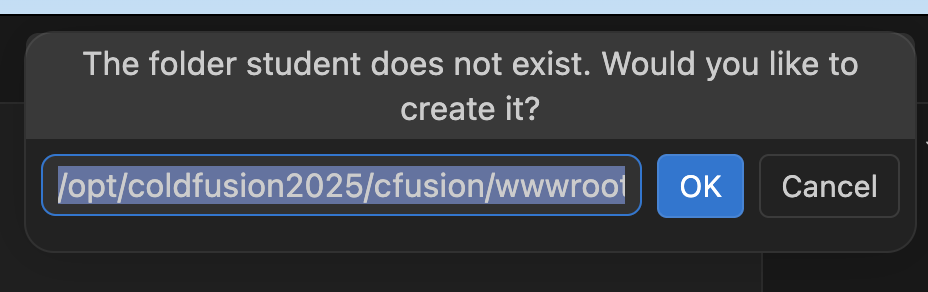
VS Code will offer to create the student folder — click Yes.
<cfscript>
  // String
  myString = "Hello ColdFusion";
  writeOutput("<strong>String:</strong> " & myString & "<br>");

  // Numeric
  myInt  = 42;
  myFloat = 3.14;
  writeOutput("<strong>Numeric:</strong> " & myInt & " / " & myFloat & "<br>");

  // Boolean
  isActive = true;
  writeOutput("<strong>Boolean:</strong> " & isActive & "<br>");

  // Date
  today = now();
  writeOutput("<strong>Date:</strong> " & dateFormat(today, "yyyy-mm-dd") & "<br>");

  // Array
  fruits = ["apple", "banana", "cherry"];
  writeOutput("<strong>Array[1]:</strong> " & fruits[1] & "<br>");

  // Struct
  person = {name: "Alex", age: 30};
  writeOutput("<strong>Struct:</strong> " & person.name & " is " & person.age & "<br>");
</cfscript>
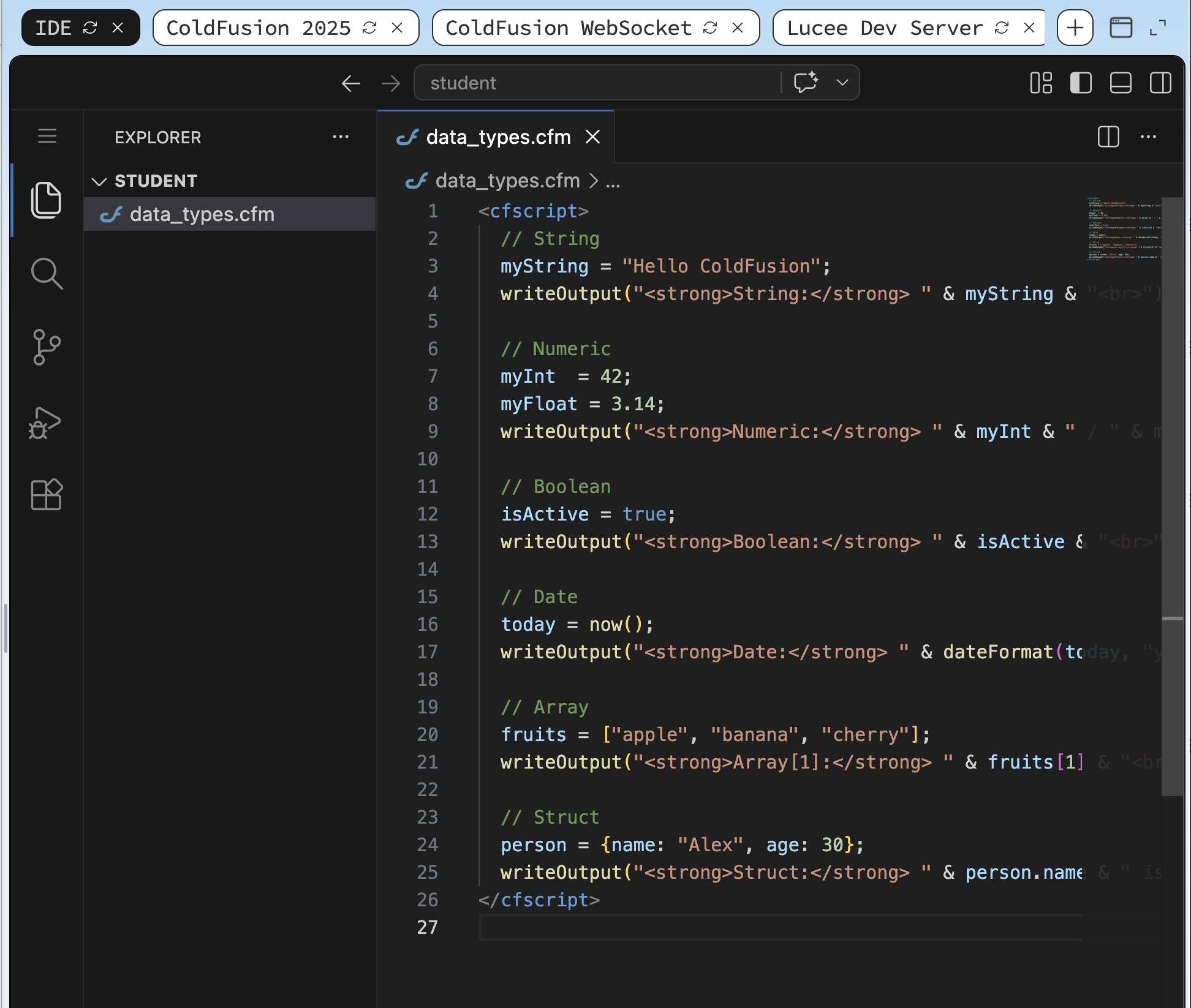
data_types.cfm saved in the student/ folder — ready to run.
Open /data_types.cfm in the ColdFusion 2025 browser tab (right-click → Open Link in New Tab, then change the path). Or from the Terminal:
curl -s http://localhost:8500/student/data_types.cfm
![[object Object]](/content/files/courses/ColdFusion-2025-Foundations-5151cba6/module-1/3.lesson-variables-scopes/__static__/browser-output-data-types-v1.png?v=1791349307475)
All six data types rendered — each line shows the type name and its value.
Variable scopes
ColdFusion organises variables into named scopes. Every scope has a different lifetime and visibility.
| Scope | Prefix | Lifetime | Typical use |
|---|---|---|---|
variables | variables. | Single request | Default local scope for a page/CFC |
url | url. | Single request | Query-string parameters |
form | form. | Single request | POST form fields |
request | request. | Single request | Pass data between included files |
session | session. | User session | Per-user state (cart, login) |
application | application. | App lifetime | Shared config, counters |
server | server. | Server lifetime | Rarely written; read CF/Lucee version |
The variables scope is the default when you omit a prefix. Always prefix session.* and application.* explicitly.
![[object Object]](/content/files/courses/ColdFusion-2025-Foundations-5151cba6/module-1/3.lesson-variables-scopes/__static__/cfml-scope-lifetimes-v1.png?v=1791349307475)
Scope lifetimes compared — request-scoped variables are cheapest; application-scoped variables persist for the life of the process.
Activity: Create scopes.cfm to demonstrate the variables scope.
Terminal tab:
sudo tee /opt/coldfusion2025/cfusion/wwwroot/student/scopes.cfm << 'EOF'
<cfscript>
  // variables scope — explicit prefix
  variables.name    = "Alex";
  variables.course  = "ColdFusion 2025";

  writeOutput("<strong>variables.name:</strong> "   & variables.name   & "<br>");
  writeOutput("<strong>variables.course:</strong> " & variables.course & "<br>");

  // url scope — reads ?name= from the query string
  urlName = url.name ?: "no name passed";
  writeOutput("<strong>url.name:</strong> " & urlName & "<br>");
</cfscript>
EOF
✏️ Using the IDE tab instead? Create the file here
In the IDE tab, right-click in the Explorer panel → New File → name it scopes.cfm, paste the content below, and save with Ctrl+S:
<cfscript>
  // variables scope — explicit prefix
  variables.name    = "Alex";
  variables.course  = "ColdFusion 2025";

  writeOutput("<strong>variables.name:</strong> "   & variables.name   & "<br>");
  writeOutput("<strong>variables.course:</strong> " & variables.course & "<br>");

  // url scope — reads ?name= from the query string
  urlName = url.name ?: "no name passed";
  writeOutput("<strong>url.name:</strong> " & urlName & "<br>");
</cfscript>
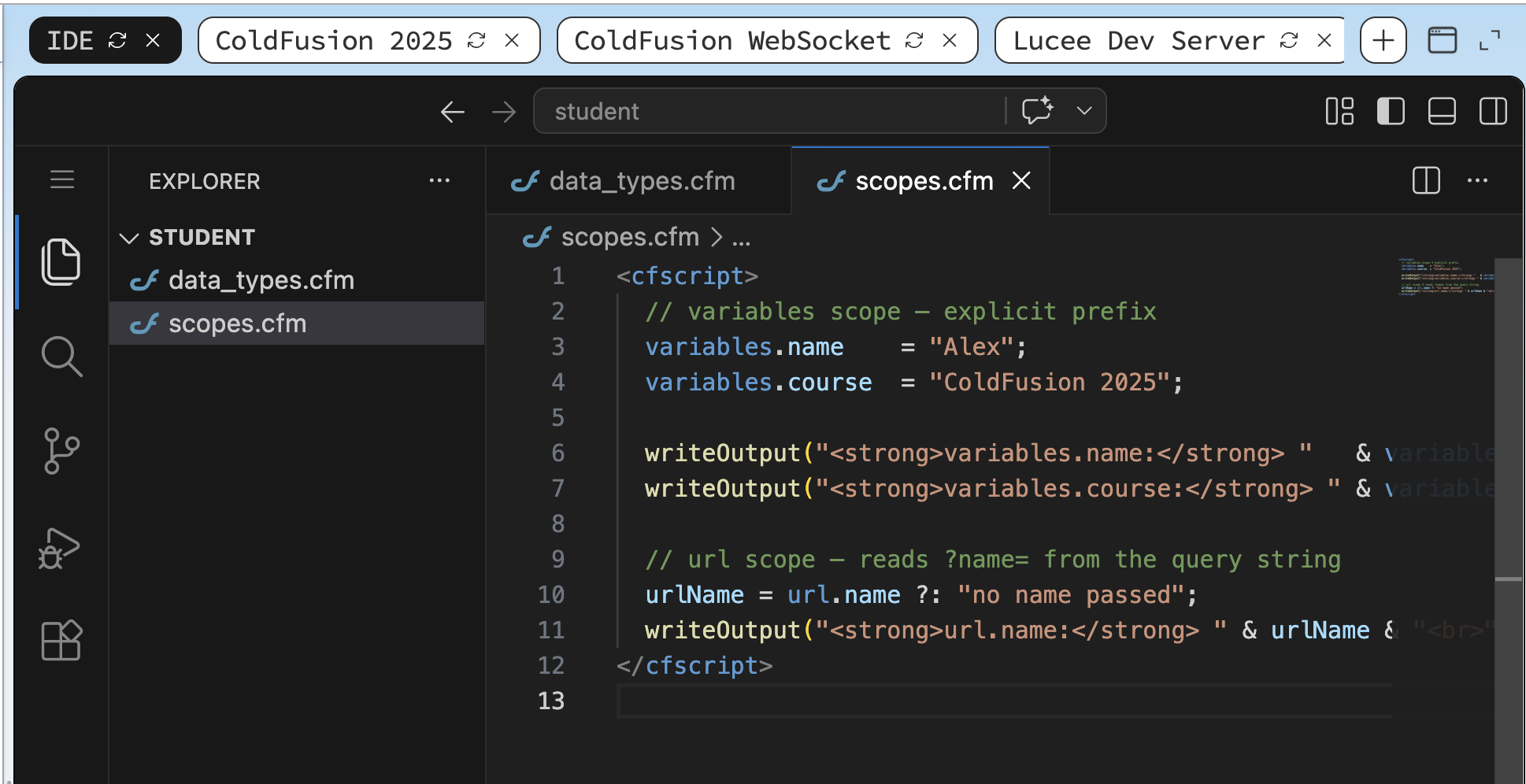
scopes.cfm saved in the student/ folder — ready to run.
Open /scopes.cfm in the browser to confirm the variables scope output:
curl -s http://localhost:8500/student/scopes.cfm
![[object Object]](/content/files/courses/ColdFusion-2025-Foundations-5151cba6/module-1/3.lesson-variables-scopes/__static__/browser-output-scopes-v1.png?v=1791349307475)
scopes.cfm with no query string — variables.* values are set, url.name falls back to the default.
Now verify that the variables. prefix is used explicitly in the file:
URL scope
Pass a query-string parameter and read it back with url.name:
curl -s "http://localhost:8500/student/scopes.cfm?name=TestUser"
# Expected: url.name: TestUser
Or in the browser, append ?name=TestUser to the URL:
https://<your-session-id>.iximiuz.com/scopes.cfm?name=TestUser
![[object Object]](/content/files/courses/ColdFusion-2025-Foundations-5151cba6/module-1/3.lesson-variables-scopes/__static__/browser-output-scopes-url-v1.png?v=1791349307475)
With ?name=TestUser appended, url.name resolves to TestUser instead of the default.
Scope resolution order
![[object Object]](/content/files/courses/ColdFusion-2025-Foundations-5151cba6/module-1/3.lesson-variables-scopes/__static__/cfml-scope-resolution-order-v1.png?v=1791349307475)
When you omit a scope prefix, CF walks this resolution chain top-to-bottom — always prefix to be explicit.
When you write just name without a prefix, ColdFusion checks scopes in this order:
local(inside a CFC function)argumentsthreadquery(inside a<cfloop query="...">)variablescgi,file,url,form,cookie,client
Always prefix to be explicit and avoid scope-bleed bugs. In a large application, an unqualified variable that accidentally resolves from url instead of variables can cause hard-to-trace security issues.
Inspecting scopes with cfdump
ColdFusion has a built-in debugging tool — <cfdump>. It renders any variable, struct, array, query, or entire scope as a colour-coded HTML table directly in the browser. It is the fastest way to see exactly what is in scope at runtime.
<cfdump var="#variables#" label="variables scope">
<cfdump var="#url#"       label="url scope">
<cfdump var="#session#"   label="session scope">
Rule of thumb: add
<cfdump>while you develop, remove it before going to production. Leaving it in exposes internal variable names and values to anyone who can reach the page.
Activity: Create cfdump_demo.cfm to dump the variables and url scopes side by side.
Terminal tab:
sudo tee /opt/coldfusion2025/cfusion/wwwroot/student/cfdump_demo.cfm << 'EOF'
<cfscript>
  variables.greeting = "Hello from cfdump";
  variables.counter  = 42;
</cfscript>

<cfdump var="#variables#" label="variables scope">
<cfdump var="#url#"       label="url scope">
EOF
✏️ Using the IDE tab instead? Create the file here
In the IDE tab, right-click in the Explorer panel → New File → name it cfdump_demo.cfm, paste the content below, and save with Ctrl+S:
<cfscript>
  variables.greeting = "Hello from cfdump";
  variables.counter  = 42;
</cfscript>

<cfdump var="#variables#" label="variables scope">
<cfdump var="#url#"       label="url scope">
Open /cfdump_demo.cfm in the ColdFusion 2025 browser tab to see the rendered dump tables. Or confirm from the Terminal that the response contains the expected variable names:
curl -s http://localhost:8500/student/cfdump_demo.cfm | grep -i "greeting"
# Expected: a line containing "greeting"
![[object Object]](/content/files/courses/ColdFusion-2025-Foundations-5151cba6/module-1/3.lesson-variables-scopes/__static__/cfdump-v1.png?v=1791349307475)
<cfdump> renders each scope as a formatted table — instantly shows every variable name and value at runtime.
Regionalization & locale-aware output
ColdFusion has two sets of formatting functions:
| Function | Behaviour |
|---|---|
dateFormat(), numberFormat(), dollarFormat() | Fixed US English output — always the same regardless of server locale |
lsDateFormat(), lsNumberFormat(), lsCurrencyFormat() | Locale-sensitive — output adapts to the active locale |
The ls prefix stands for locale-specific. Switch the locale for a request with setLocale() and read it back with getLocale(). The locale only applies for the duration of the current request — it does not persist to the next one.
// Set the locale for this request
setLocale("German (Standard)");

price  = 1234567.89;
today  = now();

writeOutput(lsNumberFormat(price)   & "<br>"); // 1.234.567,89
writeOutput(lsCurrencyFormat(price) & "<br>"); // 1.234.567,89 €
writeOutput(lsDateFormat(today, "long") & "<br>"); // e.g. 3. September 2026
Common locale strings accepted by setLocale():
| Locale string | Region |
|---|---|
English (US) | United States |
English (UK) | United Kingdom |
German (Standard) | Germany |
French (Standard) | France |
Spanish (Standard) | Spain |
Portuguese (Brazilian) | Brazil |
Japanese | Japan |
Chinese (China) | Simplified Chinese |
Gotcha:
setLocale()accepts the locale display name as a string, not an IETF tag likeen-US. UsegetLocaleInfo()to inspect the full list of locales available on the running JVM.
Activity: Create locale_demo.cfm to compare the same number and date formatted in three different locales side by side.
Terminal tab:
sudo tee /opt/coldfusion2025/cfusion/wwwroot/student/locale_demo.cfm << 'EOF'
<cfscript>
price = 1234567.89;
today = now();
locales = [
"English (US)",
"German (Standard)",
"French (Standard)"
];
for (loc in locales) {
setLocale(loc);
writeOutput("<strong>" & loc & "</strong><br>");
writeOutput(" Number: " & lsNumberFormat(price) & "<br>");
writeOutput(" Currency: " & lsCurrencyFormat(price) & "<br>");
writeOutput(" Date: " & lsDateFormat(today, "long") & "<br><br>");
}
</cfscript>
EOF
✏️ Using the IDE tab instead? Create the file here
In the IDE tab, right-click in the Explorer panel → New File → name it locale_demo.cfm, paste the content below, and save with Ctrl+S:
<cfscript>
price = 1234567.89;
today = now();
locales = [
"English (US)",
"German (Standard)",
"French (Standard)"
];
for (loc in locales) {
setLocale(loc);
writeOutput("<strong>" & loc & "</strong><br>");
writeOutput(" Number: " & lsNumberFormat(price) & "<br>");
writeOutput(" Currency: " & lsCurrencyFormat(price) & "<br>");
writeOutput(" Date: " & lsDateFormat(today, "long") & "<br><br>");
}
</cfscript>
Open /locale_demo.cfm in the ColdFusion 2025 browser tab, or from the Terminal:
curl -s http://localhost:8500/student/locale_demo.cfm
You should see three blocks — each showing the same number and date formatted differently:
English (US)
  Number:   1,234,567.89
  Currency: $1,234,567.89
  Date:     September 3, 2026

German (Standard)
  Number:   1.234.567,89
  Currency: 1.234.567,89 €
  Date:     3. September 2026

French (Standard)
  Number:   1 234 567,89
  Currency: 1 234 567,89 €
  Date:     3 septembre 2026
Para uso básico sin framework, las funciones ls* y setLocale() de CFML son suficientes. Para aplicaciones multi-idioma más completas, cbi18n es la opción más robusta y mantenida.
cbi18n (ColdBox i18n) es un módulo de ColdBox que ofrece soporte profesional de internacionalización con resource bundles, gestión de locales y almacenamiento de preferencias del usuario.
💡 Need to edit a file? The IDE is the easiest option but you can also use VI.
The simplest way to edit any file is to open the IDE tab — the file is already visible in the Explorer panel, just click it, make your changes, and save with Ctrl+S.
If you prefer to stay in the Terminal, you can also use vi — but be aware it has a steep learning curve if you haven't used it before. It is completely optional:
vi /opt/coldfusion2025/cfusion/wwwroot/student/scopes.cfm
| Key | What it does |
|---|---|
i | Enter insert mode |
Esc | Back to normal mode |
:wq + Enter | Save and quit |
:q! + Enter | Quit without saving |
If vi feels unfamiliar, stick with the IDE tab — it is always the safer choice.
When all the checks above are green, this lesson is complete. Your progress is saved automatically — move straight on to the next lesson.
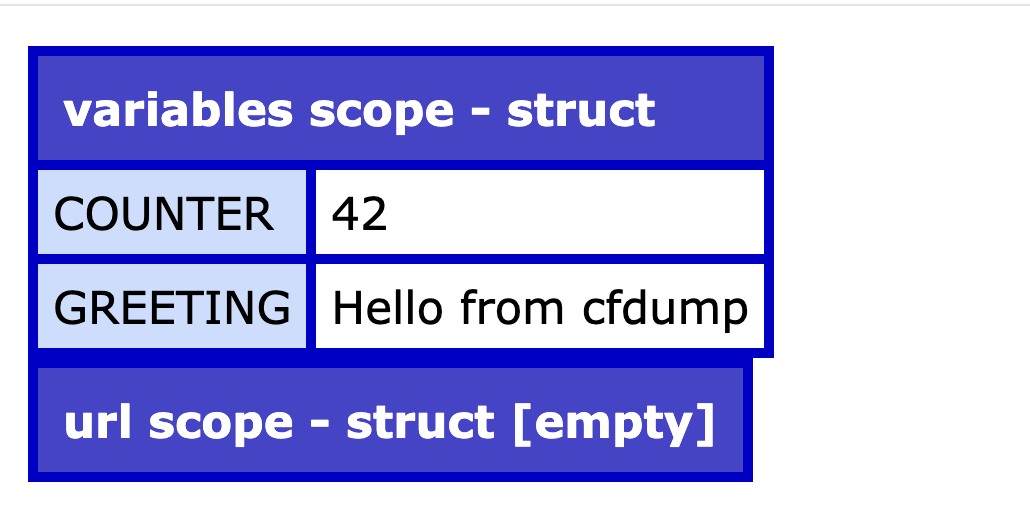
The raw curl response from cfdump_demo.cfm — the greeting variable is visible in the output, confirming the dump ran correctly.
- Previous lesson
- CFML Syntax — Tags and Script
- Next lesson
- Application.cfc & Request Lifecycle