Showcase Your Skills
This section is about how to stand out in the job market as a DevOps/SRE/Platform engineer by showcasing your Linux, networking, containers, and Kubernetes skills using iximiuz Labs playgrounds.
Hands-on experience and real-world problem solving skills are two factors that truly differentiate tech candidates. Certificates? In our opinion, not so much. The latter often focus on Linux or Kubernetes trivia and command-line muscle memory, which are becoming of questionable day-to-day utility, especially with AI generating better and better YAML manifests and CLI commands.
However, the question is, how to prove your experience and provide evidence of your infrastructure skills? Showcasing software development skills is somewhat easier - devs can create GitHub repositories with their code and even deploy sites demonstrating their work. But how to prove your DevOps/SRE/sysadmin abilities?
This is the problem that shareable online Linux playgrounds can solve.
When you encounter an interesting automation use case or nail a particularly tricky multi-server setup, or bend a Kubernetes cluster to your will, we recommend preparing a custom iximiuz Labs playground to demonstrate the problem and the solution(s) you've come up with.
Some examples:
- Set up Kubernetes the Hard Way
- Configure a HA Kubernetes Cluster
- Configure an etcd Cluster (often overlooked)
- Compare two alternative solutions (e.g., OpenBao vs. Vault)
- Set up an ELK Stack
- Make Docker work on Btrfs
- Deploy a 3-tier web app (and record a demo)
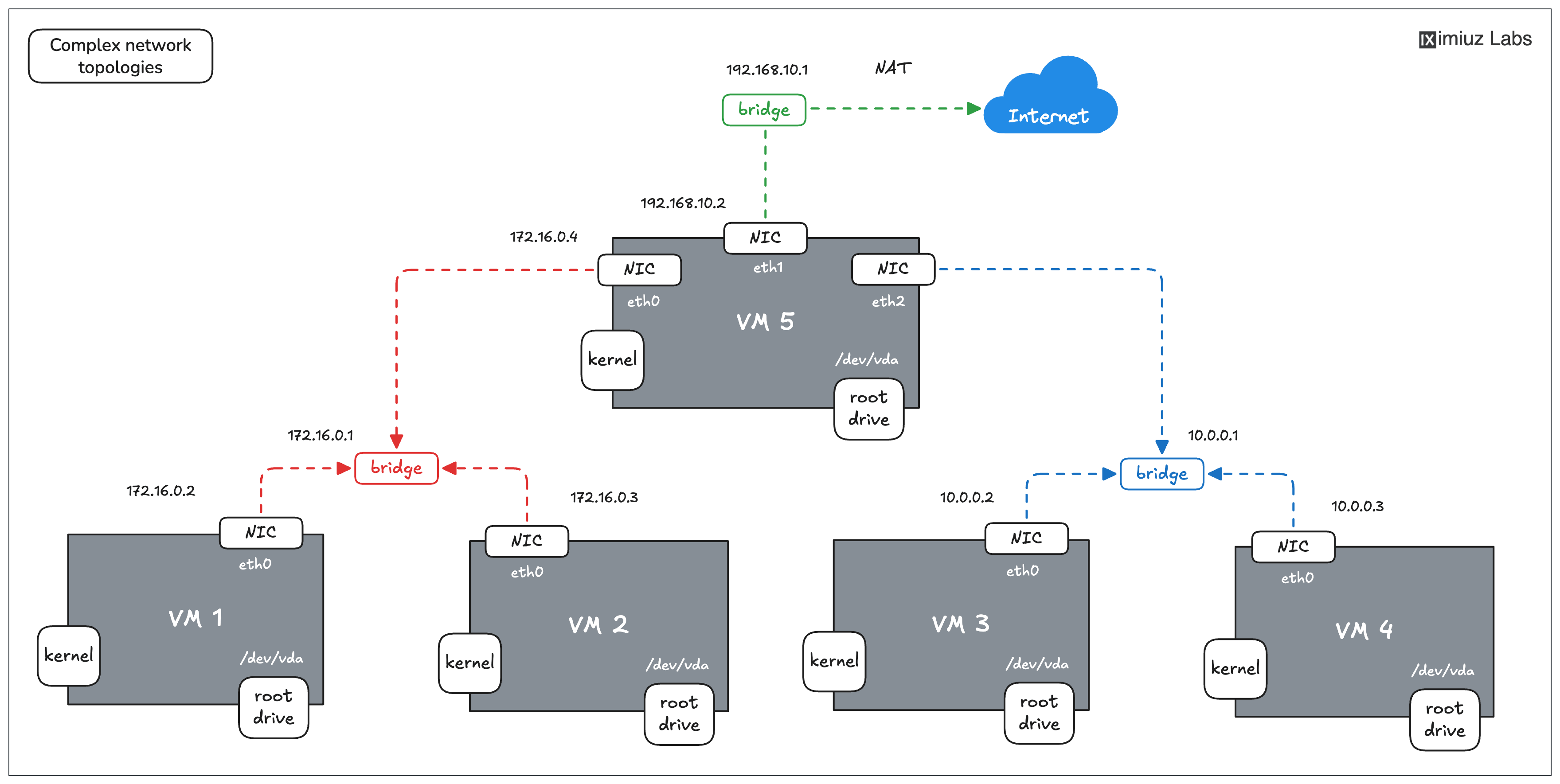
An example of a setup you can configure using a 5-node Flexbox playground.
All of the above are technically just remote Linux VMs, configured in a certain way and exposed publicly with a URL,
which makes them a perfect shareable unit of experience.
Now, instead of including a link to a GitHub repo with a bunch of Terraform files (which may or may not be AI slop working),
you can include a link to an interactive environment that the hiring team can actually start and explore (and get impressed by your Linux, Docker, or Kubernetes talent).
Getting started with custom playgrounds is straightforward: fill out the name and (optionally) description on labs.iximiuz.com/new/playground and click Create.
Once the playground is created, you can use the UI constructor to add or remove virtual machines, deploy custom init scripts, set up multiple networks, or add extra drives:
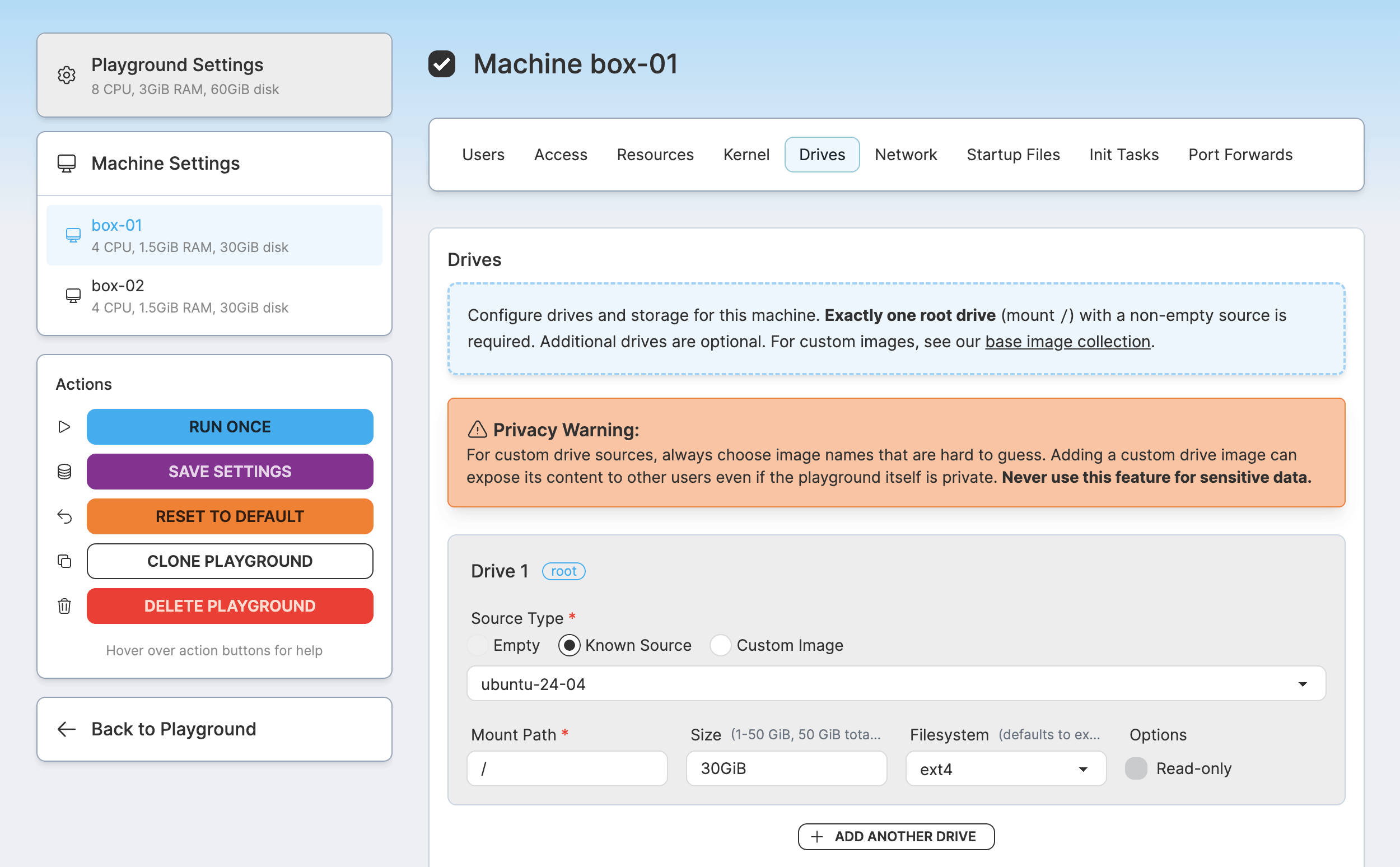
Of course, all of the above can also be done in the command line with labctl:
labctl playground createto get startedlabctl playground manifestto view a YAML manifest of an existing playgroundlabctl playground updateto update the playgroundlabctl playground startto start a new instance of the playground
Click here for a working "labctl playground create" example
labctl playground create --base flexbox my-custom -f -<<EOF
kind: playground
title: My Awesome Custom Playground
categories:
  - linux
playground:
  accessControl:
  canList:
    - owner
  canRead:
    - owner
  canStart:
    - owner
  machines:
  - name: vm-1
    users:
    - name: root
      default: true
    drives:
    - source: ubuntu-24-04
      mount: /
    network:
    interfaces:
      - network: local
    resources:
    cpuCount: 2
    ramSize: 4G
EOF
You can find a few more practical examples of how to create custom playgrounds in this blog post,
and, of course, you can always get some inspiration from the playgrounds published by other iximiuz Labs users -
there are quite a few already!
The best part about it is that you can always explore how the existing playgrounds are implemented
(by either adding /settings to the playground URL or using the labctl playground manifest command).
And you can even clone an existing playground and base your own work on it, dodging the "blank page" trap (a.k.a., writer's block).
By assembling a few Linux, networking, Docker, or Kubernetes playgrounds, you'll gain invaluable insights into the target technology, navigate and resolve several automation challenges, and deepen your own understanding (even if you thought you were already an expert - happens to me all the time, even after all the years of tinkering).
But don't stop at scripting!
The playground is only done when other people can understand how (and why) to use and learn something from it. Prepare a good problem description, add a diagram or two, and write helpful welcome messages that people will see when they log in to your playground VMs. It'll make the playground much easier to share on social, in a blog post, or with teammates, and including a link to such a well-crafted playground in your resume will showcase another key skill hiring managers look for: clear communication.
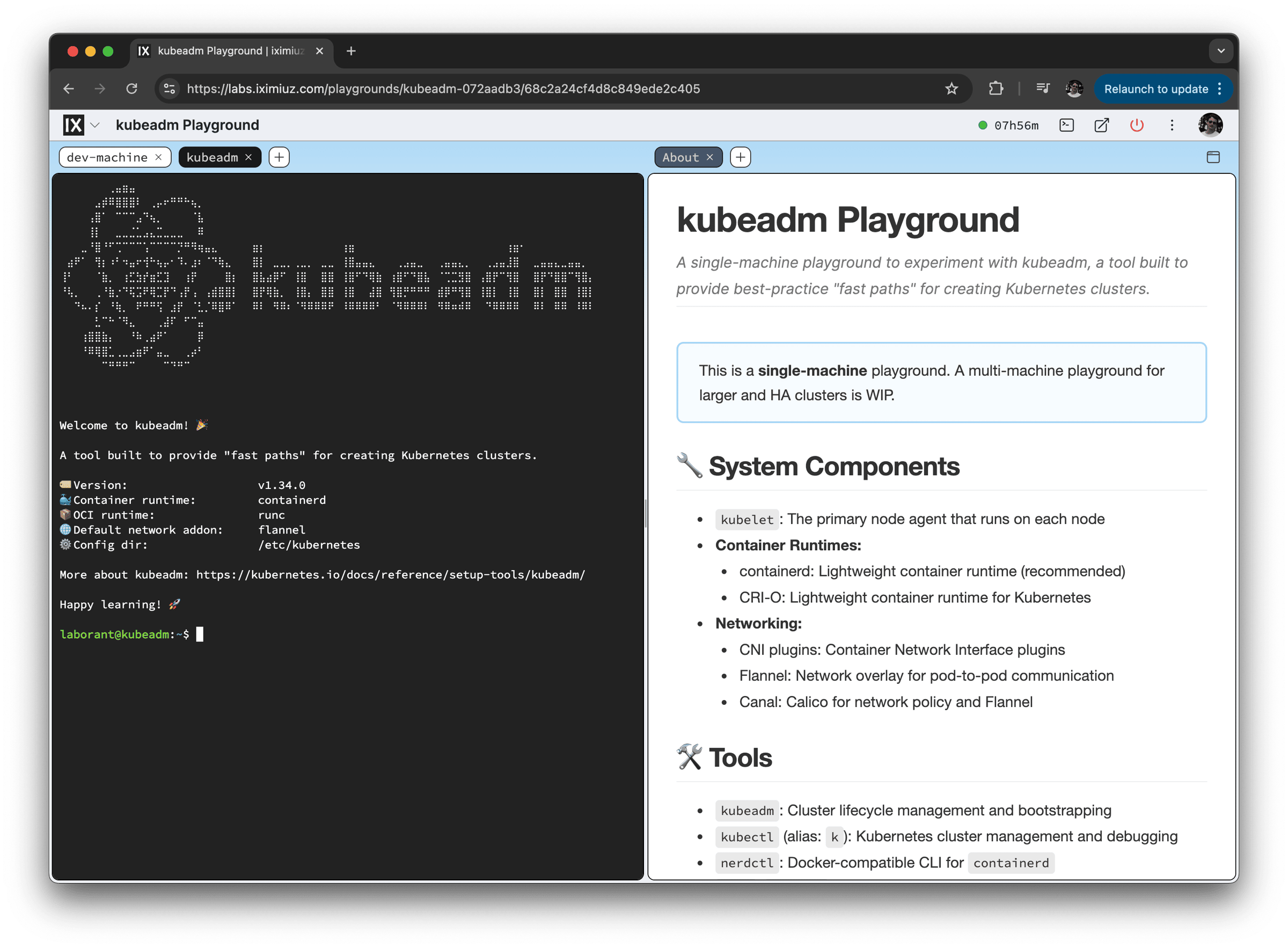
Kubeadm Playground by Márk Sági-Kazár
Finally, by sharing your work publicly long enough, you'll signal your professional interests to the outside world, attract like-minded people, and form the much-needed connections for a successful career, gaining people's trust. Start investing in your public profile today, one playground, blog post, or side project at a time.
- Previous
- Coding Agent with Browser Access