How Servers Work: A Hands-On Introduction to TCP Sockets

What is a TCP Server?
Before jumping into sockets, ports, and all the strange-looking calls like bind(), listen(), and accept(),
let's start with a more fundamental question: What is a TCP server and why is it so important to understand how it works?
First off, we're not here to talk about hardware servers. In this article, a server is a regular process run by the operating system that waits for clients, receives some input from them, applies whatever logic it was written for, and sends some output back.
What makes it a TCP server is the way the input and output travel between the client and the server. Instead of reading from stdin, D-Bus, or a named pipe, the server receives bytes over a network connection. And instead of printing the result to stdout or writing it back to the pipe, it sends bytes back to that network connection. And the connection is established using the TCP protocol (more on it later).
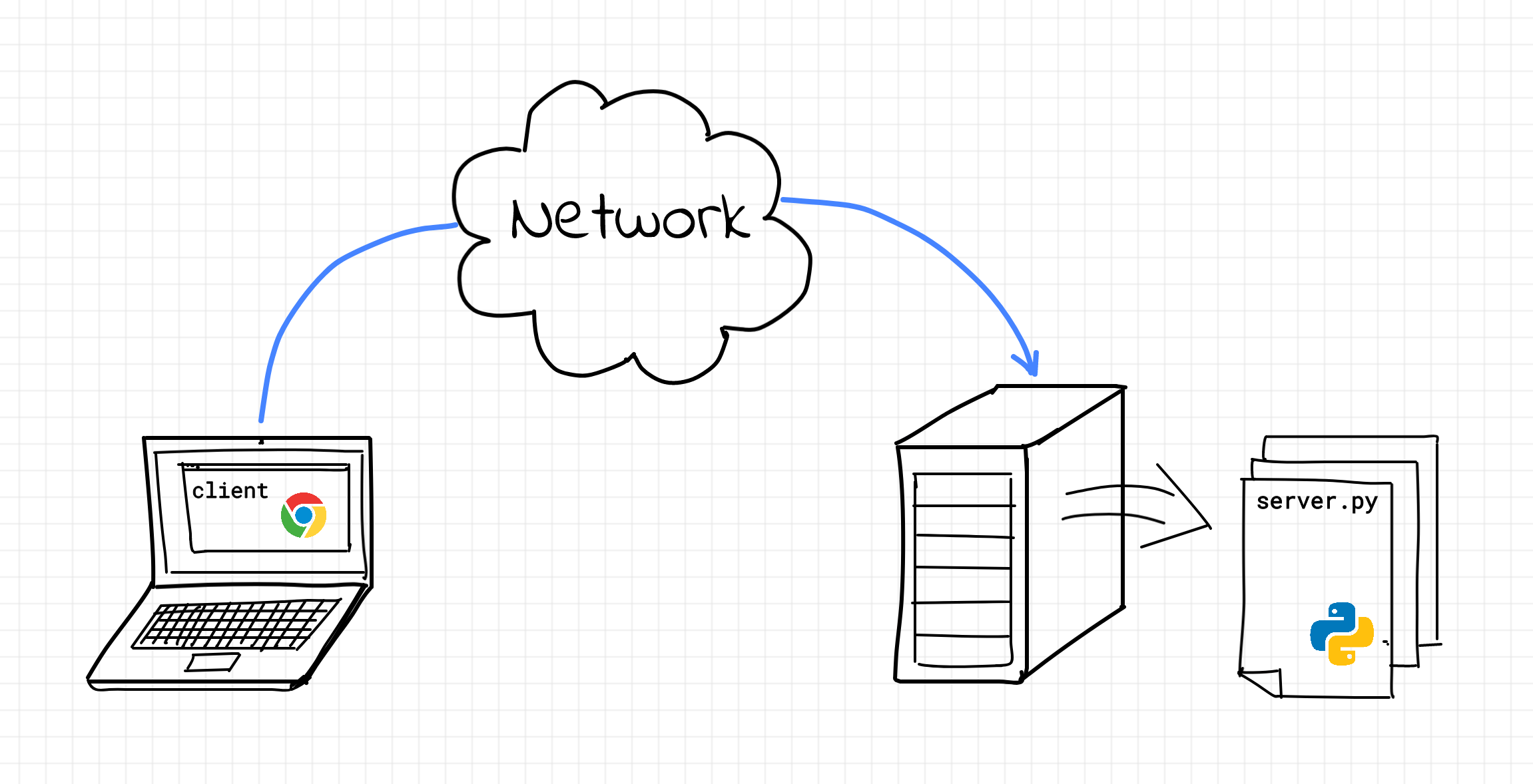
The word bytes is important here. TCP doesn't know whether you're sending an HTTP request, a Redis command, a PostgreSQL query, a game message, or a line of text for a toy echo server. To TCP, all of that is just an ordered stream of bytes flowing between two programs.
The meaning of those bytes is defined by a higher-level protocol. For example:
HTTP    defines how browsers and web servers exchange requests and responses
gRPC    defines how applications can call functions on remote servers
SSH     defines how terminals talk to remote machines
RESP    defines how Redis clients talk to Redis servers
All of these protocols can run on top of TCP, but TCP itself is lower-level. Its job is not to understand application messages. Its job is to provide a reliable, ordered, error-checked byte stream between two endpoints.
That also explains why many very different programs have a surprisingly similar shape at the networking layer. An HTTP server, a database server, a cache server, and a tiny echo server all need to do roughly the same initial dance: create a socket, bind it to an address and port, start listening for connections, accept a client, read bytes, write bytes, close the connection.
The details of the application protocol may vary wildly, but the socket workflow underneath is often the same.
In the rest of this article, we'll focus on this lower-level foundation: how programs communicate over the network using TCP sockets, what a listening socket actually does, why accepting a connection creates another socket, and how to send and receive data from clients - all of this illustrated with a practical example of building a tiny TCP server and client in Python.
Learn by doing, not just by reading or watching
Sign up for a free account to start a VM playground right on this page, track your progress, and get notified about new learning materials.
What is a socket?
A socket is an abstraction provided by the operating system.
Sockets are an inter-process communication (IPC) mechanism with its own distinct application programming interface (a system API). A pair of sockets allows two processes to talk to each other - sometimes over the network, sometimes locally on the same machine. A socket can be opened, and data can be written to the socket or read from it. And of course, when the socket is not needed anymore, it should be closed.
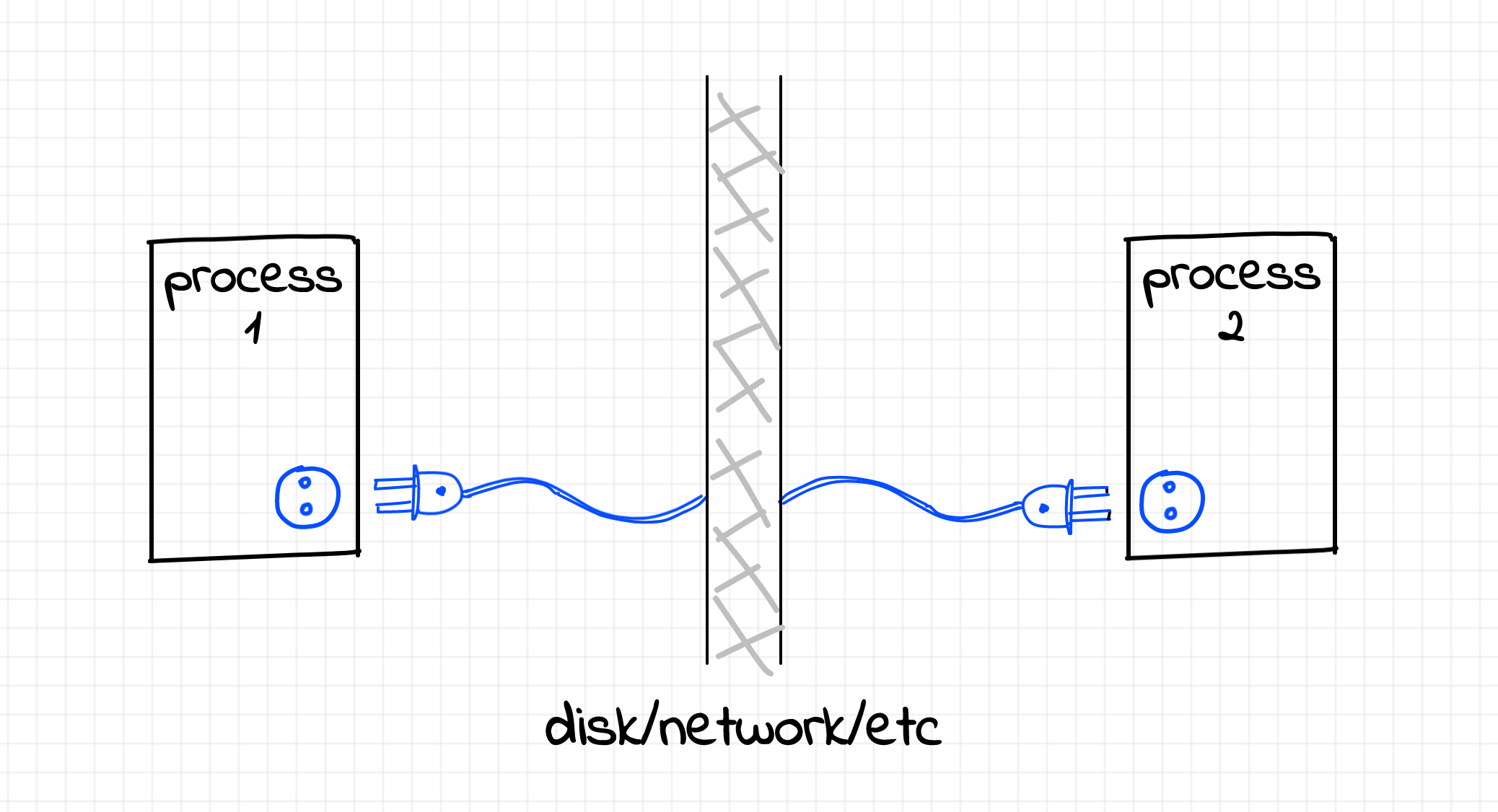
As often happens with computer abstractions, the concept was borrowed from the real world - more specifically, from AC power sockets.
Sockets are pretty diverse. Some socket families are meant for network communication,
such as AF_INET and AF_INET6,
others are meant for local IPC, such as AF_UNIX.
Socket families can also support different communication styles. For Internet sockets (AF_INET and AF_INET6),
SOCK_STREAM usually means TCP, while SOCK_DGRAM usually means UDP.
For Unix domain sockets (AF_UNIX), SOCK_STREAM is also a reliable byte stream, but it is not TCP -
it is a local stream socket implemented by the kernel without IP packets, TCP headers, ports, or routing.
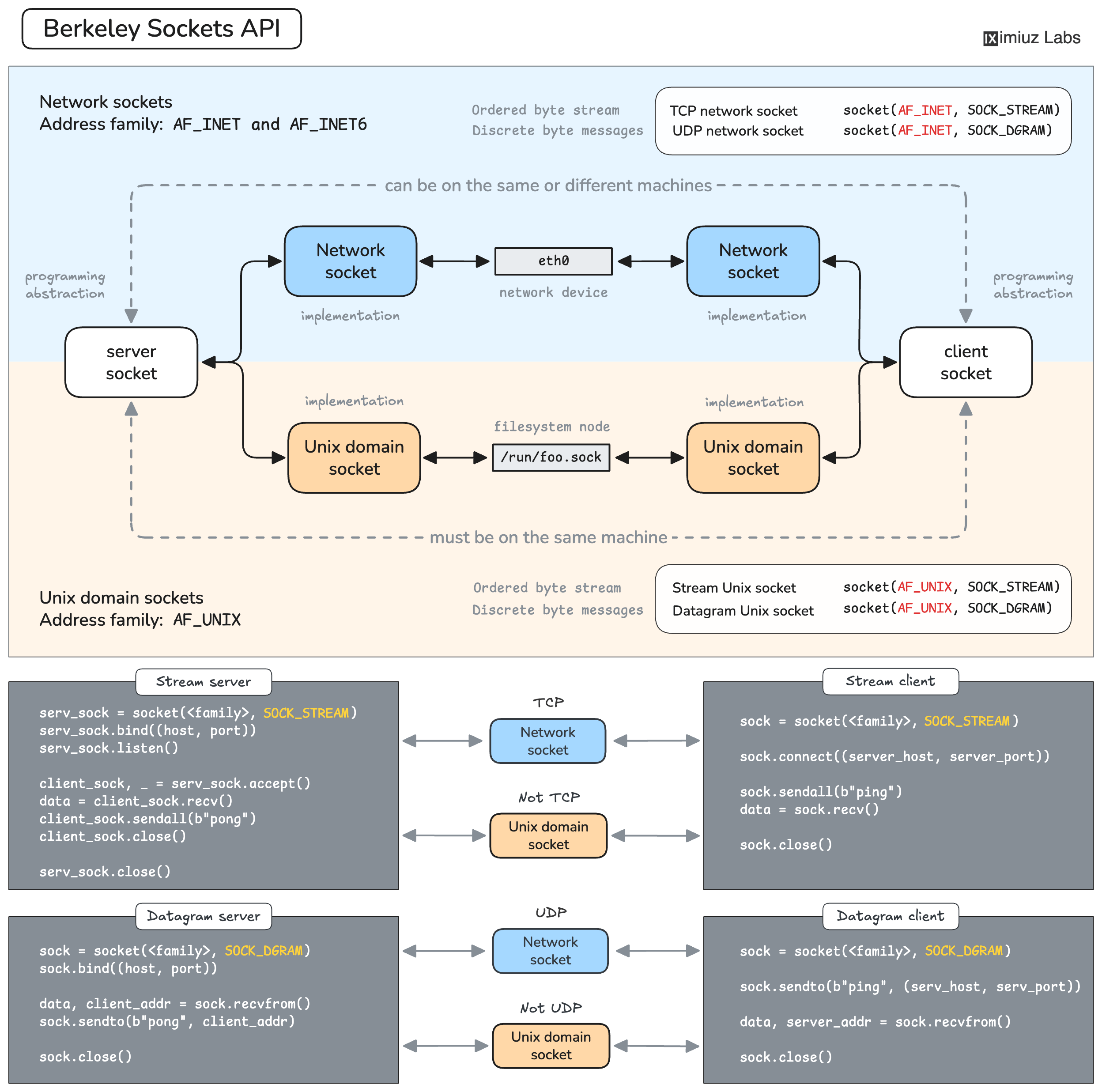
This variety may seem complicated at first, but luckily there is a more or less generic approach to using sockets of any kind in code. Learning one socket type makes the others much easier to approach (although the exact workflow depends on the address family and socket type). Further in this article, we'll focus on client-server communication via IPv4 TCP sockets
How programs talk over the network
Imagine there is an application that wants to send a relatively long piece of text over the network.
Let's suppose the socket has already been opened and the program is about to write
(or, in networking parlance, send) some data to it.
How will this data be transmitted?
Chunking
Computers live in a discrete world. Network interface cards (NIC) transmit data in small portions - a few hundred bytes at once. At the same time, the amount of data a program may want to send is generally not limited and can exceed hundreds of gigabytes. To transmit an arbitrarily large piece of data over the network, it needs to be chunked, and every chunk should be sent separately. Logically, the maximum chunk size should not exceed the limitation of the network adapter.
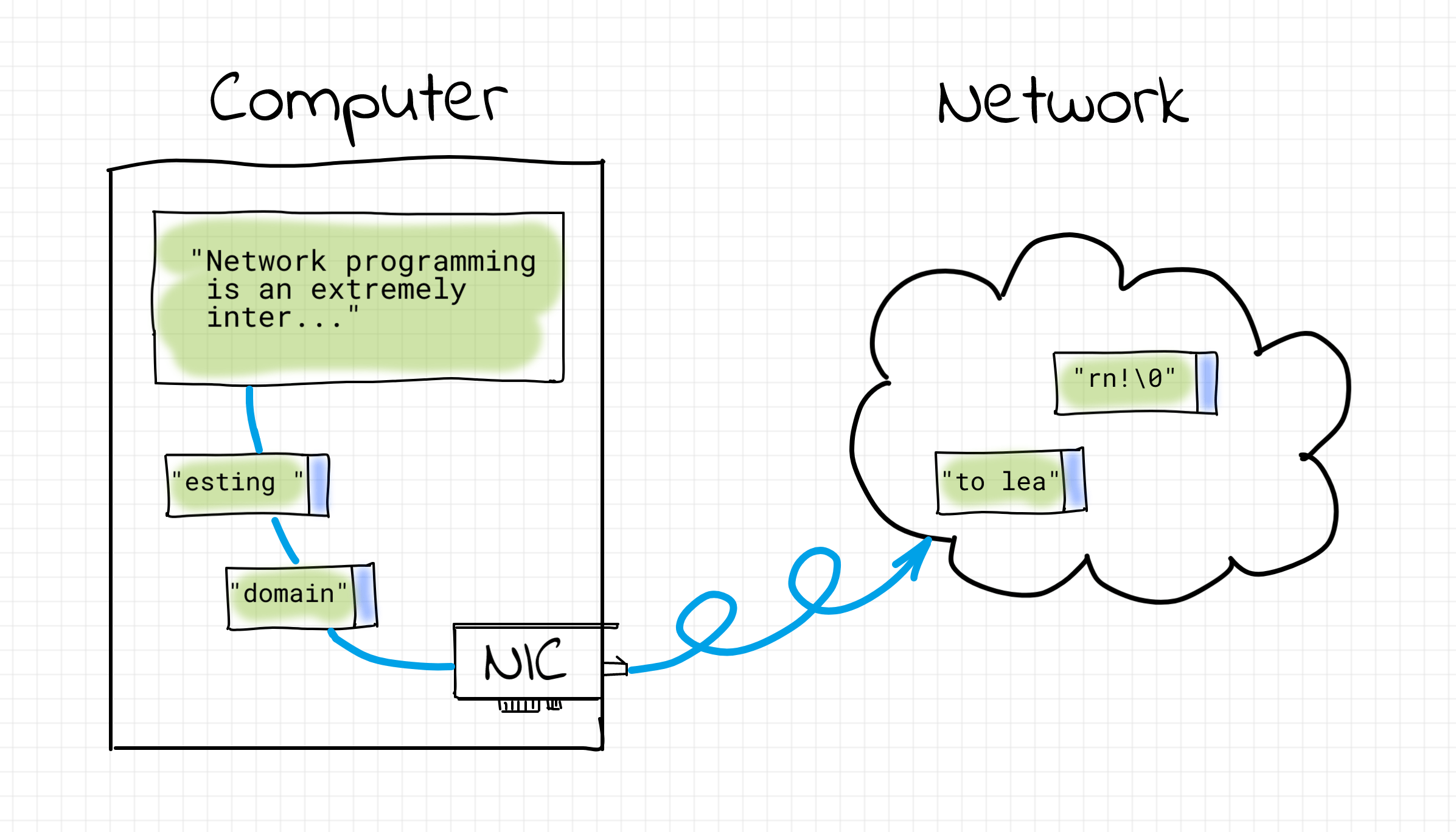
Each chunk consists of two parts - control information and the payload. The control information includes source and destination addresses, the chunk size, a checksum, etc. While the payload is, well, the actual data the program wants to send over.
More often than not, computers in the network are addressed using so-called IP addresses. The acronym IP stands for Internet Protocol - a famous protocol that made the interconnection of networks possible, giving birth to the Internet. The Internet Protocol is primarily responsible for 3 things:
- addressing host interfaces;
- encapsulating the payload data into packets (i.e. aforementioned chunking);
- routing packets from a source to a destination across one or more IP networks.
Disclaimer on intentional simplification of chunking problem.
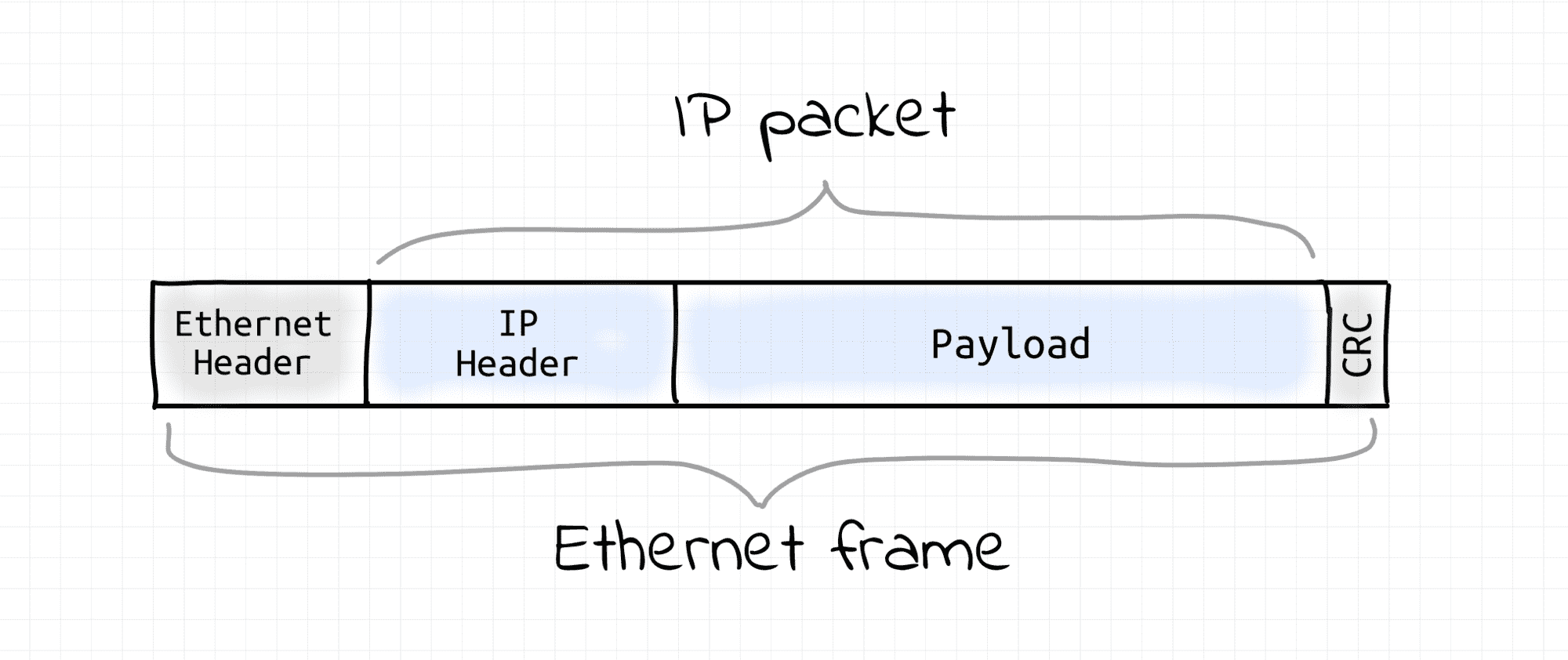
IP is a so-called Layer 3 protocol of the Internet protocol suite. Protocols from the suite form a stack where every higher layer protocol is based on the one beneath it. I.e. in the case of IP, there should be a Layer 2, or a Link layer protocol (e.g. Ethernet or Wi-Fi).
The Link layer protocols focus on the lower-level data transmission details and their scope is limited by the local area network (LAN) communication (i.e. no routing awareness). The truth is, chunking (or framing in networking parlance) happens also on Layer 2. Since IP is aware of that limitation, it makes its packets small enough to fit into Layer 2 frames because, in the end, the transmission unit is going to be a Layer 2 frame, not an IP packet itself. Albeit important, these details are rather irrelevant to this article.
Packet reassembly
On its way from the origin to the destination, an IP packet usually passes a handful of intermediate hosts.
This series of hosts constitutes a route. There can be (and usually is) more than one route for the given (origin, destination) pair.
And since multiple routes coexist, it's perfectly fine for IP packets with the same (origin, destination) pair to take different paths.
Getting back to the problem of sending a long piece of text over the network, it can happen that chunks, i.e. IP packets, the text was split into, will take different routes on their way to the destination host. However, different routes may have different delays. On top of that, there is always a probability of packet loss because neither intermediate hosts nor links are fully reliable. Thus, IP packets may arrive at the destination in an altered order.
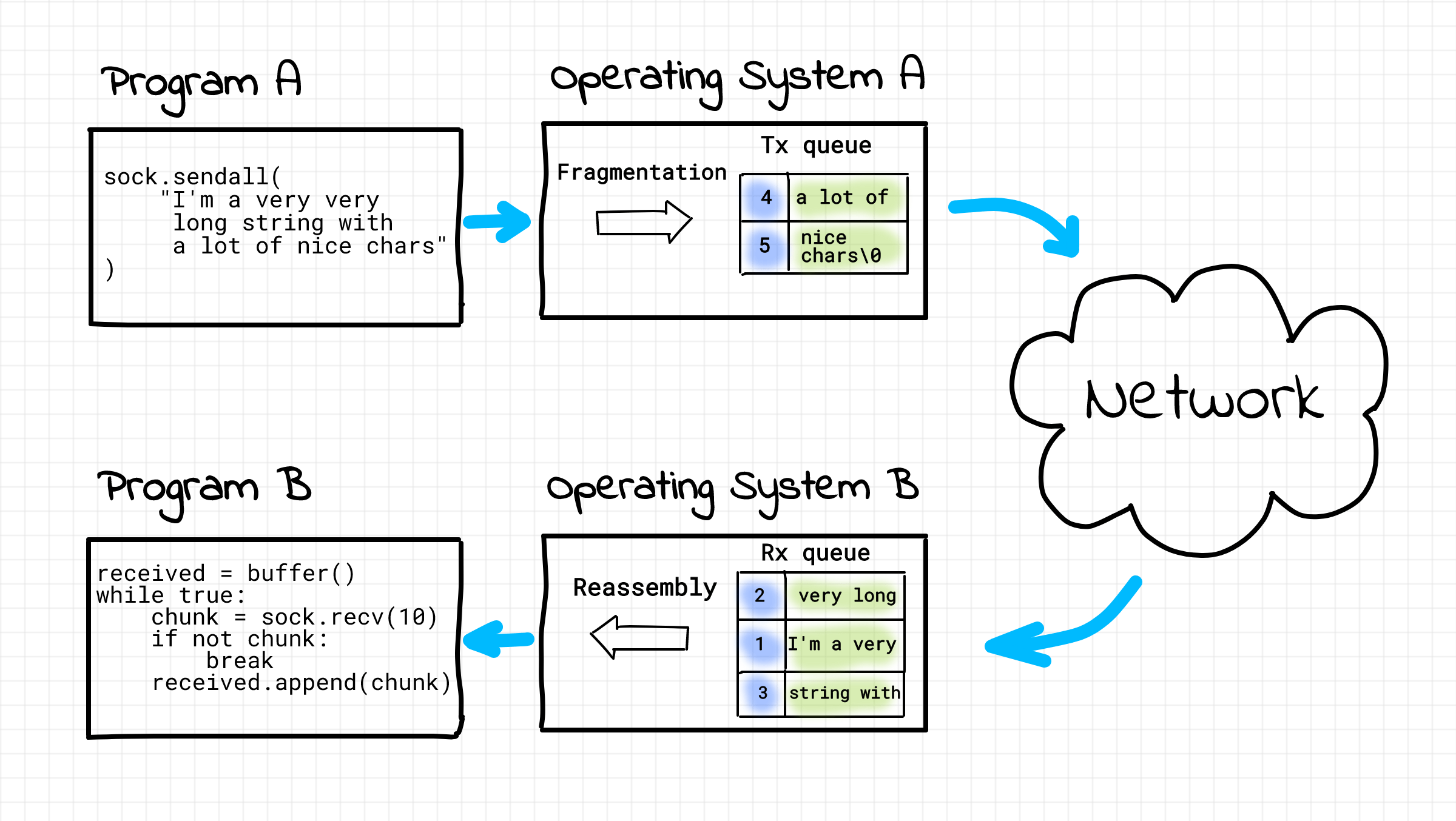
Generally speaking, not every use case requires strict packet ordering. For instance, voice and video traffic are designed to tolerate some amount of packet loss because retransmission of packets would lead to an unacceptable latency increase. However, when a browser loads a web page using HTTP, we expect letters and words on it to be ordered exactly the same way they were meant to by the page's creator. That's how the need for a reliable, ordered, and error-checked packet delivery mechanism arises.
As you probably already noticed, problems in the networking domain tend to be solved by introducing more and more protocols. And indeed, there is another famous Internet protocol called Transmission Control Protocol or simply TCP.
The primary goal of TCP is to provide reliable, ordered delivery of a stream of bytes between applications over an IP network.
Thus, if we feed our (encoded) text to a TCP socket on one machine, it can be read unaltered from the socket on the destination machine. Not to be concerned with the packet delivery problems, many application protocols (e.g., HTTP, SSH, etc.) rely on the capabilities of TCP.
Connections
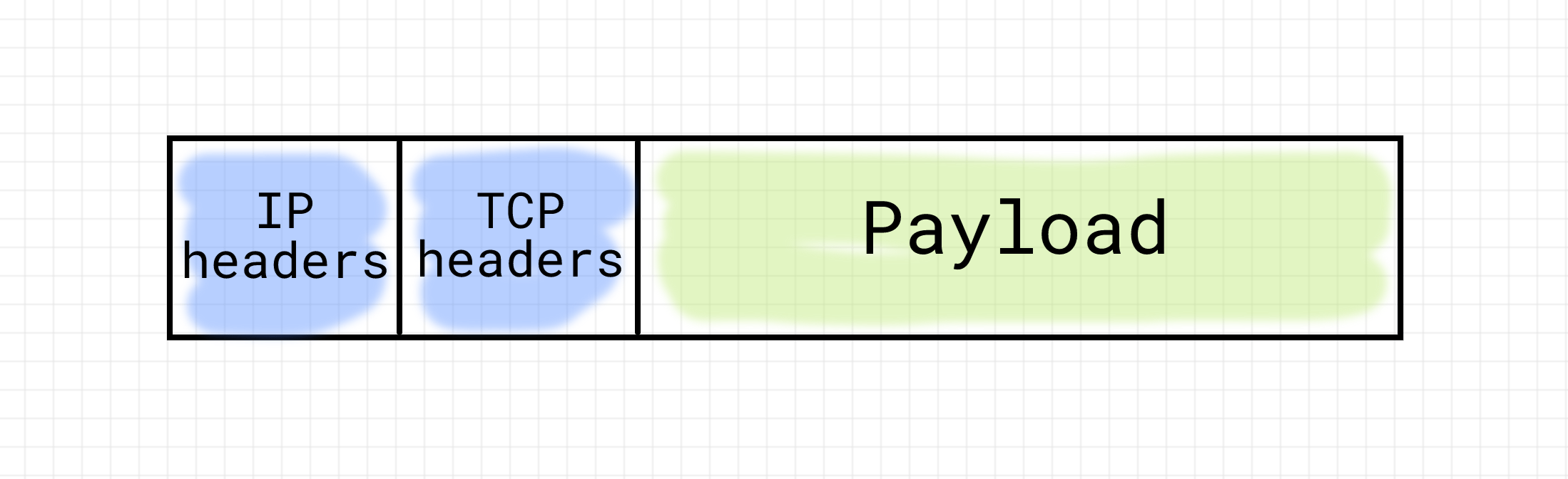
To achieve the in-order and reliable delivery, TCP augments the control information of every chunk with the auto-increment sequence number and the checksum. On the receiving side, the reassembly of the data happens based not on the packets' arrival order, but on the TCP sequence number. Additionally, the checksum is used to validate the content of the arriving chunks. Malformed chunks are simply rejected and not acknowledged. The sending side is expected to retransmit the chunks that haven't been acknowledged.
Obviously, some sort of buffering is required on both sides to implement this.
On a single machine, at any given time, there can be many processes communicating via TCP sockets. Thus, there should be as many independent sequence numbers and buffers as there are communication sessions. To address this, TCP introduces the concept of connection.
Simplifying a bit, a TCP connection is a sort of agreement between transmitting and receiving sides on the initial sequence numbers and the current state of transmission. A connection needs to be established (by exchanging a few control packets at the very beginning, so-called handshake), maintained (some packets need to be sent both ways, otherwise the connection may time out, so-called keepalive), and when the connection is not needed anymore, it should be closed (by exchanging a few other control packets).
Ports
Last but not least... An IP address defines a network host as a whole. However, between any two hosts, there might be many simultaneous TCP connections. If the only addressing information in our chunks were the IP addresses, it would be virtually impossible to determine the affiliation of chunks with connections. Thus, some extra addressing information is required. For that, TCP introduces the concept of ports. Every connection gets a pair of port numbers (one for the sender, one for the receiver) that uniquely identifies the TCP connection between a pair of IPs.
Hence, any TCP connection can be fully identified by the following tuple:
(source IP, source port, destination IP, destination port)
Implementing a simple TCP server
It's practice time! Let's try to create our own tiny TCP server in Python.
For that, we'll need the socket module from the standard library.
For a novice, the main complication with sockets is the existence of an apparently magical ritual of preparing sockets to work. However, combining the theoretical background from the beginning of this article with the hands-on part of this section should turn the magic into a sequence of meaningful actions.
In the case of TCP, the server- and client-side socket workflows differ. A server passively waits for the clients to connect. A priori, the IP address and TCP port of the server are known to all its potential clients. In contrast, the server doesn't know the addresses of its clients until the moment they connect. I.e., clients play the role of the communication initiators by actively connecting to servers.
However, there is more to it than just that. On the server-side, there are actually two types of sockets involved - the aforementioned server socket waiting for connections and, surprise, surprise - client sockets! For every established connection, there is one more socket created on the server-side, symmetrical to its client-side counterpart. Thus, for N connected clients, there will always be N+1 sockets on the server-side.
Create a server TCP socket
So, let's create a server socket. With AF_INET and SOCK_STREAM, Python asks the OS for an IPv4 stream socket.
With the default protocol (proto=0), that means TCP:
import socket

serv_sock = socket.socket(
    socket.AF_INET,      # IPv4 Internet socket
    socket.SOCK_STREAM,  # stream-oriented socket
    proto=0              # choose the default protocol: TCP for AF_INET + SOCK_STREAM
)

print(type(serv_sock))   # <class 'socket.socket'>
Where is the file descriptor?
For every opened file or device, the operating system creates a so-called file descriptor.
Simplifying a bit, a file descriptor is a unique integer identifier of a file or file-like device within a process.
The operating system provides a set of functions system calls to manipulate files that accept a file descriptor as an argument.
If you saw some socket programming examples written in C, you may have seen something like this:
int fd = socket(AF_INET, SOCK_STREAM, 0);

send(fd, data, strlen(data), 0);
recv(fd, buf, sizeof(buf), 0);

close(fd);
However, Python is an Object-Oriented language.
Instead of fd = socket(...) followed by send(fd, ...) or recv(fd, ...),
it uses a socket class with similarly named methods.
The socket module from Python's standard library is actually a thin OO-wrapper
around the set of socket-related C calls.
Oversimplifying, Python's socket class can be thought of as something like this:
class socket:  # Yep, the name of the class starts with a lowercase letter...
    def __init__(self, sock_family, sock_type, proto):
        self._fd = system_socket(sock_family, sock_type, proto)

    def send(self, data):
        system_send(self._fd, data)

    def recv(self, buf_size):
        return system_recv(self._fd, buf_size)

    def close(self):
        system_close(self._fd)

    def fileno(self):
        return self._fd
And if someone really needs the socket's file descriptor, it can be obtained as follows:
print(serv_sock.fileno()) # 3 or some other small integer
See also:
Bind a server socket to an address
Since, in general, a single server machine may have more than one network interface, there should be a way to bind the server socket to a particular address (and hence, the interface):
# Use '127.0.0.1' to bind to localhost
# Use '0.0.0.0' or '' to bind to ALL network interfaces simultaneously
# Use an actual IP of an interface to bind to a specific address.

serv_sock.bind(('0.0.0.0', 6543))
On top of that, bind() requires a port to be specified. The server will be waiting or, in networking parlance, listening for client connections on that port.
Wait for client connections
Next, the socket needs to be explicitly turned into a listening state:
backlog = 10  # the max number of queued connections
serv_sock.listen(backlog)
After this call, the operating system will make the server socket ready to accept incoming connections. But before jumping to the accept part, let's briefly touch on the backlog parameter.
As we already know, network communications happen through sending discrete packets, but TCP relies on established stream-like connections.
But what does it really mean to establish a TCP connection?
For that, a client and a server need to exchange a few control (i.e., w/o any business data) packets negotiating the parameters of the future connection. All future packets adhering to these parameters will belong to the same logical stream, i.e., a connection. This procedure is known as a handshake.
In our programs, we rarely deal with the lower-level details of the TCP protocol, such as the handshake. Instead, we typically operate in terms of already established connections. However, due to a non-zero network delay, the handshake procedure can be quite expensive. So, the OS typically tries to optimize it, and while our program might be busy serving its current clients, the OS will keep establishing new incoming connections in the background, queuing them in some internal data structure.
The backlog parameter defines the size of the queue of established but not yet accepted connections. As long as the number of connected but not yet served clients is lower than the backlog size, the operating system will keep establishing new connections in the background. However, when the number of such connections reaches the backlog size, all new connection attempts will be explicitly rejected or implicitly ignored (depending on the OS configuration).
Accept a client connection
To obtain an established connection from the backlog queue, we need to do the following:
client_sock, client_addr = serv_sock.accept()
The queue of established connections may be empty.
In such a case, the accept() call will block the execution of the program until the next client connects (or the program is interrupted by a signal, but it's off-topic for this article).
After accepting the very first client connection, there will be two sockets on the server-side: the already familiar serv_sock in the LISTEN state and the new client_sock in the ESTABLISHED state. Interestingly enough, the client_sock on the server-side and the corresponding socket on the client-side are so-called peer endpoints. I.e. they are of the same kind, data can be written into or read from either of them, and they both can be closed using the close() call, effectively terminating the connection. None of these actions will affect the listening serv_socket in any way.
Get a client socket IP and port
Let's take a look at the server and client peer endpoint addresses. Every TCP socket can be identified by two pairs of numbers: (local IP, local port) and (remote IP, remote port).
To learn the remote IP and port of the newly connected client, the server can inspect client_addr variable returned by the successful accept() call:
print(client_addr) # E.g. ('172.16.0.20', 54614)
Alternatively, the socket.getpeername() method of the server-side peer endpoint client_sock can be used to learn the remote address of the connected client. And to learn the local address that the server operating system allocated for the server-side peer endpoint, one can use the socket.getsockname() method.
In the case of our server it may look something like this:
serv_sock:    # server-side listening socket
  laddr (ip=<server_ip>, port=6543)
  raddr none

client_sock:  # server-side peer endpoint returned by accept()
  laddr (ip=<server_ip>, port=6543)
  raddr (ip=<client_ip>, port=51573)  # 51573 is an ephemeral port assigned by the client OS
Send and receive data over a socket
Here is a simple example of receiving some data from the client and then sending it back (so-called echo-server):
# echo-server

data = client_sock.recv(2048)
client_sock.send(data)
Where are the read() and write() calls?
While it's possible to use read() and write() with socket file descriptors,
they don't allow you to specify all the potentially needed options.
Therefore, for sockets, send() and
recv() system calls have been introduced.
From the man 2 send:
The only difference between send() and write() is the presence of flags. With a zero flags argument, send() is equivalent to write().
...and man 2 recv:
The only difference between recv() and read() is the presence of flags. With a zero flags argument, recv() is generally equivalent to read().
Behind the apparent simplicity of the above snippet there is a serious problem. Both recv() and send() calls actually work through so-called network buffers. The call to recv() returns as soon as some data appears in the buffer on the receiving side. And of course some rarely means all. Thus, if the client wanted to transmit, say, 1800 bytes of data, recv() may return as soon as the first 1500 bytes are received (the numbers are arbitrary in this example) because the transmission got chunked into two portions.
The same is true about the send() method. It returns the actual number of bytes that have been written to the buffer. However, if the buffer has less space available than the attempted piece of data, only part of it will be written. So, it's up to the sender to make sure that the rest of the data will be eventually transmitted. Luckily, Python provides a handy socket.sendall() helper which does the sending loop for you under the hood.
This actually leads to interesting considerations when it comes to designing data exchange over TCP:
messages must either be fixed length (yuck), or be delimited (shrug), or indicate how long they are (much better), or end by shutting down the connection.
Detect a client is done with sending (shutdown)
Notice that the first three options may still lead to a situation where the socket on the server-side waits indefinitely for a recv() call to return. This can happen if the server wants to receive K messages from the client while the client wants to send only M messages, where M < K. Thus, it's up to the higher-level protocol designers to decide on the communication rules.
However, there is a simple way to indicate that the client is done with sending. The client socket can shutdown(how) the connection specifying SHUT_WR for how. This will lead to a recv() call on the server-side returning 0 bytes. Thus, we can rewrite the receiving code as follows:
chunks = []
while True:
    data = client_sock.recv(2048)
    if not data:
        break
    chunks.append(data)
Close sockets
When we are done with a socket, it should be closed:
socket.close()
Closing a socket explicitly will (usually) lead to flushing its buffers and shutting down the connection gracefully.
Simple TCP server example
Finally, here is the full code of the TCP echo-server:
import socket

# Create a server TCP socket.
serv_sock = socket.socket(socket.AF_INET, socket.SOCK_STREAM, proto=0)

# Bind the server socket to loopback network interface.
serv_sock.bind(('0.0.0.0', 6543))

# Turn the server socket into listening mode.
serv_sock.listen(10)

while True:
    # Accept new connections in an infinite loop.
    client_sock, client_addr = serv_sock.accept()
    print('New connection from', client_addr)

    chunks = []
    while True:
        # Keep reading while the client is writing.
        data = client_sock.recv(2048)
        if not data:
            # Client is done with sending.
            break
        chunks.append(data)

    client_sock.sendall(b''.join(chunks))
    client_sock.close()
Save it to server.py on the server machine and run with:
python3 server.py
Implementing a simple TCP client
Things are much simpler on the client-side. There is no such thing as a listening socket on the client-side. We just need to create a single socket endpoint and connect() it to the server before sending some data:
import socket

# Create a client TCP socket.
client_sock = socket.socket(socket.AF_INET, socket.SOCK_STREAM)

# Connect to the server:
client_sock.connect(('172.16.0.10', 6543))

# Send some data to the server.
client_sock.sendall(b'Hello, world')
client_sock.shutdown(socket.SHUT_WR)

# Receive some data back.
chunks = []
while True:
    data = client_sock.recv(2048)
    if not data:
        break
    chunks.append(data)
print('Received', repr(b''.join(chunks)))

# Disconnect from the server.
client_sock.close()
Save it to client.py on the client machine and run with:
python3 client.py
Wrapping up
Memorizing stuff without understanding it is a poor strategy for a developer. Socket programming is a perfect example where looking at the code without the theoretical background can be simply overwhelming. However, once the understanding of the moving parts and constraints is gained, all these magical manipulations with the socket API turn into a meaningful set of actions. And don't be afraid of spending time on basics. Network programming is a fundamental knowledge that is vital for the successful development and troubleshooting of advanced web services.
Further reading
- Beej's Guide to Network Programming - basic socket programming in C.
- Socket Programming HOWTO on docs.python.org.
- UNIX Network Programming - advanced socket programming.
Practice
The best way to make the theory stick is to practice writing your own TCP servers and clients:
About the Author

Ivan Velichko
Ivan is the creator of iximiuz Labs and a long-time tech blogger and educator with a traditional focus on server-side tech and containers.
Writes about
Frequently covers
More tutorials you might like
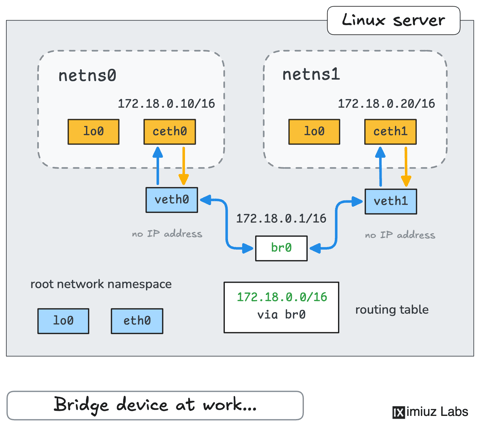
How Container Networking Works: Building a Bridge Network From Scratch
Begin with the basics to understand Docker and Kubernetes networking: learn how to create and interconnect Linux network namespaces using only command-line tools.
A Practical Guide to SSH Tunnels: Local and Remote Port Forwarding
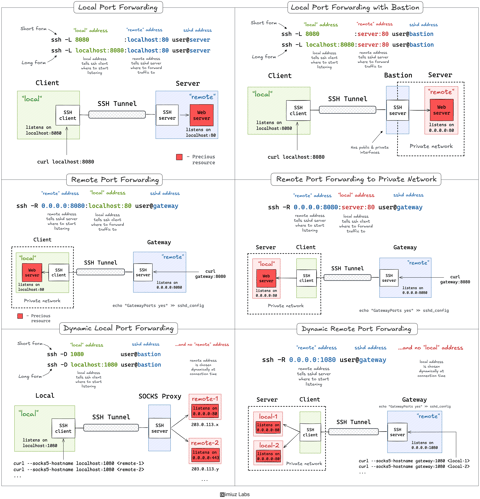
SSH port forwarding explained in a clean and visual way. How to use local and remote port forwarding. What sshd settings may need to be adjusted. How to memorize the right flags.
How Container Filesystem Works: Building a Docker-like Container From Scratch
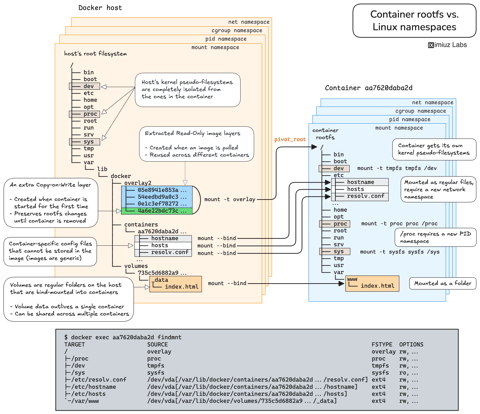
Learn how Linux containers are built from the ground up. Starting with the mount namespace and a root filesystem, see why PID, cgroup, UTS, and network namespaces naturally follow - and how this foundation makes concepts like bind mounts, volumes, and persistence in Docker or Kubernetes much easier to grasp.
Controlling Process Resources with Linux Control Groups
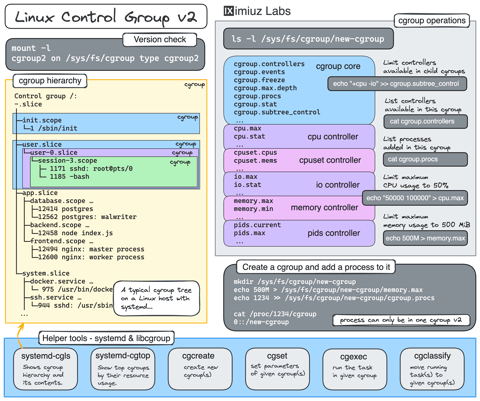
Learn how to limit process resources using Linux cgroups - from the most basic and labour-intensive cgroupfs manipulation to the handiest systemd-run command.
Learn by doing, not just by reading or watching
Sign up for a free account to start a VM playground right on this page, track your progress, and get notified about new learning materials.