When more than one team shares a cluster, you need ways to organize resources, cap what each team can consume, and control who can do what. Kubernetes gives you namespaces and RBAC for this. Rancher adds one more layer on top - Projects - that makes managing groups of namespaces far easier. This lesson is where the "what's a Project?" question from the last lesson gets its full answer.
Open the Rancher tab for the UI, and use the dev-machine terminal for kubectl.
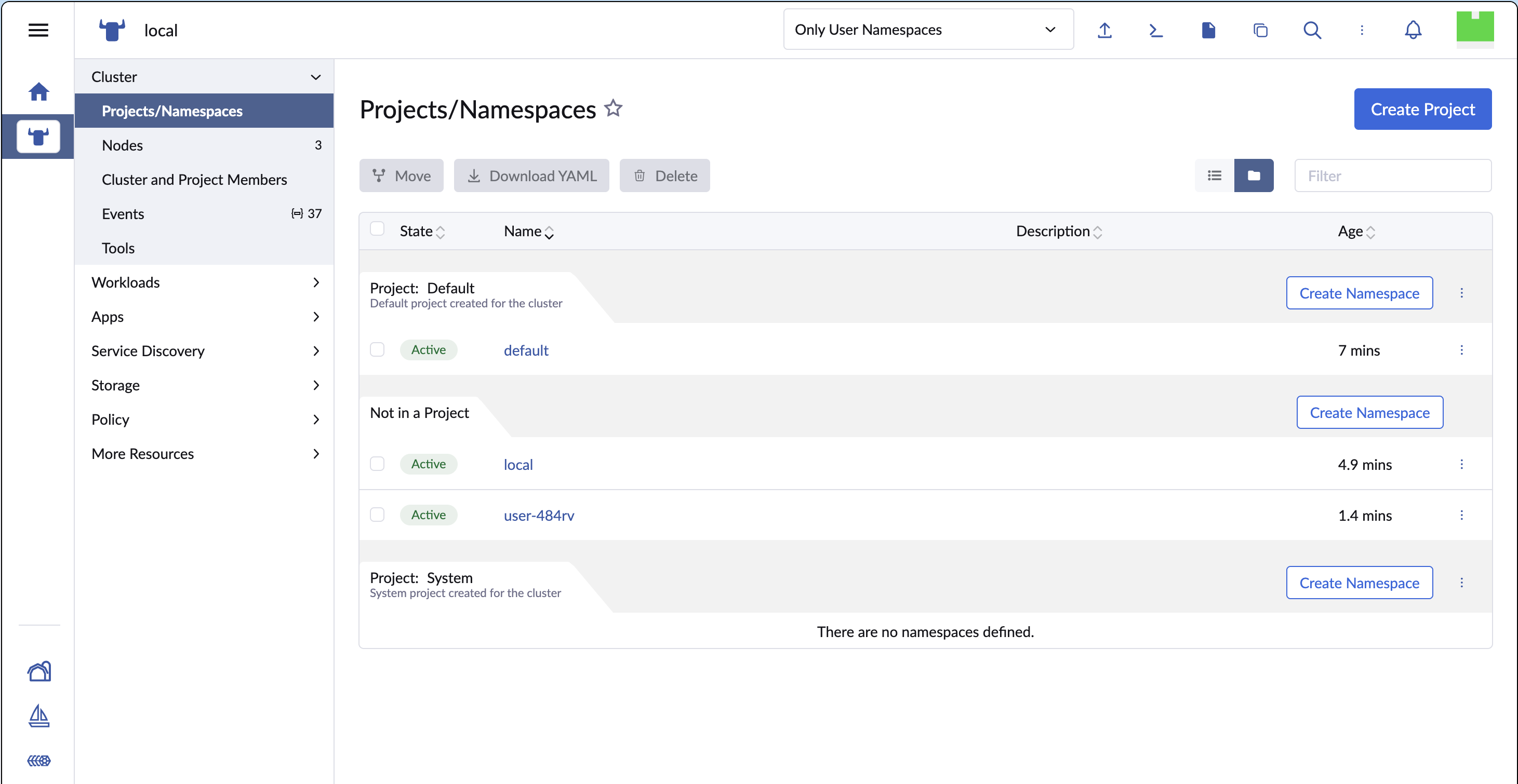
Rancher's Projects/Namespaces page groups namespaces under the projects that own them.
Namespaces, Projects, and How They Relate
Three concepts, from the bottom up:
- Namespace - the native Kubernetes unit of isolation. It scopes resource names and is the boundary most RBAC rules apply to.
- Project - a Rancher-only grouping over one or more namespaces. Kubernetes has no idea projects exist; they are stored as Rancher custom resources. A Project lets you apply RBAC and resource quotas to all its namespaces at once.
- RBAC - the rules that say which users and groups may perform which actions, and where.
The payoff: instead of repeating the same RBAC and quota setup for every namespace a team owns, you attach it once to their Project, and every namespace in the Project inherits it.
Where do Projects actually live?
A Rancher Project is a custom resource in the local (management) cluster. You can see them directly:
kubectl -n local get projects.management.cattle.io
Each has a generated name like p-xxxxx and a human-friendly spec.displayName (such as "Default" or "System"). When a namespace joins a Project, Rancher stamps it with a field.cattle.io/projectId label and annotation pointing at that p-xxxxx id - which is exactly the marker the previous lesson's challenge checked for.
Step 1: Create a Project
In the Rancher UI, enter the local cluster, then go to Cluster > Projects/Namespaces and click Create Project. Name it team-alpha and create it.
The Rancher Create Project form - naming the new project team-alpha.
Confirm it exists from the workstation:
kubectl -n local get projects.management.cattle.io -o custom-columns=NAME:.metadata.name,DISPLAY:.spec.displayName
You will see team-alpha in the list alongside the built-in Default and System projects.
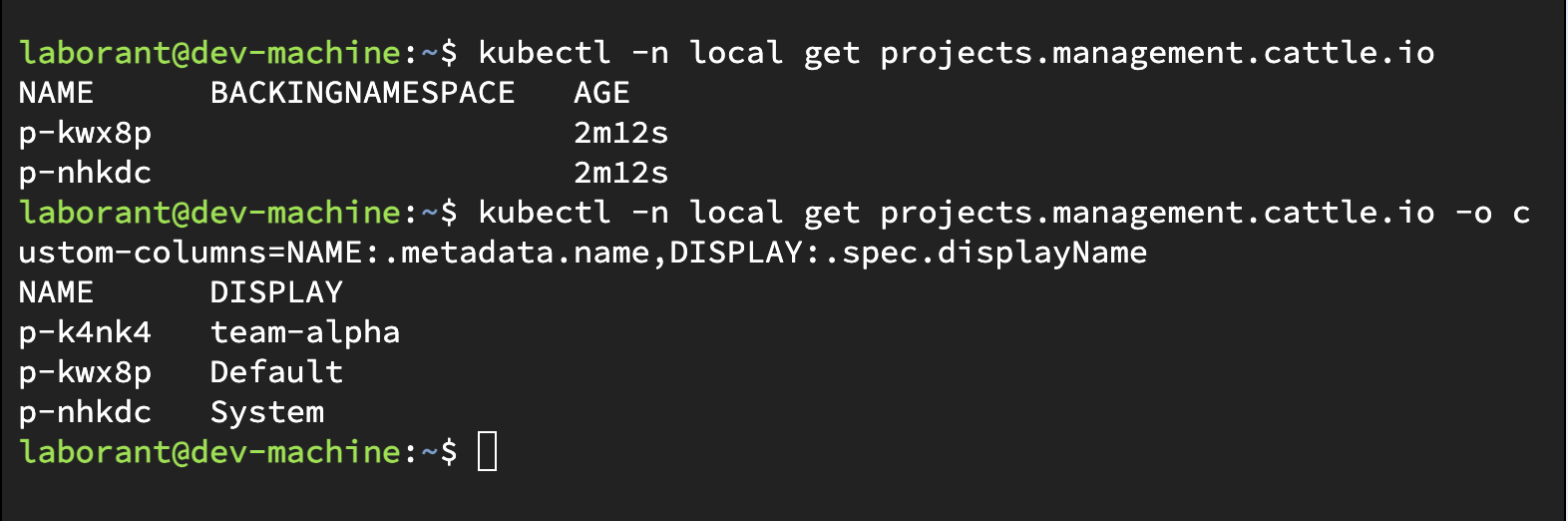
The kubectl project list shows team-alpha next to the built-in Default and System projects.
Step 2: Create a Namespace Inside the Project
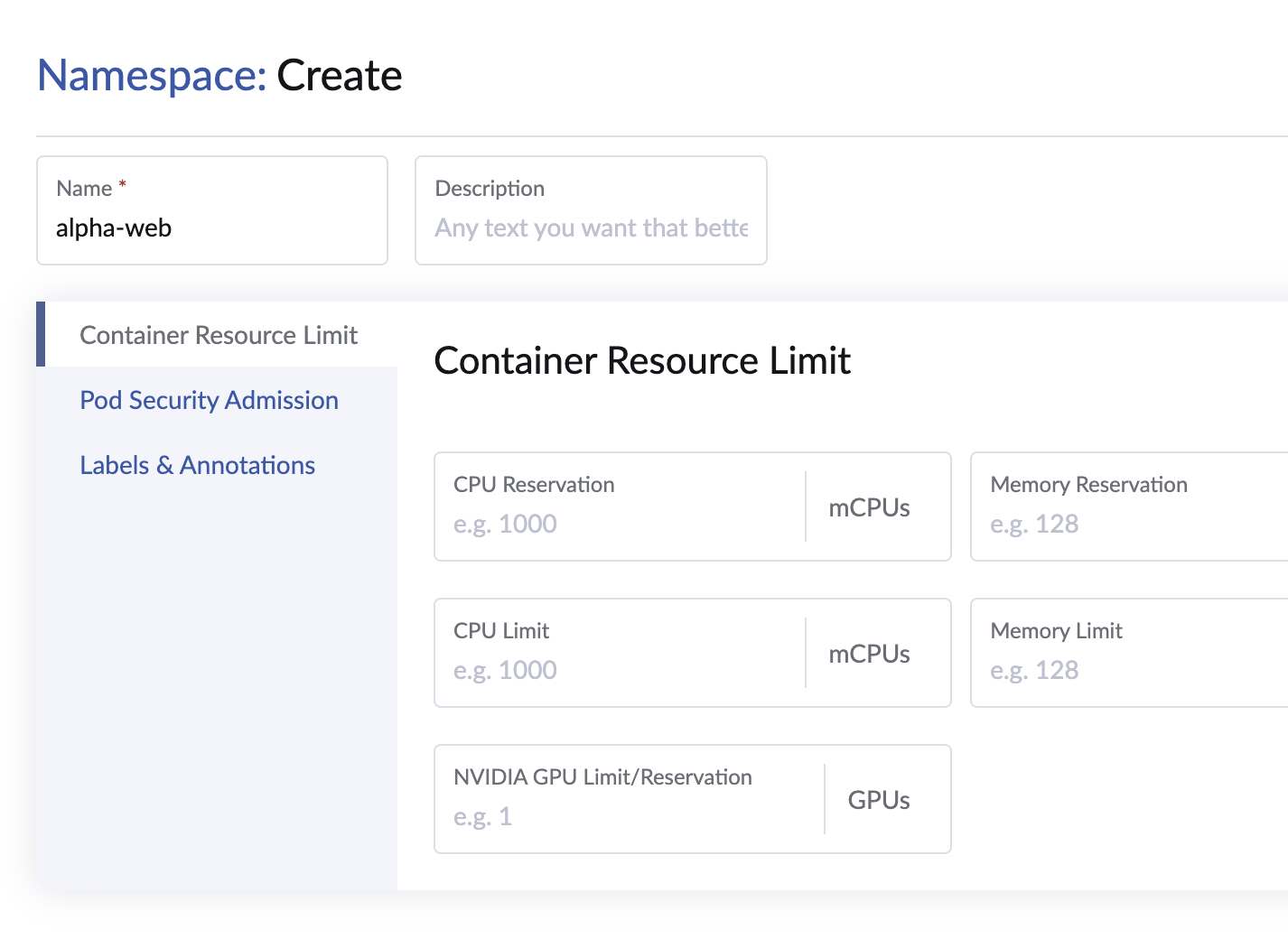
Still on the Projects/Namespaces page, find the team-alpha group and click its Create Namespace button. Name the namespace alpha-web.
Because you created it under team-alpha, Rancher assigns it to that Project. Verify the link from the terminal:
kubectl get namespace alpha-web -o jsonpath='{.metadata.labels.field\.cattle\.io/projectId}'; echo
The value printed is the p-xxxxx id of the team-alpha project - the namespace now belongs to it.
Step 3: Cap Resources with a Quota
Without limits, one team can starve the cluster. A ResourceQuota caps how much a namespace may consume. Apply one to alpha-web from the terminal:
cat <<EOF | kubectl apply -f -
apiVersion: v1
kind: ResourceQuota
metadata:
  name: alpha-web-quota
  namespace: alpha-web
spec:
  hard:
    requests.cpu: "2"
    requests.memory: 2Gi
    limits.cpu: "4"
    limits.memory: 4Gi
    pods: "20"
EOF
Check it:
kubectl -n alpha-web describe resourcequota alpha-web-quota
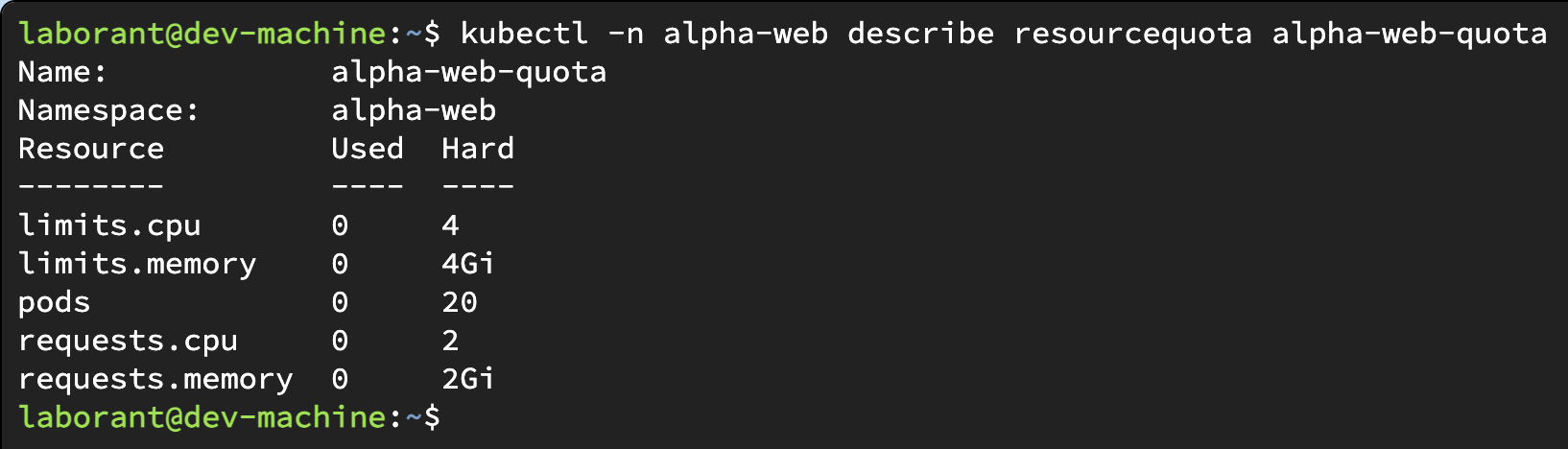
kubectl describe on the quota shows each capped resource with its used and hard limits.
Project quotas vs. namespace quotas
Rancher can also set a project-level quota in the UI (Edit the project, then the Resource Quotas tab). A project quota defines a total budget for the Project and a default slice each namespace gets, and Rancher creates the underlying Kubernetes ResourceQuota objects in each namespace for you.
In this lesson you applied the ResourceQuota directly to the namespace with kubectl to see the raw Kubernetes object. Both approaches end in the same place - a ResourceQuota in the namespace - which is the recurring theme: Rancher's higher-level controls are conveniences over standard Kubernetes objects.
Rancher RBAC: Roles That Understand Projects
Kubernetes RBAC has four building blocks: Role and RoleBinding (namespace-scoped), and ClusterRole and ClusterRoleBinding (cluster-wide). They control who can do what, and where.
Rancher layers friendlier, ready-made roles on top - and crucially, some of them are Project-scoped, which plain Kubernetes cannot express on its own:
- Cluster Owner / Cluster Member - control at the whole-cluster level.
- Project Owner - everything a Project Member can do, plus managing the project itself: it adds the "Manage Project Members" capability, so a Project Owner can grant and revoke other users' access to the project. Members cannot.
- Project Member - full create/read/update/delete on the everyday workload and configuration objects inside the Project's namespaces. Concretely, Rancher's Project Member role bundles these capabilities: Manage Workloads (Deployments, Pods, ReplicaSets, StatefulSets, DaemonSets, Jobs, CronJobs), Manage Services, Manage Ingress, Manage Config Maps, Manage Secrets, Manage Volumes (PersistentVolumeClaims), and Manage Service Accounts. A Project Member can also create new namespaces in the project. What a Member cannot do: grant or revoke other users' access to the project (that is Project Owner). Cluster-wide resources such as nodes, PersistentVolumes, and StorageClasses are visible but read-only.
- Read Only - view all of the above without creating, editing, or deleting anything.
Assigning a user "Project Member" on team-alpha grants them the right permissions across every namespace in that project at once - Rancher translates that into the underlying Kubernetes RoleBindings for you. You manage these under Cluster > Projects/Namespaces (per project) or Users & Authentication (globally).
Can I grant access to just one workload? (e.g. only the login pod)
A common question: "Can I let John write only to the microservice-login pod, and nothing else?" The honest answer is that Kubernetes RBAC - which everything here sits on - is granular along three axes, but not down to an arbitrary single object.
RBAC lets you combine:
- Verbs -
get,list,watch, and the write verbscreate,update,patch,delete. - Resource types -
pods,deployments,services,configmaps, and so on. - Namespace - a
Roleapplies within one namespace.
So you can express "John may update pods in the login namespace". What plain RBAC cannot cleanly express is "John may update only the pod named microservice-login". There is a narrow resourceNames field that restricts get/update/patch/delete to named objects:
rules:
- apiGroups: [""]
  resources: ["pods"]
  resourceNames: ["microservice-login"]
  verbs: ["get", "update", "patch", "delete"]
But it has real limits: it does not apply to list, watch, or create, and pods created by a Deployment get random suffixes (microservice-login-7d9f8-abcde) that change on every restart - so pinning a rule to a pod name is fragile. resourceNames is only practical for stable, individually named objects like a specific ConfigMap or Secret.
The idiomatic answer is therefore scope by namespace, not by object: give the login service its own namespace, then grant John write access to workloads in that namespace. That is stable, clear, and how teams do it in practice. In Rancher, the built-in Project roles are deliberately coarse; for finer rules you write a custom RoleTemplate, or apply a plain Kubernetes Role + RoleBinding with kubectl - Rancher coexists with hand-written RBAC.
What Rancher generates under the hood
When you give a user a Project role in the Rancher UI, Rancher creates standard Kubernetes RoleBinding objects in each of the Project's namespaces, bound to Rancher-managed roles. You can confirm this with kubectl:
kubectl -n alpha-web get rolebindings
So even Rancher's Project-scoped RBAC ultimately resolves to the same Role/RoleBinding objects you would write by hand - Rancher just keeps them in sync across the Project's namespaces as it grows.
You're Done
You created a Rancher Project, put a namespace inside it, capped that namespace with a resource quota, and saw how Rancher's Project-scoped roles map down to ordinary Kubernetes RBAC. That is the toolkit for running a cluster shared by multiple teams.
The challenge below asks you to build this isolation yourself from the ground up - namespace, quota, and a scoped read-only role - so you understand the primitives Rancher's Projects sit on top of.
- Previous lesson
- Deploying Workloads with Rancher
- Next lesson
- Deploying Platform Apps - Kong Gateway