MCP Fundamentals: Build a Real MCP Server

In the previous module you drove an MCP server with curl: you know the envelope, the session header, the three list methods, and why errors ride inside successful responses. Time to switch chairs. In this module you write the server - and, briefly, the client too - and you will find that MCP's server API is mostly ordinary functions plus metadata, with the protocol machinery generated around them.
The arc: start with the stdio transport (where the client launches
your server as a subprocess - the dominant shape for local tools), grow a
complete notes server with tools, resources, prompts and model-readable
errors, then flip one flag and serve the same code over Streamable
HTTP - the shape you already know from curl. Three clients will exercise
your server along the way: an SDK client you write yourself, plain curl,
and the fastmcp CLI.
Prerequisites
- Module 1 - MCP is Just HTTP POSTs,
or equivalent wire-level familiarity
(initialize,
tools/call, in-bandisError). - Reading-level Python. We use type hints and docstrings, nothing exotic.
- The lab starts both files pre-seeded in
~/mcp-lab:hello.py(a stdio server) andclient.py(an MCP client).
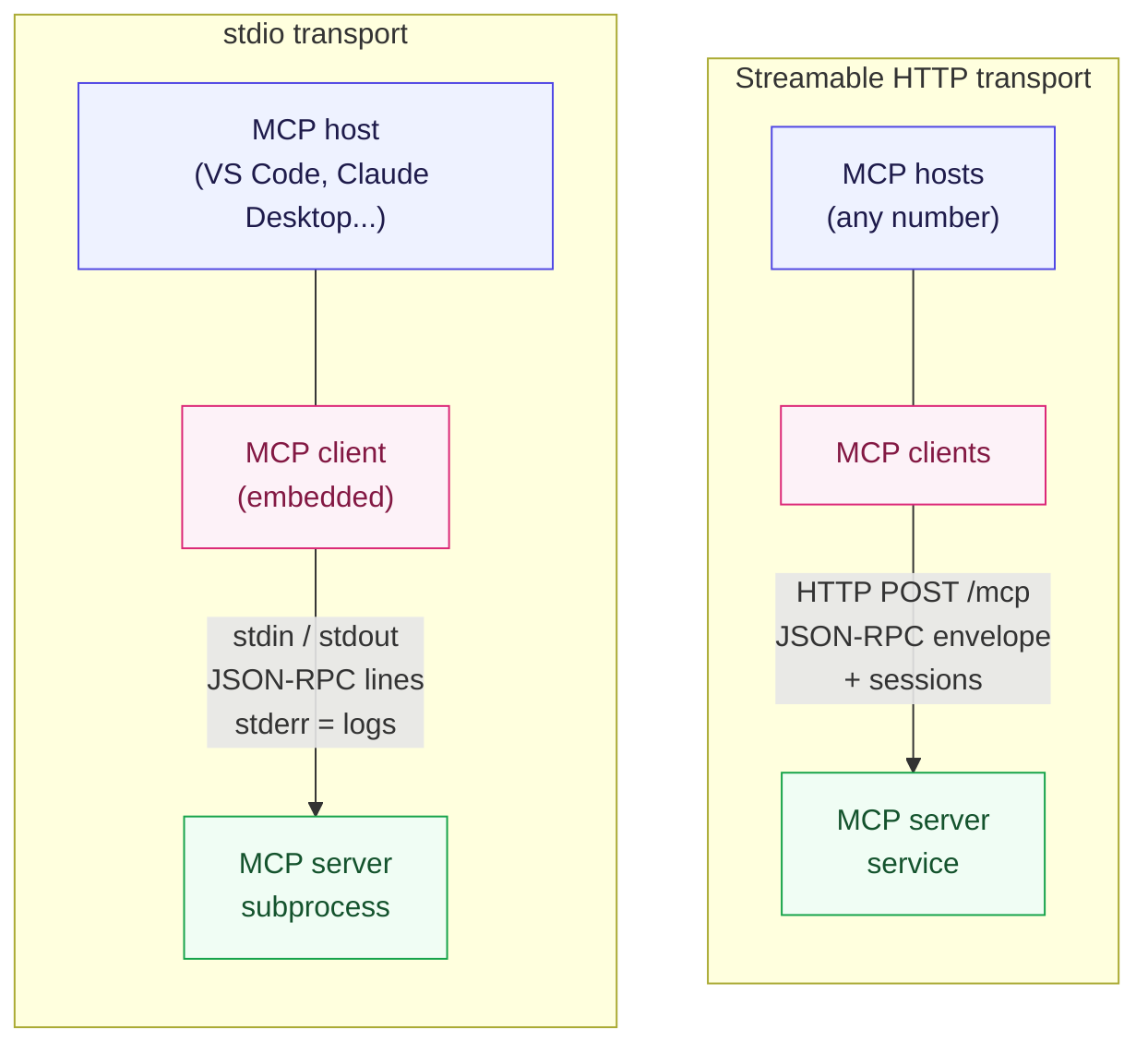
Same protocol, two very different deployments. Every server you write in this module runs in both shapes.
Two transports, one protocol
MCP currently standardizes two transports, and they could not feel more different to a REST developer:
| stdio | Streamable HTTP | |
|---|---|---|
| Server lifecycle | the client launches it as a subprocess | independent service, many clients |
| Wire | JSON-RPC lines over stdin/stdout | HTTP POSTs (you know this) |
| Discovery | impossible not to find it | a URL, like any API |
| Auth | no transport-level auth; trust depends on the host and process boundary | OAuth 2.1 (next module) |
| Typical host | Claude Desktop, VS Code, local CLIs | ChatGPT connectors, company gateways |
The mental trap is to read that table as "local vs production". The real distinction is who controls the server's lifetime. A stdio server is an extension of one host application - it starts when the host needs it and dies with it. An HTTP server is a peer service - started by ops, shared by many callers. Same protocol messages in both.
Stdio is not inherently trusted just because it is local. The host still chooses which executable to launch, what arguments and environment it receives, and which user permissions it inherits; treat that configuration as part of the security boundary.
Hello, stdio
Look at the seeded ~/mcp-lab/hello.py. The entire server is this:
from fastmcp import FastMCP

mcp = FastMCP(name="hello-stdio")


@mcp.tool
def shout(text: str) -> str:
    """Return the text in upper case."""
    return text.upper()


if __name__ == "__main__":
    mcp.run(transport="stdio")
A decorated function. That is all a tool is. Three things are being generated for you from these five lines of definition:
- the name (
shout) and the JSON Schema for its arguments (from the type hints), - the description ("Return the text in upper case.") - lifted from the docstring, this is what the model reads when choosing between tools,
- the wire handler that maps
tools/call {"name": "shout", ...}to this function and its return value back tocontent.
Now the part with no REST analogue: run it through the seeded client, which launches the server itself:
cd ~/mcp-lab
uv run --with 'fastmcp==4.0.0' client.py
INFO     Starting MCP server 'hello-stdio' with transport 'stdio'
tools: ['shout']
result: HELLO MCP
structured: {'result': 'HELLO MCP'}
Read client.py in the editor - all fifteen lines of it. The interesting
line:
transport = StdioTransport(
    command="uv",
    args=["run", "--with", "fastmcp==4.0.0", "python", "hello.py"],
)
The client spawns hello.py as a child process, performs the whole
initialize handshake over its stdin/stdout - the same handshake you typed
as curl in module 1 - and calls shout. The server's stderr (that INFO
banner) passes straight through to your terminal: in stdio land, stderr is
the server's log channel, because stdout is the protocol.
The Inspector exists, just not here. The official GUI for poking MCP
servers is npx @modelcontextprotocol/inspector - excellent tool, but it
needs Node, which this playground deliberately skips. Everything the
Inspector does, you will do with three tools that need no Node: curl,
client.py, and the fastmcp CLI later in this module.
Type hints are the API contract
Watch what the framework does with those five lines. Ask the server for its own catalog (add this two-liner temporarily if you like; we will grow the real server next):
cd ~/mcp-lab
uv run --with 'fastmcp==4.0.0' python - <<'EOF'
import asyncio
from fastmcp import Client
from fastmcp.client.transports import StdioTransport

async def main():
    transport = StdioTransport(command="uv",
                               args=["run", "--with", "fastmcp==4.0.0", "python", "hello.py"])
    async with Client(transport) as client:
        tool = (await client.list_tools())[0]
        import json
        print(json.dumps(tool.model_dump(exclude_none=True), indent=2))

asyncio.run(main())
EOF
{
  "name": "shout",
  "title": "Shout",
  "description": "Return the text in upper case.",
  "inputSchema": {
    "type": "object",
    "properties": {
      "text": {"type": "string"}
    },
    "required": ["text"],
    "additionalProperties": false
  }
}
str became {"type": "string"} plus a required-ness constraint, the
docstring became the description, and defaults would become default.
This is the same JSON Schema you read from tools/list in module 1 - and
it is the entire contract the model ever sees. A useful REST analogy is
OpenAPI's job; MCP moves that contract from a sidecar file
into the running endpoint, generated from the code itself.
Call it with wrong arguments and schema validation rejects the call before
your function runs - the client surfaces it as a JSON-RPC -32602
invalid-params error, not a Python traceback.
Grow the server: tools with real behavior
Create ~/mcp-lab/notes.py - this is the file you will grow for the rest
of the module, and the file the end-of-module tasks grade. Start with the
storage helper and two tools:
"""notes - an MCP server over a JSON-lines notebook."""

import json
from pathlib import Path

from fastmcp import FastMCP

NOTES_FILE = Path(__file__).parent / "notes.jsonl"

mcp = FastMCP(name="notes")


def _load_notes() -> list[dict]:
    if not NOTES_FILE.exists():
        return []
    with NOTES_FILE.open() as f:
        return [json.loads(line) for line in f if line.strip()]


@mcp.tool
def add_note(text: str, tag: str = "general") -> dict:
    """Append a note to the shared notebook.

    Args:
        text: The note body.
        tag: Short label grouping related notes.
    """
    notes = _load_notes()
    note = {"id": len(notes) + 1, "text": text, "tag": tag}
    with NOTES_FILE.open("a") as f:
        f.write(json.dumps(note) + "\n")
    return {"saved": note["id"], "total": len(notes) + 1}


@mcp.tool
def note_stats() -> dict:
    """Count notes per tag in the notebook."""
    notes = _load_notes()
    per_tag: dict[str, int] = {}
    for n in notes:
        per_tag[n["tag"]] = per_tag.get(n["tag"], 0) + 1
    return {"total": len(notes), "per_tag": per_tag}


if __name__ == "__main__":
    mcp.run(transport="stdio")
Two details worth internalizing, because they are framework-idiomatic and not obvious:
- The
Args:block in the docstring feeds per-parameter descriptions into the schema - the difference between a model guessing whattagmeans and a model knowing. - Returning a
dictgives youstructuredContentfor free; returning astrlands incontent[0].text. Return what your callers are: code wants dicts, models are happy with either.
One more thing, inherited from hello.py: the entry point at the bottom.
Without it, python notes.py defines mcp and exits - and a stdio
client that spawns the file finds no protocol on the other end. Run it
through a throwaway stdio client, the same shape as the seeded
client.py pointed at your server instead:
cd ~/mcp-lab
uv run --with 'fastmcp==4.0.0' python - <<'EOF'
import asyncio
from fastmcp import Client
from fastmcp.client.transports import StdioTransport

async def main():
    t = StdioTransport(command="uv",
                       args=["run", "--with", "fastmcp==4.0.0", "python", "notes.py"])
    async with Client(t) as c:
        r = await c.call_tool("add_note", {"text": "buy oat milk", "tag": "shopping"})
        print("add_note ->", r.structured_content)
        r = await c.call_tool("note_stats", {})
        print("note_stats ->", r.structured_content)

asyncio.run(main())
EOF
add_note -> {'saved': 1, 'total': 1}
note_stats -> {'total': 1, 'per_tag': {'shopping': 1}}
It hangs - or dies instantly. Which end is broken?
Stdio failures are almost always an entry-point mismatch between the file and how it is being launched:
- No
mcp.run(...)block at all -> the spawned process exits before the handshake -> the client fails with a connection-closed error. mcp.run(transport="http")spawned by a stdio client -> the server starts happily on its port and never speaks a word of stdio -> the client waits forever. Symptom: your prompt never comes back and nothing prints. Ctrl+C, then make the entry point's transport match the launch style: stdio entry for clients that spawn the file, http entry for clients that dial a URL. (You will flip this same block to http in the "One flag to HTTP" section.)- A probe hung, you Ctrl+C'd it, and the next run dies with
address already in use-> Ctrl+C reaped the client but not the server it spawned, and the stray is squatting on the port.pkill -f notes.pyclears it; re-run.
Errors a model can act on
Add a lookup tool, and immediately face the design question module 1 previewed: what should happen when the note does not exist? First try the lazy way - return the sad message as a string:
@mcp.tool
def note_get(id: int) -> str:
    """Return one note by id.

    Args:
        id: The note number, counting from 1.
    """
    notes = _load_notes()
    if id < 1 or id > len(notes):
        return f"No note has id {id} - the notebook has {len(notes)} note{'s' if len(notes) != 1 else ''}."
    n = notes[id - 1]
    return f'#{n["id"]} [{n["tag"]}] {n["text"]}'
Nothing crashes - and that is the problem. Do not take my word for it; drive it over the protocol. Save the probe as a file - it runs twice, once against each version of the tool:
cd ~/mcp-lab
cat > err_probe.py <<'EOF'
import asyncio
from fastmcp import Client
from fastmcp.client.transports import StdioTransport

async def main():
    t = StdioTransport(command="uv",
                       args=["run", "--with", "fastmcp==4.0.0", "python", "notes.py"])
    async with Client(t) as c:
        r = await c.call_tool("note_get", {"id": 99}, raise_on_error=False)
        print("structured ->", r.structured_content)
        print("text       ->", r.content[0].text)
        print("is_error   ->", r.is_error)

asyncio.run(main())
EOF
uv run --with 'fastmcp==4.0.0' python err_probe.py
structured -> {'result': 'No note has id 99 - the notebook has 1 note.'}
text       -> No note has id 99 - the notebook has 1 note.
is_error   -> False
(The count is whatever your notebook holds - the previous section's
add_note leaves it at 1.)
The caller sees isError: false and a perfectly calm string - wrapped as
{'result': ...} structured content, no less; a model may well read "No
note has id 99" as data and cheerfully relay it. The protocol's answer
is the in-band error flag, and the framework's way to set it is to
raise:
from fastmcp.exceptions import ToolError


@mcp.tool
def note_get(id: int) -> str:
    """Return one note by id.

    Args:
        id: The note number, counting from 1.
    """
    notes = _load_notes()
    if id < 1 or id > len(notes):
        raise ToolError(f"No note has id {id} - the notebook has {len(notes)} note{'s' if len(notes) != 1 else ''}.")
    n = notes[id - 1]
    return f'#{n["id"]} [{n["tag"]}] {n["text"]}'
Replace, do not append: keeping both definitions makes fastmcp warn about a duplicate component at startup, and which one serves a call becomes a guessing game.
Re-run the probe unchanged - only the server changed:
uv run --with 'fastmcp==4.0.0' python err_probe.py
structured -> None
text       -> No note has id 99 - the notebook has 1 note.
is_error   -> True
Same message, opposite flag: the result carries no structured payload
now, just the text and isError: true - the in-band error you read off
the wire in module 1. Two details: with the client's default
(raise_on_error=True) this same response arrives as a raised
ToolError - the kwarg is what turns the flag into an inspectable
result. And the message survived the raise: ToolError's text reaches
the client verbatim, so write error strings for the model that will read
them. (The server logs the failed call to its stderr.) Keep the
ToolError import at the top of the file with the others.
The rule this encodes, and the reason it matters here more than in REST:
- Expected failure (note missing, query invalid) →
raise ToolError→isError: true, HTTP 200. The model reads the message and adapts - exactly the in-band error design from module 1. - Unexpected failure (disk exploded) → let the exception fly → the SDK still wraps it as an error result; log it server-side and let the observability module's tooling catch it.
Resources: static and templated
Tools are the verbs; resources are the nouns. You already consumed
notes://all in module 1 - now write it, plus its templated sibling,
which is how a server exposes a family of addressable things. Replace the
existing ToolError import, then add the resources:
from fastmcp.exceptions import ResourceError, ToolError


@mcp.resource(
    "notes://all",
    name="all_notes",
    description="Every note in the notebook, newest last.",
)
def all_notes() -> str:
    notes = _load_notes()
    if not notes:
        return "(the notebook is empty)"
    return "\n".join(f'#{n["id"]} [{n["tag"]}] {n["text"]}' for n in notes)


@mcp.resource(
    "notes://note/{id}",
    name="one_note",
    description="A single note by id.",
)
def one_note(id: int) -> str:
    notes = _load_notes()
    if id < 1 or id > len(notes):
        raise ResourceError(f"No note has id {id} - the notebook has {len(notes)} note{'s' if len(notes) != 1 else ''}.")
    n = notes[id - 1]
    return f'#{n["id"]} [{n["tag"]}] {n["text"]}'
Probe it over stdio - the listing calls reveal the menu, a read fills the template, and a miss shows you what a resource miss looks like:
uv run --with 'fastmcp==4.0.0' python - <<'EOF'
import asyncio
from fastmcp import Client
from fastmcp.client.transports import StdioTransport
from mcp.shared.exceptions import MCPError

async def main():
    t = StdioTransport(command="uv",
                       args=["run", "--with", "fastmcp==4.0.0", "python", "notes.py"])
    async with Client(t) as c:
        print("resources ->", [r.uri for r in await c.list_resources()])
        print("templates ->", [t.uri_template for t in await c.list_resource_templates()])
        r = await c.read_resource("notes://all")
        print("all       ->", r[0].text)
        r = await c.read_resource("notes://note/1")
        print("note/1    ->", r[0].text)
        try:
            await c.read_resource("notes://note/99")
        except MCPError as e:
            print("note/99   -> expected resource error:", e)

asyncio.run(main())
EOF
resources -> ['notes://all']
templates -> ['notes://note/{id}']
all       -> #1 [shopping] buy oat milk
note/1    -> #1 [shopping] buy oat milk
note/99   -> expected resource error: No note has id 99 - the notebook has 1 note.
The final line is an expected resource error, not a failed server run. FastMCP also writes the corresponding traceback to stderr for the server operator; the client catches the error and continues normally.
The {id} in the URI is not string formatting - it declares a URI
template (RFC 6570, also used by templated REST paths). The
client learns about it through a separate listing call, and every legal
substitution of the template is a readable address. As a rough REST
analogy, notes://note/{id} resembles GET /notes/{id}; it is not an
HTTP route or a one-to-one mapping.
The probe's last line is an error rather than ordinary resource content.
ResourceError tells the protocol that the requested noun could not be
read, while preserving a message the client can act on. The SDK boundary
turns that server-side exception into MCPError, much as a REST client
might turn a 404 response into its own client exception; that is an
analogy, not shared wire semantics.
Prompts: versioned wording, server-side
The last primitive needs four lines and no new concepts:
@mcp.prompt(
    name="review_notes",
    description="Ask an LLM to review notes carrying one tag.",
)
def review_notes(tag: str) -> str:
    return (
        f"Read the notes resource notes://all, pick the notes tagged "
        f"'{tag}', and suggest how to organize them into a checklist."
    )
Probe it the same way - list the library, then request one by name, arguments filled in server-side:
uv run --with 'fastmcp==4.0.0' python - <<'EOF'
import asyncio
from fastmcp import Client
from fastmcp.client.transports import StdioTransport

async def main():
    t = StdioTransport(command="uv",
                       args=["run", "--with", "fastmcp==4.0.0", "python", "notes.py"])
    async with Client(t) as c:
        print("prompts ->", [p.name for p in await c.list_prompts()])
        p = await c.get_prompt("review_notes", {"tag": "shopping"})
        print("prompt  ->", p.messages[0].content.text)

asyncio.run(main())
EOF
prompts -> ['review_notes']
prompt  -> Read the notes resource notes://all, pick the notes tagged 'shopping', and suggest how to organize them into a checklist.
The client did not run your function as a tool - it asked for the prompt by name and got back a rendered message. The value is not the formatting
- it is that the wording lives with the server, versioned and identical for every client. When the review procedure changes, you redeploy the server, not chase seventeen client apps.
One flag to HTTP
Everything so far ran over stdio. Edit the entry point you added in the previous section - same two lines, one flag changes:
if __name__ == "__main__":
    mcp.run(transport="http", host="127.0.0.1", port=8000)
cd ~/mcp-lab
uv run --with 'fastmcp==4.0.0' python notes.py
INFO     Starting MCP server 'notes' with transport 'http' on http://127.0.0.1:8000/mcp
INFO:     Uvicorn running on http://127.0.0.1:8000 (Press CTRL+C to quit)
Now curl your own build, exactly like module 1:
SID=$(curl -sD- -o /dev/null -X POST http://127.0.0.1:8000/mcp \
  -H 'Content-Type: application/json' \
  -H 'Accept: application/json, text/event-stream' \
  -d '{"jsonrpc":"2.0","id":1,"method":"initialize","params":{"protocolVersion":"2025-06-18","capabilities":{},"clientInfo":{"name":"curl","version":"1.0"}}}' \
  | grep -i '^mcp-session-id:' | tr -d '\r' | cut -d' ' -f2)
curl -s -o /dev/null -X POST http://127.0.0.1:8000/mcp \
  -H 'Content-Type: application/json' -H 'Accept: application/json, text/event-stream' \
  -H "mcp-session-id: $SID" \
  -H 'MCP-Protocol-Version: 2025-06-18' \
  -d '{"jsonrpc":"2.0","method":"notifications/initialized"}'
curl -s -X POST http://127.0.0.1:8000/mcp \
  -H 'Content-Type: application/json' -H 'Accept: application/json, text/event-stream' \
  -H "mcp-session-id: $SID" \
  -H 'MCP-Protocol-Version: 2025-06-18' \
  -d '{"jsonrpc":"2.0","id":2,"method":"resources/templates/list"}' | grep '^data:' | cut -c7- | jq '.result.resourceTemplates'
[
  {
    "uriTemplate": "notes://note/{id}",
    "name": "one_note",
    "description": "A single note by id."
  }
]
And read through the template - the URI is the address, {id} filled in:
curl -s -X POST http://127.0.0.1:8000/mcp \
  -H 'Content-Type: application/json' -H 'Accept: application/json, text/event-stream' \
  -H "mcp-session-id: $SID" \
  -H 'MCP-Protocol-Version: 2025-06-18' \
  -d '{"jsonrpc":"2.0","id":3,"method":"resources/read","params":{"uri":"notes://note/1"}}' | grep '^data:' | cut -c7- | jq '.result.contents'
[
  {
    "uri": "notes://note/1",
    "mimeType": "text/plain",
    "text": "#1 [shopping] buy oat milk"
  }
]
Two clients you will actually keep using
Your client.py speaks stdio; point it at HTTP by swapping one line -
Client("http://127.0.0.1:8000/mcp") - but there are also two
zero-code clients already installed in this playground. The first takes
inventory:
cd ~/mcp-lab
~/.local/bin/fastmcp inspect notes.py
Components
  Tools:        3
  Prompts:      1
  Resources:    2
  Templates:    1

Environment
  FastMCP:      4.0.0
  MCP:          2.1.1
(The playground installed this CLI for you; on your own machine it is
uv tool install 'fastmcp-slim[server]==4.0.0'.)
The second is the one to internalize. As an operational analogy,
fastmcp call is to an MCP server what curl is to a REST one: handshake
and all, in one command:
~/.local/bin/fastmcp call http://127.0.0.1:8000/mcp note_stats
{
  "total": 2,
  "per_tag": {
    "shopping": 1,
    "checklist": 1
  }
}
No session juggling, no Accept header acrobics - the CLI client runs
the whole lifecycle you did by hand and prints the structured result.
That makes it the perfect smoke test for scripts and the perfect
debugging reflex: when something misbehaves, try the same call through
fastmcp call, then through raw curl, and you have bisected the problem
- client SDK versus wire versus server - in under a minute.
The contract you are signing
Stop and look at what your server now declares to the world: a name and
version (serverInfo), three capabilities (tools, resources,
prompts - only the ones you defined), per-tool schemas with
parameter-level descriptions, per-resource MIME types, and a prompt
library. That surface is your public API, and the same discipline you
applied to REST versioning applies here: by analogy, renaming a tool can
break clients much as renaming a path does.
One more declaration is worth adopting early - tool annotations, optional metadata that tells hosts what a tool does rather than what it takes:
@mcp.tool(annotations={"readOnlyHint": True})
def note_stats() -> dict:
    ...
readOnlyHint, destructiveHint, idempotentHint - hints, not
guarantees, but hosts increasingly use them to decide which calls need a
confirmation click. HTTP method semantics are a useful REST analogy;
these annotations remain MCP-specific, opt-in metadata.
Before moving on, pick one operation from an API you know. Would you expose it as a tool, resource, or prompt, and what should a missing target look like to the client? If the answer is unclear, its contract probably is too.
Summary
You wrote an MCP server from a bare function to a three-primitive service and ran it in both transports without changing a line of protocol code - because you never wrote any. The protocol is generated from signatures and docstrings; your job was the API design around it: schema-quality type hints, error semantics the caller (a model) can act on, nouns addressed by URI template, and wording that lives server-side.
What is still missing is everything REST taught you to demand from a network endpoint: authentication, and answers to "who called what". Those are the next two modules. Each starts from a canonical fresh-play copy of this server, so you do not need to preserve this play; the ideas, not the filesystem state, are cumulative.
- Lock it down: MCP Fundamentals: OAuth 2.1 Auth and Security - the full OAuth dance, performed with curl against the canonical notes server.
- Watch it run: MCP Fundamentals: Observability - protocol-level logging and OpenTelemetry traces for tool calls.
- SDK reference for everything used here: gofastmcp.com and the underlying MCP Python SDK.
About the Author

More tutorials you might like
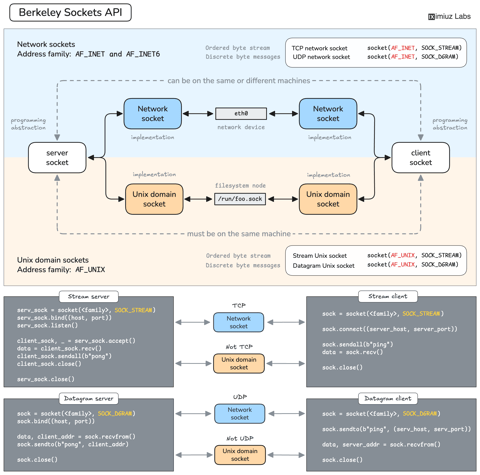
How Servers Work: A Hands-On Introduction to TCP Sockets
Learn how servers actually work by building a tiny TCP server and client from scratch. A hands-on introduction to sockets, TCP, and the network programming model every backend, DevOps, and platform engineer should go through at least once.

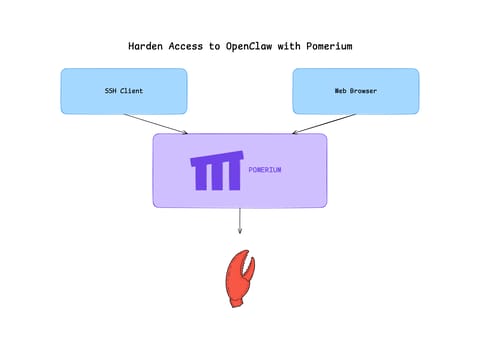
Harden Access to OpenClaw with Pomerium
Put OpenClaw, a self-hosted AI assistant with shell and file access, behind a web route and an SSH route, both gated by the same identity and Pomerium's context-aware policy. OpenClaw runs in trusted-proxy mode, trusting signed identity headers instead of its own login, while Pomerium's native SSH proxy signs short-lived certificates for shell access.

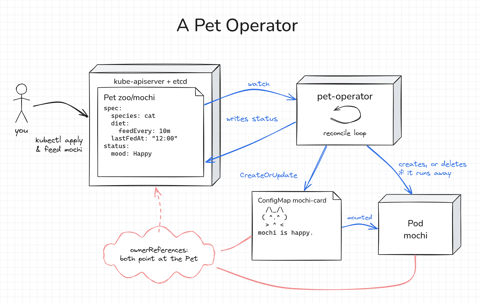
How Kubernetes Operators Work: Building a Controller From Scratch
Build a Kubernetes operator for a small Pet API, first as a 15-line bash loop and then as a Go controller with controller-runtime. Every Pet gets a Pod to live in, gets hungry as time passes, and runs away if nobody feeds it. Along the way, you'll see how the reconcile loop works.

Build a Container from Scratch in Go (Liz Rice GOTO 2018)
Follow along with Liz Rice's classic GOTO 2018 presentation and build your own container runtime in under 100 lines of Go using Linux namespaces, chroot, and cgroups.

Learn by doing, not just by reading or watching
Sign up for a free account to start a VM playground right on this page, track your progress, and get notified about new learning materials.