MiniLAN (Ubuntu, Docker) Playground
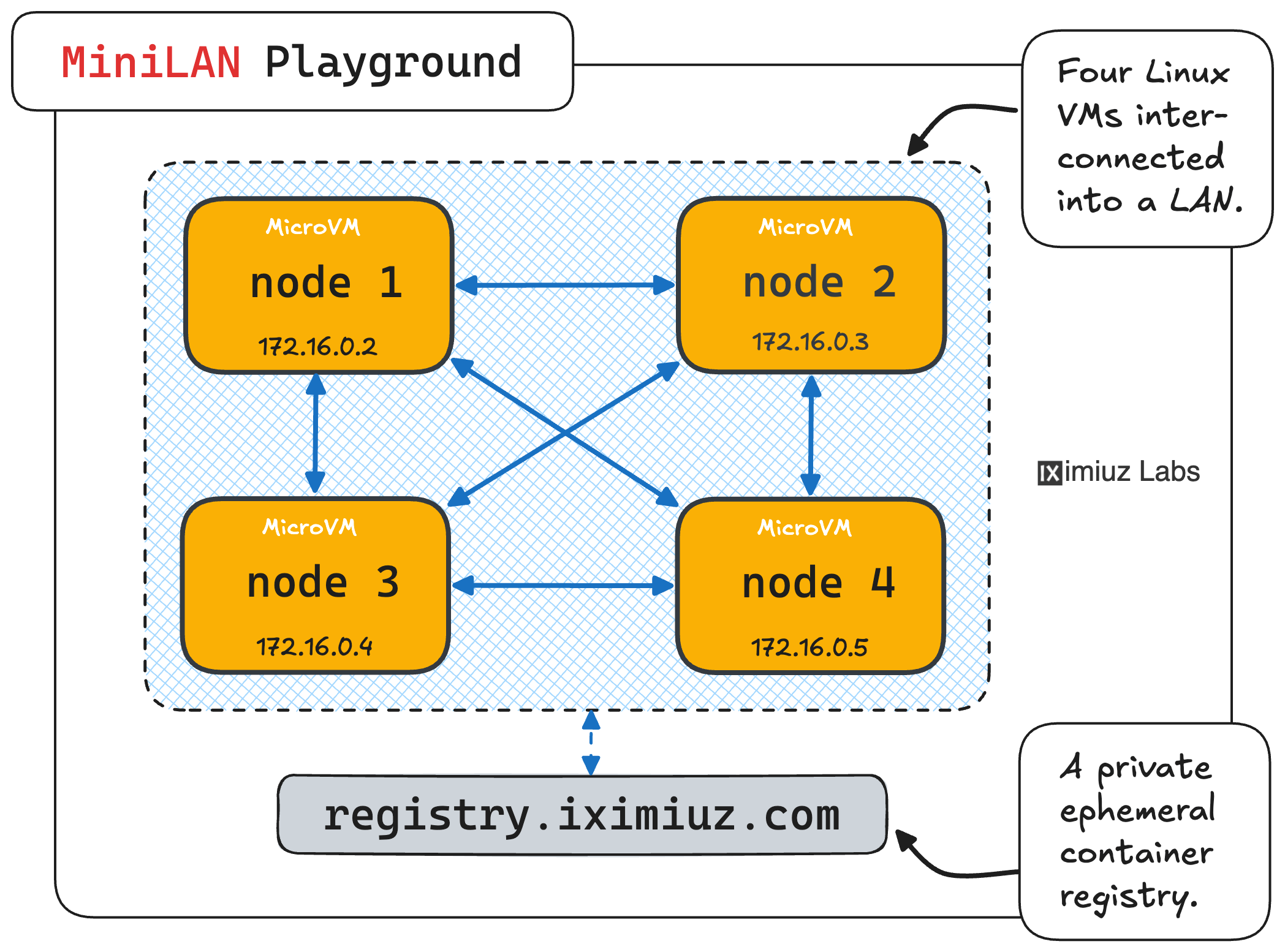
Four Ubuntu servers with Docker pre-installed connected into a single network.
- eth0
- /
- mini-lan-ubuntu-docker
- eth0
- /
- mini-lan-ubuntu-docker
- eth0
- /
- mini-lan-ubuntu-docker
- eth0
- /
- mini-lan-ubuntu-docker
About This Playground
Want to test a client–server setup, experiment with a distributed system, or practice Linux networking without creating several local VMs?
iximiuz Labs' MiniLAN playground gives you four fresh Ubuntu servers connected to the same private network. The machines start in seconds and open in your browser, giving you an instant small LAN for experiments that need several independent hosts.
These are real VMs, not four containers pretending to be servers. Every node has its own kernel, root filesystem, network interface, and init system, so SSH, systemd, firewalls, packet capture, Docker, and other low-level Linux tools work as expected. The machines communicate much like four servers connected to the same virtual switch.
Use MiniLAN to practice client–server networking, run small distributed systems, test service discovery and load balancing, experiment with SSH and file transfers, or observe traffic with tools such as tcpdump, ss, and nmap. Turn one node into a web server, another into a reverse proxy, use the third as a client, and keep the fourth for monitoring or troubleshooting.
The fixed four-node topology makes MiniLAN a convenient starting point when a single VM is not enough but designing a custom Flexbox-based lab would be unnecessary. Install an etcd or database cluster, compare firewall rules across hosts, test failover between service replicas, or simply explore how Linux machines discover and communicate with one another on a local network.
iximiuz Labs playgrounds are not intended for production workloads or services that must stay online indefinitely. Playground sessions have a time limit, public URLs should not be treated as production endpoints, and disposable environments are the wrong home for secrets, sensitive data, or anything irreplaceable.
For everything else, start the LAN and get your hands dirty. Launch a service on one node, connect from another, capture the packets on a third, break the communication with a firewall rule—and then figure out exactly what happened.
Happy hacking!
A real VM, not a container
Get root on a VM with its own kernel, so Docker, Kubernetes, and systemd just work.
Read the docs →
SSH from browser or CLI
Use the built-in web terminal, or connect with labctl ssh, plain ssh, scp, or rsync.
Read the docs →
Drive it with AI
Let Claude, Codex, or any MCP client start this playground and run commands in it.
Read the docs →
Expose HTTP(S) ports
Give any web app running inside the VM a public URL - for yourself or to share with others.
Read the docs →
Share terminals
Invite others into your terminal session, or open it yourself from another device.
Read the docs →
Customize with init scripts
Add shell scripts that run at boot to install packages, clone repos, or seed test data.
Read the docs →
Private networking
VMs reach the internet via NAT with no public IP; several VMs share bridge networks.
Read the docs →
Ephemeral or persistent
By default, VMs are destroyed when the session ends; enable persistence to keep the disks for next time.
Read the docs →
Built-in container registry
A private registry.iximiuz.com for every playground to share images across services and VMs.
Read the docs →