DEV: Architect Playground

Scale Kubernetes to Zero, Wake it up Instantly

- eth0
- /
- oci://ghcr.io/sagikazarmark/iximiuz-labs/base/kubeadm-cluster/dev-machine:e3eaa8490eea
- eth0
- /
- oci://ghcr.io/sagikazarmark/iximiuz-labs/base/kubeadm-cluster/control-plane-defaults:4a5298b7a0ae
- eth0
- /
- oci://ghcr.io/sagikazarmark/iximiuz-labs/base/kubeadm-cluster/worker-defaults:ae9220ad78ad
- eth0
- /
- oci://ghcr.io/sagikazarmark/iximiuz-labs/base/kubeadm-cluster/worker-defaults:ae9220ad78ad
- eth0
- /
- oci://ghcr.io/sagikazarmark/iximiuz-labs/base/kubeadm-cluster/worker-defaults:ae9220ad78ad
This playground gives you a four-node Kubernetes cluster with Architect installed. Use it to see how Architect hibernates idle workloads and wakes them on demand without deleting the Pods first.
🔑 Get a Token
This playground installs Architect during startup.
When the launch form asks for Machine token and Cluster name, get them from the Architect Console first.
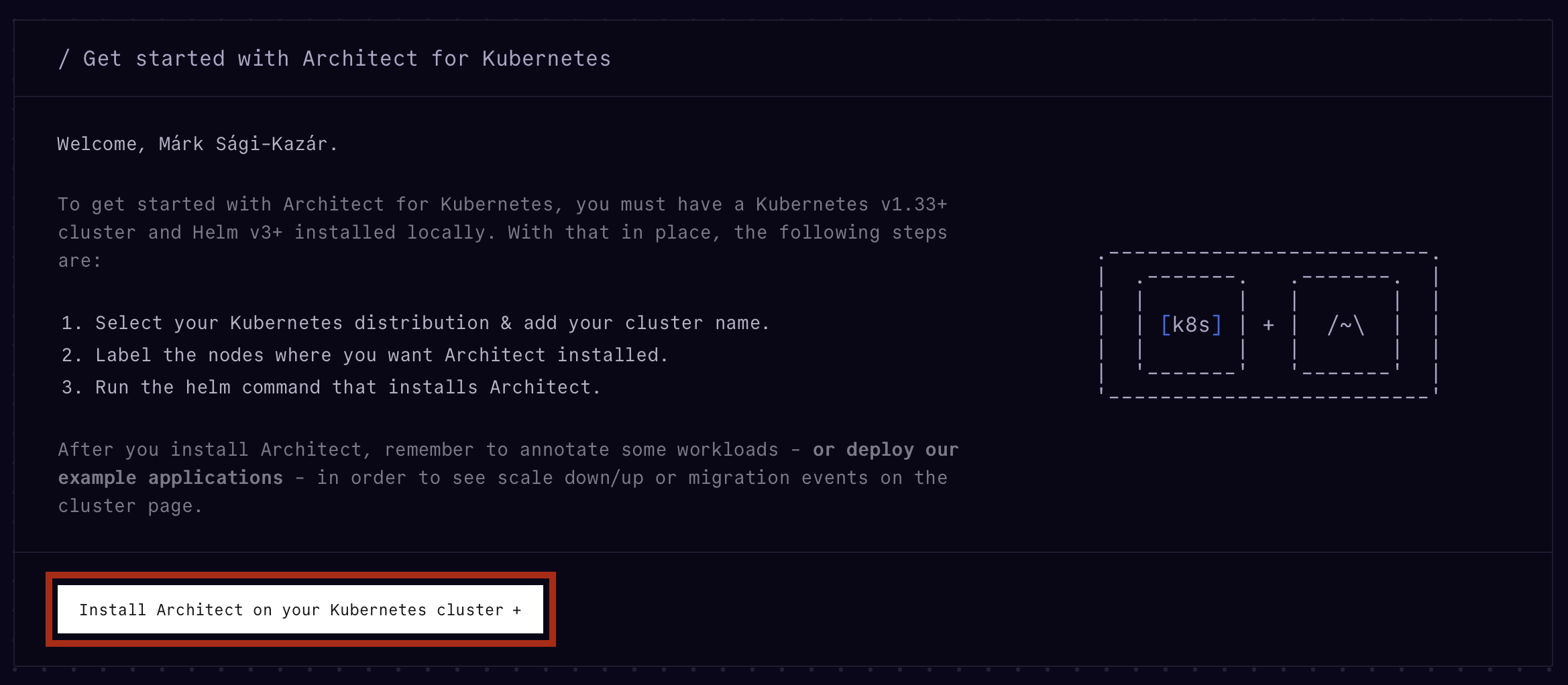
- Open console.architect.io and create an account if needed.
- Click Install Architect on your Kubernetes cluster.
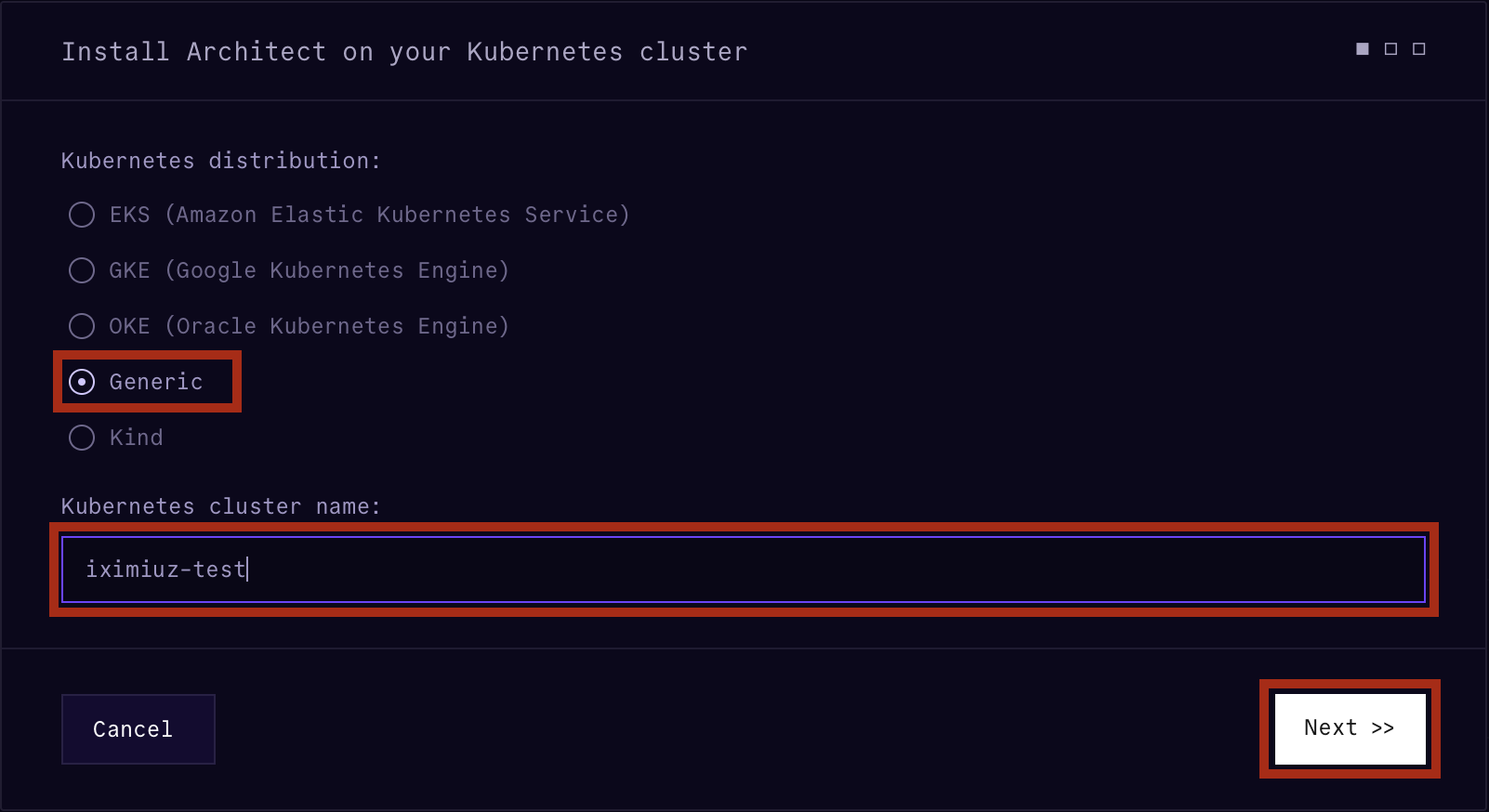
- Choose Generic.
- Pick a cluster name.
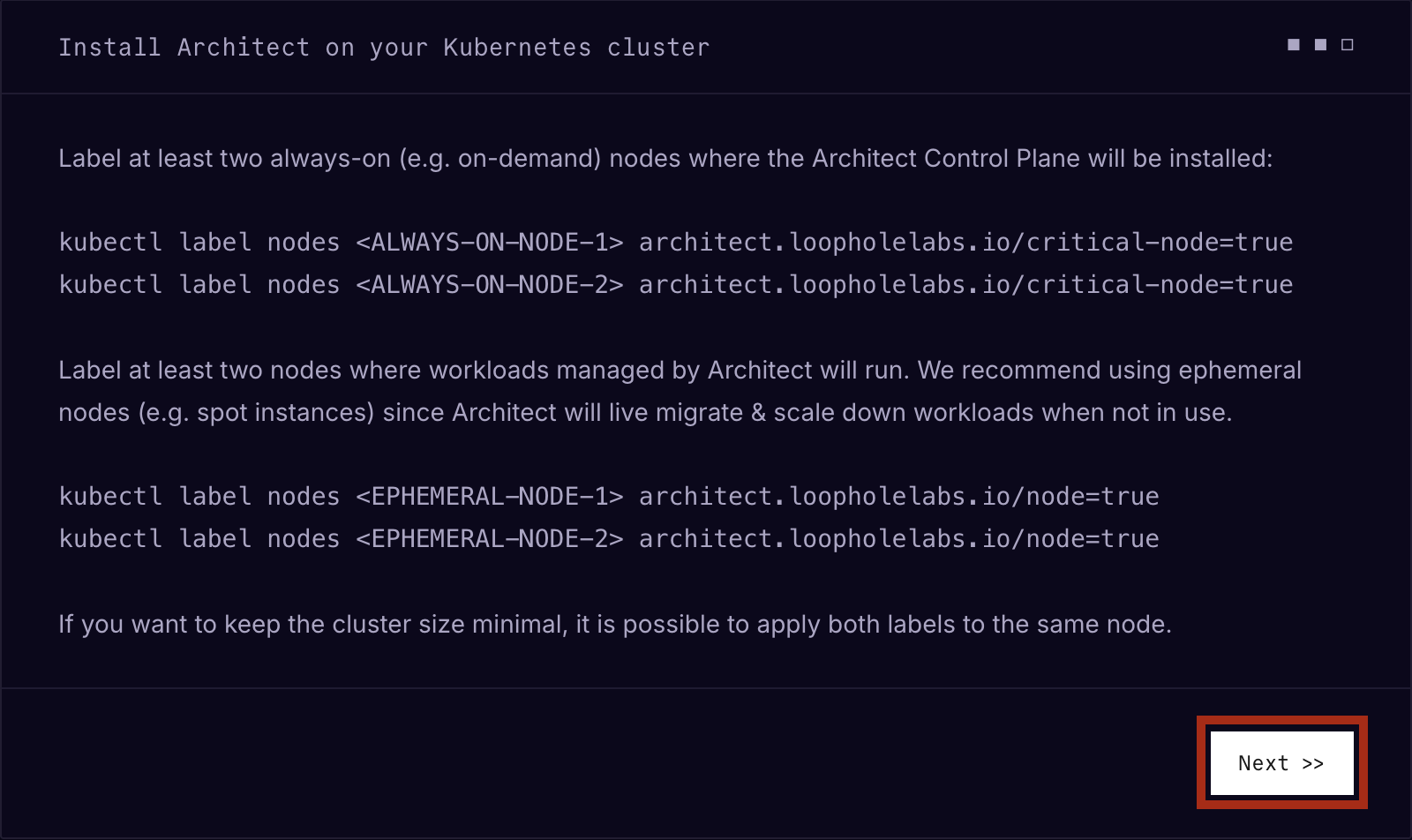
- Click Next on the labels page. This playground labels the nodes for you.
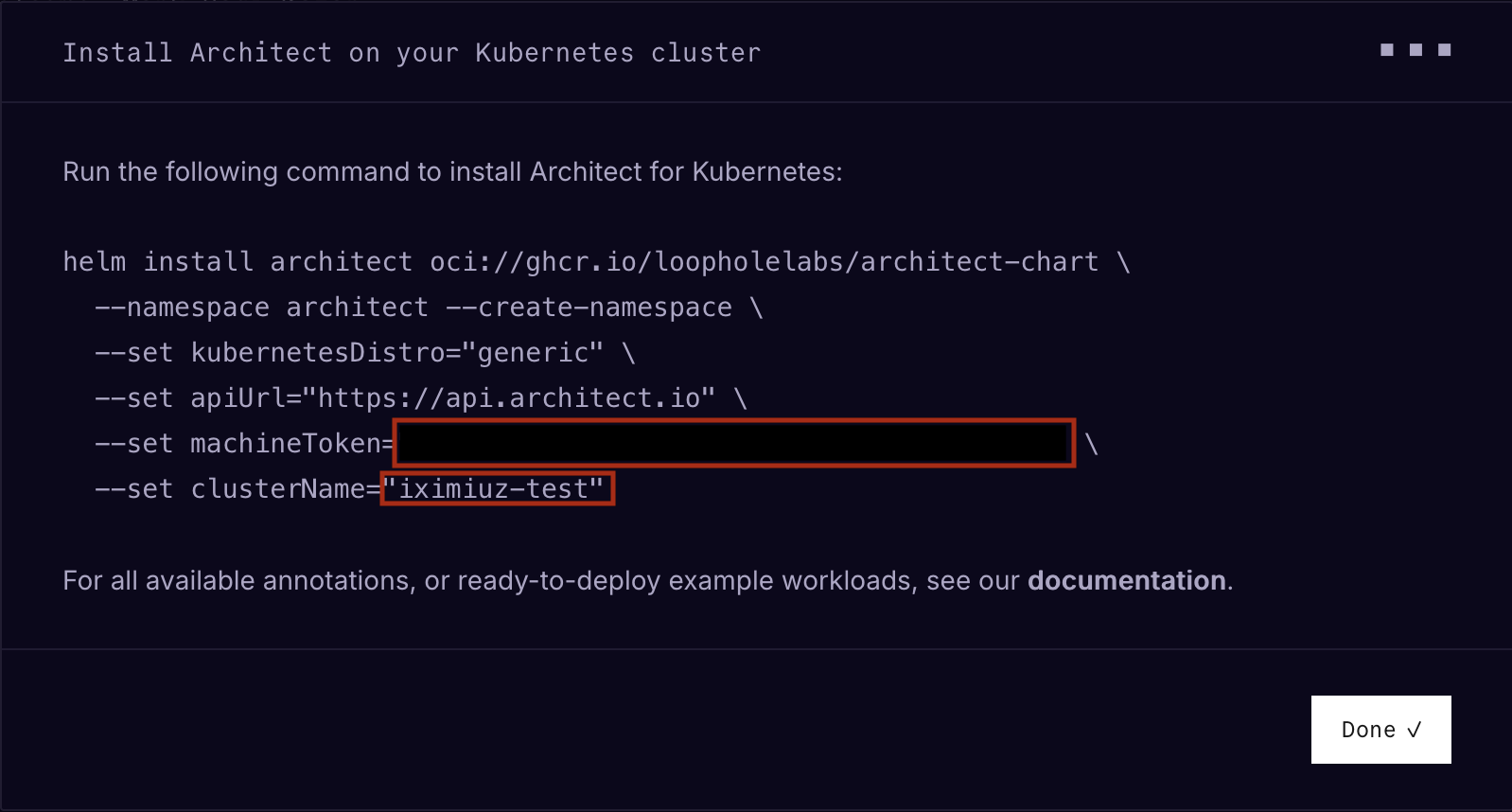
- On the last page, copy the machine token and the cluster name into the playground start form.
⏰ It takes 2-3 minutes for the playground to boot.
💡 No need to copy the Helm command from the console. This playground installs Architect automatically during initialization.

🔧 System Components
| Machine | Role |
|---|---|
dev-machine | Workstation with kubectl access to the cluster |
control-plane | Kubernetes control plane and stable node for Architect control components |
worker-01 | Worker node managed by architectd |
worker-02 | Worker node managed by architectd |
worker-03 | Worker node managed by architectd |
Architect is installed during playground startup using the machine token and cluster name you provide when launching the environment.
🎯 Getting Started
Once the playground is running, open the dev-machine terminal. It is already configured with kubectl access to the cluster.
Verify that the Kubernetes nodes are ready:
kubectl get nodes
Then check that the Architect components are running:
kubectl get pods -n architect -o wide
kubectl get runtimeclass
You should see Architect control plane components in the architect namespace and the runc-architect runtime class.
🧪 Example
TODO: Add link to Valkey tutorial
📚 Learn More
Happy learning! 🚀
A real VM, not a container
Get root on a VM with its own kernel, so Docker, Kubernetes, and systemd just work.
Read the docs →
SSH from browser or CLI
Use the built-in web terminal, or connect with labctl ssh, plain ssh, scp, or rsync.
Read the docs →
Drive it with AI
Let Claude, Codex, or any MCP client start this playground and run commands in it.
Read the docs →
Expose HTTP(S) ports
Give any web app running inside the VM a public URL - for yourself or to share with others.
Read the docs →
Share terminals
Invite others into your terminal session, or open it yourself from another device.
Read the docs →
Customize with init scripts
Add shell scripts that run at boot to install packages, clone repos, or seed test data.
Read the docs →
Private networking
VMs reach the internet via NAT with no public IP; several VMs share bridge networks.
Read the docs →
Ephemeral or persistent
By default, VMs are destroyed when the session ends; enable persistence to keep the disks for next time.
Read the docs →
Built-in container registry
A private registry.iximiuz.com for every playground to share images across services and VMs.
Read the docs →