Tutorial
Learner activity No hands-on sessions yet
Inside the Pod VM: Attestation Agent, Confidential Data Hub and Initdata

Run the real CoCo guest components, copied unmodified from the Kata confidential guest image, against a Trustee server. Fetch a secret through the in-guest API on 127.0.0.1:8006 the way a confidential pod does, then use initdata to bind secret release to the pod's measured bootstrap configuration and watch a tampered configuration get refused.
Every Confidential Containers pod VM carries a few small programs next to the Kata agent. They are the only part of the pod that talks to the attestation server, and the only way the application gets its secrets:
| Component | Job |
|---|---|
| attestation-agent (AA) | Reads evidence from the TEE hardware, runs the attestation handshake with the KBS, caches the resulting token |
| confidential-data-hub (CDH) | Fetches resources from the KBS through the AA, unseals sealed secrets, provides image decryption keys and encrypted storage |
| api-server-rest | Gives the containers in the pod a small HTTP API on 127.0.0.1:8006 |
Red Hat's OpenShift documentation tells applications to fetch their secrets from
http://127.0.0.1:8006/cdh/resource/<repository>/<type>/<tag>. In this tutorial you run
these three components yourself, unmodified, outside a VM, and use exactly that API.
Important
Outside a TEE the attestation agent falls back to the sample attester. The components and the protocol are real, but the evidence is not backed by hardware. The last section explains what changes on a real TEE.
1. Where the guest components come from
They are not installed from a package. When the playground started, a script copied them
out of the confidential guest initrd that ships inside the kata-deploy image, the same
image the CoCo Helm chart installs on every node:
cat /opt/coco-guest/extract.sh
The image is 1.8 GB, so this takes about two minutes after the playground opens. Check whether it has finished:
ls /opt/coco-guest/bin
sudo journalctl -u coco-guest-extract -o cat --no-pager | tail -n 3
Ask them what they are:
/opt/coco-guest/bin/attestation-agent --version
/opt/coco-guest/bin/confidential-data-hub --version
The attestation agent lists its attesters: SAMPLE and SAMPLE_DEVICE for testing, TDX
and SNP for Intel and AMD hardware. At startup it picks the one whose hardware it finds.
2. Prepare Trustee
Trustee (KBS, Attestation Service, RVPS) is already running in ~/trustee. Store a secret,
register the reference values of the sample platform and release secrets only to an
affirming attestation result. The tutorial
Trustee Hands-On explains each of these steps.
cd ~/trustee
echo "s3cr3t-db-password" > ~/db-password.txt
kbs-client config set-resource --path default/app/db-password --resource-file ~/db-password.txt
kbs-client config set-resource-policy --affirming
kbs-client config set-sample-reference-value launch_digest abcde
kbs-client config set-sample-reference-value svn 1
kbs-client config set-sample-reference-value major_version 1 --as-integer --as-single-value
kbs-client config set-sample-reference-value minimum_minor_version 4 --as-integer --as-single-value
3. Start the guest components
Look at their configuration. Inside a pod VM the Kata agent writes these files from the pod's initdata, which you meet in section 5:
cat /etc/coco-guest/aa.toml /etc/coco-guest/cdh.toml
Both point at the KBS. The CDH has its own KBS client, but it cannot produce evidence: for that it calls the attestation agent, the only process that touches the TEE hardware.
coco-guest is a small wrapper that starts the three binaries as systemd units in the
order the guest starts them. Read it, then start them:
less /usr/local/bin/coco-guest
sudo coco-guest start
coco-guest status
They talk to each other over ttRPC Unix sockets, like inside the VM:
sudo find /run/confidential-containers -type s
4. Fetch a secret the way a pod does
An application in a confidential pod does not need a KBS client, keys or certificates. It makes one plain HTTP request to localhost:
curl -s http://127.0.0.1:8006/cdh/resource/default/app/db-password | tee ~/from-guest.txt
Behind that request, api-server-rest asked the CDH over ttRPC. The CDH started the attestation handshake with the KBS, asked the attestation agent for evidence, and fetched the resource with the resulting token. Each component logs its part:
coco-guest logs api 3
coco-guest logs cdh 3
coco-guest logs aa 8
The attestation agent's only message is the warning that no TEE was found and the sample attester is used.
The same API returns the attestation token, for applications that want to present it to their own services:
curl -s 'http://127.0.0.1:8006/aa/token?token_type=kbs' | jq -r .token | jwt-claims | jq '.submods.cpu0.ear_status'
Note
Port 8006 is bound to 127.0.0.1 inside the pod's network namespace. Only containers of
that pod can reach it. The node cannot.
5. Initdata: configuration the host cannot change unnoticed
A pod VM needs configuration before attestation can even start: which KBS to use, which certificate to trust, which Kata agent policy to enforce. That configuration comes from the pod spec, which the cluster administrator and the node control. What stops a malicious node from pointing the pod at its own KBS, which would hand the pod fake secrets and collect whatever the pod sends back?
The answer is initdata. It is a TOML document attached to the pod as an annotation.
Before the VM starts, the runtime puts its digest into the TEE launch measurement:
HOSTDATA on AMD SEV-SNP, MRCONFIGID on Intel TDX. The attestation evidence therefore
carries the digest, and the verifier can check what configuration the pod booted with.
Write an initdata document for this pod:
cat > ~/initdata.toml <<'EOF'
version = "0.1.0"
algorithm = "sha256"

[data]
"aa.toml" = '''
[token_configs]
[token_configs.kbs]
url = "http://127.0.0.1:8080"
'''

"cdh.toml" = '''
[kbc]
name = "cc_kbc"
url = "http://127.0.0.1:8080"
'''
EOF
This is how it would travel with a pod. The annotation holds the document gzipped and base64-encoded:
echo "io.katacontainers.config.hypervisor.cc_init_data: $(gzip -c ~/initdata.toml | base64 -w0)"
The digest that ends up in the measurement is the SHA-256 of the document, here base64-encoded:
sha256sum ~/initdata.toml | cut -d' ' -f1 | xxd -r -p | base64
Restart the guest components with this initdata. The Kata agent hands it to the attestation agent the same way:
sudo coco-guest start ~/initdata.toml
curl -s 'http://127.0.0.1:8006/aa/token?token_type=kbs' | jq -r .token | jwt-claims \
  | jq '.submods.cpu0 | {digest: .ear_attester_claims.init_data, initdata: .ear_verifier_claims.init_data}'
The token now holds both the digest from the evidence and the parsed document. The AS put the plaintext in only after checking that it hashes to the digest in the evidence.
6. Bind the secret to the initdata
Now make the KBS release the password only to pods whose initdata points their Confidential Data Hub at this KBS. The resource policy can read the verified initdata from the token:
cd ~/trustee
cat > ~/initdata-policy.rego <<'EOF'
package policy
import rego.v1

default allow := false

allow if {
    input.submods.cpu0.ear_status == "affirming"
    input.submods.cpu0.ear_verifier_claims.init_data["cdh.toml"].kbc.url == "http://127.0.0.1:8080"
}
EOF
kbs-client config set-resource-policy --policy-file ~/initdata-policy.rego
curl -s -w '  [HTTP %{http_code}]\n' http://127.0.0.1:8006/cdh/resource/default/app/db-password
Now play the malicious node. It changes the KBS address in the initdata it passes to the pod:
sed 's#http://127.0.0.1:8080#http://kbs.attacker.example:8080#' ~/initdata.toml > ~/initdata-tampered.toml
sudo coco-guest start ~/initdata-tampered.toml
curl -s -w '  [HTTP %{http_code}]\n' http://127.0.0.1:8006/cdh/resource/default/app/db-password
coco-guest logs cdh 3
The request fails and the CDH log shows PolicyDeny. On a TEE the attack fails even
earlier: the pod would boot with a different measurement, so a KBS that checks the
initdata digest against a reference value never releases anything to it. The node can
change the annotation, but it cannot make the change invisible.
What is different on real TEE hardware
- The attestation agent uses the TDX or SNP attester. The evidence is signed by the CPU vendor's key chain and the AS verifies that signature.
- The initdata digest is part of the hardware measurement (
HOSTDATAorMRCONFIGID). The agent cannot report a different one, and the AS rejects evidence whose digest does not match the plaintext. - Initdata typically also carries the Kata agent policy (
policy.rego), which limits what the host may ask the agent to do, for example blockingkubectl exec. - On OpenShift, Red Hat build of Trustee runs the KBS, and the initdata from section 5 is what you put into the pod's
io.katacontainers.config.hypervisor.cc_init_dataannotation.
Stop the guest components when you are done:
sudo coco-guest stop
What's next
- Sealed Secrets uses the same guest components to unseal a Kubernetes Secret that the control plane cannot read.
- Initdata design describes the format and how it is measured on each TEE.
- Red Hat: Confidential containers on OpenShift bare metal covers initdata and the in-pod API on OpenShift.
Learn by doing, not just by reading or watching
Sign up for a free account to start a VM playground right on this page, track your progress, and get notified about new learning materials.
About the author
More tutorials you might like
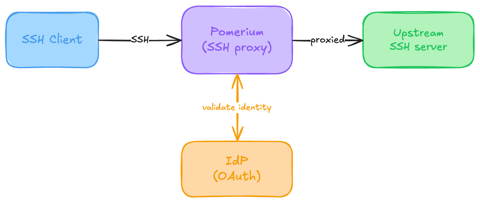
Native SSH Access with Pomerium
Pomerium can be used as a native SSH reverse proxy, adding OAuth authentication and flexible Pomerium policy enforcement to standard SSH connections, without the need for tunnels, or custom clients or servers.

by Nick Taylor
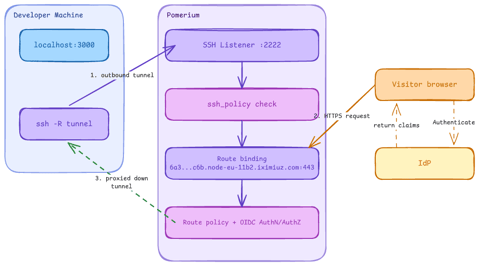
Native SSH Reverse Tunneling with Pomerium
Use Pomerium's native SSH support to publish a local service through a standard reverse SSH tunnel, with OpenID Connect (OIDC) authentication and continuous authorization on every request. Reach services behind Network Address Translation (NAT) without firewall holes or custom agents, and control both who can use the service and who can open the tunnel. Application traffic stays on infrastructure you control.
by Nick Taylor
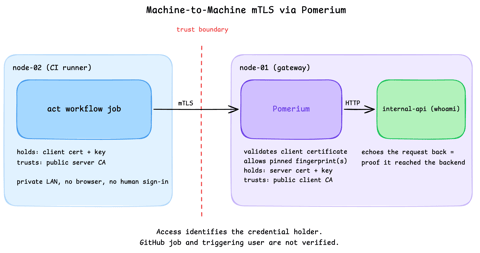
Secure Machine-to-Machine Access with mTLS and Pomerium
Run a GitHub Actions-compatible continuous integration (CI) job on a private runner and protect its internal API call with mutual TLS (mTLS) and Pomerium. Build separate server and client trust chains, authorize one machine certificate by fingerprint, then revoke, restore, and rotate its credentials through live policy changes.
by Nick Taylor
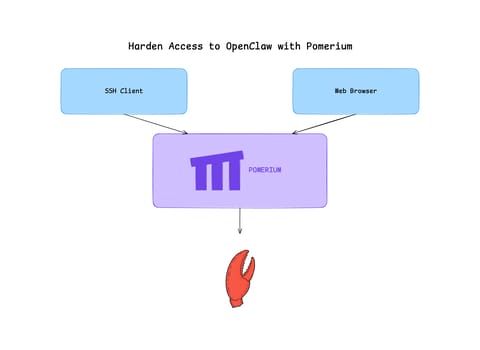
Harden Access to OpenClaw with Pomerium
Put OpenClaw, a self-hosted AI assistant with shell and file access, behind a web route and an SSH route, both gated by the same identity and Pomerium's context-aware policy. OpenClaw runs in trusted-proxy mode, trusting signed identity headers instead of its own login, while Pomerium's native SSH proxy signs short-lived certificates for shell access.
by Nick Taylor