Tutorial
Learner activity No hands-on sessions yet
Trustee Hands-On: How Remote Attestation Decides Who Gets a Secret

Run the Confidential Containers attestation services (KBS, Attestation Service, RVPS) and walk one secret request through them. See why Trustee refuses the secret, read the attestation result token, register reference values until the verdict turns affirming, revoke access by changing one value, and write your own resource policy in Rego.
A confidential container keeps its memory hidden from the node it runs on. That only pays off if its secrets (database passwords, TLS keys, image decryption keys) never pass through the node either. So who gives the secrets to the container, and how does that party know it is talking to a genuine confidential VM and not to an impostor?
In Confidential Containers (CoCo) that party is Trustee. Red Hat ships the same project as Red Hat build of Trustee for OpenShift sandboxed containers. In this tutorial you run Trustee yourself and walk a single secret request through it, from "denied" to "released" and back.
Important
There is no TEE in this playground, so every client uses the sample attester: it produces well-formed evidence without any hardware signature. That is exactly why Trustee's default policies refuse it. The policies you work with are the real ones.
The roles
Trustee follows the IETF RATS architecture (RFC 9334). Each role is a separate service:
| RATS role | Trustee component | What it does |
|---|---|---|
| Attester | Attestation Agent (AA) in the guest; here kbs-client | Collects evidence from the TEE hardware and sends it |
| Relying party | Key Broker Service (KBS) | Holds the secrets, releases them according to the resource policy |
| Verifier | Attestation Service (AS) | Checks the evidence, appraises it with the attestation policy, signs a result token |
| Reference value provider | Reference Value Provider Service (RVPS) | Stores the known-good measurements the AS compares against |
The flow is the "background check" model: the attester talks only to the KBS, and the KBS asks the AS in the background.
 kbs-client / AA          KBS                      AS                RVPS
      | -- auth ------->   |                        |                  |
      | <- nonce -------   |                        |                  |
      | -- evidence --->   | -- evidence ---------> | -- ref values -> |
      |                    | <- signed EAR token -- |                  |
      | -- get secret ->   | resource policy?       |                  |
      | <- secret ------   |                        |                  |
1. Look at Trustee
Trustee started together with the playground, from its upstream docker-compose.yml:
cd ~/trustee
docker compose ps
You see three services: kbs on port 8080 (the only port clients need), as and rvps.
How they find each other is in two small files:
cat kbs/config/docker-compose/kbs-config.toml
cat kbs/config/docker-compose/as-config.json
kbs-config.toml points the KBS at the AS (as_addr = "http://as:50004") and only lets a
caller with an admin JWT change configuration. That token is in ~/.trustee/admin-token,
and kbs-client config ... picks it up automatically.
Note
Run all commands from ~/trustee. kbs-client looks for the admin token relative to
that directory first, and prints a harmless Failed to read line when run elsewhere.
2. Store a secret and ask for it
Store a database password in the KBS. Resources are addressed as <repository>/<type>/<tag>:
echo "s3cr3t-db-password" > ~/db-password.txt
kbs-client config set-resource --path default/app/db-password --resource-file ~/db-password.txt
Now ask for it as a workload would:
kbs-client get-resource --path default/app/db-password
First you see a warning that no TEE was found and the sample attester is used. Then:
Error: KBS internal error: KBS Server Internal Failed, Response: ErrorInformation {
    error_type: "https://github.com/confidential-containers/kbs/errors/PolicyDeny",
    detail: "Access denied by policy",
}
Attestation itself worked. kbs-client completed the handshake, the AS appraised the
evidence and returned a token. The KBS then evaluated its resource policy and said no.
3. Read the attestation result
kbs-client attest runs the same handshake and prints the token instead of asking for a
resource. It is a signed JWT in the EAR format (Entity Attestation Results). jwt-claims
decodes its payload:
kbs-client attest 2>/dev/null | jwt-claims
The interesting part is under submods.cpu0:
kbs-client attest 2>/dev/null | jwt-claims | jq '.submods.cpu0 | {ear_status, ear_trustworthiness_vector, ear_attester_claims}'
ear_attester_claimsis what the evidence says:tee: "sample", alaunch_digest, a security versionsvn, a platform version.ear_trustworthiness_vectoris the AS's judgement per category, using the AR4SI values:2and3mean "affirming",32to95mean "warning",96and above mean "contraindicated".ear_statusis the overall verdict: the worst value in the vector.
Two separate policies are at work, and it pays to keep them apart:
- The attestation policy runs in the AS. It turns evidence into the trustworthiness vector.
- The resource policy runs in the KBS. It reads the token and decides per request.
The KBS started with a resource policy that releases nothing to the sample TEE:
sed -n '/^package/,$p' kbs/sample_policies/default.rego
4. Teach the verifier what "good" looks like
Switch the KBS to the policy most real deployments use: release only if the attestation result is affirming.
kbs-client config set-resource-policy --affirming
kbs-client get-resource --path default/app/db-password 2>&1 | tail -3
Still denied, because the verdict is contraindicated. Look at how the AS appraises the
sample TEE in its default attestation policy:
grep -n -B2 -A10 'input.sample$' attestation-service/src/ear_token/ear_default_policy_cpu.rego | head -45
Each rule compares a claim with query_reference_value(...), a lookup in the RVPS. The
RVPS is empty, so every rule fails and the defaults (33, 97) apply. Register the
values a known-good sample platform reports:
kbs-client config set-sample-reference-value launch_digest abcde
kbs-client config set-sample-reference-value svn 1
kbs-client config set-sample-reference-value major_version 1 --as-integer --as-single-value
kbs-client config set-sample-reference-value minimum_minor_version 4 --as-integer --as-single-value
On real hardware these would be the launch measurement of the pod VM image, firmware and microcode versions, published by whoever builds the image and firmware.
Attest again and fetch the secret:
kbs-client attest 2>/dev/null | jwt-claims | jq -c '.submods.cpu0 | {ear_status, ear_trustworthiness_vector}'
kbs-client get-resource --path default/app/db-password 2>/dev/null | base64 -d
executables is now 3 and hardware is 2, the verdict is affirming, and the KBS
returns the password. The response is encrypted to a key the client generated for this
session, so it is protected even on a plain-HTTP connection.
5. Revoke access without touching the workload
Suppose a firmware vulnerability is announced and version 1 is no longer acceptable. You do not have to find and stop the workloads. Raise the required security version:
kbs-client config set-sample-reference-value svn 2
kbs-client attest 2>/dev/null | jwt-claims | jq -c '.submods.cpu0 | {ear_status, ear_trustworthiness_vector}'
kbs-client get-resource --path default/app/db-password 2>&1 | tail -3
hardware drops to 97, the verdict to contraindicated, and every workload still
reporting svn 1 stops receiving secrets on its next request.
6. Write your own resource policy
The built-in policies are all or nothing. Real deployments mix resources with different
sensitivity. The resource policy is Rego, and besides the token in input it gets the
requested path in data: for default/public/motd, data["resource-path"] is
["default", "public", "motd"].
Store a second, non-sensitive resource:
echo "Welcome to the confidential cluster" > ~/motd.txt
kbs-client config set-resource --path default/public/motd --resource-file ~/motd.txt
Then write a policy where anything under default/public/ goes to any caller that
completed attestation, and everything else still needs an affirming result:
cat > ~/policy.rego <<'EOF'
package policy
import rego.v1

default allow := false

# Non-sensitive resources: any client that completed attestation.
allow if {
    data["resource-path"][1] == "public"
}

# Everything else: only an affirming attestation result.
allow if {
    input.submods.cpu0.ear_status == "affirming"
}
EOF
kbs-client config set-resource-policy --policy-file ~/policy.rego
With svn still at 2, check both resources:
kbs-client get-resource --path default/public/motd 2>/dev/null | base64 -d
kbs-client get-resource --path default/app/db-password 2>&1 | tail -2
How this maps to Red Hat build of Trustee on OpenShift
- The Trustee operator runs the same KBS, AS and RVPS. A
TrusteeConfigresource generates their configuration. - Its permissive profile uses a resource policy that allows every request, like
--allow-all. Its restricted profile enforces strict resource policies and token verification, like the affirming policy you used. - Secrets are stored as OpenShift secrets and listed under
kbsSecretResourcesin theKbsConfig. Inside the pod they show up underkbs:///default/<secret>/<key>. - Reference values for SNP and TDX come from the vendor and the image build, not from
set-sample-reference-value. The policy logic is the same.
What's next
- Inside the Pod VM: Attestation Agent, Confidential Data Hub and Initdata runs the guest side of this exchange.
- Red Hat: Introducing Confidential Containers Trustee explains the background check and passport models.
- Trustee on GitHub has the policy references and the Kubernetes deployment.
Learn by doing, not just by reading or watching
Sign up for a free account to start a VM playground right on this page, track your progress, and get notified about new learning materials.
About the author
More tutorials you might like
Native SSH Access with Pomerium
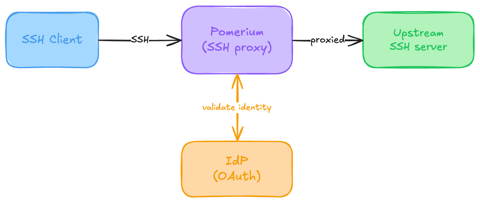
Pomerium can be used as a native SSH reverse proxy, adding OAuth authentication and flexible Pomerium policy enforcement to standard SSH connections, without the need for tunnels, or custom clients or servers.

by Nick Taylor
Native SSH Reverse Tunneling with Pomerium
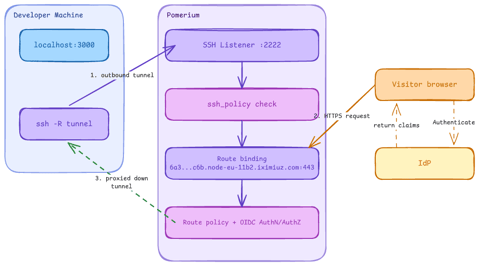
Use Pomerium's native SSH support to publish a local service through a standard reverse SSH tunnel, with OpenID Connect (OIDC) authentication and continuous authorization on every request. Reach services behind Network Address Translation (NAT) without firewall holes or custom agents, and control both who can use the service and who can open the tunnel. Application traffic stays on infrastructure you control.
by Nick Taylor
Secure Machine-to-Machine Access with mTLS and Pomerium
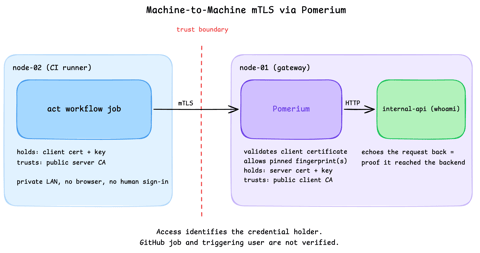
Run a GitHub Actions-compatible continuous integration (CI) job on a private runner and protect its internal API call with mutual TLS (mTLS) and Pomerium. Build separate server and client trust chains, authorize one machine certificate by fingerprint, then revoke, restore, and rotate its credentials through live policy changes.
by Nick Taylor
Harden Access to OpenClaw with Pomerium
Put OpenClaw, a self-hosted AI assistant with shell and file access, behind a web route and an SSH route, both gated by the same identity and Pomerium's context-aware policy. OpenClaw runs in trusted-proxy mode, trusting signed identity headers instead of its own login, while Pomerium's native SSH proxy signs short-lived certificates for shell access.
by Nick Taylor