Deploy an MCP App to Production with Pomerium
Install the App
The previous lesson built and tested an MCP app: an MCP server with one tool, echo, plus a widget that renders inside the MCP host whenever a client calls it, built with React in this template, though the widget mechanism itself works the same with any frontend framework. It ran the whole thing in dev mode, two reverse SSH tunnels standing in for a real deployment. This lesson takes the exact same app and puts it where a real deployment actually lives: a compiled server and a pre-built widget bundle, behind two permanent Pomerium routes, no tunnel, no dev server, no live reload.
Nothing about the security story changes from the previous lesson. The MCP server route still runs OAuth 2.1 and policy in front of a server that contains zero auth code. What's new is the second route: the widget's built JavaScript and CSS need to be reachable by any browser an MCP host puts in front of them, which turns out to mean something this course hasn't done yet on any route: no policy at all.
By the end of this lesson, you'll have:
- An MCP app built for production: a compiled server plus a hashed, cache-friendly widget bundle
- Two Pomerium routes with fixed upstreams, no tunnel involved: one gated by OAuth 2.1 and policy, one genuinely public
- The same widget, rendered end to end, in a client that never signed in to the machine serving its assets
What you should already know
- Comfortable running commands in a terminal
- What an MCP server is, and, ideally, what an MCP app is: a tool whose result renders as an interactive widget inside the MCP host, not just text. The previous lesson covers this in depth; this one assumes it, though it does not assume you took that lesson specifically.
- Basic familiarity with OAuth or OIDC concepts
- An account you can sign in with on Pomerium's hosted authenticate service: a GitHub account, a Google account, or an email you're willing to register a password for
Everything else (Node.js, the app template, Pomerium) is preinstalled in the playground; there is nothing to install locally.
The setup
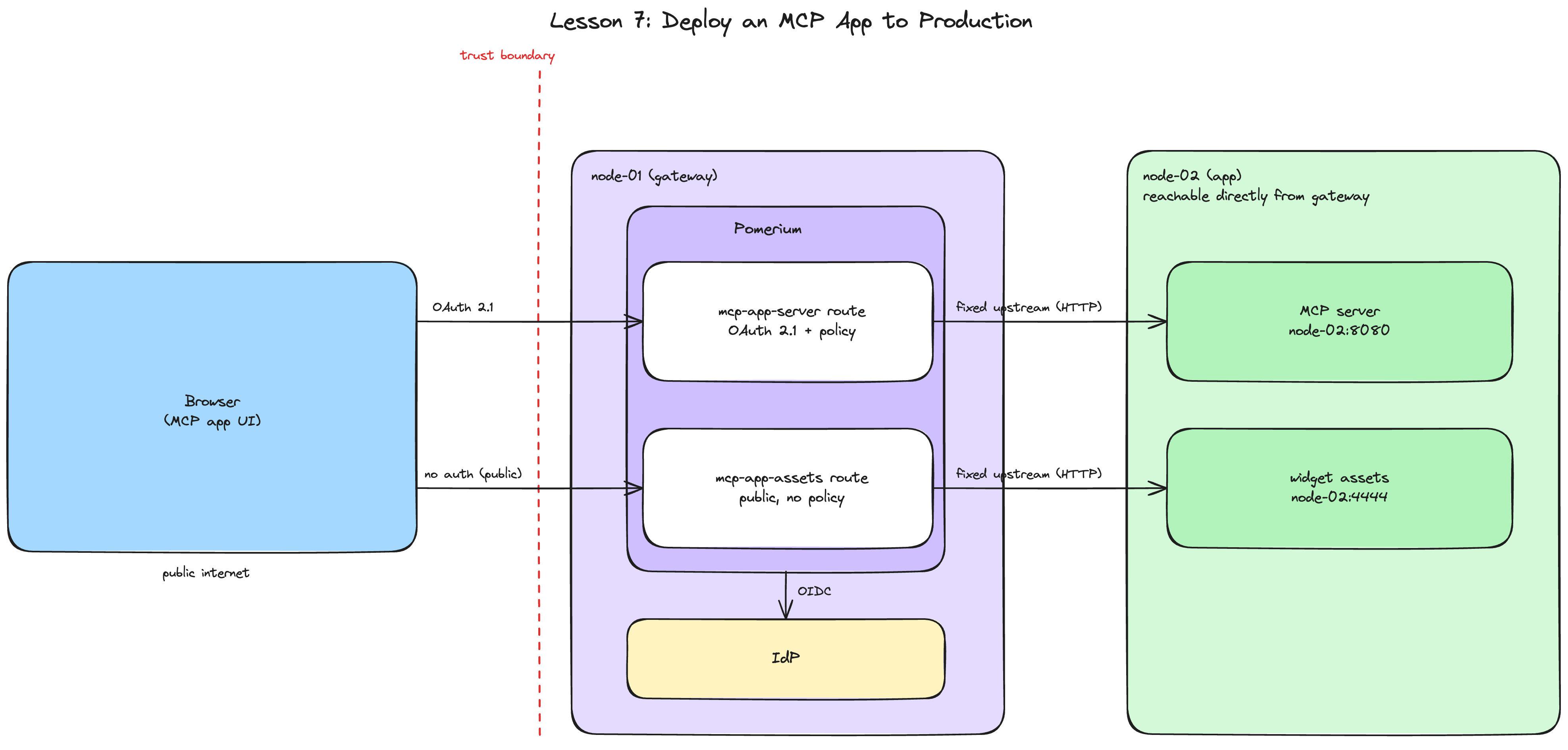
The playground has two machines:
- node-02 (the app): runs the MCP app, the same mcp-app-typescript-template from the previous lesson, reachable directly from the gateway over the playground's network. Its terminal tabs: app for the running app and its logs, client for everything you run as a caller. The IDE tab edits files on this machine too.
- node-01 (the gateway): runs Pomerium, fully preconfigured; its terminal is the gateway tab. This lesson uses Pomerium's hosted authenticate service for quick setup and testing. In production, configure Pomerium to use your production identity provider.
Install the app
In the app terminal on node-02, install the app's dependencies:
cd ~/mcp-app
npm install
This template is two npm workspaces, server/ and widgets/, installed together from the root. While that finishes, copy the environment file template:
cp .env.example .env
Nothing needs to go in it yet. Every value this lesson's production start actually needs gets set as a real environment variable in the next unit, but the server's own start script (node --env-file=../.env dist/server.js) expects this file to exist regardless, template convention rather than anything Pomerium-specific.
Don't build yet
It's tempting to run npm run build next. Don't, not yet: this app's production build bakes the widget's public URL directly into the built HTML file, a <script src="https://your-assets-route/echo-<hash>.js"> tag written to disk at build time, not computed when a request comes in. The dev server you'd have used in the previous lesson reads that URL fresh on every request, which is why dev mode never cared about build order. A production build isn't so forgiving: build before the assets route exists, and the app ships pointing at whatever BASE_URL happened to be at the time, http://localhost:4444 by default, useless to anyone whose browser isn't node-02 itself.
The next unit configures both routes and gets you their real, permanent URLs. Only after that does building make sense.
This is a one-time production quirk, not something you'll hit again if you redeploy later without changing hosts: as long as the assets route's URL stays the same, rebuilding the app (a code change, a dependency bump) reuses the same BASE_URL and produces a correctly pointed build every time.
Configure Two Fixed Routes
The gateway machine (node-01) already has everything generated for you in ~/pomerium-gateway: Pomerium's config, a TLS certificate, and a Docker Compose file. Take a look in the gateway terminal:
cat ~/pomerium-gateway/pomerium-config/config.yaml
Two routes, both with fixed upstreams, the same shape lesson 2 used for a plain MCP server:
mcp-app-server:to: http://node-02:8080, the compiled server.mcp: server: {}marks it MCP-aware, so Pomerium handles the OAuth 2.1 dance with connecting clients. Onepolicyblock, checked against a single email, the one you provide below.mcp-app-assets:to: http://node-02:4444, the widget's built JavaScript and CSS. Nopolicyblock at all. Instead:allow_public_unauthenticated_access: true, a route-level setting that skips both authentication and authorization entirely for this route. Every other route in this course, on every lesson, has checked someone's identity. This is the first one that deliberately checks no one's. Unit 3 proves why that's correct, not a shortcut.
The rest matches every gateway this course has built: idp_provider: hosted delegates sign-in to Pomerium's hosted authenticate service, and mcp_allowed_client_id_domains lists the trusted MCP client domains, Claude, ChatGPT, VS Code, Goose, and hosted MCPJam, the client this lesson connects with in unit 3.
Three REPLACE_WITH_... placeholders are left: two routes' from: and one email.
Expose the ports
First, the authenticate service URL, where OAuth callbacks land:
copy the auth URLNext, the app route, the address the MCP client will connect to:
copy the app route URLThen the assets route, where the widget's JavaScript and CSS will be served from, permanently this time, not a tunnel that closes when your terminal does:
copy the assets route URLSecure the app route with your email
Only the app route needs this; the assets route's policy is "anyone," set by allow_public_unauthenticated_access above, so there's nothing to attach an email to there. Enter the email you'll sign in with. The app route's policy checks it, so only you can call the MCP server:
If you're curious, cat the config again to see every substitution in place:
cat ~/pomerium-gateway/pomerium-config/config.yaml
The checks below can only verify that no placeholder is left, not that each URL landed in the right field. If a value went into the wrong input, the placeholders are already consumed, so re-submitting an input above does nothing: fix it by editing ~/pomerium-gateway/pomerium-config/config.yaml directly before starting the stack.
Start the stack
With the placeholders filled in, bring up Pomerium, still in the gateway terminal:
cd ~/pomerium-gateway
docker compose up -d
docker compose logs -f
Wait for the startup burst of log lines to settle, then press Ctrl+C to stop following.
If up -d fails with a name conflict from a previous attempt, run docker compose down -v first.
Both routes exist now, and, unlike every fixed-upstream route this course has built, both already know their own real public URLs before anything runs behind them. That's exactly what unit 1 was waiting for: with the assets route's URL in hand, the app can finally be built correctly.
Build, Start, and Prove It
Both routes are live on the gateway; nothing is listening behind either one yet. Time to fix that, correctly this time, with the assets route's real URL in hand.
Build for production
Back in the app terminal on node-02, read the assets route URL you just pasted and export it as BASE_URL before building:
cd ~/mcp-app
export BASE_URL=$(cat /tmp/mcp-lesson.assets-route | tr -d '[:space:]' | sed 's|/$||')
npm run build
This runs two steps: build:widgets (a Vite production build, content-hashed JS and CSS, plus an echo.html with BASE_URL baked into its <script src> tag) and build:server (the TypeScript server compiled to server/dist/). You can confirm the bake worked directly:
grep BASE_URL -A1 assets/echo.html 2>/dev/null; grep 'script src' assets/echo.html
The script src should show your actual assets route URL, not localhost.
Start the app
Start it in production mode:
~/mcp-app-prod.sh
This runs npm start, the template's own production entry point: the compiled server on port 8080, and a small static file server (the serve package) publishing assets/ on port 4444, the same two ports the previous lesson's dev tunnels pointed at, no coincidence, Pomerium's routes above already expect them. The script also sets BASE_URL again (the server needs it too: it fetches its own widget HTML from the assets route on every request rather than reading the local file straight off disk, so the assets route has to actually be live), CORS_ORIGIN scoped to the app route instead of a wide-open *, and a quieter LOG_LEVEL, the production values the template's own README recommends.
The server refuses to start at all in production without BASE_URL set (a fatal error, not a warning). mcp-app-prod.sh checks for it too, so if you see "No app route URL found" or "No assets route URL found," you skipped a paste-back in the previous unit rather than hit a real production failure.
Prove the app route's front door is locked
Switch to the client terminal and knock without credentials:
URL=$(cat /tmp/mcp-lesson.app-route | tr -d '[:space:]' | sed 's|/$||')
curl -si "$URL/mcp" | head -n 5
HTTP/1.1 401 Unauthorized
strict-transport-security: max-age=31536000; includeSubDomains; preload
x-frame-options: SAMEORIGIN
x-xss-protection: 1; mode=block
access-control-allow-headers: Authorization, Content-Type, Accept, MCP-Protocol-Version, MCP-Session-Id, Last-Event-ID
HTTP/1.1 401 Unauthorized, same as every MCP route in this course. The fixed upstream changes nothing about when the policy check happens: still at the gateway, still before the request reaches node-02.
Prove the assets route is wide open, on purpose
Same test, different route:
ASSETS_URL=$(cat /tmp/mcp-lesson.assets-route | tr -d '[:space:]' | sed 's|/$||')
curl -si "$ASSETS_URL/echo.html" | head -n 5
HTTP/1.1 301 Moved Permanently
access-control-allow-origin: *
access-control-allow-headers: *
access-control-allow-credentials: true
access-control-allow-private-network: true
A redirect, not a 401. That's serve, the static file server behind this route, canonicalizing /echo.html to /echo on its own (clean URLs, a serve default, nothing to do with Pomerium or authentication); add -L and curl lands on a plain HTTP/1.1 200 OK. Either way, no sign-in, no session, nothing. That contrast, a 401 on one route and an unauthenticated pass-through on the other from the same unauthenticated curl, is the actual point of this lesson. The previous lesson's assets route stayed policy-gated only because it was always your own browser testing it, a browser that already held a session from testing the app route seconds earlier. A stranger's browser never has that: MCP hosts render a widget's iframe with no way to forward a session into it, so Pomerium's own MCP app guide and the app template's own production checklist both say the same thing plainly: widget assets must be public.
allow_public_unauthenticated_access is how Pomerium expresses that. It doesn't just relax the policy, it removes the authorization check entirely, which is why the config carries no policy block on this route at all, following Pomerium's own guidance that no other policy should be layered on top of it.
Connect hosted MCPJam and render the widget
Grab the app route's MCP endpoint:
echo "$(cat /tmp/mcp-lesson.app-route | tr -d '[:space:]' | sed 's|/$||')/mcp"
Open app.mcpjam.com and paste that endpoint in as a new server connection.
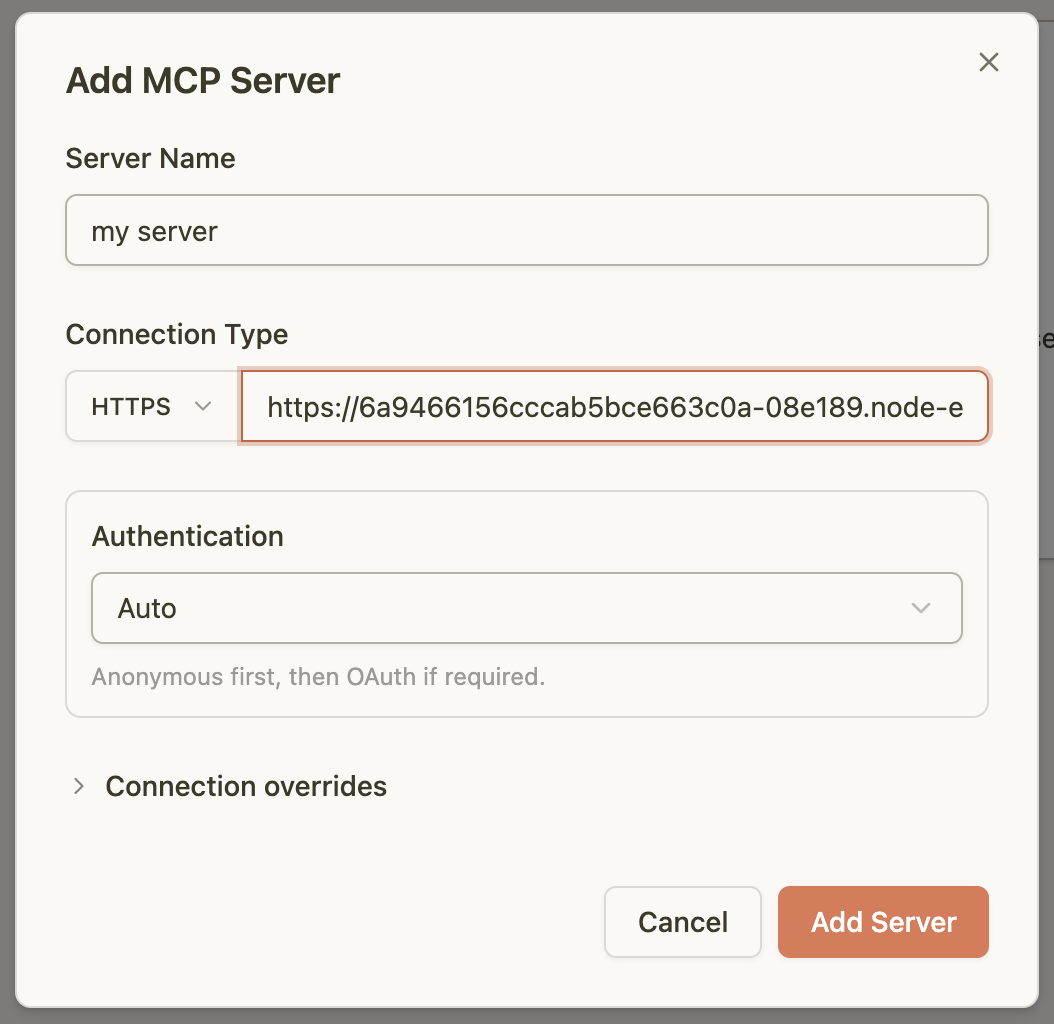
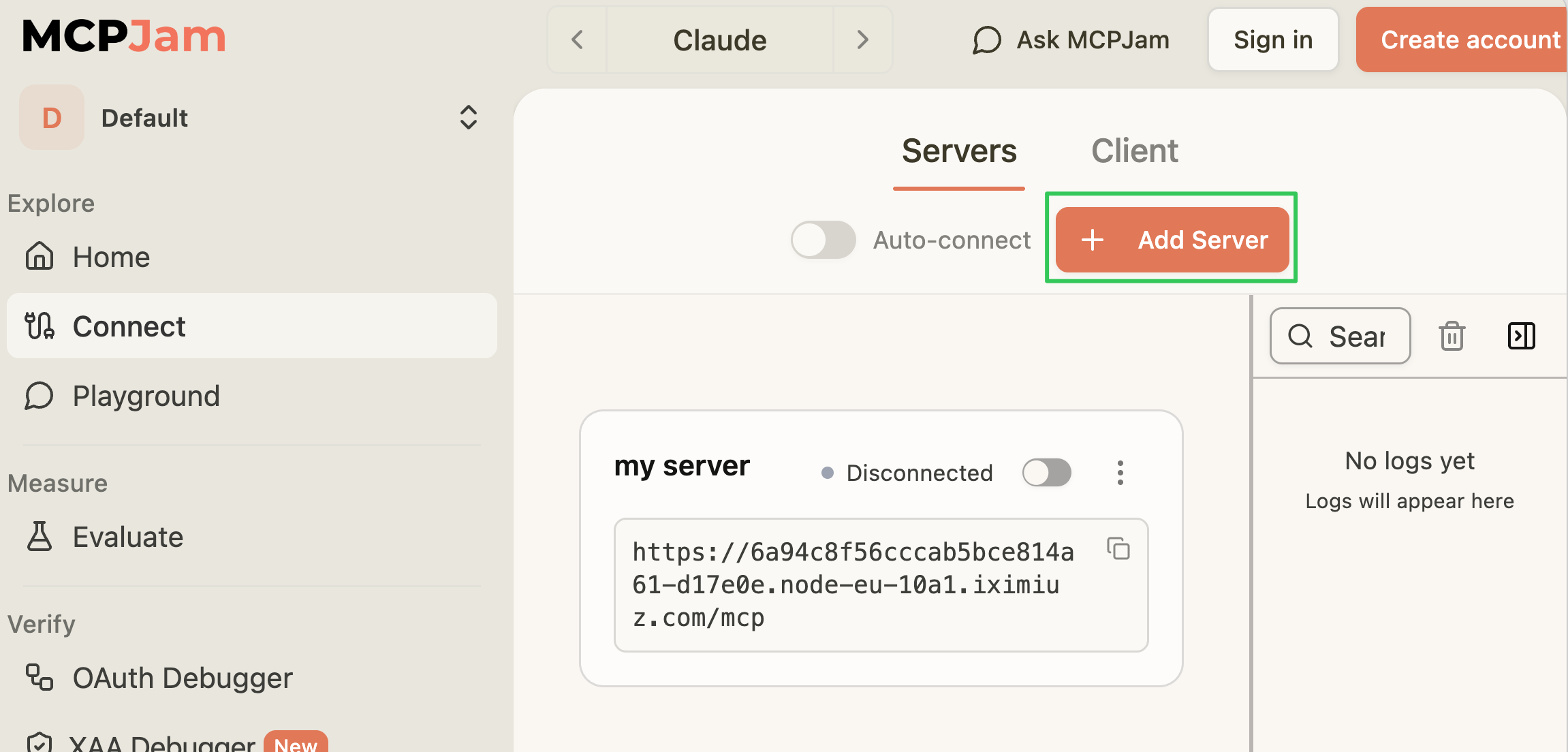
If MCPJam still has a connection open from the previous lesson, click Add Server in the top right instead of starting from an empty screen.
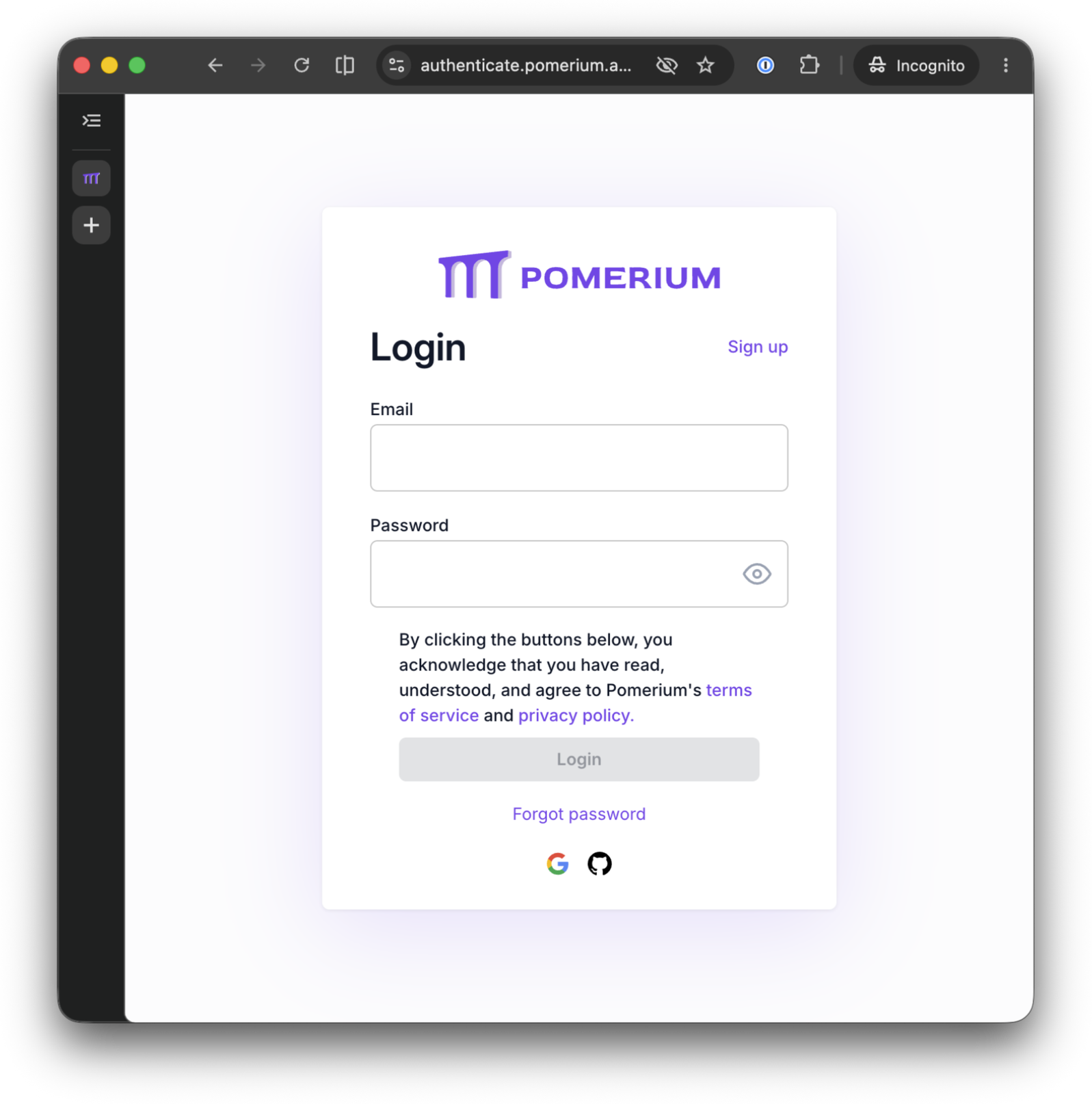
Connect, and sign in as the account whose email you entered in unit 2:
Once connected, open Playground, select echo, type a message, and run it. The widget renders with your message, the same interactive component the previous lesson built and tested, now loaded from a route your browser has never signed in to.
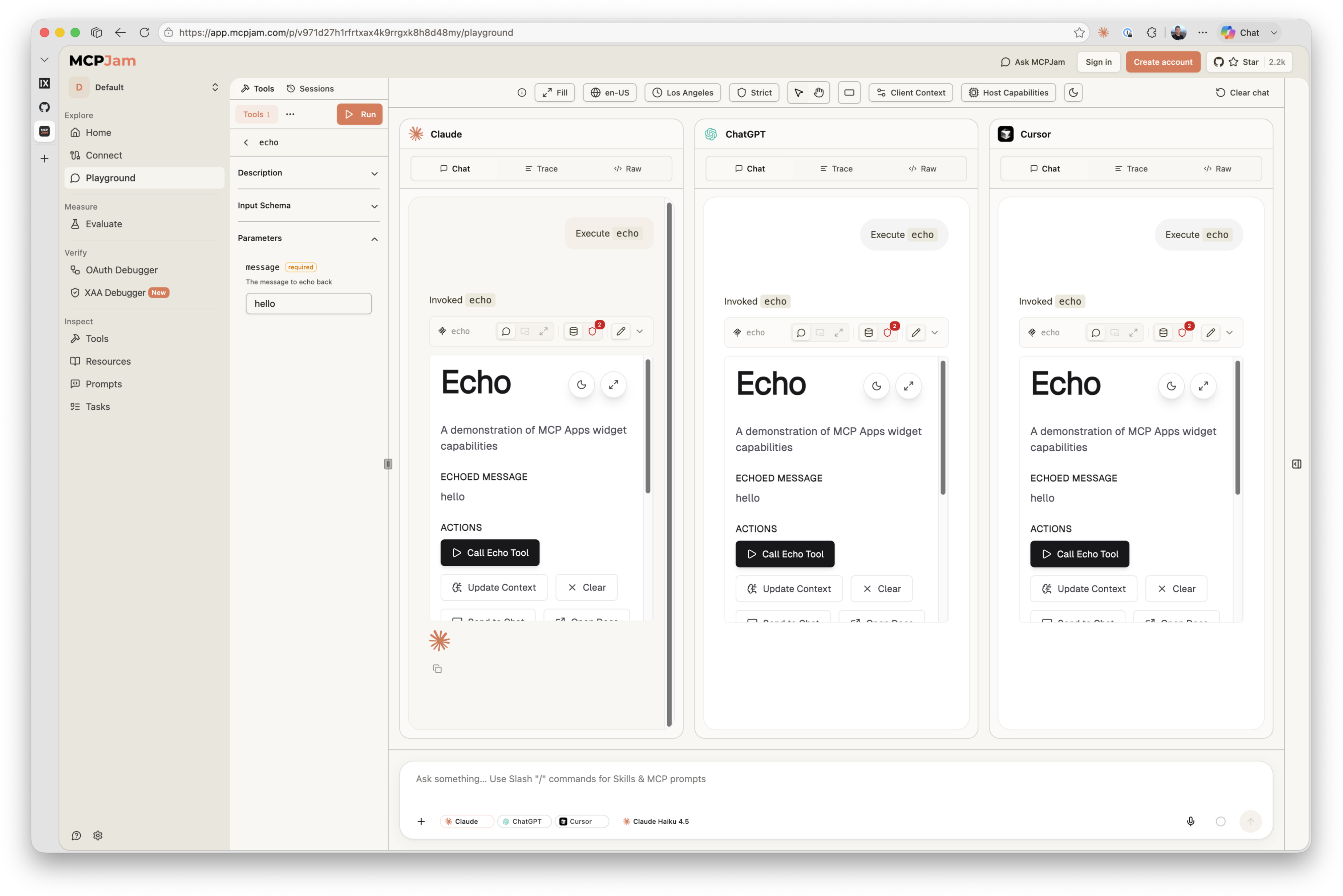
That last point is the actual proof, not just narration: this browser session authenticated against the app route to call echo, and never touched the assets route at all beyond the one plain curl above. The widget's JavaScript and CSS still loaded, because the assets route never asked anyone to prove who they are.
What the gateway logged
Switch back to the gateway terminal. The app route's audit trail looks exactly like every other route in this course, because nothing about how Pomerium authorizes and logs MCP traffic changed, only what sits behind it did:
cd ~/pomerium-gateway
docker compose logs pomerium --no-log-prefix | grep mcp-tool | tail -n 1 | jq
{
  "path": "/mcp",
  "email": "you@example.com",
  "mcp-method": "tools/call",
  "mcp-tool": "echo",
  "mcp-tool-parameters": {
    "message": "hello"
  },
  "allow": true,
  "allow-why-true": ["email-ok"],
  "message": "authorize check"
}
The assets route produces no equivalent entry tying a request to an identity, because allow_public_unauthenticated_access means there was never an authorization check to log in the first place. That absence is expected, not a gap: it's the same design decision as the unauthenticated response you curled above, just visible from the gateway's side instead of the client's.
Before you take this further
This lesson is closer to a real production shape than any before it, a few playground shortcuts aside:
- The TLS certificate. Still the self-signed cert generated at playground startup. In production you'd give Pomerium a certificate for your real domain, from your Certificate Authority or an automated issuer like Let's Encrypt.
- The identity provider. Still Pomerium's hosted authenticate service, built for quick setup and testing. In production, configure Pomerium to use your production identity provider.
- How the gateway finds node-02. This playground resolves node-02's address for you at startup so
to: http://node-02:8080andto: http://node-02:4444just work. In production,towould point at a real hostname or internal service address resolved by your own DNS or service discovery. - The app route's policy still names one email, yours. Real deployments express team access with Pomerium Policy Language criteria, domains, groups, claims, instead of enumerating individuals. The assets route has no such caveat: "anyone" is the correct policy for it in production too, not a placeholder to tighten later.
- The assets route serves from the same machine as the app. That's the simplest version of "public and permanent," and it's a complete answer, not a stopgap: nothing about a real deployment requires a CDN. A CDN in front of
assets/is a performance and caching optimization on top of the same security shape, not a different one.
What you built
- An MCP app deployed on two permanent Pomerium routes, no tunnel involved: a fixed upstream for the compiled server, a fixed upstream for the built widget assets
- A production build whose widget HTML points at its own real, public URL, and a concrete look at why that has to be baked in before the app starts, not supplied at runtime
- Two different policies proven from the outside: a 401 on the route that checks identity, no such challenge at all on the route that deliberately checks none
- The same widget, rendered by a client that only ever authenticated against one of the two routes behind it
That closes out this course. Across seven lessons you took an MCP server from a local process with no security story at all to a fully governed deployment: OAuth 2.1 and an audit log in front of it first with a reverse tunnel, then with a permanent route; upstream OAuth so its tools could call a real API on a user's behalf; fine-grained, per-tool policy, applied to your own server and then to one you don't operate at all; and, these last two lessons, the same patterns extended to an MCP app's interactive widgets, from a dev loop through a real production deploy. None of it required writing a single line of authentication code into any server.
A few places to go from here:
- Pomerium's MCP capabilities page, the docs home for everything this course covered: routes, tool policy, upstream OAuth, and MCP apps
- Pomerium Policy Language for expressing real team access instead of single-email policies
- Every server and app you ran yourself across this course came from one of these open source repos. Give them a star if this course was useful:
- Check out the rest of Pomerium's tutorials and courses on iximiuz Labs: go.pomerium.com/interactive
- pom.run, Pomerium's own hosted tunnel, if you want the reverse-tunnel shape from lesson 1 without standing up a gateway of your own first
- Prefer a managed control plane? Pomerium Zero offers one, with Pomerium itself still running self-hosted, same as everything you built in this course
- Need enterprise features on top of that? Pomerium Enterprise adds those, self-hosted too
You now have the whole toolkit. Go put it in front of something real.
- Previous lesson
- Build and Test an MCP App with Pomerium