Secure an MCP Server with a Pomerium HTTP Route
Start the MCP Server
The previous lesson set up a secure dev loop: a Pomerium gateway published your MCP server through a reverse SSH tunnel, useful when a remote client needs to reach a server that has no public address yet, whether that's local development or a later stage of testing before the server has a permanent home. This lesson drops the tunnel entirely. The server and the gateway share a network, so the route's backend is just a fixed address, the shape most production MCP deployments actually use.
Nothing about the security story changes. The route still authenticates every request against an identity provider (IdP) and authorizes it by policy before it reaches your server, and the server still contains zero auth code. What changes is the plumbing behind the route: no SSH keys, no tunnel to keep open, no separate policy for who gets to open it. One route, one policy, a fixed upstream.
By the end of this lesson, you'll have:
- An MCP server behind a Pomerium route with a fixed upstream address, no tunnel involved
- A working OAuth 2.1 sign-in in front of it, tested with MCP Inspector as a real MCP client
- An audit log on the gateway showing every tool call tied to your identity
What you should already know
- Comfortable running commands in a terminal
- What an MCP server is: a process exposing tools that AI agents can call
- Basic familiarity with OAuth or OIDC concepts
- An account you can sign in with on Pomerium's hosted authenticate service: a GitHub account, a Google account, or an email you're willing to register a password for. You'll use it in the next unit to secure the route.
Everything else (Node.js, the MCP server template, Pomerium) is preinstalled in the playground; there is nothing to install locally. This lesson does not assume you took the previous one. If you skipped it because the tunnel scenario does not apply to your environment, you are in the right place.
The setup
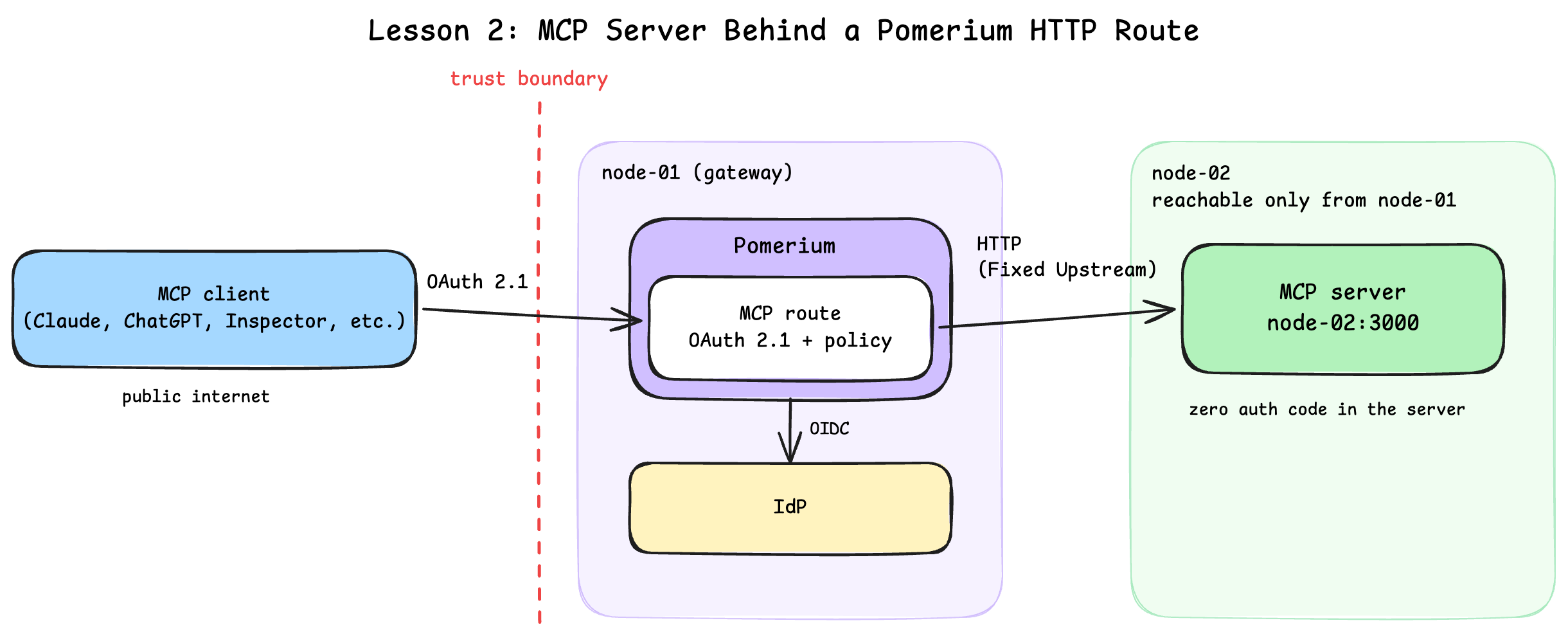
The playground has two machines:
- node-02 (the server): runs the MCP server, reachable directly from the gateway over the playground's network. Its two terminal tabs are named for the job each holds: server for the MCP server and its logs, and client for everything you run as a caller. The IDE tab edits files on this machine too.
- node-01 (the gateway): runs Pomerium, fully preconfigured; its terminal is the gateway tab. This lesson uses Pomerium's hosted authenticate service for quick setup and testing. In production, configure Pomerium to use your production identity provider. Here, you only supply your email and the playground URLs in the next unit.
Start the server
The MCP server is a TypeScript app built from the mcp-typescript-template, already cloned to ~/mcp-server on node-02 with dependencies installed. It speaks MCP over HTTP (Streamable HTTP transport) on port 3000 and ships with two example tools, echo and elicit_echo.
In the server terminal on node-02, start the MCP server in dev mode:
cd ~/mcp-server
npm run dev
You should see a log line ending with MCP TypeScript Template Server running on port 3000.
Switch to the client terminal and confirm the MCP endpoint answers locally. The server terminal stays dedicated to the logs; the client terminal is where you act as a caller, and this curl is its first job.
curl -s http://localhost:3000/health | jq
The command should output a simple health status:
{
  "status": "ok"
}
That is the whole "app side" of this lesson: a plain HTTP server on a private network, no TLS, no auth, no public address.
Right now this server is exactly the kind of thing that ends up in an exposed-server scan if you publish it directly. Next, you'll configure the route that makes publishing it safe.
Configure the Route
A Pomerium route ties three things together: from, the public endpoint a client connects to; to, where Pomerium actually proxies the request; and a policy that decides who gets through. An MCP route is just an HTTP route with an mcp: server: {} block, which tells Pomerium to also handle the OAuth 2.1 dance with connecting MCP clients on the server's behalf. The difference from the previous lesson is entirely in to: instead of a reverse tunnel supplying the backend, it is a fixed address on the network the gateway can already reach.
The gateway machine (node-01) already has everything generated for you in ~/pomerium-gateway: Pomerium's config, a TLS certificate, and a Docker Compose file. Take a quick look in the gateway terminal:
cat ~/pomerium-gateway/pomerium-config/config.yaml
A few parts matter for this lesson:
runtime_flags:mcp: trueturns on Pomerium's MCP support. The other flag,mcp_dynamic_client_registration: true, accepts clients that can only register via Dynamic Client Registration (DCR). It is on here because MCP Inspector, the client you'll test with later in this lesson, does not yet support the newer Client ID Metadata Document (CIMD) mechanism described below. In production, prefer CIMD and leave DCR off; enable this flag only as a bridge for clients that have not migrated yet.- The route:
to: http://node-02:3000is a fixed upstream, no tunnel to attach.mcp: server: {}marks it as an MCP route, so Pomerium speaks OAuth 2.1 to MCP clients on your server's behalf. - One policy on the route: it controls who can call the published MCP server, set to a single email, the one you provide below. There is no second policy for opening a tunnel; there is no tunnel.
idp_provider: hosted: sign-in is delegated to Pomerium's hosted authenticate service, a quick way to get OAuth working without registering a client with an identity provider (IdP). You sign in with a GitHub account, a Google account, or an email and password. In production, configure Pomerium to use your production identity provider.mcp_allowed_client_id_domains: MCP clients identify themselves with a URL as their client ID, pointing at a hosted CIMD. This list controls which client domains the gateway trusts, so even a signed-in user cannot connect with an arbitrary unknown client. The preconfigured list covers Claude, ChatGPT, VS Code, and Goose.
The config still contains REPLACE_WITH_... placeholders. Pomerium needs two public URLs and your email before it can start.
Expose the ports
First, the authenticate service URL, where OAuth callbacks land:
copy the auth URLNext, the MCP route URL, the address MCP clients will connect to:
copy the MCP URLSecure the route with your email
Now the part that makes this route yours. Enter the email you'll sign in with. The route's policy checks it, so only you can call the MCP server. Make it the email of an account you can actually sign in as on the hosted authenticate service: your GitHub or Google account's email, or the email you'll register there with a password:
If you're curious, cat the config again to see all the substitutions in place. This command (and everything else in this unit) runs in the gateway terminal, the same one you inspected the config in at the start, not on node-02. Every REPLACE_WITH_... placeholder is now a real URL or your email:
cat ~/pomerium-gateway/pomerium-config/config.yaml
The checks below can only verify that no placeholder is left, not that each URL landed in the right field. If a value went into the wrong input (say the auth and MCP URLs got swapped), the placeholders are already consumed, so re-submitting the input above does nothing: fix it by editing
~/pomerium-gateway/pomerium-config/config.yamldirectly before starting the stack.
Start the stack
With the placeholders filled in, bring up Pomerium, still in the gateway terminal:
cd ~/pomerium-gateway
docker compose up -d
docker compose logs -f
Wait for the startup burst of log lines to settle (a few seconds), then press Ctrl+C to stop following the logs.
If
up -dfails with a name conflict from a previous attempt, rundocker compose down -vfirst.
The gateway is live, with a backend already attached: no separate step to connect one, because there is no tunnel to wait for. Next, prove that the route is actually enforcing something.
Prove It's Secured
The route is up and already has a backend, but nothing has tried calling it yet. Check what an unauthenticated caller sees first, then connect a real MCP client through the route.
Prove the front door is locked
Switch to the client terminal (the one you curled localhost from), and read the route URL you pasted in the previous unit into a variable so the next few commands can be copied verbatim. No pasting needed again: the value was saved to /tmp/mcp-lesson.route-address, and the playground makes captured values available on every machine, including this one:
URL=$(cat /tmp/mcp-lesson.route-address | tr -d '[:space:]' | sed 's|/$||')
echo $URL
The echo should print the route URL, https:// and all. If it prints nothing, the MCP URL input in the previous unit was never completed; go back and paste the URL there first.
Then knock on the front door without credentials:
curl -si "$URL/mcp" | head -n 5
The output should look like this:
HTTP/1.1 401 Unauthorized
strict-transport-security: max-age=31536000; includeSubDomains; preload
x-frame-options: SAMEORIGIN
x-xss-protection: 1; mode=block
access-control-allow-headers: Authorization, Content-Type, Accept, MCP-Protocol-Version, MCP-Session-Id, Last-Event-ID
A 401 Unauthorized, and notice the access-control-allow-headers list: MCP-Protocol-Version, MCP-Session-Id. This is MCP-aware behavior. Instead of redirecting to a login page like a web app, Pomerium tells the MCP client how to start an OAuth 2.1 flow, and it does this before the request ever reaches node-02. The fixed upstream does not mean the server is exposed; it means the policy check happens earlier, at the gateway, every time.
Connect MCP Inspector through the route
Now connect as a real MCP client. MCP Inspector is a browser-based tool for exercising MCP servers. It runs two services on node-02: a web UI on port 6274 and a proxy on port 6277, and your browser needs to reach both through their exposed playground URLs. Although MCP Inspector's proxy runs beside the server, it will call the public Pomerium route rather than connect directly to the server.
copy the MCP Inspector UI URLDo the same for the MCP Inspector proxy:
copy the MCP Inspector proxy URLNow start MCP Inspector, still in the client terminal you ran the unauthorized curl from. Wiring MCP Inspector to the playground ingress takes a handful of environment variables that have nothing to do with Pomerium or MCP, so that plumbing lives in a helper script scaffolded at playground startup. It reads the URLs you saved (the two MCP Inspector exposures and your MCP route), generates MCP Inspector's proxy auth token, prints the exact URL to open, and starts MCP Inspector:
~/mcp-inspector.sh
The "Open this URL" line prints immediately, but MCP Inspector itself takes a moment to boot (npx unpacks the MCP Inspector release that was cached at playground startup). Wait for the Proxy server listening on 0.0.0.0:6277 and MCP Inspector is up and running lines before opening the URL, or the page will not load. The task below turns green once both of MCP Inspector's ports are actually listening:
Ignore the http://0.0.0.0:6274/... link MCP Inspector prints on startup; that one only works when MCP Inspector runs on the same machine as your browser. Open the URL echoed by the command instead, in a regular browser tab (not a playground tab; the OAuth redirects coming next work best in a plain tab).
In MCP Inspector:
- The transport (Streamable HTTP) and URL (your MCP route plus
/mcp) are already filled in from the link you opened. Confirm they look right.
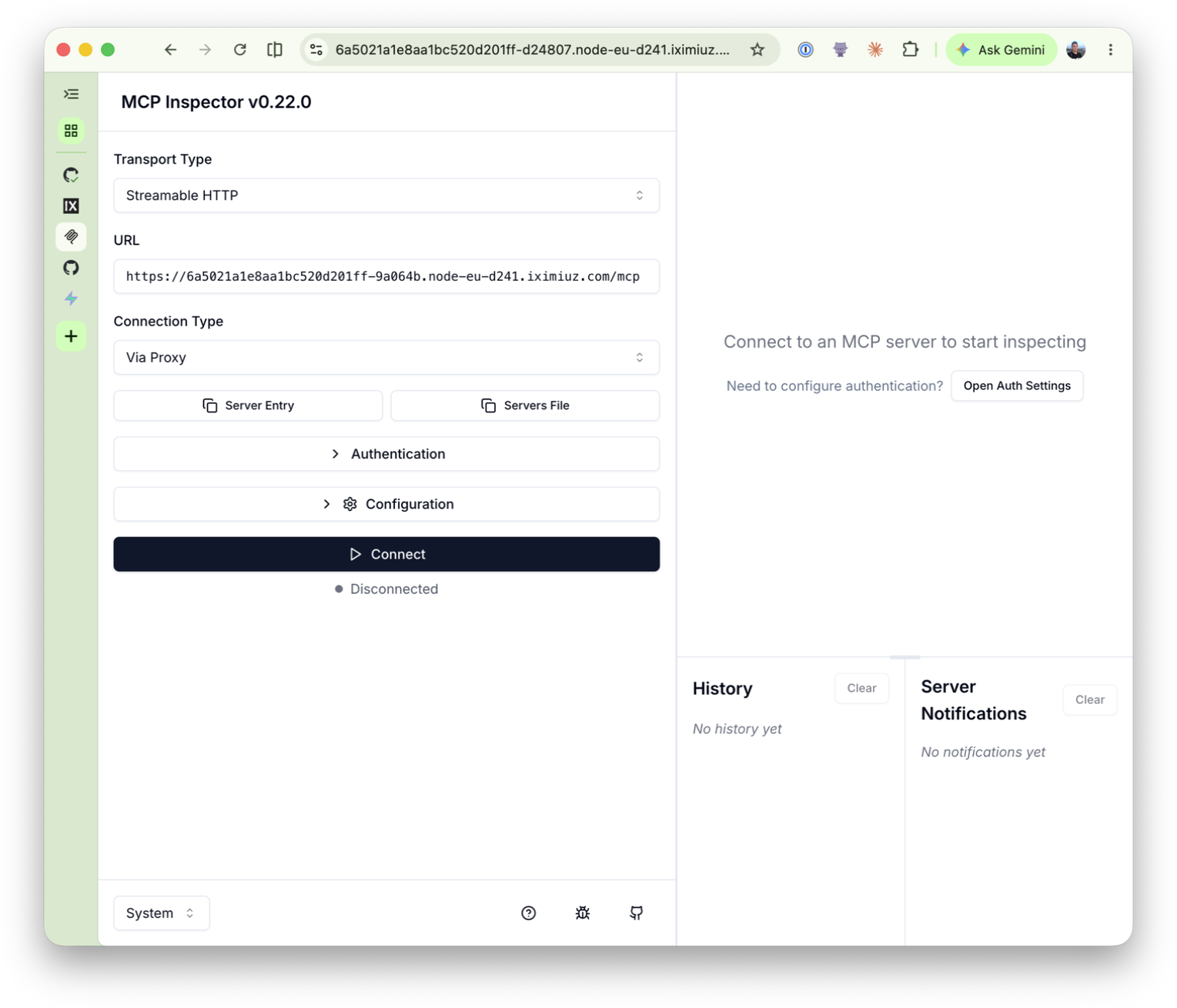
- Click Connect. MCP Inspector discovers Pomerium's OAuth metadata, registers as a client, and sends your browser through the OAuth flow. Unlike a session you might already hold from a previous sign-in, this is the first time your browser has talked to this gateway, so you land on Pomerium's hosted authenticate sign-in page:
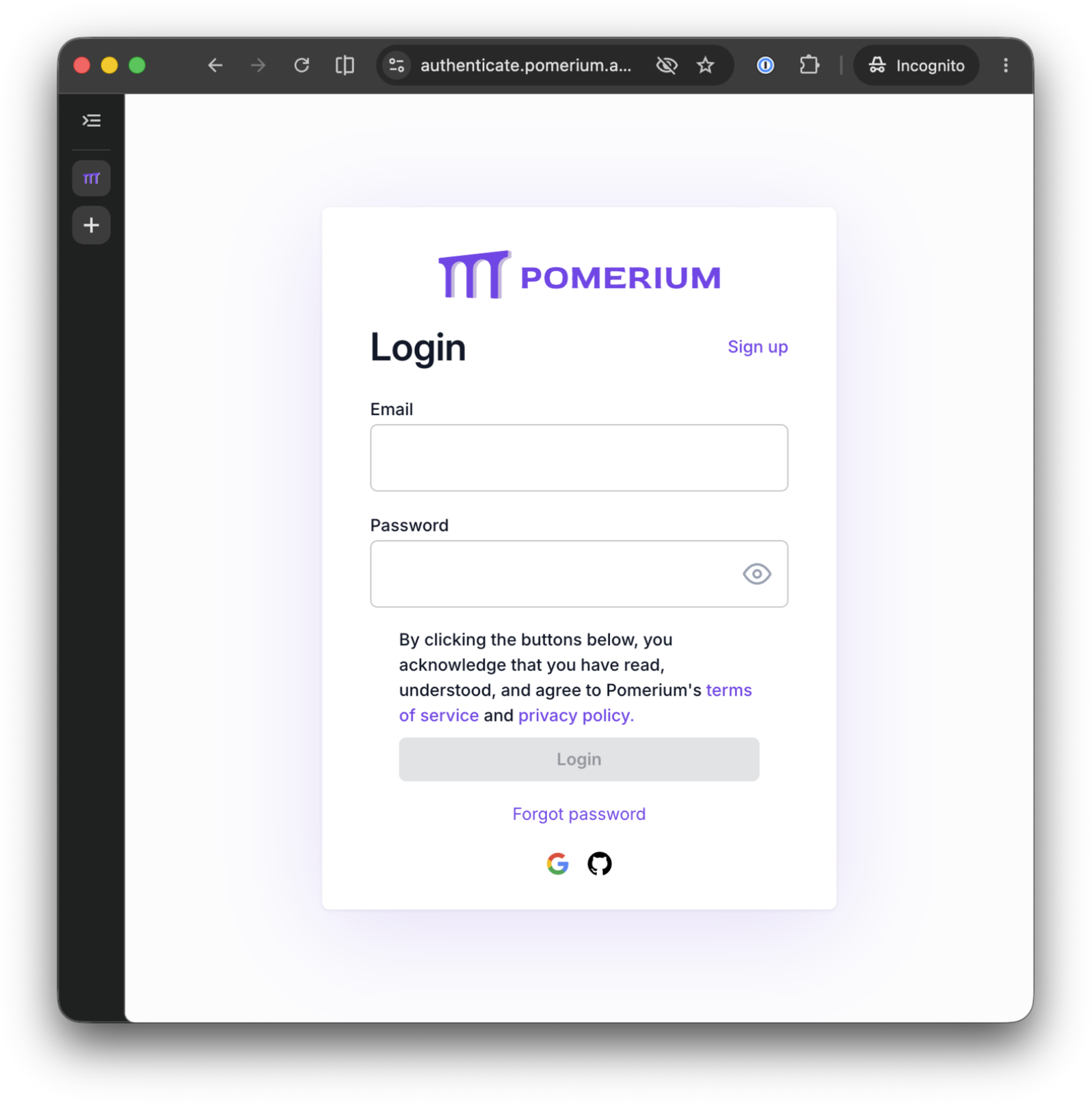
Sign in as the account whose email you entered in the previous unit, and Pomerium confirms it:
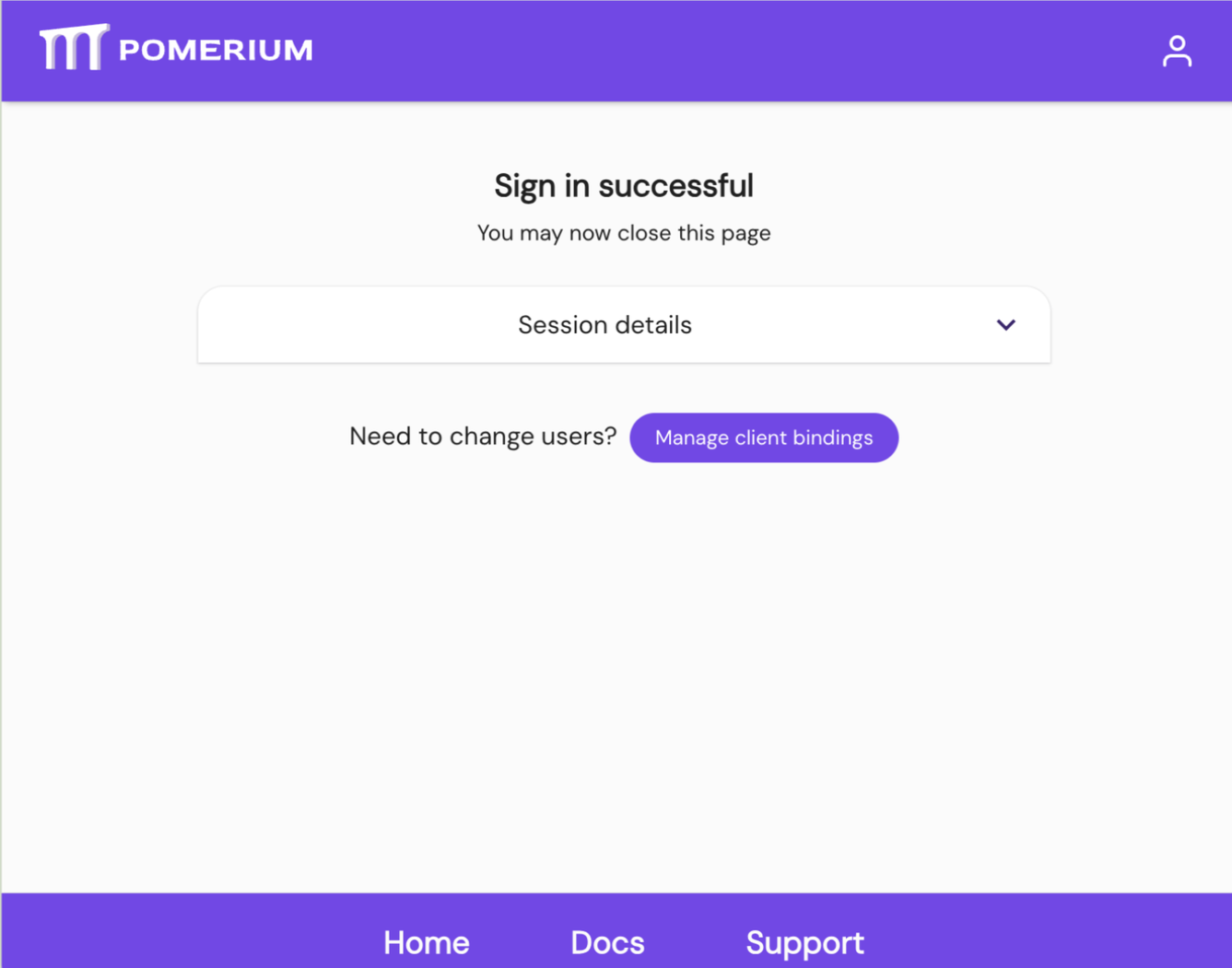
MCP Inspector then reports connected. That whole redirect, sign-in, and callback is the OAuth 2.1 dance Pomerium ran on your server's behalf; the server never had to implement any of it.
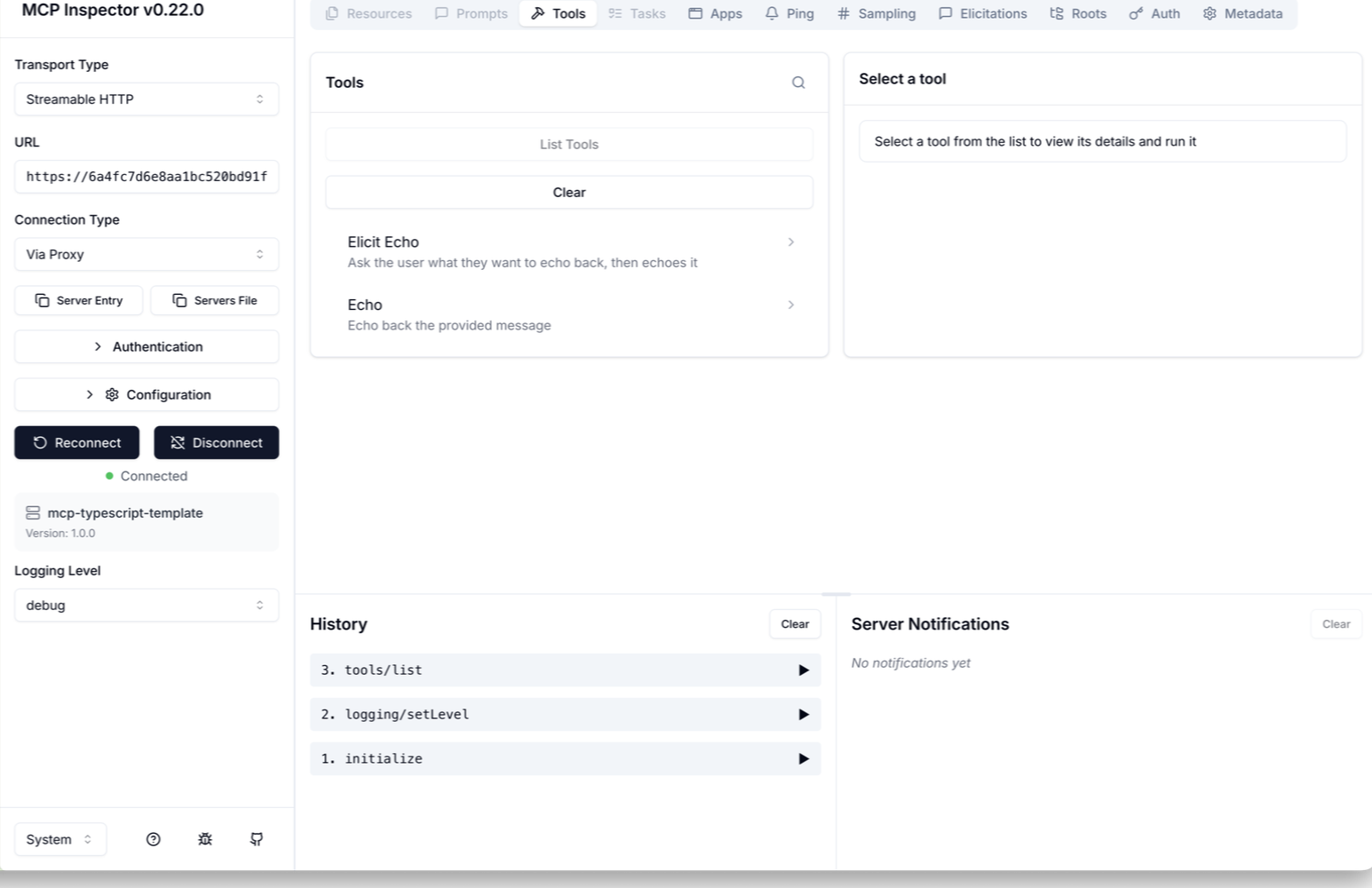
- Once connected, in the Tools tab, click List Tools. The template's two tools appear:
EchoandElicit Echo.
- Click the Echo tool. Its output schema appears, the shape of the result the tool promises to return, defined in the MCP server's code:
{
  "type": "object",
  "properties": {
    "echo": {
      "type": "string",
      "description": "The echoed message"
    }
  },
  "required": [
    "echo"
  ],
  "$schema": "http://json-schema.org/draft-07/schema#",
  "additionalProperties": false
}
- Type a message in the
messagefield (say,hello) and click Run Tool. The result comes back asTool Result: Success, with structured content matching that schema:
{
  "echo": "hello"
}
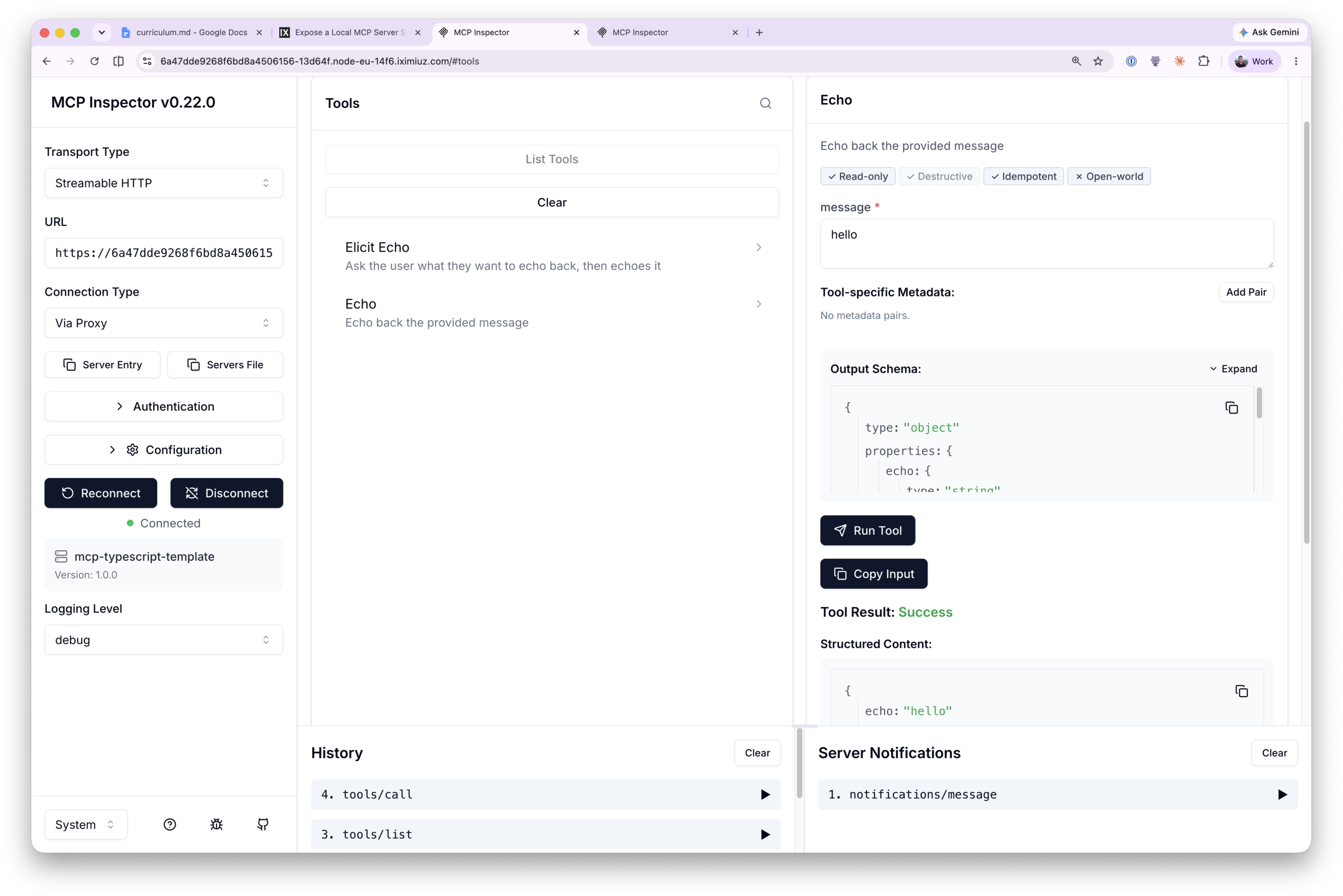
The response comes back through the whole chain: MCP Inspector to Pomerium (authenticated, authorized), Pomerium straight to the server on node-02, and back. No tunnel in the middle, same policy enforcement at the edge.
If the OAuth flow loops or fails, make sure you signed in with exactly the email you entered in the previous unit; any other identity is denied by the route policy. Hosted authenticate sessions also expire after about an hour, so if a connection that worked earlier starts failing, reconnect and sign in again.
Pomerium's own record of this is richer than anything MCP Inspector shows you. Every request and tool call is tied to the identity that made it, logged as a single line of JSON. Pipe the latest one through jq to make it readable, on the gateway terminal:
cd ~/pomerium-gateway
docker compose logs pomerium --no-log-prefix | grep mcp-tool | tail -n 1 | jq
{
  "level": "info",
  "server-name": "all",
  "service": "authorize",
  "request-id": "eb6f8751-9e50-496e-b60f-e66c9233f51e",
  "path": "/mcp",
  "host": "XXXX.node-eu-XXXX.iximiuz.com",
  "email": "you@example.com",
  "mcp-method": "tools/call",
  "mcp-tool": "echo",
  "mcp-tool-parameters": {
    "message": "hello"
  },
  "allow": true,
  "allow-why-true": [
    "email-ok"
  ],
  "deny": false,
  "deny-why-false": [],
  "time": "2026-07-14T15:25:50Z",
  "message": "authorize check"
}
This one entry is the whole story of your echo call: which method ran (mcp-method), which tool (mcp-tool), with what arguments (mcp-tool-parameters), who called it (email), and why the policy allowed it (allow-why-true). You did not add a single line of auth or logging code to the server, but you now have an authenticated, authorized, audited MCP endpoint, with nothing but a route config standing between the internet and your server.
Before you take this to production
The pattern is production-shaped, but a few playground shortcuts would change in a real deployment:
- The TLS certificate. The gateway serves the self-signed
certs/cert.pemgenerated at playground startup (the iximiuz ingress terminates the browser-facing TLS here). In production you'd give Pomerium a certificate for your real domain, from your Certificate Authority or an automated issuer like Let's Encrypt. - The identity provider. Sign-in rides on Pomerium's hosted authenticate service, which is built for quick setup and testing: sign-in options are fixed, sessions last about an hour, and it carries no uptime commitments. In production, configure Pomerium to use your production identity provider.
- How the gateway finds node-02. This playground resolves node-02's address for you at startup so the fixed
to: http://node-02:3000upstream just works. In production,towould point at a real hostname or internal service address resolved by your own DNS or service discovery, not a playground shortcut. - The policy. The route allows exactly one email, yours. Real deployments express team access with Pomerium Policy Language criteria (domains, groups, claims) instead of enumerating individuals.
What you built
- An MCP server behind a Pomerium route with a fixed upstream, no tunnel involved
- OAuth 2.1 authentication on the route, handled entirely by Pomerium; the server has zero auth code
- A policy controlling who may call the server
- An audit trail of every tool call, tied to your identity
- Optional: this route works from a real MCP client too (ChatGPT, Claude, VS Code, Goose), no extra config
If you want to try it, grab your route's MCP URL in the client terminal:
ROUTE_URL=$(cat /tmp/mcp-lesson.route-address | tr -d '[:space:]' | sed 's|/$||')
echo "$ROUTE_URL/mcp"
This is the shape most real MCP deployments use: gateway and server on the same network, nothing to keep connected, security enforced entirely at the route. The next lesson gives the server upstream OAuth of its own, so its tools can call a real API, like GitHub, on the user's behalf.
- Previous lesson
- Tunnel a Local MCP Server Through Pomerium
- Next lesson
- Configure Upstream OAuth for an MCP Server