Reach a Remote Loopback Port Through an SSH Jump Host

Premium Challenge
Upgrade your membership to unlock this and all other premium materials.
You're on call for Acme. The Acme Inventory Service runs on an internal application server (inventory, 172.16.0.40)
that lives inside a private VPC (172.16.0.0/24).
The server has no public address - it serves its normal traffic on :80 only to other services inside the VPC.
Alongside the app, the server keeps a local debugging port on 127.0.0.1:9000 with goroutine dumps, heap profiles, etc.
It is bound to the loopback interface on purpose, so it never gets exposed on the network.
You need to query it to investigate an incident, using your favorite local tools from the workstation.
Two obstacles stand between you and that port:
- Your workstation has no route into the VPC, so it cannot talk to the inventory server directly.
- The only entry point into the VPC is a public-facing bastion (
203.0.113.20, also on the VPC as172.16.0.30), but it is locked down to jumping only.
The ops user is set up for you on the workstation,
with its SSH key already authorized on the bastion and the inventory server.
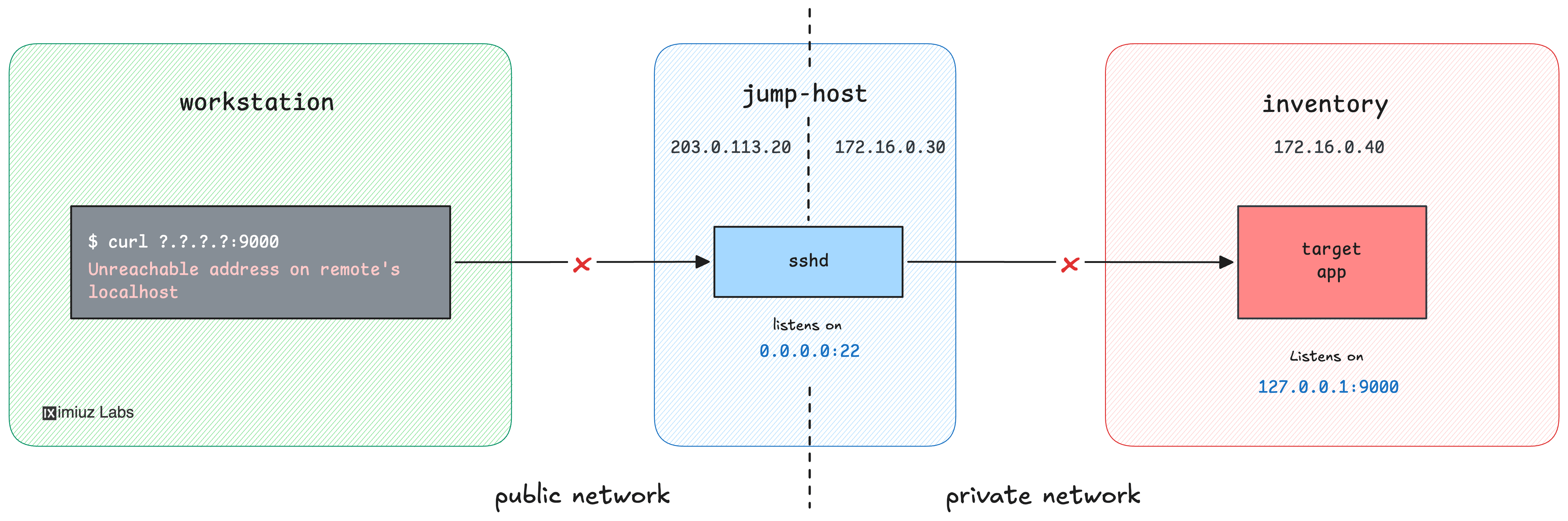
Your task: set up local port forwarding so that the inventory server's 127.0.0.1:9000 debugging port
becomes reachable at localhost:8080 on your workstation.
Hint: How local port forwarding works
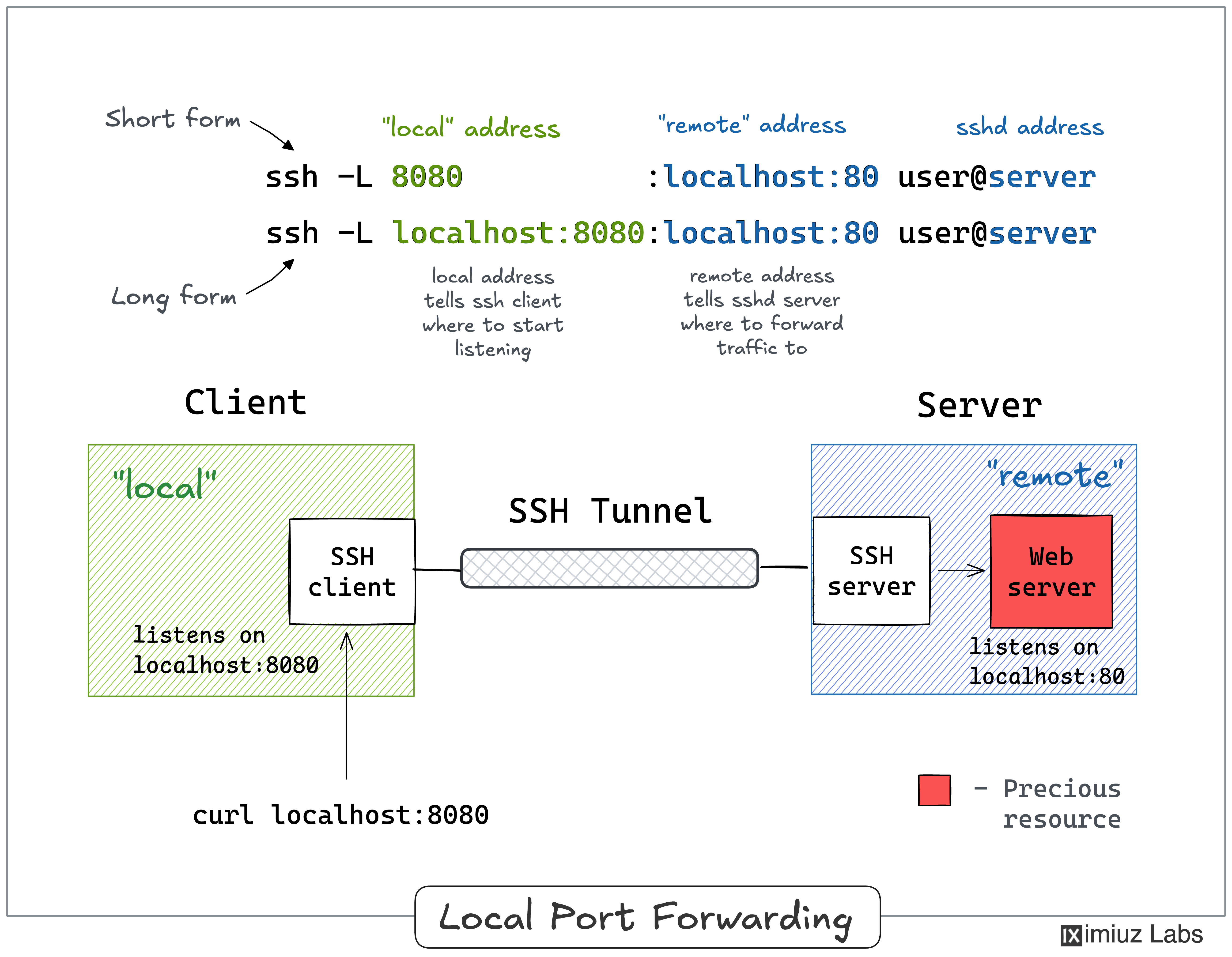
SSH local port forwarding (the -L flag of ssh) opens a listening port on your local
machine and forwards everything that arrives there - through the SSH connection - to a
destination that the SSH server can reach.
If you're not familiar with this technique, solve this simpler challenge first: Access an Internal Debug Port Through an SSH Tunnel.
Hint: Reaching the inventory server through the bastion
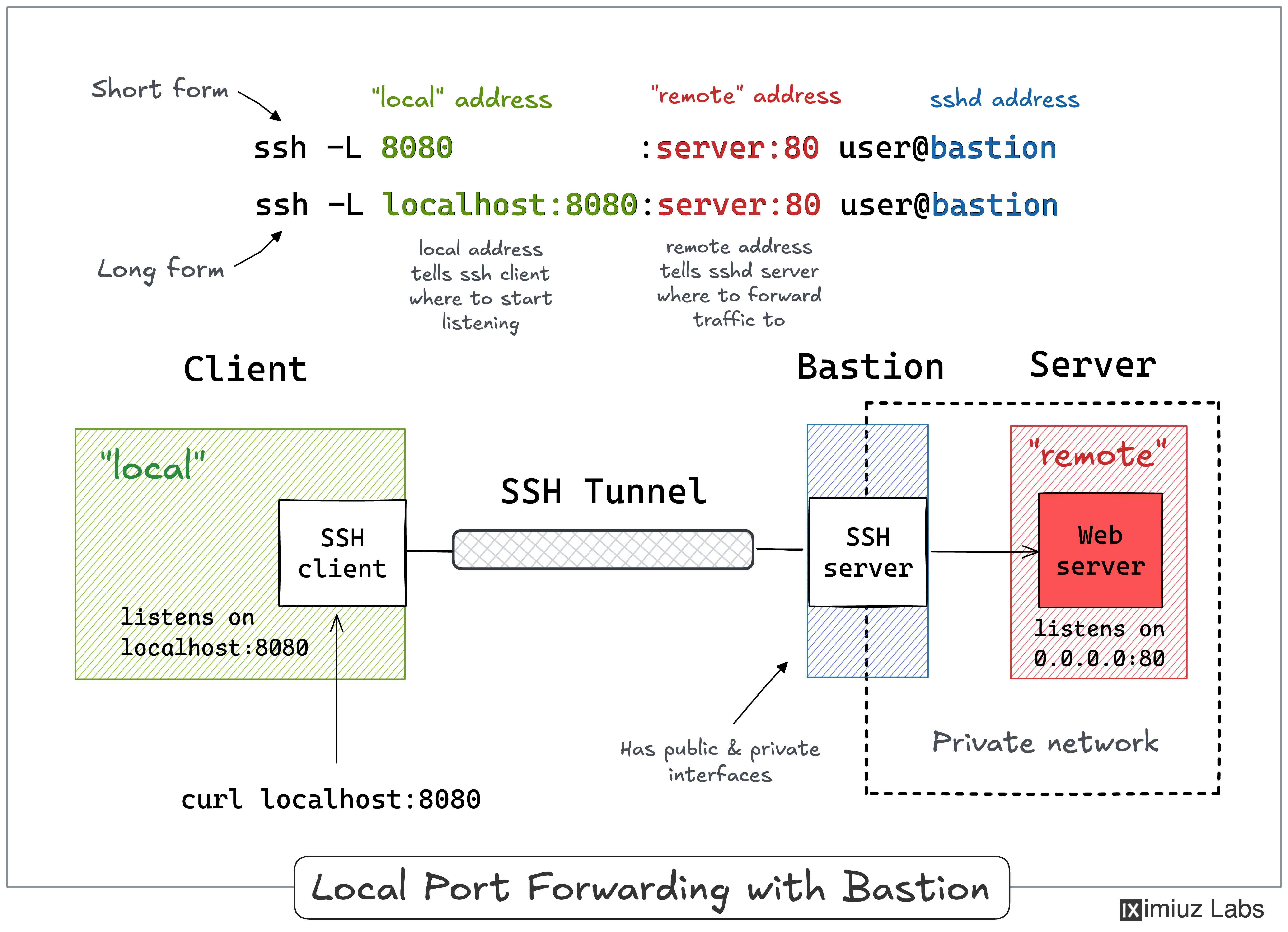
The workstation has no route into the VPC, so you cannot open an SSH session to the inventory server directly. But the bastion can reach it.
Hint: Whose 127.0.0.1 is it?
Following the advice from the previous hint, you may have constructed one of the following SSH commands:
sudo -u ops ssh -L 8080:127.0.0.1:9000 ops@bastion
sudo -u ops ssh -L 8080:inventory:9000 ops@bastion
The first command won't work because the debugging port is bound to 127.0.0.1 on the inventory server,
not on the bastion.
In a -L local_port:remote_host:remote_port forward,
that remote_host is resolved by whichever SSH server your session actually terminates on,
and in the above command it's bastion.
The second command won't work because it forwards to a destination like 172.16.0.40:9000,
i.e., the requests will be sent to the inventory server's external network interface -
where nothing is listening on :9000.
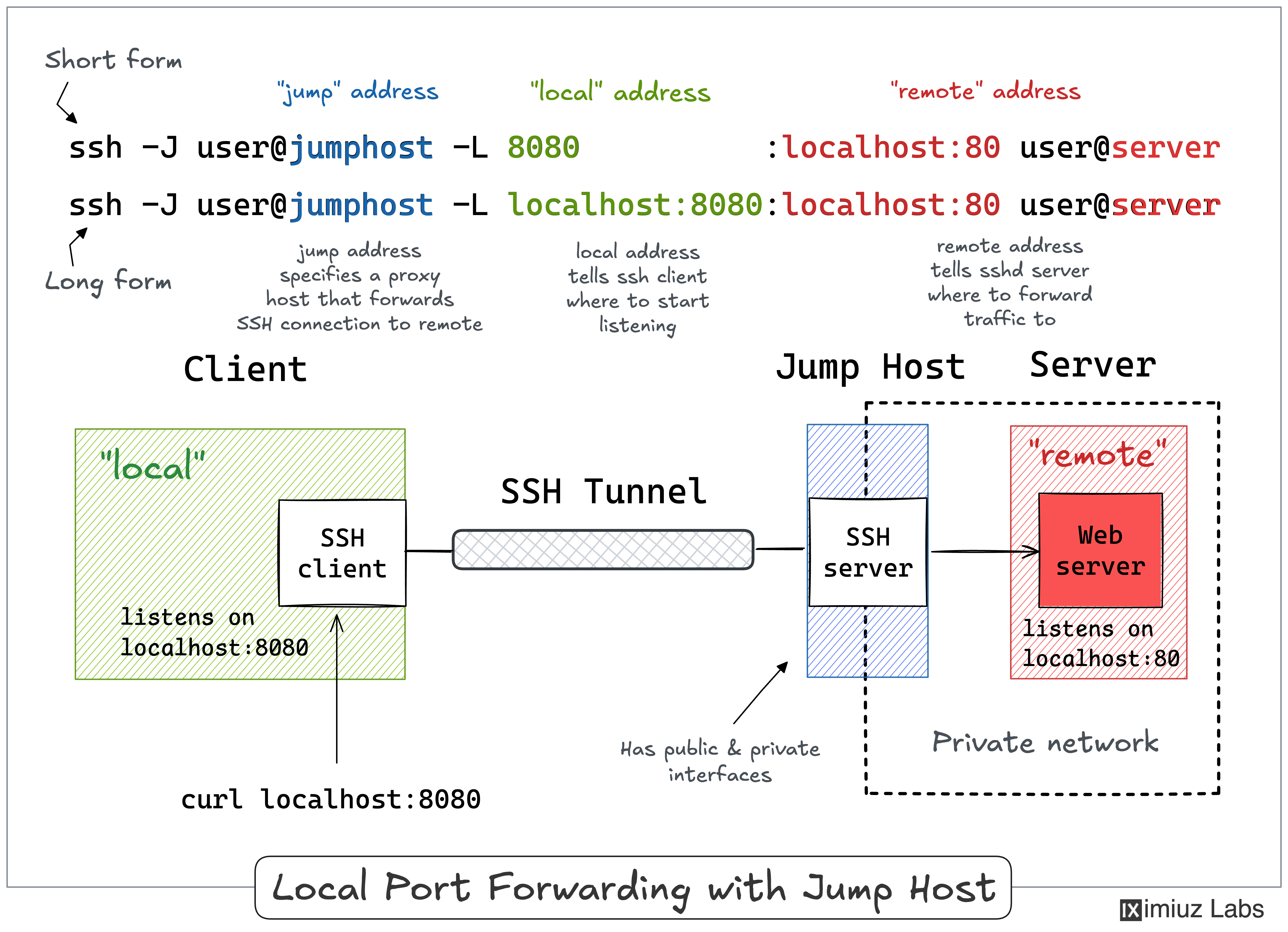
The trick is to make your SSH session terminate on the inventory server,
but since you can only reach it from the bastion, you'll need a ProxyJump (-J).
If you're not familiar with this technique, solve this simpler challenge first: Reach Internal Servers Through a "No Shell" SSH Bastion.