Reach a Private VPC Service Through an SSH Bastion

Premium Challenge
Upgrade your membership to unlock this and all other premium materials.
You're a backend engineer at Acme. The production search backend is an
OpenSearch cluster that lives inside a private VPC
(opensearch, 172.16.0.40).
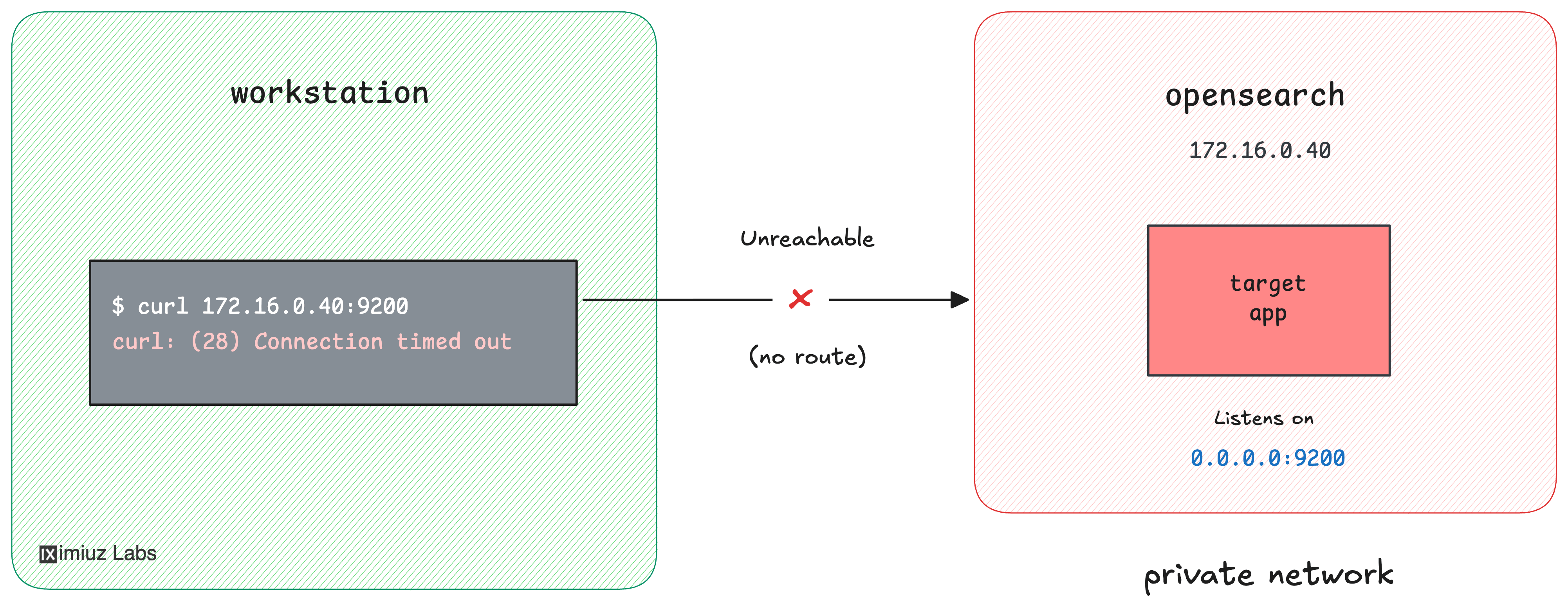
Its REST API listens on :9200, but the cluster has no public address - it can
be reached only from machines that are inside the VPC.
You need to query the cluster's API from your workstation to investigate a production incident, using your favorite local tools. Your laptop has no route into the VPC, so it cannot talk to the cluster directly:
curl --connect-timeout 3 172.16.0.40:9200 # opensearch.vpc
curl: (28) Connection timed out after 3001 milliseconds
There is, however, a public-facing bastion (jump host)
(bastion, 203.0.113.20) that you can SSH into,
and it is connected to the VPC - so it can reach the cluster.
Your task: Set up local port forwarding through the bastion so that the cluster's
172.16.0.40:9200 becomes reachable at localhost:9200 on your workstation:
Hint: How local port forwarding works
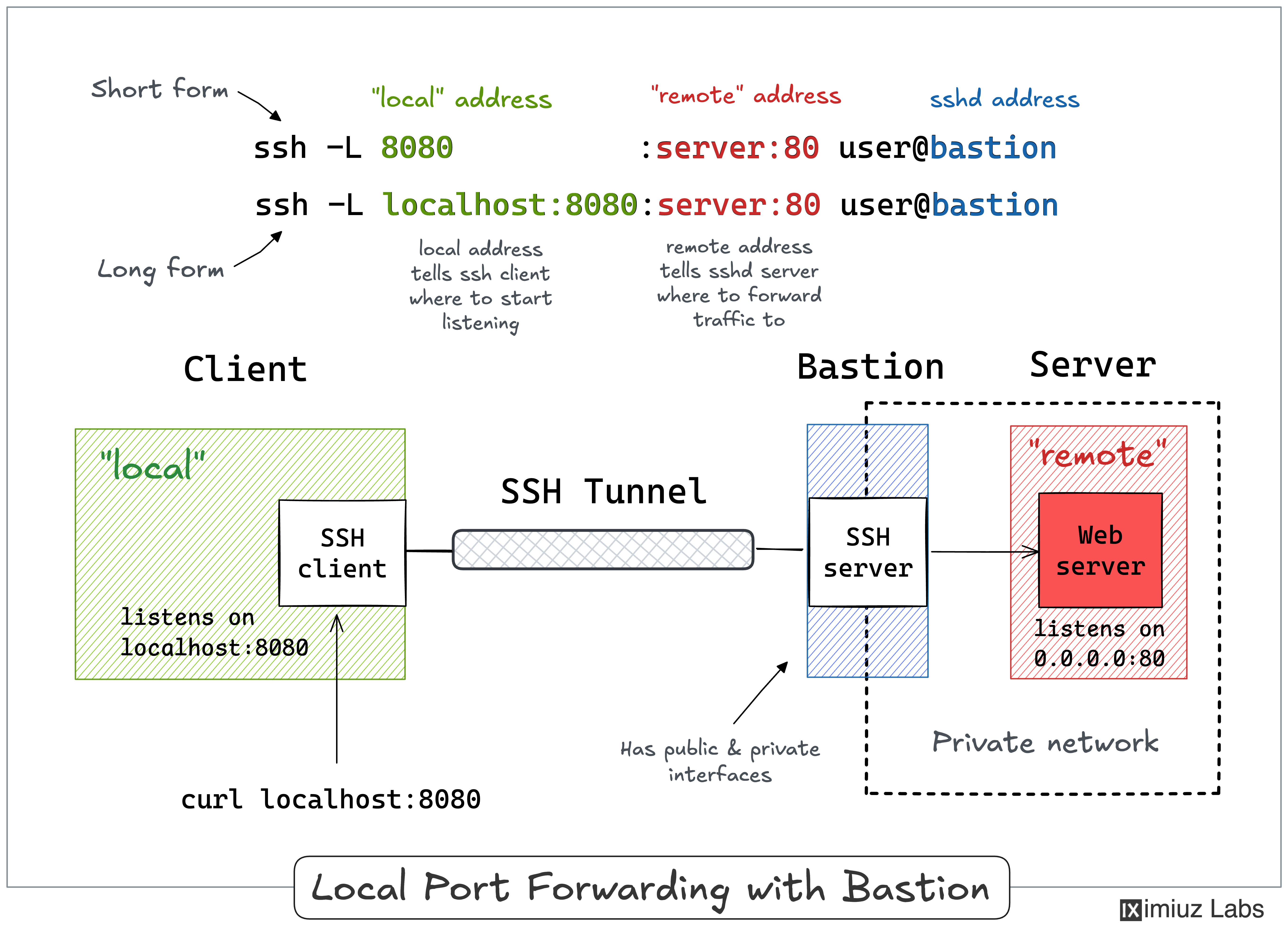
SSH local port forwarding (ssh -L) opens a listening port on your
local machine and forwards everything that arrives there - through the SSH connection -
to a destination that the SSH server can reach.
If you're not familiar with this technique, solve this simpler challenge first: Access an Internal Debug Port Through an SSH Tunnel.
Hint: How bastion (jump host) works
The key detail for this challenge is that the forwarded destination does not have to reside
on the SSH server itself. The bastion accepts your SSH connection and then opens a second
hop to whatever host:port you ask for - in this case, the OpenSearch cluster inside the VPC.
So the forwarding's target (172.16.0.40) and the SSH server (bastion) are different machines.
Run man ssh and read the -L section, or walk through the example in the
SSH Tunnels tutorial.