Access an Internal Debug Port Through an SSH Tunnel

Premium Challenge
Upgrade your membership to unlock this and all other premium materials.
You're on call for Acme. The Acme Checkout API runs on a public-facing VM
(app-server, 203.0.113.20) and serves traffic on port 80.
The VM is hardened - its firewall only allows inbound :80 (the app) and :22 (SSH).
Alongside the app, the VM keeps an internal debugging port on 127.0.0.1:9000 with goroutine dumps, heap profiles, etc.
It is bound to the loopback interface on purpose, so it never gets exposed to the network.
You need to query it to investigate an incident and you want to use your favorite tools
(e.g., your local coding agent).
But you don't want to weaken the server's firewall or rebind the debugging port.
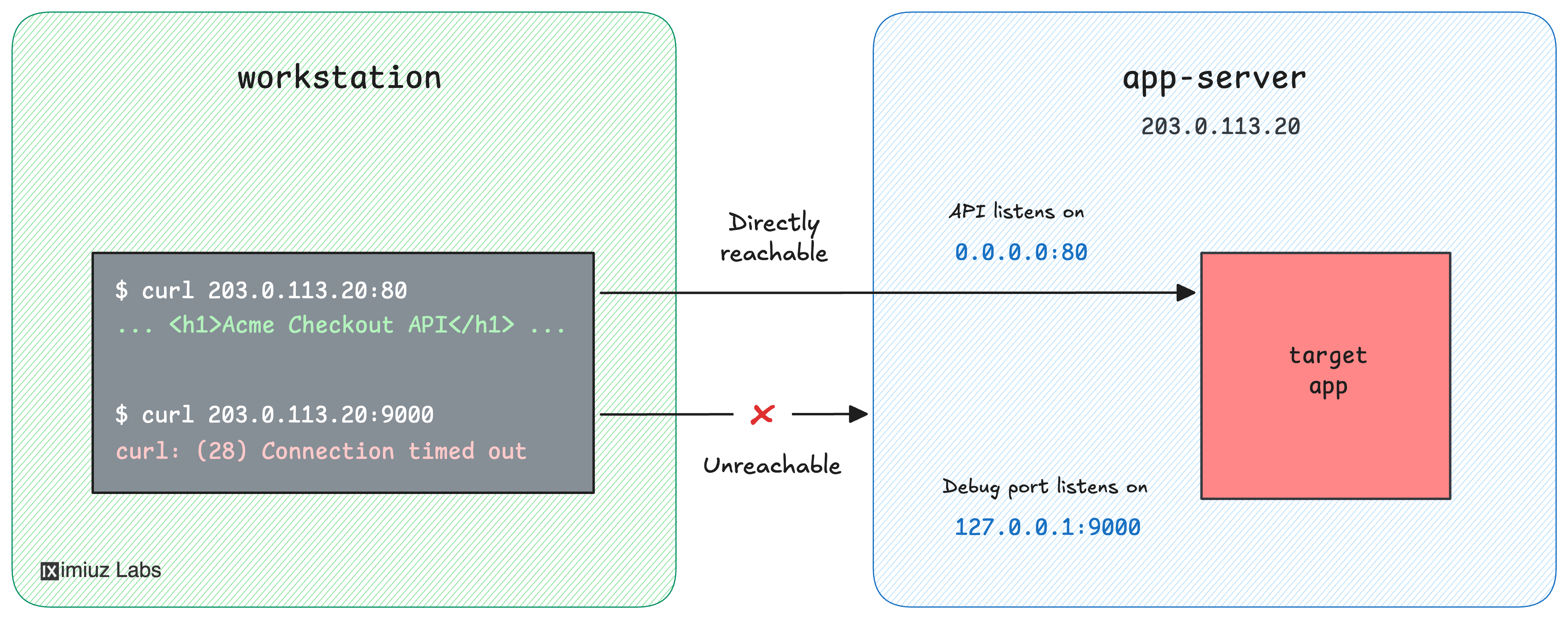
Your task: set up local port forwarding so that the server's 127.0.0.1:9000 debugging port
becomes reachable at localhost:8080 on your workstation:
Hint: How local port forwarding works
The debugging port is bound to the server's loopback interface, so it can be reached
from within the server but not over the network. SSH local port forwarding
(the -L flag of ssh) opens a listening port on your local machine and forwards
any traffic that arrives on it - through the SSH connection - to a destination
address that the SSH server can reach.
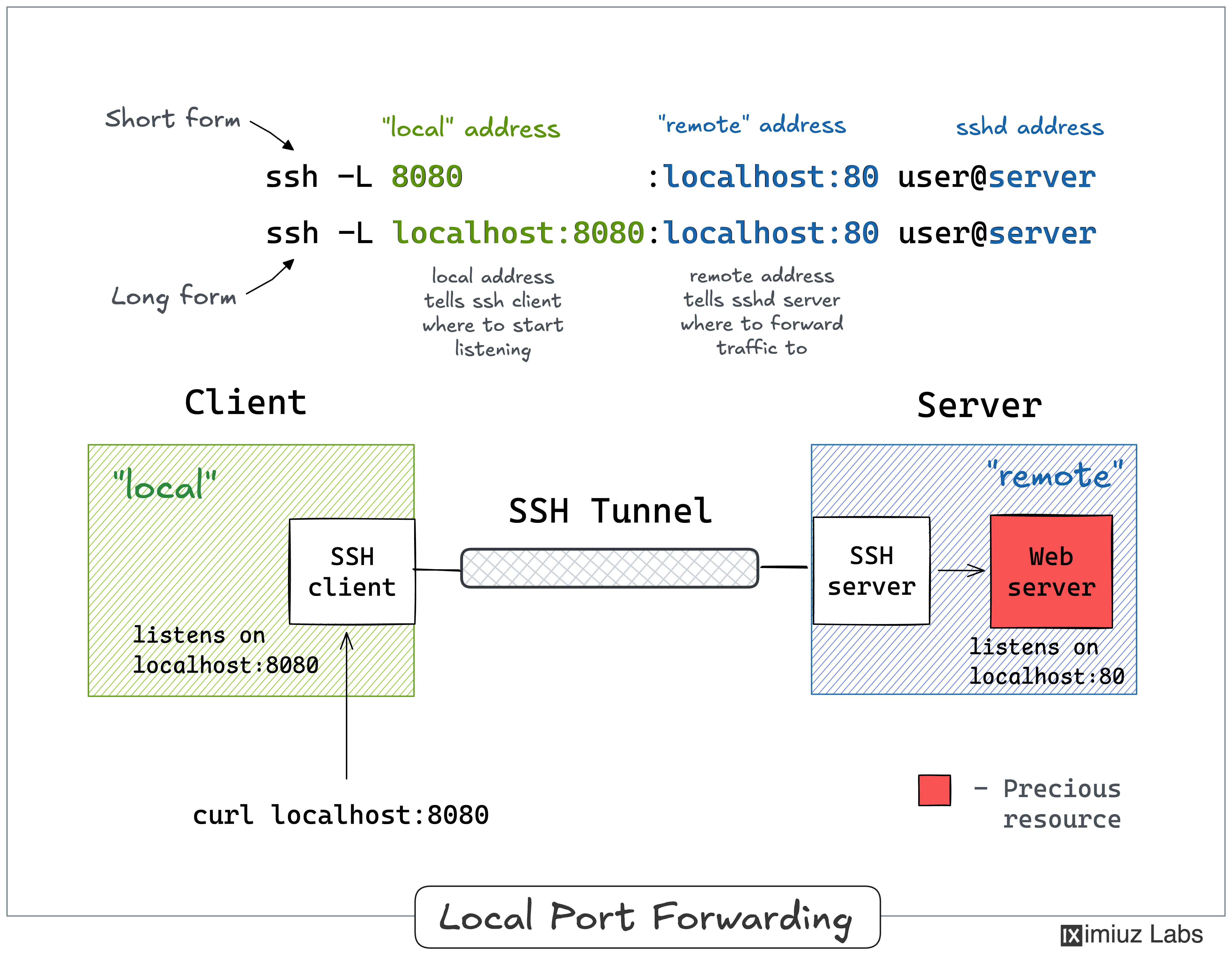
Run man ssh and read the -L section, or walk through the example in the
SSH Tunnels tutorial.