shirudo in Production: Live-Patch a Kernel CVE, Sandbox Apache, Observe at Runtime

In production nobody logs into a target to load upatches. The operator publishes signed packages to an OCI registry and appends them to a signed upatch tree. Every target pulls the tree on a timer, verifies each package and loads or unloads what changed. A backend collects what targets report: status, evidence and the maps of the upatches they run.
This playground runs all of it on one machine:
- an OCI registry at
127.0.0.1:15444(10.0.2.2:15444from the target), holding packages and the signed tree$TREE; - an OpenTelemetry collector that writes to ClickHouse (
shirudo-dev-clickhouse); - the target VM, configured to sync the tree every 10 seconds and to export its maps every 5 seconds.
The target VM runs under QEMU's software emulation (no nested KVM on iximiuz). Preparing the toolchain, the backend and the target takes about 10 minutes.
Prepare the lab
Setup started when the playground booted. Follow it with tail -f ~/lab-setup.log
and press Ctrl+C once it prints stack ready. If the log stops with an error
instead, run systemctl status shirudo-lab-setup, then re-run the setup with
shirudo-lab all-stack 2>&1 | tee -a ~/lab-setup.log (or shirudo-lab stack
in place of all-stack if only the stack or the target failed).
Terminals opened after that load the stack's settings ($TREE, $KEYS, the
registry CA) automatically; in an older one run . ~/shirudo/build/test-vm/stack/env.
t '<command>' runs a command on the target as root, in /workspace/shirudo,
which is ~/shirudo here; the target's /mnt/shirudo-out is
~/shirudo/build/test-vm/vms/quickstart/result.
1. Meet the backend
The target's TPM keys and its build were enrolled in the backend, so the backend can judge what the target reports. Ask it:
cd ~/shirudo && . build/test-vm/stack/env
echo "TREE=$TREE"
docker exec -i shirudo-dev-clickhouse clickhouse-client --query "SYSTEM REFRESH VIEW shirudo.node_status_mv; SYSTEM WAIT VIEW shirudo.node_status_mv"
docker exec -i shirudo-dev-clickhouse clickhouse-client --query "SELECT node_id, status, trust, loaded FROM shirudo.node_status FORMAT PrettyCompactMonoBlock"
docker exec -i shirudo-dev-clickhouse clickhouse-client --query "SELECT arrayJoin(log) FROM shirudo.node_status"
status is healthy, unhealthy or stale, the outcome of the seven checks
that log prints one per line; trust is enrolled once the target's key is
recorded as a TPM's; loaded counts the upatches the target's newest record
says it runs. The view refreshes every minute on its own: SYSTEM REFRESH VIEW
only forces it to update now.
2. Live-patch a kernel CVE
CVE-2026-31431 lives in the kernel's AF_ALG AEAD code: splicing a file's page
into an AF_ALG socket without a copy is the step its exploit builds on. Prove
the running kernel takes it:
t 'python3 /workspace/shirudo/upatches/kernel-cve/sources/cve-2026-31431-crypto-algif-aead-copy-fail/reproducer/cve-2026-31431-splice-probe.py' | tee ~/probe-before.txt
Publish the shield, a signed package with one LSM upatch, tell the backend it exists, and append it to the signed tree:
cd ~/shirudo && mkdir -p build/tutorial
tools/put-shields --version 1.0.0 --keys-dir "$KEYS" --catalog build/tutorial/shields.json --new-index \
  oci://127.0.0.1:15444/live-patching upatches/kernel-cve/cve-2026-31431-alg-splice-block.bee
CVE_DIGEST=$(jq -r 'first(.shields[] | select(.package == "cve-2026-31431-alg-splice-block")).manifest_digest' build/tutorial/shields.json)
tools/backend/jobs/shields-put build/tutorial/shields.json
shirudo bpm tree append oci://127.0.0.1:15444/live-patching/cve-2026-31431-alg-splice-block:1.0.0 \
  --package-digest "$CVE_DIGEST" "$TREE" --tree-id local-tree --keys-dir "$KEYS"
The target syncs the tree every 10 seconds, verifies and loads the shield, and measures it into the TPM; under emulation the wait takes up to a minute. Wait for it, then run the probe again:
for i in $(seq 60); do t 'shirudo upatch list' | grep -Eq 'alg-splice-block +yes' && break; echo "waiting for the target to sync... ($i)"; sleep 3; done
t 'shirudo upatch list'
t 'python3 /workspace/shirudo/upatches/kernel-cve/sources/cve-2026-31431-crypto-algif-aead-copy-fail/reproducer/cve-2026-31431-splice-probe.py' | tee ~/probe-after.txt
If a wait loop in this tutorial runs out, read the target's last syncs with
t 'journalctl -u shirudo-bpm-tree-sync.service -n 20 --no-pager' and run the
block again.
The upatch refuses that one splice in an LSM hook; every other use of the socket goes on as before. The kernel is still the one that booted.
Once the distribution ships a fixed kernel, take the shield back the same way it came: append a delete to the tree. The target runs the package's signed unload directive and measures that too:
cd ~/shirudo && CVE_DIGEST=$(jq -r 'first(.shields[] | select(.package == "cve-2026-31431-alg-splice-block")).manifest_digest' build/tutorial/shields.json)
shirudo bpm tree append oci://127.0.0.1:15444/live-patching/cve-2026-31431-alg-splice-block:1.0.0 \
  --package-digest "$CVE_DIGEST" "$TREE" --tree-id local-tree --keys-dir "$KEYS" --op delete
for i in $(seq 60); do out=$(t 'shirudo upatch list') && grep -q '^Archived upatches' <<<"$out" && ! grep -q alg-splice-block <<<"$out" && break; echo "waiting for the target to sync... ($i)"; sleep 3; done
t 'python3 /workspace/shirudo/upatches/kernel-cve/sources/cve-2026-31431-crypto-algif-aead-copy-fail/reproducer/cve-2026-31431-splice-probe.py' | tee ~/probe-removed.txt
3. Sandbox a vulnerable Apache
attack.php stands for a vulnerability that runs PHP of the attacker's choice.
Build the web server and unpack it on the target. build.sh pulls a PHP/Apache
image and prints nothing for a minute or more; the block is safe to run again:
cd ~/shirudo
upatches/app-sandbox/demo/build.sh build/tutorial/apache-php.tar
t 'sh /workspace/shirudo/upatches/app-sandbox/demo/apache.sh remove'
t 'sh /workspace/shirudo/upatches/app-sandbox/demo/apache.sh install /workspace/shirudo/build/tutorial/apache-php.tar'
Publish the sandbox package and append it to the tree:
cd ~/shirudo
tools/put-shields --version 1.0.0 --keys-dir "$KEYS" --catalog build/tutorial/sandbox.json --new-index \
  oci://127.0.0.1:15444/hardening upatches/app-sandbox
SANDBOX_DIGEST=$(jq -r '.shields[0].manifest_digest' build/tutorial/sandbox.json)
tools/backend/jobs/shields-put build/tutorial/sandbox.json
shirudo bpm tree append oci://127.0.0.1:15444/hardening/app-sandbox:1.0.0 \
  --package-digest "$SANDBOX_DIGEST" "$TREE" --tree-id local-tree --keys-dir "$KEYS"
for i in $(seq 60); do t 'shirudo upatch list' | grep -Eq 'app-sandbox +yes' && break; echo "waiting for the target to sync... ($i)"; sleep 3; done
t 'shirudo upatch list'
The rules ship inside the signed upatch, so nobody on the target can change
them. On load, shirudo labels /usr/sbin/apache2 with the bit of its sandbox,
and every task that executes it carries that bit. Read the label, then start
Apache and attack it:
t "python3 -c 'import os; print(os.getxattr(\"/usr/sbin/apache2\", \"security.bpf.shirudo.policy\").hex())'"
t 'sh /workspace/shirudo/upatches/app-sandbox/demo/apache.sh start'
t 'curl --silent --insecure https://127.0.0.1:8443/index.php'
t 'curl --silent --insecure https://127.0.0.1:8443/attack.php' | tee ~/attack-sandboxed.txt
The label prints as 0100000000000000: the bit 0x1 of the apache sandbox,
as 8 bytes, least significant first. In the attack's output, the site's own
write (write note.txt: ok) and its own connection (connect 127.0.0.1 port 8443: ok)
go through. The script cannot be planted (write shell.php, rename note.txt note.php
and mkdir d.php are refused), the command does not run (run a command: did not run),
and the connection to the internet ends in EACCES (connect 1.1.1.1 port 80: errno 13),
although Apache started as root. Neither Apache nor PHP was changed.
Now remove the sandbox and run the same attack:
cd ~/shirudo && SANDBOX_DIGEST=$(jq -r '.shields[0].manifest_digest' build/tutorial/sandbox.json)
shirudo bpm tree append oci://127.0.0.1:15444/hardening/app-sandbox:1.0.0 \
  --package-digest "$SANDBOX_DIGEST" "$TREE" --tree-id local-tree --keys-dir "$KEYS" --op delete
for i in $(seq 60); do out=$(t 'shirudo upatch list') && grep -q '^Archived upatches' <<<"$out" && ! grep -q app-sandbox <<<"$out" && break; echo "waiting for the target to sync... ($i)"; sleep 3; done
t 'curl --silent --insecure https://127.0.0.1:8443/attack.php' | tee ~/attack-open.txt
t 'sh /workspace/shirudo/upatches/app-sandbox/demo/apache.sh remove'
4. Observe the target at runtime
kernel-obs records programs run, connections, DNS answers and reads of
watched files in BPF arena tables. The target exports them over OTLP; the
collector writes them to ClickHouse. Ship it:
cd ~/shirudo
tools/put-shields --version 1.0.0 --keys-dir "$KEYS" --catalog build/tutorial/observability.json --new-index \
  oci://127.0.0.1:15444/observability upatches/kernel-obs
OBS_DIGEST=$(jq -r '.shields[0].manifest_digest' build/tutorial/observability.json)
tools/backend/jobs/shields-put build/tutorial/observability.json
shirudo bpm tree append oci://127.0.0.1:15444/observability/kernel-obs:1.0.0 \
  --package-digest "$OBS_DIGEST" "$TREE" --tree-id local-tree --keys-dir "$KEYS"
for i in $(seq 60); do t 'shirudo upatch list' | grep -Eq 'kernel-obs +yes' && break; echo "waiting for the target to sync... ($i)"; sleep 3; done
t 'shirudo upatch map kernel-obs'
Do something worth noticing on the target: resolve a name, talk to the backend, and read the password hashes:
t 'getent hosts example.com; curl --silent --output /dev/null http://10.0.2.2:18124/ping; head -c 1 /etc/shadow >/dev/null'
The target exports its tables every 5 seconds (shirudo-map-export.timer);
give it a little longer under emulation. Find the events in ClickHouse. Empty
results mean the export has not happened yet: run the block again after a few
seconds.
Q='docker exec -i shirudo-dev-clickhouse clickhouse-client --query'
$Q "SELECT LogAttributes['shirudo.map.name'] AS map, count() AS snapshots, sum(length(JSONExtractArrayRaw(Body, 'records'))) AS records FROM shirudo.otel_logs WHERE EventName = 'shirudo.bpf.map.snapshot' GROUP BY map ORDER BY map FORMAT PrettyCompactMonoBlock"
$Q "SELECT JSONExtractString(r, 'path') AS path, JSONExtractUInt(r, 'uid') AS uid, JSONExtractUInt(r, 'pid') AS pid FROM shirudo.otel_logs ARRAY JOIN JSONExtractArrayRaw(Body, 'records') AS r WHERE LogAttributes['shirudo.map.name'] = 'exec' AND match(path, '/(getent|curl|head)\$') ORDER BY pid FORMAT PrettyCompactMonoBlock"
$Q "SELECT JSONExtractString(r, 'path') AS path, JSONExtractString(r, 'mode') AS mode, JSONExtractUInt(r, 'pid') AS pid FROM shirudo.otel_logs ARRAY JOIN JSONExtractArrayRaw(Body, 'records') AS r WHERE LogAttributes['shirudo.map.name'] = 'file' AND path = '/etc/shadow' ORDER BY Timestamp DESC, pid DESC LIMIT 1 FORMAT PrettyCompactMonoBlock"
/usr/bin/head is a symbolic link on the target, so its exec record names the
file it points to. The /etc/shadow read carries the pid of that head.
Stop observing, and check that the upatch's maps are gone with it:
cd ~/shirudo && OBS_DIGEST=$(jq -r '.shields[0].manifest_digest' build/tutorial/observability.json)
shirudo bpm tree append oci://127.0.0.1:15444/observability/kernel-obs:1.0.0 \
  --package-digest "$OBS_DIGEST" "$TREE" --tree-id local-tree --keys-dir "$KEYS" --op delete
for i in $(seq 60); do out=$(t 'shirudo upatch list') && grep -q '^Archived upatches' <<<"$out" && ! grep -q kernel-obs <<<"$out" && break; echo "waiting for the target to sync... ($i)"; sleep 3; done
t 'shirudo upatch map' | tee ~/maps-removed.txt
The records already exported stay in ClickHouse.
What's next
- Live patch a kernel and a JVM: the JVM half needs an x86-64 host with AVX-512.
- Node status explains every check behind
node_status. - Deliver packages: signed repositories and timers on real targets.
Learn by doing, not just by reading or watching
Sign up for a free account to start a VM playground right on this page, track your progress, and get notified about new learning materials.

Getting Started with VictoriaMetrics on Kubernetes
Deploy VictoriaMetrics on Kubernetes using the VM Operator, configure metrics scraping with CRDs, and query cluster metrics.

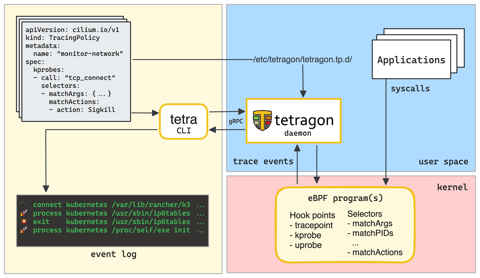
Exploring Tetragon - A Security Observability Tool for Kubernetes, Docker, and Linux
What is Tetragon, how it works, and how to use it to detect and react to security-significant events in your Kubernetes, Docker, or plain Linux environment.

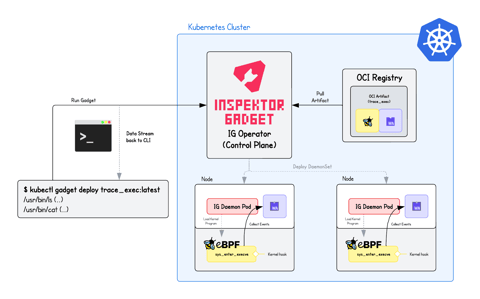
eBPF and WASM - Better Together
Learn how Inspektor Gadget pairs eBPF with WASM to process kernel events—and walk through the same idea yourself by implementing a minimal example.

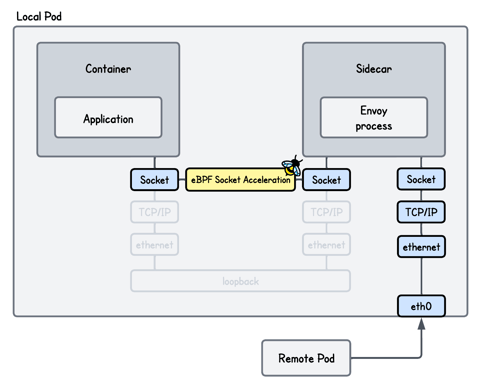
Accelerating Transparent Ingress Proxy with eBPF and Envoy
This lab teaches you how to use eBPF socket acceleration to speed up communication between processes on localhost and optimize a transparent Envoy proxy setup. You will implement techniques that bypass parts of the kernel networking stack, allowing data to be transferred more directly between sockets to improve throughput and reduce latency.