How to Borrow Someone Else's Network: Introduction to Network Proxies
In How Servers Work: A Hands-On Introduction to TCP Sockets, Ivan builds a small TCP echo server and a client. The client calls connect() on the server's address, sends bytes, and receives the same bytes back. The server calls accept(), reads from that connection, and writes its response to it.
That is our starting point. There is no proxy in this example: the client and server are the two endpoints of one TCP connection. Routers may carry packets between them, but no application in the middle accepts the client's connection and creates another connection to the server.
Now suppose the client cannot reach the server directly, or wants its traffic to leave from another machine. We can put a program in the middle. The client connects to that program, and the program connects to the server. Let's build the smallest useful version and see what changes.
Step 1: Start with a direct connection
The playground contains three Ubuntu VMs, each with 1 CPU and 1 GiB RAM:
| VM | IP address | Role |
|---|---|---|
client | 172.16.0.20 | Runs the TCP client |
proxy | 172.16.0.30 | Accepts client connections and connects upstream |
server | 172.16.0.10 | Runs the TCP server |
All three share a network, but the server's firewall rejects traffic from the client (172.16.0.20). Traffic from the proxy (172.16.0.30) is allowed. New playground sessions start with this restriction in place.
For the initial direct-connection example only, temporarily remove that rule in the server terminal:
sudo iptables -D INPUT -s 172.16.0.20 -j REJECT --reject-with icmp-host-prohibited
We will restore the restriction before introducing the proxy.
The original tutorial explains the socket calls in detail. Start with Ivan's server example unchanged. Save it as server.py on the server VM:
import socket

# Create a server TCP socket.
serv_sock = socket.socket(socket.AF_INET, socket.SOCK_STREAM, proto=0)

# Bind the server socket to all interfaces.
serv_sock.bind(('0.0.0.0', 6543))

# Turn the server socket into listening mode.
serv_sock.listen(10)

while True:
    # Accept new connections in an infinite loop.
    client_sock, client_addr = serv_sock.accept()
    print('New connection from', client_addr)

    chunks = []
    while True:
        # Keep reading while the client is writing.
        data = client_sock.recv(2048)
        if not data:
            # Client is done with sending.
            break
        chunks.append(data)

    client_sock.sendall(b''.join(chunks))
    client_sock.close()
Use Ivan's client example unchanged as client.py on the client VM:
import socket

# Create a client TCP socket.
client_sock = socket.socket(socket.AF_INET, socket.SOCK_STREAM)

# Connect to the server:
client_sock.connect(('172.16.0.10', 6543))

# Send some data to the server.
client_sock.sendall(b'Hello, world')
client_sock.shutdown(socket.SHUT_WR)

# Receive some data back.
chunks = []
while True:
    data = client_sock.recv(2048)
    if not data:
        break
    chunks.append(data)
print('Received', repr(b''.join(chunks)))

# Disconnect from the server.
client_sock.close()
These two code blocks preserve Ivan's examples exactly, including the destination 172.16.0.10, which is the server VM's address.
In the server terminal, start the echo server:
python3 server.py
In the client terminal, run the client:
python3 client.py
The client prints the echoed b'Hello, world' response. The server prints the client's temporary source port in its New connection from ... line. Each side is using an endpoint of the same TCP connection.
client:temporary-port <======== one TCP connection ========> server:6543
The client calls shutdown(SHUT_WR) after sending its message. This tells the server that the request is complete while leaving the client's read side open for the reply. As the TCP sockets tutorial explains, a single recv() call is not guaranteed to return every byte, so both programs read in a loop.
What is a Proxy?
A proxy is an intermediary that accepts a connection from a client and makes a separate connection to the destination. The client connects to the proxy, while the proxy connects to the server on the client's behalf.
client <==== TCP connection A ====> proxy <==== TCP connection B ====> server
The proxy has two roles at once. It is a server to the client because it listens and accepts the client's connection. It is a client to the upstream server because it calls connect() to open the second connection. This is TCP termination: the proxy is an endpoint of the client's TCP connection. Here, termination describes where the connection ends, even while it is open and carrying data.
Types of proxies
Proxies can be grouped by the protocol they understand:
- A Layer 4 proxy, such as a TCP proxy, works with a stream of bytes. Our example accepts a TCP connection, opens another to a fixed server, and forwards data between them without parsing an application protocol. It can change bytes, as we will see later, but it cannot safely interpret a protocol's messages without understanding that protocol.
- A Layer 7 proxy, such as an HTTP proxy, understands HTTP requests and responses. It can make decisions using a request's path or headers, route requests to different servers, and change HTTP headers before forwarding them.
Implementing a relay
First, restore the restriction in a second terminal on the server VM, leaving server.py running:
sudo iptables -I INPUT 1 -s 172.16.0.20 -j REJECT --reject-with icmp-host-prohibited
Run python3 client.py again on client, still targeting 172.16.0.10:6543. The connection now fails with OSError: [Errno 113] No route to host. Here, that error comes from the firewall's rejection; the server is still running. The client needs an intermediary that the server permits to connect.
The first example was an echo server so we could focus on TCP sockets. For the proxy exercise, replace the contents of server.py with a server that identifies the address of its TCP peer:
import socket

serv_sock = socket.socket(socket.AF_INET, socket.SOCK_STREAM, proto=0)
serv_sock.setsockopt(socket.SOL_SOCKET, socket.SO_REUSEADDR, 1)
serv_sock.bind(('0.0.0.0', 6543))
serv_sock.listen(10)

while True:
    client_sock, client_addr = serv_sock.accept()
    print('New connection from', client_addr)

    while True:
        data = client_sock.recv(2048)
        if not data:
            break

    response = f"Hello from the server, I think you are {client_addr[0]}".encode()
    client_sock.sendall(response)
    client_sock.close()
Stop the echo server with Ctrl+C, replace server.py with the code above, then start it on the same port:
python3 server.py
It still waits for the client's half-close, but it now uses client_addr[0] to identify the peer and generates a response instead of echoing the request.
A pure application-level relay forwards the bytes it receives unchanged. It copies the client's data to the upstream server and the server's data back to the client. A proxy can operate as a pure relay; forwarding unchanged bytes is one possible behavior of a proxy.
Let's turn a copy of Ivan's TCP server into a relay. We keep its listening socket, accept() loop, and request-reading loop. Instead of generating a response itself, it opens an upstream connection, sends the request there, and returns the upstream server's response.
Save this as relay.py on the proxy VM. The highlighted lines are additions or changes to the original server:
import socket

# Create a server TCP socket.
serv_sock = socket.socket(socket.AF_INET, socket.SOCK_STREAM, proto=0)
serv_sock.setsockopt(socket.SOL_SOCKET, socket.SO_REUSEADDR, 1)

# Listen on a different port from the upstream server.
serv_sock.bind(('172.16.0.30', 6544))

# Turn the server socket into listening mode.
serv_sock.listen(10)

while True:
    # Accept new connections in an infinite loop.
    client_sock, client_addr = serv_sock.accept()
    print('New connection from', client_addr)

# Act as a client to the upstream server.
    upstream_sock = socket.socket(socket.AF_INET, socket.SOCK_STREAM)
    upstream_sock.connect(('172.16.0.10', 6543))
    print('Upstream connection from', upstream_sock.getsockname())

    chunks = []
    while True:
        # Keep reading while the client is writing.
        data = client_sock.recv(2048)
        if not data:
            # Client is done with sending.
            break
        chunks.append(data)

    # Forward the request, then signal that it is complete.
    upstream_sock.sendall(b''.join(chunks))
    upstream_sock.shutdown(socket.SHUT_WR)

    # Forward the upstream response to the client.
    while True:
        data = upstream_sock.recv(2048)
        if not data:
            break
        client_sock.sendall(data)
    upstream_sock.close()
    client_sock.close()
SO_REUSEADDR lets us restart the relay on the same listening address after a run while old connections are in TIME_WAIT. The main change is the new upstream_sock: the relay sends the buffered request to that socket and returns the response generated by server.py.
Keep the greeting server.py running on the server VM. Start the relay in the proxy terminal:
python3 relay.py
On the client VM, change the destination in client.py to the relay:
client_sock.connect(('172.16.0.30', 6544))
Then run the client again:
python3 client.py
You should now see:
Received b'Hello from the server, I think you are 172.16.0.30'
Compare the logs. The relay's New connection from line identifies the client at 172.16.0.20. The server's New connection from line identifies the relay at 172.16.0.30. The response confirms the server sees the relay's address, not the original client's address.
The relay forwards the end of the request with shutdown(SHUT_WR). This closes only its upstream write direction, allowing it to receive the reply. Without that call, the upstream server would wait for more request bytes while the relay waited for a response.
This version follows the original example's protocol: one request ending with a half-close, followed by one response. It buffers the whole request and serves one client at a time. A general TCP relay must read and write in both directions concurrently; otherwise, protocols that send greetings or exchange multiple messages can deadlock. We keep the original request-response structure here so each change is visible.
Proxies can modify things too
TCP termination also gives the proxy access to the byte stream it receives. It can decide whatever it wants to do with the bytes before sending them to the upstream server, or change the response before sending it back to the client.
On the proxy VM, copy the relay into a new file:
cp relay.py proxy.py
In proxy.py, replace the response-forwarding block with the following. The highlighted line changes server to proxy in the response before it reaches the client:
    # Modify the response before forwarding it to the client.
    while True:
        data = upstream_sock.recv(2048)
        if not data:
            break
        client_sock.sendall(data.replace(b'server', b'proxy'))
Stop relay.py with Ctrl+C, then start the modified proxy on the same port:
python3 proxy.py
Run python3 client.py again on the client VM with its destination still set to 172.16.0.30:6544:
Received b'Hello from the proxy, I think you are 172.16.0.30'
The server still generated Hello from the server, I think you are 172.16.0.30. The proxy changed the response before forwarding it. Notice that changing response bytes does not change the source IP the server observed.
In this example, the client receives whatever bytes the proxy decides to send. The client's TCP connection ends at the proxy, so TCP alone cannot tell the client whether those bytes match what the server originally sent. Thus, the client must trust the proxy to forward the response faithfully.
A better approach would be to use an end-to-end protection method like TLS between the client and server to detect tampering.
There are a few details behind this small change:
- Read boundaries:
servercould be split across separate reads. A streaming proxy would need to retain enough data across reads or parse complete messages before replacing it. - Message boundaries: buffering until EOF works because this example uses a half-close to end the request. A persistent HTTP or database connection needs its own framing rules; waiting for EOF could mean waiting forever.
- Protocol consistency: a change that alters a message's length may require updating a length field, such as HTTP's
Content-Length. Encodings, compression, signatures, and application checksums also need appropriate handling. - Resource use: buffering an entire request uses memory proportional to its size and delays forwarding. A production proxy needs limits, timeouts, and handling for connection failures.
What about TLS?
A proxy can relay TLS traffic unchanged while terminating TCP. In that case, TLS remains between the client and the destination, and the proxy sees encrypted application data. Changing protected data causes TLS authentication to fail. TCP termination alone does not decrypt it.
To inspect or modify plaintext, the proxy must also perform TLS termination: it becomes the client's TLS peer. The client must validate the proxy's certificate for the destination name. A reverse proxy can hold the site's legitimate certificate; an intercepting proxy needs a certificate the client is explicitly configured to trust.
Such a proxy can read and change sensitive data, so the user must trust its operator. It can establish a separate TLS connection upstream and should validate the upstream certificate. TLS on both connections protects each hop, but the plaintext is available inside the proxy. Forwarding plaintext to upstream instead leaves that hop unencrypted.
Whose network does the server see?
Let's observe both paths at the server's network interface using tcpdump, which is installed on the server VM by the playground setup. Keep the greeting server.py, the modifying proxy, and the firewall rule running.
Capture the direct and proxied attempts
In a second server terminal, start:
sudo tcpdump --immediate-mode -nn -t -l -i eth0 \
  'tcp port 6543 or (icmp and host 172.16.0.20)'
-i eth0 selects the server's network interface, -nn keeps addresses and ports numeric, and -t omits timestamps. The buffering options make packets appear promptly. The filter includes the upstream server's TCP traffic and ICMP messages involving the client, so we can also see the firewall rejection.
On client, set the connection line in client.py to the direct destination and run python3 client.py:
client_sock.connect(('172.16.0.10', 6543))
The client reports No route to host. The capture shows the reason. Here is an excerpt from a run, with TCP options and some fields omitted; your source ports and sequence numbers will differ:
IP 172.16.0.20.38834 > 172.16.0.10.6543: Flags [S], ... length 0
IP 172.16.0.10 > 172.16.0.20: ICMP host 172.16.0.10 unreachable - admin prohibited, length 68
The client sent a SYN ([S]) to open a connection. The server's firewall rejected it with an ICMP message. There is no successful TCP handshake and no new connection for the echo application's accept() call. On Linux, this interface capture sees the incoming packet before the INPUT firewall rejects it: seeing a packet in tcpdump does not mean the application received it.
Now change the client's destination to the proxy and run python3 client.py again:
client_sock.connect(('172.16.0.30', 6544))
The client prints Received b'Hello from the server, I think you are 172.16.0.30'. On server, the capture now shows:
IP 172.16.0.30.54724 > 172.16.0.10.6543: Flags [S], ... length 0
IP 172.16.0.10.6543 > 172.16.0.30.54724: Flags [S.], ... length 0
IP 172.16.0.30.54724 > 172.16.0.10.6543: Flags [.], ... length 0
IP 172.16.0.30.54724 > 172.16.0.10.6543: Flags [P.], ... length 12
The SYN, SYN-ACK ([S.]), and ACK ([.]) establish a connection between proxy .30 and server .10. The next line carries 12 application bytes. 54724 is the temporary source port of the proxy's upstream socket. The client's .20 address is absent from this connection's IP headers. The separate client-to-proxy connection uses port 6544 and does not traverse the server's interface.
Stop the capture with Ctrl+C when done.
The proxy has used its own network connection to reach the server on the client's behalf. This is the sense in which the client can borrow the proxy's network.
Caveats
- The original client address discovery is not automatic. The server sees the proxy's address on the new TCP connection. A proxy can pass the original address through an application protocol. For HTTP, a reverse proxy may add an
X-Forwarded-For: 172.16.0.20header, for example. The server should trust that header only when it came through a proxy it controls or explicitly trusts as a client can write the header itself when connecting directly. - A proxy does not automatically provide encryption or anonymity. Those properties depend on the protocols, the proxy operator, and the surrounding network. A plain TCP proxy can read the bytes it forwards, and the proxy operator can record connection metadata.
- Our proxy has a fixed destination. It always connects to the configured server at
172.16.0.10:6543. A general forward proxy needs a way for the client to specify a destination, such as an HTTP proxy request or a SOCKS handshake. A reverse proxy typically chooses among configured upstream servers on behalf of clients. These are different policies built on the same core idea: an intermediary accepts one connection and creates another.
Conclusion
In this tutorial, you started with a direct TCP connection, then built a relay that carries requests and responses through a proxy. You saw why the server identifies the proxy as its peer when the client cannot reach it directly, and used tcpdump to observe both connection attempts. You also changed a response in the proxy and learned why modifying application data requires care with message boundaries and, when TLS is involved, an explicit decision about where encryption ends.
About the Author

Writes about
Frequently covers
More tutorials you might like
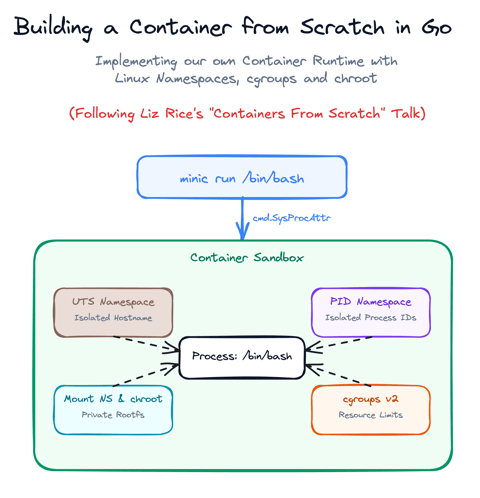
Build a Container from Scratch in Go (Liz Rice GOTO 2018)
Follow along with Liz Rice's classic GOTO 2018 presentation and build your own container runtime in under 100 lines of Go using Linux namespaces, chroot, and cgroups.

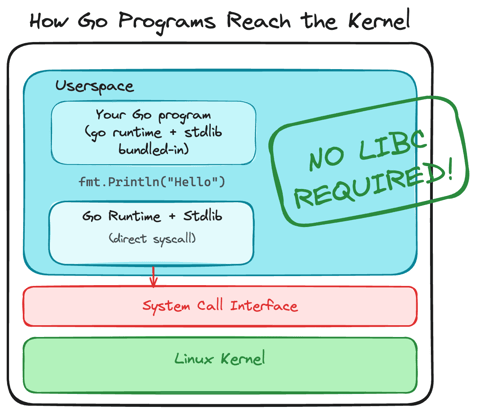
Using Go for Systems Programming
Discover how Go functions under the hood as a modern systems programming language. Learn how Go makes system calls directly, resulting in self-contained binaries that have no libc dependencies.
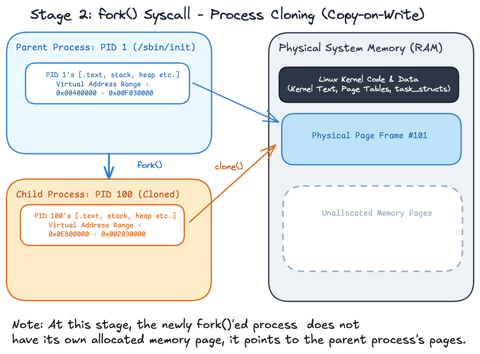
Linux Processes: From a Program to a Process
Explore what a program is, when it actually becomes a process and how the Linux scheduler manages process execution.
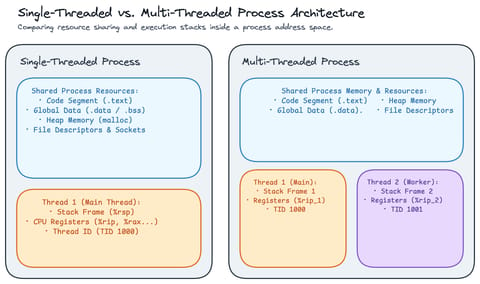
Linux Processes: Threads & Concurrency
Explore what a thread actually is in Linux, how threads relate to processes, how the Linux kernel treats both as tasks (task_struct), and how kernel scheduling enables concurrency.
Learn by doing, not just by reading or watching
Sign up for a free account to start a VM playground right on this page, track your progress, and get notified about new learning materials.