Linux Processes: From a Program to a Process
When you type a command into your terminal or launch an application on Linux, you are triggering one of the most fundamental operations in modern operating systems: turning a static binary file into an active, executing process.
To the user, software execution feels instantaneous and seamless. But under the hood, the Linux kernel performs a sequence of complex steps to prepare, load, isolate, and execute your code.
In this tutorial, we will explore what a program actually is, when it becomes a process, and take a look at the scheduling strategies applied by the Kernel.
Step 1: What is a Program?
Before we talk about processes or virtual memory, we must answer a simple question: What is a program?
At its core, a program is a passive entity. It is simply a collection of bytes stored on a disk or storage medium (such as a SSD or hard drive). A program consumes disk space, but while sitting on disk, it uses 0 bytes of RAM and 0 CPU clock cycles.
On Linux systems, compiled programs are formatted as ELF (Executable and Linkable Format) binaries. An ELF file contains more than just executable CPU instructions; it is a structured file containing:
- ELF Header: Metadata describing the binary, including the target CPU architecture (e.g. x86_64 or ARM64), byte order (endianness), and the entry point memory address where CPU execution must start (
_start). - Text Section (
.text): The compiled machine code instructions that the CPU will execute. - Data & Read-Only Sections (
.data,.rodata): Initialized global or static variables (.data) and immutable literal constants like strings (.rodata). - Symbol Table & Relocation Records: Names of functions and global symbols used for linking and debugging.
Inspecting a Program File in the Terminal
Let's build a simple C program to see what a program looks like on disk.
Create a file named myprogram.c in your environment:
#include <stdio.h>
#include <unistd.h>

int main(void) {
    printf("Process PID: %d\n", getpid());
    sleep(60);
    return 0;
}
Compile it into an executable binary named myprogram:
gcc myprogram.c -o myprogram
Now, inspect the resulting myprogram program file:
file myprogram
Output:
myprogram: ELF 64-bit LSB pie executable, x86-64, version 1 (SYSV), dynamically linked, interpreter /lib64/ld-linux-x86-64.so.2, for GNU/Linux 3.2.0, build-id ...
Output indicates that myprogram is an ELF binary built (or compiled) to run on x86_64 Linux systems.
If you look carefully, you can also see that myprogram is dynamically linked, which means it expects a libc implementation in its running environment.
At this stage, myprogram is purely a program, a passive, static file resting on disk.
Step 2: When Does a Program Become a Process?
A process is generally defined as a program in execution, what does this mean for us?
Going along with the definition, we can say that program becomes a process at the exact moment the operating system kernel loads it into main memory (RAM), allocates kernel resources to track it, and hands control over to the CPU to begin executing its instructions.
If a program is a passive recipe stored in a cookbook (our disk), a process is the active act of a chef (kernel) cooking that recipe in a kitchen along with other recipes.
Step 3: Creating a Process from Scratch
You might be surprised to hear this but in Linux, there is no system call that creates a brand-new process out of thin air. The only way to create a new process is by fork(2)'ing an existing one.
The First Process: Init (PID 1)
Wait a minute, if every process is a fork of an existing process, how is the first process created?
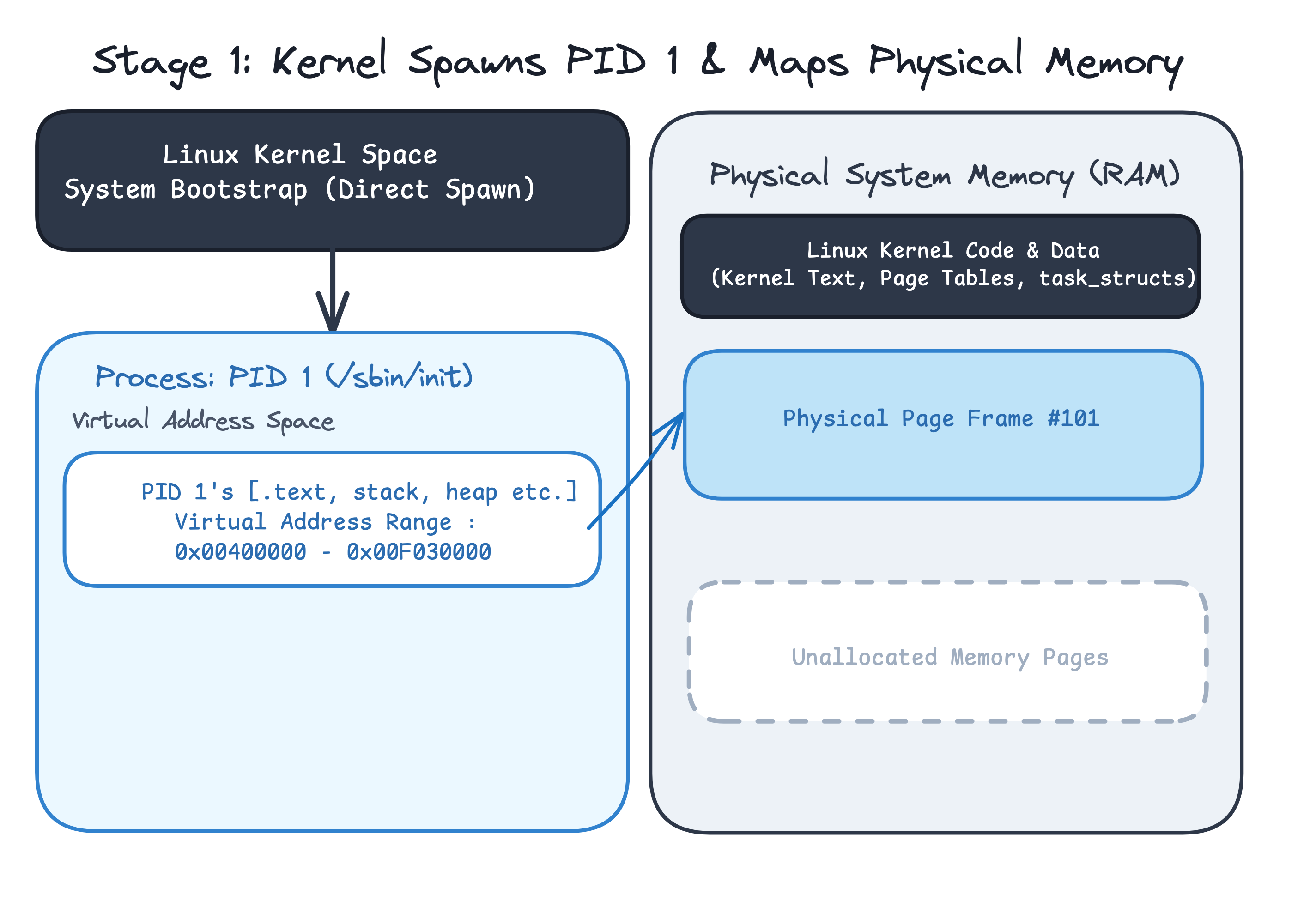
The answer to this question is rooted deep in the Linux kernel bootstrap process, where the first process is not forked, but rather spawned directly by the kernel.
If you want to check out the implementation of the init task, you can inspect init/init_task.c from the Kernel's source code.
When your system boots, the Linux kernel initializes hardware drivers, sets up memory page tables, and spawns the very first userspace process: /sbin/init, which receives PID 1.
From the kernel's perspective, userspace processes aren't special from one another, it doesn't care what logic your userspace code runs. It maps the process into it's own virtual memory address space, sets up cpu registers and starts running the code.
Once PID 1 is running, every other process on your system is a direct or indirect descendant (child) of PID 1.
The Two-Step Birth of a Process: fork() and execve()
Creating and running a new program in Linux is split into two distinct steps:
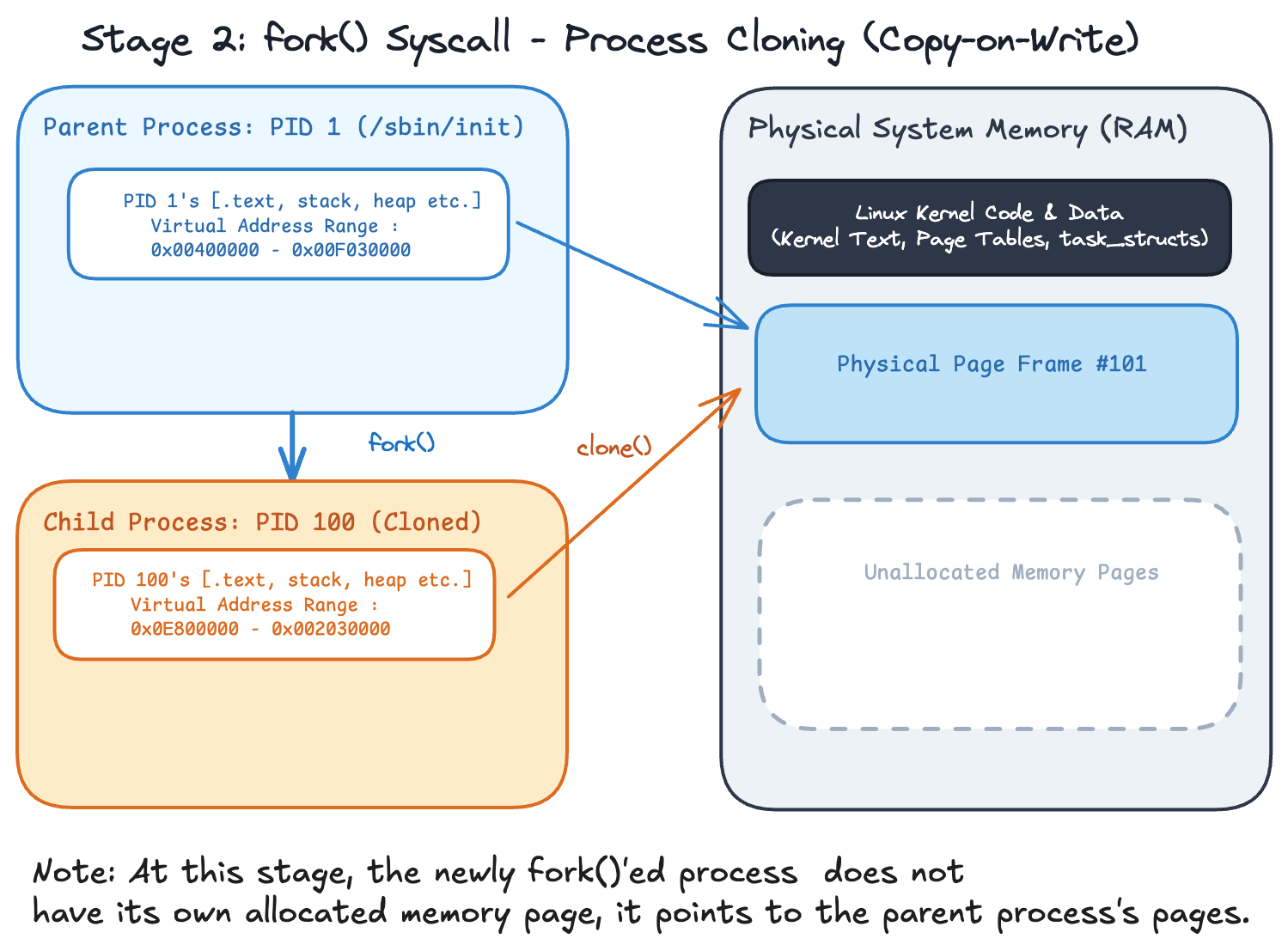
- Cloning the Parent:
fork()(orclone(2))
When a process wants to launch another program (for example, your shell running./myprogram), it calls thefork()system call.- The kernel creates a new child
task_structwith a unique PID. - The child inherits a copy of the parent's file descriptors, environment variables, and virtual address space.
- Copy-on-Write (COW): The kernel doesn't immediately duplicate physical RAM pages. Instead, it points both parent and child page tables to the same physical memory pages and marks them read-only. Physical pages are only duplicated when either process attempts to write to memory.
- The kernel creates a new child
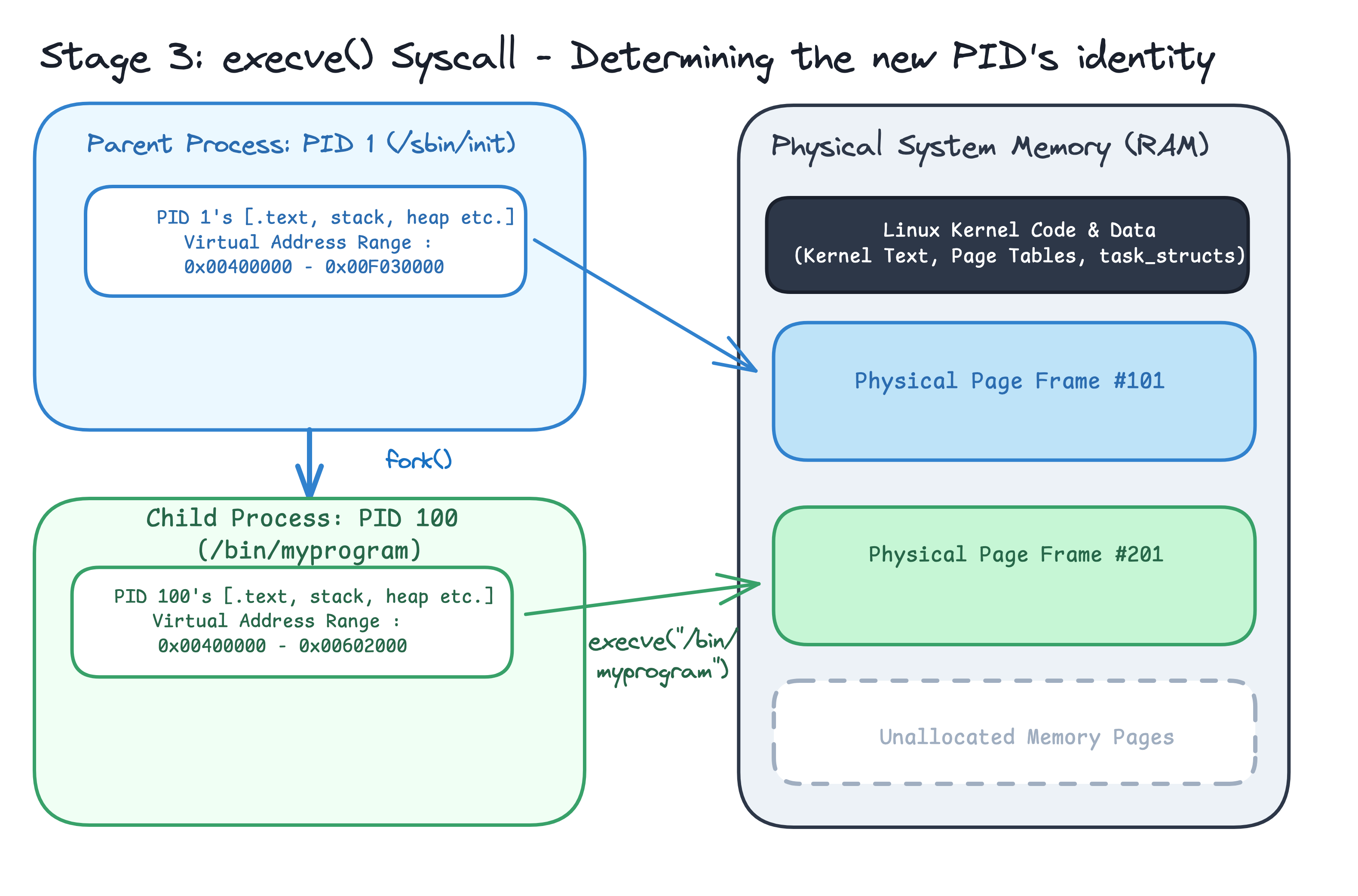
- Replacing the Memory Image:
execve(2)
After forking, the child process callsexecve("./myprogram", ...).- The kernel wipes out the cloned memory layout (old code, stack, heap).
- It reads the new
myprogramELF binary from disk, maps its.textand.datasegments into the child's new virtual address space, sets up a fresh stack, and resets%ripto point to_start.
Together, fork() creates the process container, and execve() fills it with a new program.
Step 4: Scheduling
If you ran ps aux on your system right now, you would see a lot of processes listed, dozens or even hundreds of them active at the same time*:
ps aux | tail -n 15
This raises several fundamental questions: How does this actually work? Who decides what gets to run on your machine when you have hundreds of processes competing for a few CPU cores? And is CPU execution fair to all processes?
The Decision Maker: The (default) Linux Scheduler
The kernel component responsible for answering these questions is the Scheduler. Its job is to decide which process gets access to the CPU, when it gets to run, and for how long.
When the scheduler looks at your system, it does not see high-level C code or shell commands or even cpu instructions to execute. To the kernel, every process is represented by an internal memory structure called struct task_struct (also known as the Process Control Block).
You can inspect the exact C definition of struct task_struct directly in the Linux kernel source code inside include/linux/sched.h. Spanning over 700 lines of C code, it is one of the largest structures in the kernel!
Inside task_struct, the kernel tracks everything about a process, some of what it tracks are:
- Identity & State: Its PID, parent PID, and state (e.g., running, sleeping, zombie).
- Open File Descriptors: References to the files, sockets, and pipes the process has open.
- Saved CPU Registers: When a process is paused, the CPU's hardware register values (such as
%rippointing to the next instruction) are saved directly inside itstask_struct. - Memory Mappings: References to the virtual memory pages allocated for the process code, stack, and heap.
- Scheduling Metadata: Priority ratings and
nicevalues.
What about fairness?
On a single CPU core, only one process can execute instructions at any given moment, To run hundreds of processes smoothly, the scheduler uses a technique called time-slicing and context switching.
The scheduler grants a running process a small slice of CPU time. When that time slice ends (or when the process pauses to wait for disk or network I/O), a timer interrupt triggers the kernel:
- The kernel pauses the running process and saves its physical CPU registers into its
task_struct. - The scheduler selects the next
task_structeligible to run. - The kernel restores the new process's saved CPU registers onto the processor and resumes its execution.
To keep execution fair, Linux long relied on the Completely Fair Scheduler (CFS) to track "virtual runtime". Starting in Linux kernel version 6.6, CFS was replaced by EEVDF (Earliest Eligible Virtual Deadline First). EEVDF balances proportional-share fairness with low-latency responsiveness by allowing tasks to request custom time slices and selecting the process with the earliest virtual deadline.
This context switching happens thousands of times per second, creating the seamless illusion that all your processes are running at the exact same time.
Fun Fact: Early versions of Linux (2.0 through 2.4) used an O(N) scheduler. To pick the next process, the kernel iterated through every runnable task on the system in a single list every single time to schedule the next process to run. As systems grew to run hundreds of processes, scheduling grew progressively slower (O(N) time). This led to the creation of the O(1) scheduler in Linux 2.6, followed by the Completely Fair Scheduler (CFS) (O(log N) time) and on Linux 6.6 we got today's Earliest Eligible Virtual Deadline First (EEVDF) scheduler.
Real-time Scheduling (Preemptive Scheduling)
While normal scheduling (SCHED_OTHER) aims for fairness and high throughput, some applications (such as audio processing, robotics, or video streaming) cannot tolerate waiting for another process to get a "fair share". They require predictable, low-latency execution.
For these applications, Linux provides Real-time Scheduling Policies (SCHED_FIFO and SCHED_RR).
Real-time processes operate on a fixed static priority scale from 1 to 99 (which sits above all normal processes). Whenever a real-time process becomes ready to run, the Linux kernel immediately preempts any normal process to execute it.
Here is a side-by-side comparison of normal vs. real-time scheduling:
| Feature | Normal Scheduling (SCHED_OTHER) | Real-time Scheduling (SCHED_FIFO / SCHED_RR) |
|---|---|---|
| Primary Goal | Fairness & maximum throughput | Deterministic latency & immediate response |
| Priority System | nice values (-20 to 19) | Fixed static priorities (1 to 99) |
| Preemption | Tasks share CPU via virtual runtime | Real-time tasks always preempt normal tasks |
| Execution Rules | Rotates processes fairly across CPU time slices | SCHED_FIFO: Runs until it yields or blocksSCHED_RR: Time-slices among equal RT priorities |
| Use Cases | Web browsers, compilers, background services | Audio engines, robotics, flight control, media streaming |
In short: Normal scheduling asks "Is every process getting a fair turn?", while Real-time scheduling asks "Must this execute right now without delay?"
Conclusion
Congratulations! You've explored how Linux transforms passive ELF binary files on disk into active, executing processes in memory. You saw how every process on your system traces its origins back to PID 1 (init), how fork() and execve() work together to spawn new processes efficiently via Copy-on-Write, and how the Linux kernel scheduler manages CPU time across processes, balancing fairness with low-latency execution guarantees.
If you'd like see an animated and in-depth explanation of the mechanics of Linux process creation, you can check out The Weird Way Linux Creates Processes video made by core dumped.
About the Author

Writes about
Frequently covers
More tutorials you might like
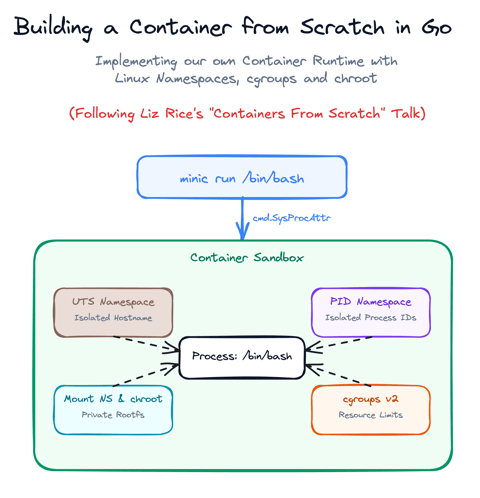
Build a Container from Scratch in Go (Liz Rice GOTO 2018)
Follow along with Liz Rice's classic GOTO 2018 presentation and build your own container runtime in under 100 lines of Go using Linux namespaces, chroot, and cgroups.

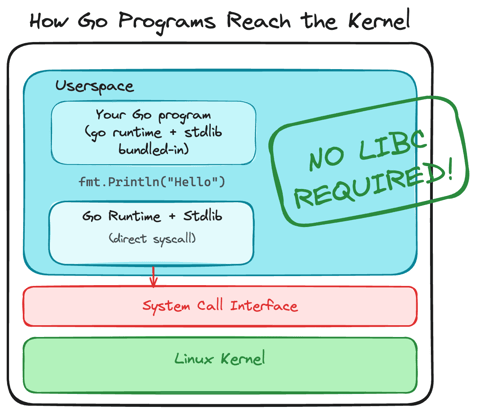
Using Go for Systems Programming
Discover how Go functions under the hood as a modern systems programming language. Learn how Go makes system calls directly, resulting in self-contained binaries that have no libc dependencies.
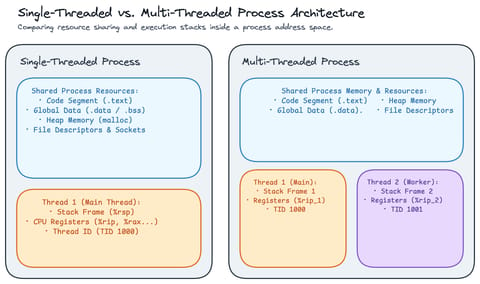
Linux Processes: Threads & Concurrency
Explore what a thread actually is in Linux, how threads relate to processes, how the Linux kernel treats both as tasks (task_struct), and how kernel scheduling enables concurrency.
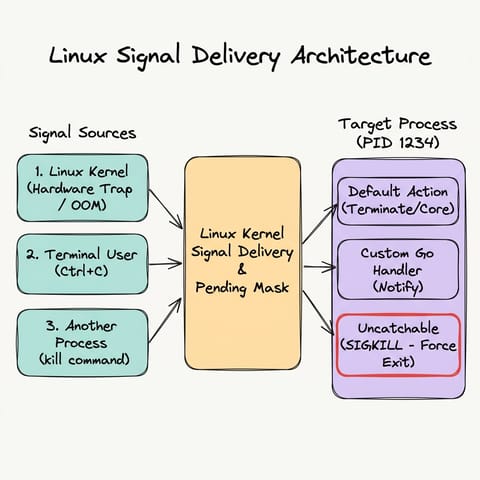
Linux Processes: Understanding Signals
Explore Linux/Unix signals in Go, how signals act as asynchronous notifications, who can send them, default kernel behaviors, sending signals with kill and Go, graceful signal handling with os/signal, and why SIGKILL cannot be trapped.
Learn by doing, not just by reading or watching
Sign up for a free account to start a VM playground right on this page, track your progress, and get notified about new learning materials.