Using Go for Systems Programming
If you look at the tutorials and challenges I author, you'll see that I tend to write them in C. That is not an arbitrary decision: the Linux kernel is written in C, POSIX standards are specified in C, and most operating system abstractions and ABI conventions have C in mind.
When you learn low-level mechanisms like process creation (fork), memory mapping (mmap), or file descriptors, C provides a direct window into kernel primitives without abstraction layers getting in the way.
However, C is not the only language you can use in systems programming.
Modern systems software, including Docker, Kubernetes, Containerd, etcd, Prometheus, and Terraform, is built predominantly in Go (Golang). In this tutorial, we will learn about how Go works without depending on libc, its advantages, disadvantages, and how it compares to C in the context of systems programming and more.
Step 1: The Hidden Cost of printf - How C programs depend on libc
Let's start with the most famous example of a C program:
#include <stdio.h>

int main(void) {
    printf("Hello, world!\n");
    return 0;
}
This looks like a program that would run on any Linux-based system. But it's not that simple. When you call printf, you are not calling the kernel. You are calling a function inside the C standard library, more commonly known as libc.
libc is a shared library that acts as a bridge between your C code and the operating system. It implements the standard functions you use every day, like printf, malloc, fopen, strlen. When you call any of these functions, you are using the abstractions provided by libc. In turn, libc makes the actual system calls to the kernel on your behalf. For example, printf eventually calls write() and malloc eventually calls brk() or mmap(). Your program does not speak to the kernel directly; it speaks to libc, and libc speaks to the kernel.
Let's make this concrete. Create a file named hello.c:
#include <stdio.h>

int main(void) {
    printf("Hello, world!\n");
    return 0;
}
First, compile the program:
gcc hello.c -o hello
Now run the file command on the resulting binary:
file hello
You will see something like:
hello: ELF 64-bit LSB pie executable, x86-64, version 1 (SYSV), dynamically linked, interpreter /lib/ld-musl-x86_64.so.1, with debug_info, not stripped
Notice the key phrase: dynamically linked. The binary you just compiled does not contain everything it needs to run. It relies on external shared libraries that must be found on the system at runtime. The interpreter field tells you which dynamic linker will be used to load those libraries when the program starts.
Now let's find out exactly which shared libraries it depends on:
ldd hello
The ldd command prints the shared library dependencies of an executable. You will see output similar to this:
    linux-vdso.so.1 (0x00007ffd1abcd000)
    libc.musl-x86_64.so.1 => /lib/ld-musl-x86_64.so.1 (0x00007f1234560000)
Your 5-line program cannot run alone. It carries a runtime dependency on a libc shared library (those .so files you see in the output) that must be present on the system at the exact path the linker expects. The binary you compiled is not truly portable, it will only run on systems where a compatible libc exists at that path.
Implementations of libc: glibc vs musl
This is where things get interesting. "libc" is not a single monolithic library. It is a specification, one that has multiple implementations. The two most common ones in the Linux world are:
- glibc (GNU C Library): the de facto standard on most Linux distributions such as Debian, Ubuntu, Fedora, and RHEL. It is large, feature-rich, and highly optimized for desktop and server workloads.
- musl libc: a lightweight, correctness-focused alternative used by Alpine Linux, which is exactly the environment this playground runs on.
musl and glibc are not binary-compatible. A binary compiled and dynamically linked against glibc will not run on Alpine, which only ships musl. The dynamic linker paths are different, the symbol versions are different, and the ABI assumptions may differ.
Let's see this problem directly. beemon is a real Linux process monitor, built and released on Ubuntu against glibc. Download it and try running it here on Alpine:
curl -fsSL -o beemon https://github.com/basarsubasi/beemon/releases/download/v1.0.1/beemon-v1.0.1-amd64-gnu
chmod +x beemon
First, check what type of binary it is:
file beemon
beemon: ELF 64-bit LSB pie executable, x86-64, version 1 (SYSV), dynamically linked, interpreter /lib64/ld-linux-x86-64.so.2, stripped
It is dynamically linked, and the interpreter it expects is /lib64/ld-linux-x86-64.so.2 (the glibc dynamic linker). Alpine does not have this file; it ships musl at /lib/ld-musl-x86_64.so.1 instead.
Now try running it:
./beemon
sh: ./beemon: not found
Notice that the shell reports not found even though beemon exists in the current directory and has executable permissions! This happens because the Linux kernel attempts to execute the dynamic linker interpreter specified in the binary (/lib64/ld-linux-x86-64.so.2), which doesn't exist on Alpine.
Check its library dependencies explicitly:
ldd beemon
    /lib64/ld-linux-x86-64.so.2 (0x...)
    libgcc_s.so.1 => /usr/lib/libgcc_s.so.1 (0x...)
    libm.so.6 => /lib64/ld-linux-x86-64.so.2 (0x...)
    libc.so.6 => /lib64/ld-linux-x86-64.so.2 (0x...)
Error relocating beemon: gnu_get_libc_version: symbol not found
Error relocating beemon: __res_init: symbol not found
The binary is looking for /lib/ld-linux-x86_64.so.2 (the glibc dynamic linker), which does not exist on Alpine. musl ships its linker at a completely different path (/lib/ld-musl-x86_64.so.1). Because the dynamic linker itself is missing, the kernel cannot even begin executing the program.
This is the central portability problem with dynamically linked C binaries. Your code compiles cleanly, but whether it runs depends entirely on the libc version and distribution of the target machine, not just the machine you compiled on. In containerized and embedded environments this dependency becomes a genuine operational burden.
In the next steps, we will see how Go sidesteps this problem entirely by compiling to fully static binaries with no libc dependency at all.
Step 2: Enter Golang
Go was designed at Google to make it easy to build reliable, efficient, and portable systems software. One of its most important design decisions is that Go programs compile into self-contained static binaries by default. The resulting executable includes everything it needs: the program code, the Go runtime, and the low-level code that invokes system calls directly.
Let's see what that looks like in practice. Create a file named hello.go:
package main

import "fmt"

func main() {
    fmt.Println("Hello, world!")
}
Compile it with the Go toolchain:
go build -o hello-go hello.go
Now inspect the resulting binary with file:
file hello-go
You will see something like:
hello-go: ELF 64-bit LSB executable, x86-64, version 1 (SYSV), statically linked, Go BuildID=..., with debug_info, not stripped
The important phrase is statically linked. Unlike the C binary, this Go binary does not need an external libc or dynamic linker. It is a single file that the kernel can load and run on its own.
Confirm the absence of shared-library dependencies:
ldd hello-go
On Alpine's musl-based ldd wrapper, the output will look like this:
/lib/ld-musl-x86_64.so.1: hello-go: Not a valid dynamic program
That message simply means the dynamic linker cannot inspect hello-go because it has no dynamic section. In other words, the binary has no shared-library dependencies at all. On a glibc-based distribution, ldd would report the same fact with a line like statically linked or not a dynamic executable.
The file command you ran earlier already gave the clearest signal: statically linked. That is the entire dependency graph. No libc.so, no dynamic linker, no distribution-specific runtime. The binary is self-contained.
You can also compile C programs statically. On this Alpine playground, gcc already targets musl, so gcc -static hello.c -o hello-static produces a binary with no dynamic dependencies. However, a static C binary still relies on libc's interfaces and assumptions. Go's runtime implements its own syscall layer, memory allocator, scheduler, and concurrency primitives, which is why a Go binary is portable across Linux distributions (because it is targeting stable system call interfaces that the kernel promises) in a way that even a static C binary cannot fully match.
To drive the point home, copy the binary to /tmp, strip the environment of the Go toolchain, and run it from there:
cp hello-go /tmp/hello-go
cd /tmp
./hello-go
It still prints Hello, world!. The program does not care whether go is installed, whether the source files still exist, or which libc the host distribution uses. As long as the kernel speaks the same ELF ABI and system-call interface, the binary runs.
Step 3: How Go Reaches the Kernel
Static linking is only half the story. The other half is how Go performs I/O, memory management, and process control without libc.
In a C program, printf calls into libc, and libc eventually calls the kernel's write syscall. In Go, the standard library and the Go runtime call the kernel directly. There is no libc in the middle.
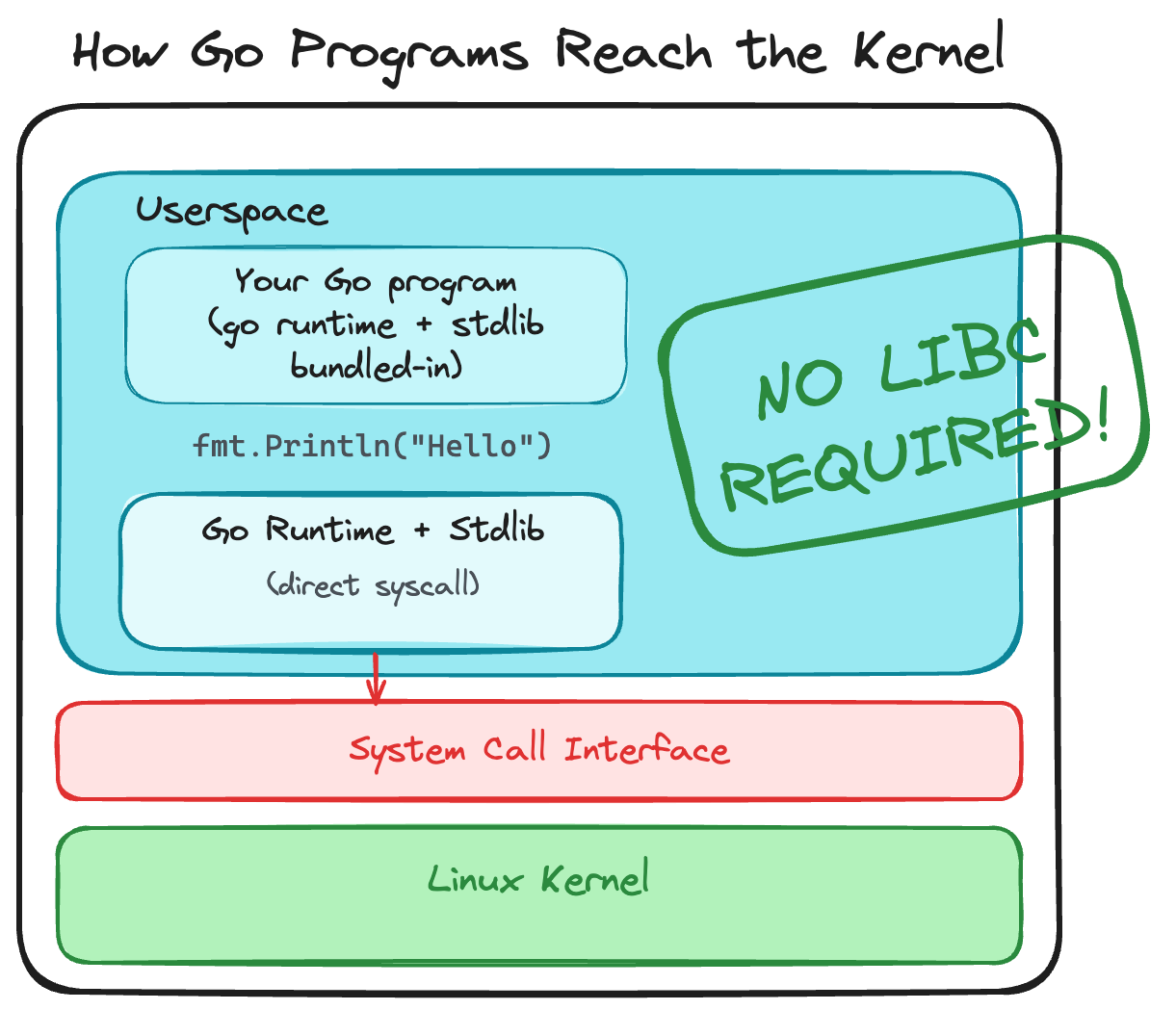
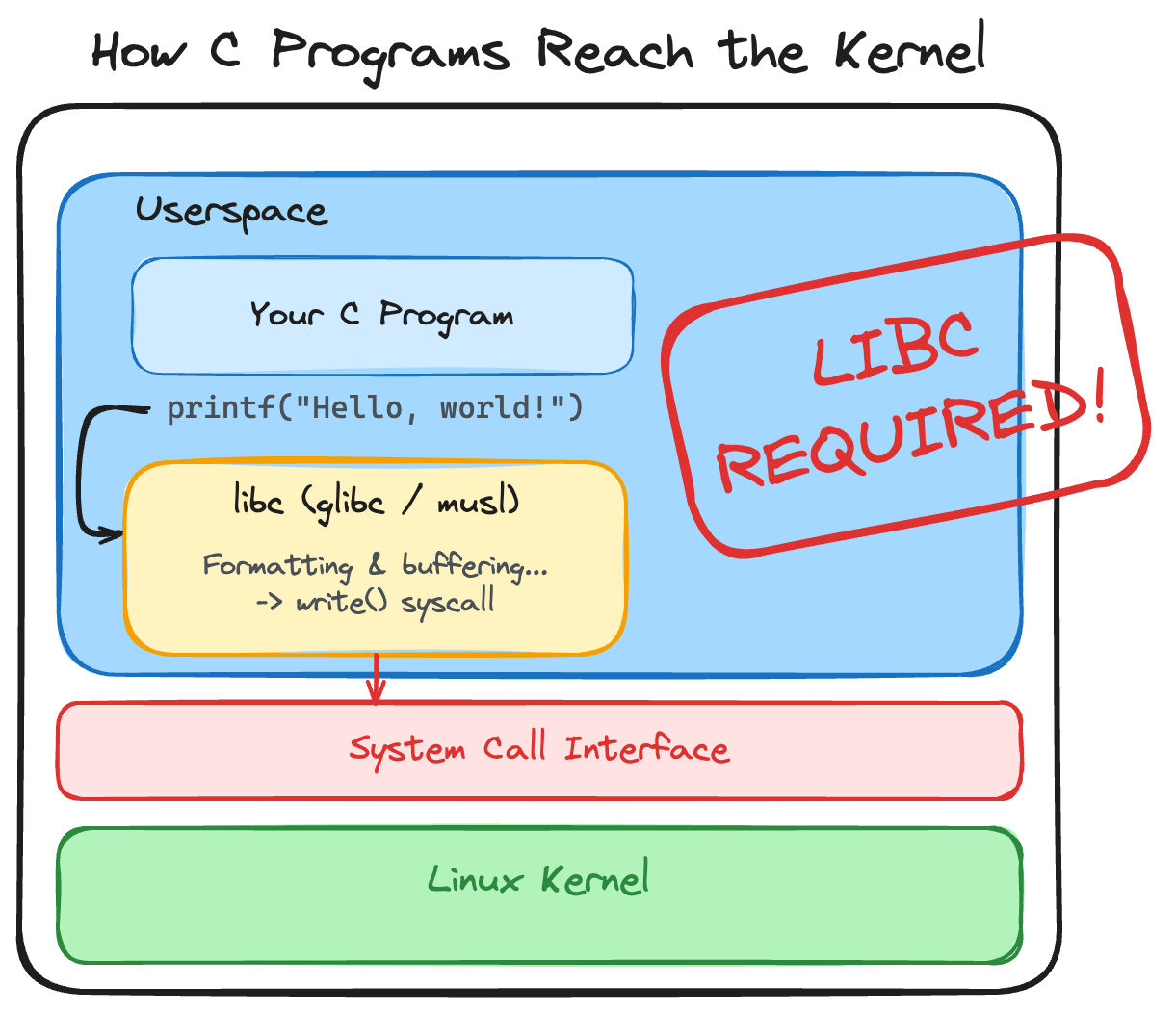
You can observe this directly with strace. Trace the C binary first:
strace -c ./hello
The output will show syscalls such as write, exit_group, and mmap, but the calls originate from libc after it has done its own initialization.
Now trace the Go binary:
strace -c ./hello-go
You will see a longer list, including syscalls such as write, mmap, mprotect, clone, rt_sigaction, futex, and exit_group. The Go runtime uses these syscalls to implement its own memory allocator, scheduler, goroutines, signal handling, and synchronization primitives. It does not ask libc to do this work.
Go's syscall layer is maintained in the Go standard library. On Linux, the runtime uses architecture-specific assembly to move arguments into the correct registers and execute the syscall instruction. This is why a Go binary can run on a minimal container image such as scratch or distroless without any C library installed.
Step 4: Self-Contained Binaries, CGO, and Cross-Compilation
Go's ability to produce self-contained binaries is not automatic magic. It depends on a few important build settings and conventions.
CGO
CGO is Go's mechanism for calling C code. When CGO is enabled, Go can link against C libraries, including libc. That is useful when you need to use a C library that has no Go equivalent, but it also reintroduces dynamic linking and libc dependencies.
By default, CGO is enabled on the host where you compile. On most Linux distributions the resulting binary will still be mostly static, but if CGO pulls in external C code, you can end up with dynamic dependencies again.
To guarantee a fully static binary, disable CGO explicitly:
CGO_ENABLED=0 go build -o hello-go-static hello.go
Now ldd will report statically linked with certainty, regardless of the host environment.
Cross-compilation
Another strength of Go is cross-compilation. Because the Go toolchain ships its own standard library and runtime for many operating systems and architectures, you can build a binary for a different target from your development machine.
For example, build a Linux AMD64 binary from macOS or Windows:
GOOS=linux GOARCH=amd64 CGO_ENABLED=0 go build -o hello-go-linux hello.go
Or build for ARM64:
GOOS=linux GOARCH=arm64 CGO_ENABLED=0 go build -o hello-go-arm64 hello.go
The GOOS and GOARCH environment variables tell the compiler which target operating system and architecture to emit code for. The CGO_ENABLED=0 flag keeps the binary fully self-contained. This workflow is one reason why Go is so popular for building command-line tools and container images that need to run everywhere.
When you set CGO_ENABLED=0, Go uses a pure Go implementation of networking, DNS resolution, and other features that might otherwise rely on libc. This makes the binary larger but removes the libc dependency entirely.
Inspecting Go Pseudo-Assembly and Disassembly
To understand how Go binaries are formed under the hood, it helps to look inside the compilation process.
When compiling C code, gcc translates your source into assembly for your specific host CPU architecture, then invokes the system assembler and linker. Go takes a different approach: the Go compiler converts Go code into an architecture-independent intermediate representation known as Plan 9 pseudo-assembly, and the Go linker directly writes out the final static binary.
You can view the pseudo-assembly generated by the Go compiler during a build by passing -gcflags -S:
go build -gcflags -S hello.go
Looking at the generated output for main.main, you will see something like:
TEXT main.main(SB), ABIInternal, $64-0
    ...
    LEAQ    go:itab.*os.File,io.Writer(SB), AX
    LEAQ    main..autotmp_8+40(SP), CX
    MOVL    $1, DI
    CALL    fmt.Fprintln(SB)
    ...
    RET
Notice a few key details:
main.main(SB):SBstands for Static Base, a pseudo-register pointing to the start of static memory.CALL fmt.Fprintln(SB): Function calls point directly to internal Go routines compiled into the binary. There are no references to external C symbols (printf) or dynamic library paths (libc.so).
Disassembling Binaries with go tool objdump
Once a binary is compiled, you can disassemble its machine instructions using Go's built-in disassembler (go tool objdump):
go tool objdump -s main.main hello-go
TEXT main.main(SB) /root/hello.go
  hello.go:5        0x49e180        493b6610        CMPQ SP, 0x10(R14)
  hello.go:5        0x49e186        55              PUSHQ BP
  hello.go:5        0x49e187        4889e5          MOVQ SP, BP
  hello.go:6        0x49e1a6        488b1dfb550e00  MOVQ os.Stdout(SB), BX
  print.go:315      0x49e1c1        e8dab0ffff      CALL fmt.Fprintln(SB)
  hello.go:7        0x49e1cb        c3              RET
Disassembling Cross-Compiled Binaries
Because go tool objdump is completely architecture-agnostic, you can cross-compile a binary for another target architecture (such as ARM64) and disassemble it directly on your x86-64 machine without needing cross-GDB or QEMU:
GOOS=linux GOARCH=arm64 go build -o hello-go-arm64 hello.go
go tool objdump -s main.main hello-go-arm64
TEXT main.main(SB) /root/hello.go
  hello.go:5        0xa6180         f9400b90        MOVD 16(R28), R16
  hello.go:5        0xa6184         eb3063ff        CMP R16, RSP
  hello.go:6        0xa6198         900000a5        ADRP 81920(PC), R5
  print.go:315      0xa61c8         97ffee42        CALL fmt.Fprintln(SB)
  hello.go:7        0xa61d4         d65f03c0        RET
While the hex bytes (f9400b90, d65f03c0) are real ARM64 machine instructions, go tool objdump formats the text using Go's Plan 9 Assembly notation. For example, ARM64 registers X0..X30 are shown as R0..R30, and R28 holds the pointer to the current goroutine (g).
This demonstrates why Go is so effective for cross-platform systems engineering: the compiler, assembler, linker, and disassembler are all built into a single unified toolchain.
Step 5: Trade-Offs: Go vs C for Systems Programming
Go's approach has clear advantages, but it also comes with trade-offs. Choosing between Go and C depends on what you are building.
Advantages of Go
- Fully static binaries: A single executable file with no external dependencies. This simplifies deployment, container images, and embedded systems.
- Memory safety: Go has garbage collection, bounds checking, and no pointer arithmetic by default. This reduces entire classes of security vulnerabilities such as buffer overflows and use-after-free bugs.
- Built-in concurrency: Goroutines and channels make it easier to write concurrent programs than managing pthreads manually.
- Fast build times and easy cross-compilation: The Go toolchain is fast and supports many targets out of the box.
- Rich standard library: Go ships with networking, HTTP, JSON, cryptography, and many other packages in the standard library, meaning you don't have to re-discover the wheel (unlike C where you would have to find, implement, or bring your own library for something as simple as a hashmap).
The Go Runtime and Garbage Collection
Every Go program includes the Go runtime. The runtime is responsible for:
- Scheduling goroutines onto OS threads.
- Managing memory allocation and garbage collection.
- Handling signals, stack growth, and reflection.
- Implementing synchronization primitives such as channels and mutexes.
The garbage collector reclaims memory automatically. This removes an entire category of bugs, but it also means:
- Go programs have a runtime cost that C programs do not.
- Long garbage-collection pauses can affect latency-sensitive applications, although Go's GC has improved dramatically over the years.
- Go is generally not suitable for hard real-time systems where every microsecond must be predictable.
Disadvantages of Go
- Larger binaries: A static Go binary is typically larger than a comparable C binary because it includes the runtime and standard library.
- Runtime overhead: The garbage collector and goroutine scheduler consume CPU and memory.
- Less direct hardware control: C allows you to manage memory layout, alignment, and hardware registers directly. Go hides many of these details.
- Not for kernel modules: The Linux kernel and loadable kernel modules are written in C. You cannot write kernel code in Go.
When to Choose Which
You might want to choose C when:
- You are writing kernel code, device drivers, or firmware.
- You need deterministic memory management and cannot tolerate GC pauses.
- You are targeting extremely resource-constrained environments where every byte and cycle matters.
- You need fine-grained control over memory layout and hardware.
- You are building heavily CPU intensive applications and need to squeeze out every drop of performance.
You might want to choose Go when:
- You are building network services, command-line tools, cloud infrastructure, or DevOps tooling.
- You want fast, safe concurrency without manual thread management.
- You need a single static binary that runs on many Linux distributions without dependency headaches.
- You value developer productivity and memory safety over absolute minimum resource usage.
- You don't really want to manage memory manually.
This is why Docker, Kubernetes, Containerd, etcd, Prometheus, Terraform, and countless other systems tools are written in Go. They need to run in many environments, talk to the kernel directly, and remain easy to build and deploy.
To get started with Go or to practice its basics, you can check out the gentle and interactive A Tour of Go tutorials provided by the official Go team.
Conclusion
You have seen how Go differs from C at the systems level. C relies on libc as a bridge to the kernel, which creates runtime dependencies and portability problems. Go compiles into a self-contained static binary that speaks to the kernel directly through its own runtime.
You also learned about the tools that control this behavior:
CGO_ENABLED=0guarantees a fully static binary with no C dependencies.GOOSandGOARCHenable cross-compilation to different operating systems and architectures.
Finally, you learned the trade-offs. Go's runtime, garbage collector, and static binaries make it ideal for portable systems software, while C remains the right choice for kernel-level code, real-time systems, and environments where every resource must be controlled by hand.
Go does not replace C, but it is a powerful systems programming language in its own right, and understanding how it reaches the kernel helps you make better engineering decisions.
About the Author

Writes about
Frequently covers
More tutorials you might like
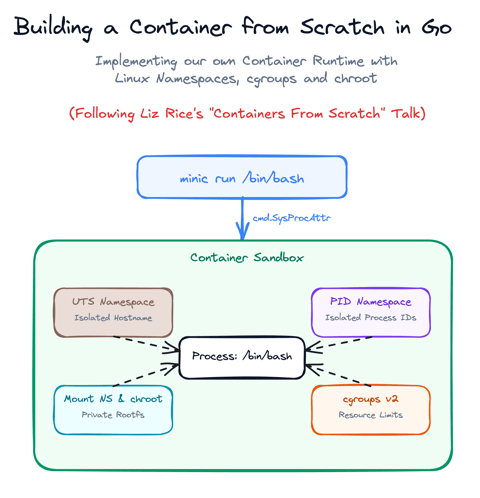
Build a Container from Scratch in Go (Liz Rice GOTO 2018)
Follow along with Liz Rice's classic GOTO 2018 presentation and build your own container runtime in under 100 lines of Go using Linux namespaces, chroot, and cgroups.

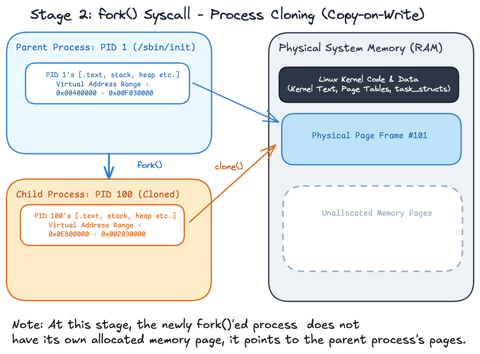
Linux Processes: From a Program to a Process
Explore what a program is, when it actually becomes a process and how the Linux scheduler manages process execution.
Linux Processes: Threads & Concurrency
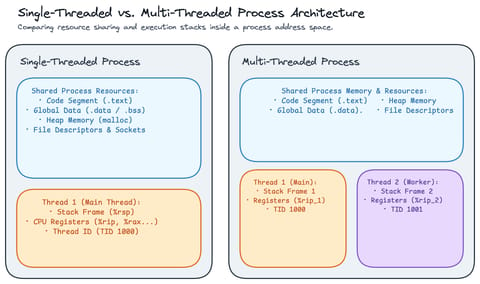
Explore what a thread actually is in Linux, how threads relate to processes, how the Linux kernel treats both as tasks (task_struct), and how kernel scheduling enables concurrency.
Linux Processes: Understanding Signals
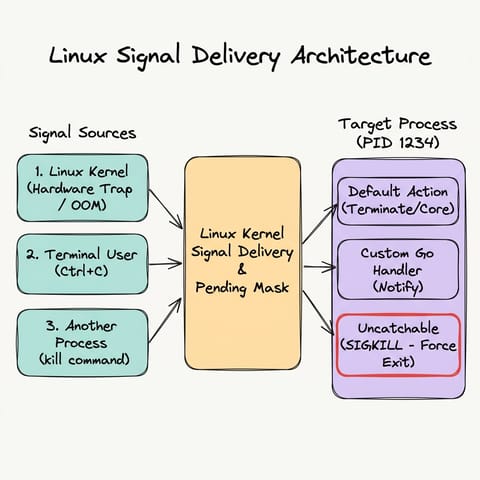
Explore Linux/Unix signals in Go, how signals act as asynchronous notifications, who can send them, default kernel behaviors, sending signals with kill and Go, graceful signal handling with os/signal, and why SIGKILL cannot be trapped.
Learn by doing, not just by reading or watching
Sign up for a free account to start a VM playground right on this page, track your progress, and get notified about new learning materials.