Go for Server-Side Engineers
Most Go tutorials start with a history lesson and end with a web server. This one starts with what you, a working engineer, need on a Tuesday: build a tool, parse some input, don't crash, ship a binary that runs anywhere. The language features that matter for that fit on one page each. The features that don't matter yet, we skip.
I'm assuming you already write code in something else (Python, JavaScript, whatever your team uses for glue work). I'm also assuming you'd rather have a working mental model than an exhaustive tour. If you want the language complete and formal, the spec is surprisingly readable. If you want productive in an hour, read on.
The playground is a bare Linux VM with the Go toolchain (1.27.0 at writing time) and nothing else. No framework, no project scaffold. Your workspace is your home directory, and every code block below is meant to be typed into it.
Modules, or: where do my files go
Go builds packages, and packages live in modules. A module is just a directory
with a go.mod file declaring its name and dependencies:
mkdir ~/hello && cd ~/hello
go mod init example/hello
The name after init is the module path. It matters when others import your code;
for local tools, example/whatever is fine and nobody will come for you.
Now the program:
// ~/hello/main.go
package main

import "fmt"

func main() {
    fmt.Println("hello from go")
}
Two conventions worth internalizing immediately. package main with a func main()
is how you say "this builds into an executable" - everything else builds into a
library. And gofmt, the formatter, is not optional in practice: Go code you'll ever
read is formatted one way, which ends arguments about braces and saves real review
time. Run gofmt -w . (or set up save-on-format in your editor) and never think
about it again.
Build and run:
go build -o hello .
./hello
Peek inside go.mod after this:
module example/hello

go 1.27.0
That version line is the minimum toolchain the module accepts. It's written by go mod init from your installed Go, and you rarely touch it by hand.
Stuck?
All commands run from ~/hello. If go is somehow not found, export PATH=$PATH:/usr/local/go/bin fixes it.
Types that matter (and the ones that don't)
Go is statically typed, and the type system is deliberately small. The parts you'll use constantly:
type Server struct {
    Host string
    Port int
}

// a method: a function with a receiver
func (s Server) Addr() string {
    return fmt.Sprintf("%s:%d", s.Host, s.Port)
}
Structs are your data records. Methods attach to them. Fields that start with an
uppercase letter (Host) are exported to other packages; lowercase ones are private
to the package. That's the entire visibility system - no private, protected, or
friend keywords, just the first letter of the name.
Interfaces are where newcomers expect pain and find the opposite. A Go interface is
a set of methods, and any type implements it automatically if it has those methods.
No implements declaration anywhere:
type Speaker interface {
    Speak() string
}
If your type has a Speak() string method, it's a Speaker. That's it. The standard
library leans on tiny interfaces - io.Reader is one method - so small that types
satisfy a dozen of them by accident. Write small interfaces at the point of
consumption, when you notice you need "anything that can Read", rather than
designing type hierarchies up front.
Generics exist (since Go 1.18) and are useful for collections and helpers. You don't need them on day one, so we're moving on.
Errors are values
Go has no exceptions for error handling. Functions that can fail return an error as their last return value, and callers check it. That's the pattern, the whole pattern:
func Divide(a, b float64) (float64, error) {
    if b == 0 {
        return 0, errors.New("divide by zero")
    }
    return a / b, nil
}
result, err := Divide(6, 3)
if err != nil {
    return err // or handle it, or wrap it
}
// err is nil here; result is safe to use
Three habits make this pleasant instead of noisy. First, handle the error where it
happens or pass it up wrapped: fmt.Errorf("computing ratio: %w", err) - the %w
verb keeps the original error inspectable via errors.Is and errors.As. Second,
don't check-and-ignore; _ = doThing() is how bugs hide. Third, errors are for
expected failure modes (bad input, missing file, network down). For "this should be
impossible", that's what panic is for, and it should stay impossible.
Stuck?
Create ~/calc, go mod init example/calc, write calc.go with the Divide
function above, then write calc_test.go and run go test ./.... The next section
shows the test.
Testing that people actually write
go test needs no framework, no imports beyond testing, and no configuration. The
idiomatic shape is a table-driven test - one test function, a slice of cases:
// ~/calc/calc_test.go
package calc

import "testing"

func TestDivide(t *testing.T) {
    cases := []struct {
        name    string
        a, b    float64
        want    float64
        wantErr bool
    }{
        {"ok", 6, 3, 2, false},
        {"zero divisor", 1, 0, 0, true},
    }
    for _, c := range cases {
        t.Run(c.name, func(t *testing.T) {
            got, err := Divide(c.a, c.b)
            if c.wantErr && err == nil {
                t.Fatal("expected an error")
            }
            if !c.wantErr && err != nil {
                t.Fatal(err)
            }
            if got != c.want {
                t.Fatalf("got %v, want %v", got, c.want)
            }
        })
    }
}
go test ./...
ok example/calc 0.002s
Every test case gets its own name in the output (go test -v shows them), failures
point at the exact case, and adding coverage is one more struct literal, not one more
ceremonial function. Benchmarks live in the same files and start with Benchmark:
func BenchmarkDivide(b *testing.B) {
    for b.Loop() {
        Divide(6, 3) // ~1ns; real benchmarks go here
    }
}
go test -bench=.
If benchmarks become interesting to you, they pair naturally with profiling - that's literally how you find out why a benchmark is slow. The profiling tutorial in this series picks up exactly there.
While we're in tooling territory, two more commands belong in your fingers: gofmt -l . (list files needing formatting - it should print nothing) and go vet ./...
(static analysis for suspicious code). Make both pass before you commit anything.
Concurrency in one page
Goroutines are functions that run concurrently. Starting one is the go keyword; the
hard part has always been waiting for them to finish. The standard answer is
sync.WaitGroup:
// ~/conc/main.go
package main

import (
    "fmt"
    "sync"
)

func main() {
    var wg sync.WaitGroup
    for i := 1; i <= 5; i++ {
        wg.Add(1)
        go func(n int) {
            defer wg.Done()
            fmt.Printf("worker %d done\n", n)
        }(i)
    }
    wg.Wait()
}
Run it a few times:
worker 5 done
worker 1 done
worker 2 done
worker 3 done
worker 4 done
The order changes every run. That's not a bug to fix; that's the nature of
concurrency, and the test above (all five workers present, order irrelevant) is how
you write assertions that respect it. Build this in ~/conc and verify all five
workers report in:
A few things in that snippet deserve a second look. wg.Add(1) before launching,
defer wg.Done() first thing inside, wg.Wait() to block until the counter hits
zero - this trio is the standard pattern, learn it once. The goroutine takes n as a
parameter because sharing the loop variable across goroutines is a classic race
(older Go versions made this trap easy to fall into; modern Go makes the loop
variable per-iteration, but passing it explicitly is still clearer). And when you run
concurrent code, add the race detector: go test -race or go build -race. It
instruments every memory access, catches data races as they happen, and is the
single most impressive tool in the box. Run your concurrent code under -race once
and you'll never skip it again.
Channels - typed pipes between goroutines - are the other half of the story. The one-line decision rule: use channels when you're transferring ownership of data between goroutines; use a mutex when you're protecting one shared structure. When in doubt, a mutex is harder to misuse.
Stretch
Add for i := 1; i <= 3; i++ { go worker() } where worker loops forever. Then try to
shut it down cleanly with a context.Context and select. Context is how Go does
cancellation and timeouts - you'll meet it in every HTTP handler you ever read.
Build once, run anywhere
Here's the party trick that wins engineers over to Go: one command produces a self-contained binary for any OS and architecture, no runtime, no dependencies, no "works on my laptop":
cd ~/hello
GOOS=windows GOARCH=arm64 go build -o hello.exe .
That hello.exe runs on Windows ARM machines, and it starts with the bytes MZ like
any respectable Windows binary. Swap in GOOS=linux GOARCH=amd64 for servers,
GOARCH=arm64 for Raspberry Pis and Apple Silicon. Since Go 1.21 the toolchain can even manage itself: pin go 1.27.0 in go.mod and a
newer local toolchain downloads exactly that version on demand.
This is also why Go owns the container tools space: a FROM scratch Docker image
containing just your binary actually works, because the binary doesn't need libc, a
runtime, or anything else. Static linking is the default story here, not a
configuration battle.
Where this leaves you
You can now: structure code in modules, model data with structs and small interfaces, return and wrap errors like a Go developer, test with tables, run things concurrently and wait for them properly, and ship binaries to any platform. That is genuinely 80% of day-to-day Go.
The remaining 20% is depth, and it's more fun than the fundamentals:
Loading tutorial...
Once your benchmarks get interesting, profiling is the superpower that pairs with them - capture a CPU profile from a running service and read where the time actually goes:
And when you want to practice under pressure, the challenge above has a real service with real endpoints and a profile waiting to be read. See you in the flame graph.
About the Author

Restu Muzakir
A software engineer working with Golang, Typescript, Python, Docker, and Kubernetes; Automated everythings
More tutorials you might like
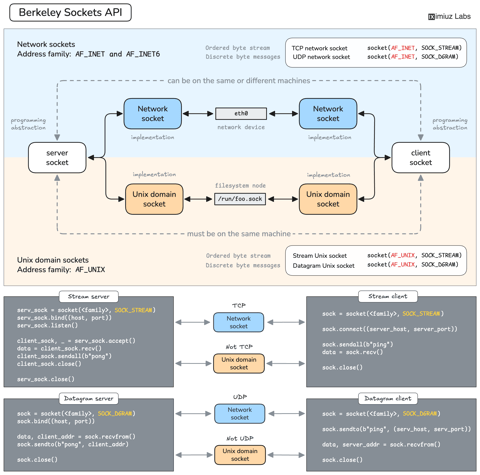
How Servers Work: A Hands-On Introduction to TCP Sockets
Learn how servers actually work by building a tiny TCP server and client from scratch. A hands-on introduction to sockets, TCP, and the network programming model every backend, DevOps, and platform engineer should go through at least once.

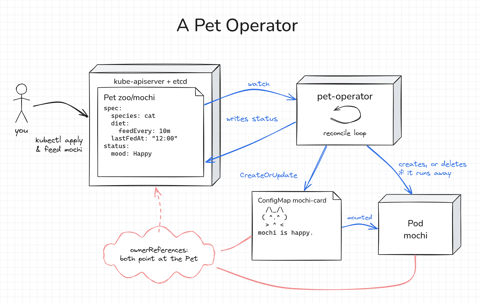
How Kubernetes Operators Work: Building a Controller From Scratch
Build a Kubernetes operator for a small Pet API, first as a 15-line bash loop and then as a Go controller with controller-runtime. Every Pet gets a Pod to live in, gets hungry as time passes, and runs away if nobody feeds it. Along the way, you'll see how the reconcile loop works.

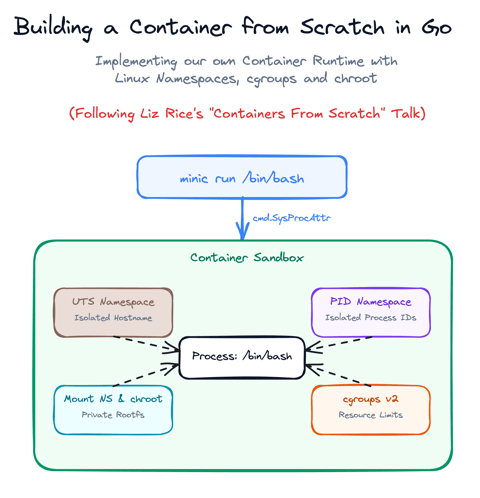
Build a Container from Scratch in Go (Liz Rice GOTO 2018)
Follow along with Liz Rice's classic GOTO 2018 presentation and build your own container runtime in under 100 lines of Go using Linux namespaces, chroot, and cgroups.

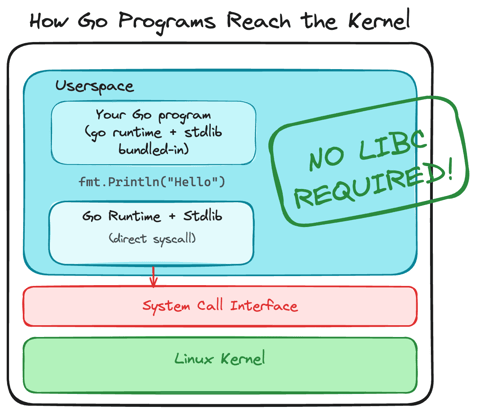
Using Go for Systems Programming
Discover how Go functions under the hood as a modern systems programming language. Learn how Go makes system calls directly, resulting in self-contained binaries that have no libc dependencies.
Learn by doing, not just by reading or watching
Sign up for a free account to start a VM playground right on this page, track your progress, and get notified about new learning materials.