Can One VM Host 15 Million Web Servers?

The full tutorial only runs successfully in the premium tier. You can still work through the super cool article, but when you get to the last step, you won't be able to run the full 15 million web servers in the 4GB VM. On a 4 GiB server VM, steps 1 to 5 and the 1,000,000-listener run still work, but the kernel kills the 15,000,000-listener run after about 5 million listeners.
This is not my original work; all credit goes to the author of 15 million web servers on one VM, a very cool article that I wanted to have a one-click environment to play through (just since some of the commands are very low level and I didn't wanna risk borking my own system).
This is a tutorial to "play along" with as you read the article (which is an absolute must read, since it gives way more context and background details about what's going on with the networking stack).
First, you hit three Linux resource limits with small, bounded probes. Then you start a compact Rust runtime that holds 15 million listeners in one process, and you check it from a separate client VM.
In this tutorial, a "web server" is a distinct destination IP address and port with a resident listener and a small, fixed HTTP state machine.
All 15 million of them live in one Linux process.
The final check sends a few sampled requests to them.
It does not open 15 million connections at the same time.
Every address is in the private 10.0.0.0/8 range, which is routed only inside this playground.
client-01 (2 CPUs, 2 GiB) ── 172.16.0.0/24 ── dev-01 (4 CPUs, 10 GiB)
       TCP probes          10/8 via dev-01        TUN → smoltcp → HTTP task
The lab files are in ~/15m-lab on both VMs.
Run the commands in steps 1 to 5 in the Server tab (dev-01).
Step 6 says which commands go to the Client tab (client-01).
The privileged commands use fixed sudo rules. The commands in steps 4 and 5 run inside small memory cgroups, so the VM stays usable after the OOM kill. The wrapper prints the kernel's memory.events counter and saves a report in /var/lib/15m-lab/runs/.
The article's loops are sketches. Bash rejects &;, and GNU seq does not accept underscores in 15_000_000. The runnable loops below use & before done and decimal numbers without separators. The process loop stops at 350 iterations because its 32 MiB cgroup normally runs out of memory first.
1. First HTTP response
The C baseline in baseline/webserver_libc.c calls listen() on a socket that it never passed to bind().
Linux then binds the socket to a free port from the ephemeral range, and the program prints that port.
Read the source and predict which system calls create and serve the listener.
Then start it and send it a request:
cd ~/15m-lab
PORT_FILE=/tmp/15m-baseline.port ./baseline/bin/webserver_libc >/tmp/15m-baseline.log 2>&1 &
cat /tmp/15m-baseline.log
curl --noproxy '*' "http://127.0.0.1:$(cat /tmp/15m-baseline.port)/"
curl should print ok.
Add -i to see the HTTP/1.0 200 OK status line as well.
The program uses seven calls.
socket() creates an unbound TCP socket.
listen() makes Linux pick a free ephemeral port for it, and getsockname() reads that port back.
accept(), recv(), send(), and close() then serve each request.
To see them, run a second copy under strace -e trace=network and send it a request.
On x86-64, strace shows recv() and send() as recvfrom() and sendto(), because glibc implements them with those system calls.
2. How many unbound listeners fit?
Predict the first limit that one process hits when it calls socket() and listen() in a loop without bind().
The C program below makes the same socket() and listen() calls as the article's first loop. It keeps each socket open and stops at the first error or at a safe upper bound. Read baseline/port_exhaust.c before running it.
sysctl net.ipv4.ip_local_port_range
cd ~/15m-lab/baseline/bin
./port_exhaust | tee /tmp/15m-port.json
In the output, find range_low, range_high, count, failed_syscall, and errno.
On the test VM, ip_local_port_range was 32768 60999.
The C loop held 28,232 listeners, and then listen() failed with errno 98 (EADDRINUSE).
That count is the full width of the range: 60999 - 32768 + 1 = 28,232.
Every implicit bind takes one port from this range, so one address cannot hold more implicitly bound listeners than the range is wide.
A TCP port is a 16-bit number, so even the full port space gives at most 65,535 ports per address.
More processes do not help, because all processes on one address share its ports.
The count on your VM depends on the kernel and on the ports that other sockets already use.
Hint: The check does not pass
The check accepts only a run that stopped at listen() with errno 98 (EADDRINUSE) after it used up the ephemeral range.
Another errno means that a different limit was hit first, such as the open file limit.
Such a run shows nothing about ports. Check your open file limit with ulimit -n.
3. Add addresses with AnyIP
Predict whether two IPv6 addresses can use the same port at the same time.
Add the article's local route for the documentation prefix 2001:db8:1234:5678::/64.
Then start two C servers on port 8081.
One binds 2001:db8:1234:5678::1, and the other binds 2001:db8:1234:5678::2.
sudo ip -6 route add local 2001:db8:1234:5678::/64 dev lo
sudo sysctl -w net.ipv6.ip_nonlocal_bind=1
cd ~/15m-lab/baseline/bin
./bound_server 2001:db8:1234:5678::1 8081 alpha &
./bound_server 2001:db8:1234:5678::2 8081 beta &
curl -g -6 --noproxy '*' 'http://[2001:db8:1234:5678::1]:8081/'
curl -g -6 --noproxy '*' 'http://[2001:db8:1234:5678::2]:8081/'
The two replies should be alpha and beta.
A local route makes the kernel accept traffic for a whole prefix as local, without assigning each address to an interface.
This technique is called AnyIP.
On this 6.1 kernel, the explicit IPv6 binds still failed with EADDRNOTAVAIL until net.ipv6.ip_nonlocal_bind=1 was set.
The route and sysctl apply only to this disposable VM. sudo /opt/15m-lab/toolbox/reset.sh removes them.
The kernel sysctl documentation describes this setting.
The kernel identifies a listener by its address and port together. Each new address brings its own full set of ports, so addresses scale where processes on one address did not. Two other fixes might come to mind: many more network cards, or a wider port field in TCP. Extra cards add hardware and drivers for something that a single route already gives. A wider port field would change the TCP header that every other host expects. The runtime in step 6 uses the same idea with private IPv4 addresses.
4. One process per address
Predict the memory cost if every address gets its own Linux process.
Read baseline/server.c. It maps the command-line index to a distinct 127.0.0.0/8 loopback address and listens on port 8081. The first address is 127.0.0.2.
Run the article's ./server "$i" & loop inside a 32 MiB cgroup. The wrapper accepts the loop as a Bash command, runs it as laborant, and stops and removes the whole group when the kernel records an OOM kill. The 350-iteration bound prevents a runaway process launch if the memory limit behaves differently on your VM.
cd ~/15m-lab/baseline/bin
sudo /opt/15m-lab/toolbox/bounded.sh process 'for i in $(seq 1 350); do echo "$i"; ./server "$i" & done; wait'
The tail of the output shows the last indexes attempted, the cgroup's peak memory, oom_kill=1 or higher, and Out of memory. Read the report path printed by the wrapper to calculate an approximate memory cost per server. The count is approximate because several forks can race with the OOM kill.
On the test VM, this loop reached about 140 indexes before the 32 MiB OOM kill. Dividing the limit by that count gives roughly 230 KB per attempt, or about 3.5 TB for 15 million processes. Bash and cgroup bookkeeping also use some of that memory, so this is only a rough projection. Your result can differ with the executable, shared pages, kernel, and allocator. The OOM kill stays inside the probe's cgroup.
5. Do idle kernel sockets cost nothing?
Before you run the next probe, calculate 15,000,000 × 16 bytes.
It is the memory for one 16-byte task record per listener, which the runtime in step 6 uses.
Then predict whether unbound, idle kernel TCP sockets cost any memory.
Read baseline/socket_cost.c. It creates TCP sockets without calling listen(), so it cannot run out of ports. Run it in a 64 MiB cgroup and watch the kernel memory counter rise.
cd ~/15m-lab/baseline/bin
sudo /opt/15m-lab/toolbox/bounded.sh socket './socket_cost 200000'
The C program prints count=1000, count=2000, and so on. The wrapper prints the last few counts, memory.peak, the oom_kill counter, and Out of memory. Its report includes slab_peak_observed.
The task records take 240,000,000 bytes, which is about 229 MiB. Idle kernel sockets cost far more per entry. On the test VM, the cgroup hit its limit at about 18,000 sockets, which is about 3.7 KiB per socket. Most of that memory was kernel slab. The probe prints its count every 1,000 sockets, so the real count at the OOM kill was a little higher. At 3.7 KiB each, 15 million kernel sockets would need about 56 GB. This is why the listeners in step 6 live in user space.
6. Fifteen million listeners in one process
The runtime in runtime/src/ is a Rust program built on smoltcp, a TCP/IP stack that runs in user space.
On dev-01, Linux routes 10.0.0.0/8 to a TUN device called smolbench.
The runtime reads and writes raw IP packets on that device.
Each address has a 16-byte Task record and a smoltcp TCP listening socket with 48-byte receive and transmit buffers.
A packet selects its listener by destination address, and the response body is the listener's number, starting from 1.
State for a connection exists only while the connection is open.
Read runtime/src/worker.rs to see the layout.
The runtime serves one fixed HTTP response. It does not run compiled C programs or intercept their system calls.
Start with small counts. In the Server tab, start 1,000 listeners and check the status:
sudo /opt/15m-lab/toolbox/runtime.sh start 1000
sudo /opt/15m-lab/toolbox/runtime.sh status
When the status shows "ready": true, request the first and last listeners from the Client tab:
curl --noproxy '*' http://10.0.0.1:8080/
curl --noproxy '*' http://10.0.3.232:8080/
The responses should be 1 and 1000. Repeat the server start with 100000 and 1000000, then request their last addresses, 10.1.134.160 and 10.15.66.64. The check at the end of the tutorial also samples other addresses and rejects an address beyond the range.
Note the memory_peak value in the status output for each count.
On the test VM, the 1,000,000-listener run peaked at about 618 MB, which is about 618 bytes per listener.
Projected to 15 million, that is about 9.3 GB.
The runtime runs in a systemd service with MemoryMax=9G (9,663,676,416 bytes), which leaves room for the rest of the VM.
The buffers are 48 bytes because the longest response, from listener 15000000, is 46 bytes.
An earlier build of this runtime with 64-byte buffers used about 32 more bytes per listener, which is about 480 MB more at this scale.
Now start the full run in the Server tab. The runtime is a prebuilt release binary. Do not build anything during the run, because a build needs memory that the run does not leave free.
sudo /opt/15m-lab/toolbox/runtime.sh start 15000000
sudo /opt/15m-lab/toolbox/runtime.sh status
journalctl -u 15m-runtime.service -n 20 --no-pager
The start takes about 5 to 15 seconds.
When the status shows "ready": true, request three addresses in the Client tab:
curl --noproxy '*' http://10.0.0.1:8080/
curl --noproxy '*' http://10.114.112.224:8080/
curl --noproxy '*' http://10.228.225.192:8080/
The three responses should be 1, 7500000, and 15000000.
The last check runs on client-01. It reads the live process through a read-only status service on dev-01, and it checks the service's cgroup and the free memory of the VM. Then it sends HTTP requests to sampled addresses and to the first address after the range. At the end, it confirms that the process ID stayed the same and that the counter of accepted connections grew. A run with fewer listeners does not pass.
Hint: The runtime does not start
Read the service log with journalctl -u 15m-runtime.service -n 50 --no-pager, and check the status with runtime.sh status.
Failed with result 'oom-kill' means that the server VM has too little memory for the run.
Compare MemTotal in /proc/meminfo with the 10 GiB that the full run needs.
On client-01, ip route get 10.0.0.1 should show via 172.16.0.2.
To go back to the starting state, run reset.sh from /opt/15m-lab/toolbox/ with sudo.
It stops the lab services and moves the old reports to /var/lib/15m-lab/archive/.
What the numbers show
On the test VM, the full run peaked at 9,258,868,736 bytes in its cgroup, which is about 617 bytes per listener. The VM still had about 870 MiB of memory available. The table compares the three ways to give every address its own listener.
| Approach | Measured cost per address | Projected for 15 million |
|---|---|---|
| One Linux process | roughly 230 KB | roughly 3.5 TB |
| One idle kernel socket | about 3.7 KiB | about 56 GB |
One smoltcp listener in one process | about 617 bytes | about 9.3 GB |
The result shows 15 million idle listeners in memory that answer sampled requests. It does not measure throughput or how many connections the runtime can hold open at the same time.
Learn by doing, not just by reading or watching
Sign up for a free account to start a VM playground right on this page, track your progress, and get notified about new learning materials.
Writes about
Frequently covers
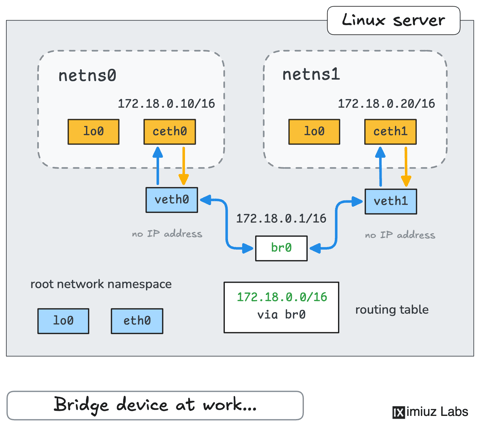
How Container Networking Works: Building a Bridge Network From Scratch
Begin with the basics to understand Docker and Kubernetes networking: learn how to create and interconnect Linux network namespaces using only command-line tools.

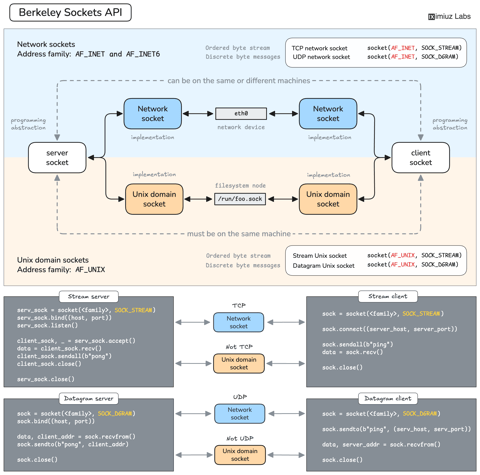
How Servers Work: A Hands-On Introduction to TCP Sockets
Learn how servers actually work by building a tiny TCP server and client from scratch. A hands-on introduction to sockets, TCP, and the network programming model every backend, DevOps, and platform engineer should go through at least once.
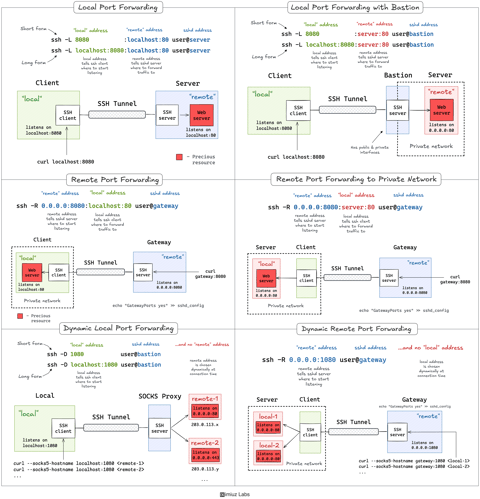
A Practical Guide to SSH Tunnels: Local and Remote Port Forwarding
SSH port forwarding explained in a clean and visual way. How to use local and remote port forwarding. What sshd settings may need to be adjusted. How to memorize the right flags.
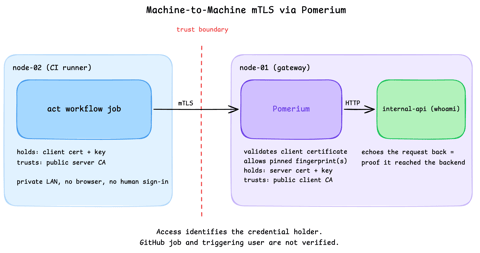
Secure Machine-to-Machine Access with mTLS and Pomerium
Run a GitHub Actions-compatible continuous integration (CI) job on a private runner and protect its internal API call with mutual TLS (mTLS) and Pomerium. Build separate server and client trust chains, authorize one machine certificate by fingerprint, then revoke, restore, and rotate its credentials through live policy changes.
