Podman Containers with systemd
Running Podman Containers with systemd
We can also leverage the systemd running on a host machine to run podman containers.
Since podman relies on the fork / exec model, any processes spun up by systemd are also monitored by systemd. If the process is a podman container, systemd can also monitor the complete lifecycle of the container and the processes within the container too.
Since systemd is the main init process i.e., PID 1 on the host, we can leverage Unit files
to manage containers spun up with podman CLI similar to any native process managed with systemctl
CLI.
We can run systemd in a container image with podman as seen in iximiuz Labs Tutorial: systemd inside podman containers here,
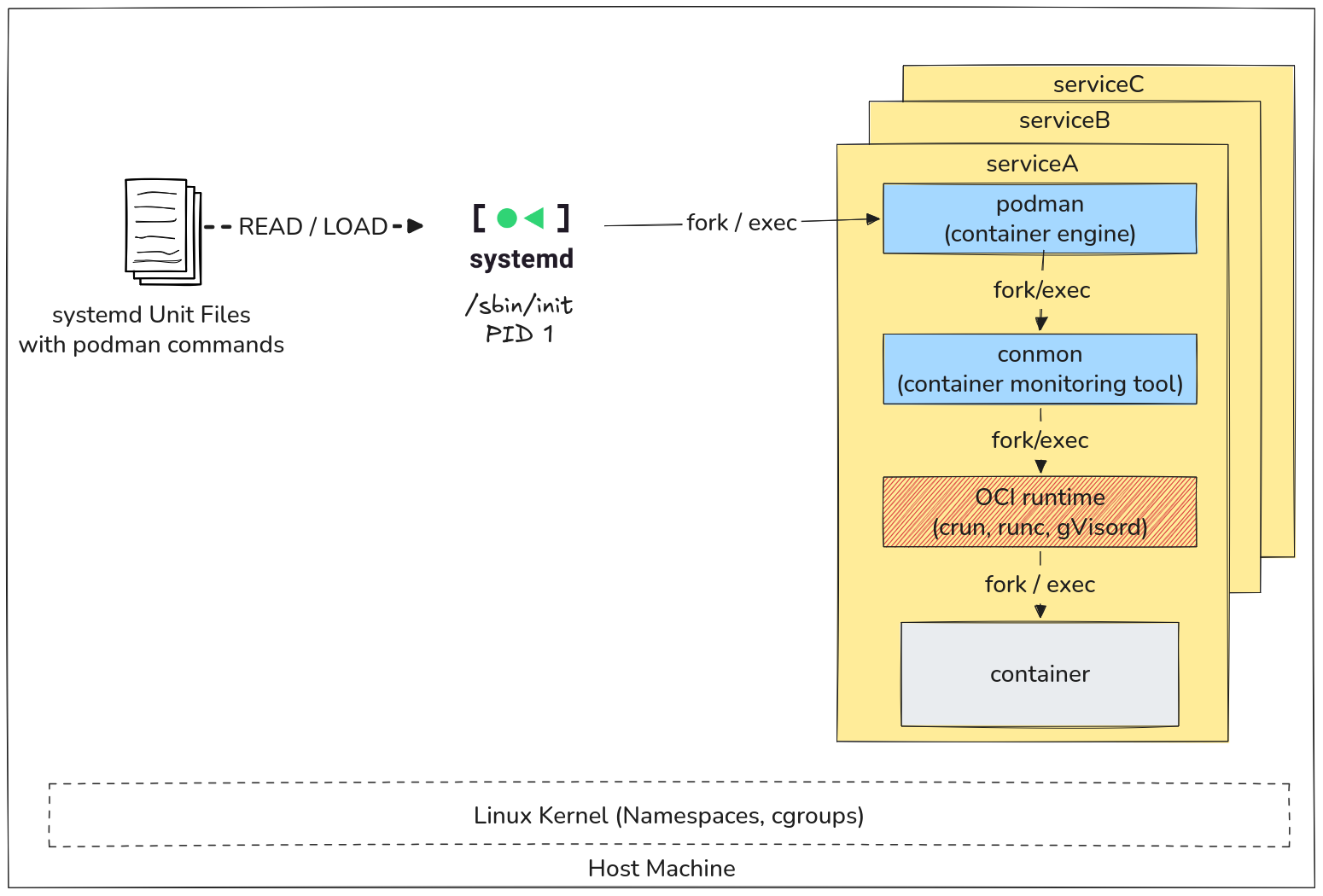
Overview of systemd with podman containers using the fork/exec model
Restarting Containers on System Boot
A majority of containers need to be run / re-run on system boot.
With podman CLI, containers can be set to run on system boot using the
--restart=always or --restart=unless-stopped flag during the
podman run command.
Gotcha on System Reboot
There is an interesting catch when expecting containers to run automatically on system (re)boot.
Let's run an nginx container and configure it's restart policy to
always run on system boot:
podman run -d \
  --name=nginx-ctr \
  -p 8080:80 \
  --restart=always \
  nginx:latest
Perform a check using:
curl http://localhost:8080
Let's reboot the machine:
sudo reboot
Once the reboot is completed, try curling again.
The container isn't running! perform a check:
podman ps -a
and you will see that the container exited and didn't restart.
Debugging Container Restart Failure
podman relies on system services specifically for running containers on system boot. They are the following:
| User type | Service Name | Location of Service File |
|---|---|---|
| Rootful User | podman-restart.service | /usr/lib/systemd/system/podman-restart.service |
| Rootless User | podman-restart.service | /usr/lib/systemd/user/podman-restart.service |
If the container didn't restart on reboot the reason is that the services are not enabled and running.
Check using:
systemctl --user status podman-restart.service # rootless user
systemctl status podman-restart.service # rootful user
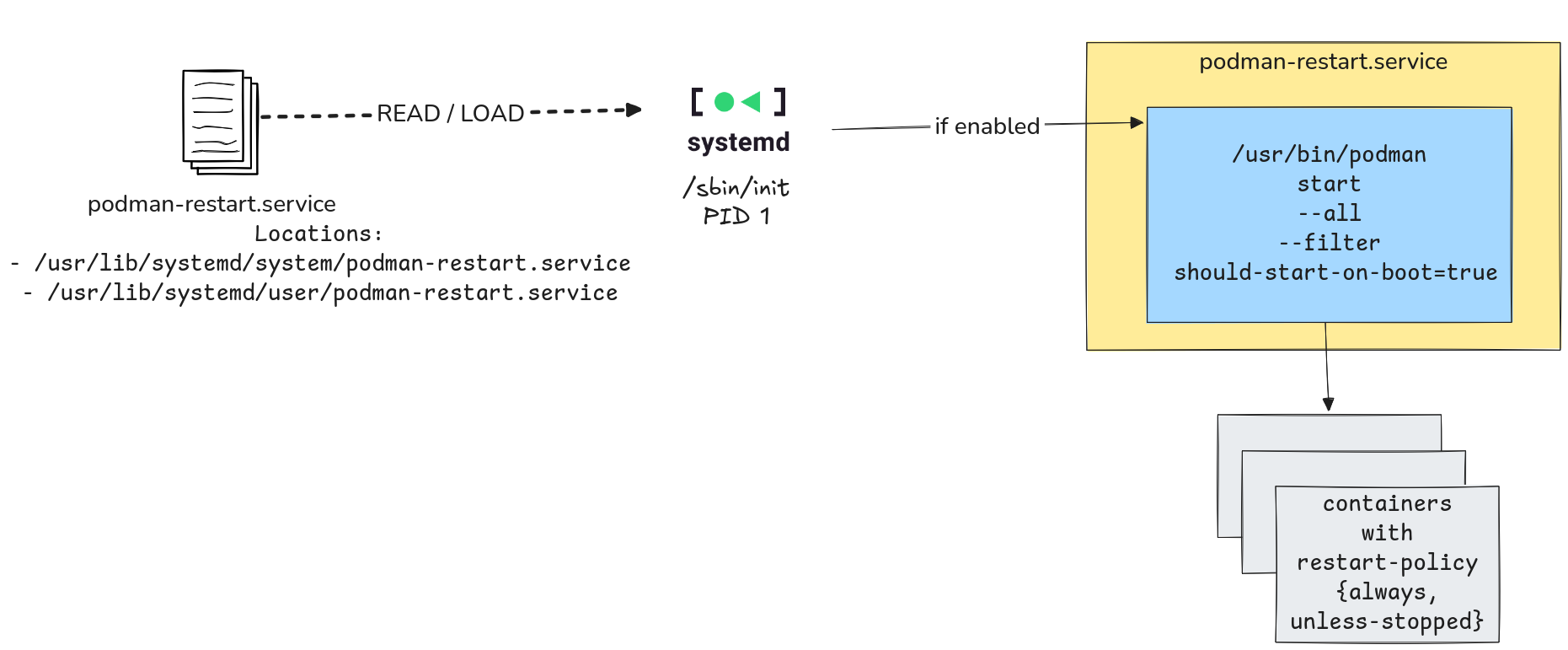
How podman-restart.service starts containers with restart policy on system boot
They are both disabled at the moment, so let's enable it for our rootless user and reboot.
systemctl --user enable podman-restart.service && sudo reboot
Upon reboot check:
podman ps -a && curl http://localhost:8080
The container should start now post reboot.
the podman-restart.service is a simple service that filters out
the restart policy of the containers on the machine and starts all
of them which have values of always, or unless-stopped.
cat /usr/lib/systemd/user/podman-restart.service
and observe line ExecStart
Generating systemd Unit Files with Podman
podman CLI provides a cool feature to generate systemd unit files from created containers,
that can be be controlled via systemd as if it were a process on the host.
podman generate systemd --help
podman generate systemd is mark deprecated but is not scheduled for removal.
It will not get any more updates and is replaced with Quadlets
Let's generate a service unit file for a whoami API container.
Creating a Container
We first need to create a traefik container:
podman create \
  --name=whoami-ctr \
  -p 9080:80 \
  traefik/whoami:latest
Generate Unit File from Created Container
generate a systemd unit file using:
podman generate systemd --new whoami-ctr
This should print out the auto-generated unit file for the container. Observe the ExecStart, ExecStop, ExecStopPost
which handles the container lifecycle.
Let's use this unit file to spin up this rootless container on system reboot:
mkdir -p ~/.config/systemd/user
podman generate systemd --new whoami-ctr > ~/.config/systemd/user/whoami.service
Reload Daemon and Running the Container
Let's reload the user daemon and enable the container to run on reboot:
systemctl --user daemon-reload
systemctl --user start whoami.service
Enabling Container on System Reboot
We can even clean up the host to remove the container image and the container and the systemd service will pull the image on reboot.
podman rm whoami-ctr
podman rmi traefik/whoami:latest
systemctl --user enable whoami.service
sudo reboot
Upon reboot verify using:
curl http://localhost:9080
By sharing the systemd unit files of such services you can easily spin up containers on different environment,
without having to install many ancilliary software beyond just systemd and podman.
Container Lifecycle
You can leverage systemctl commands to manage container lifecycle:
systemctl --user status whoami # current status of the container
systemctl --user stop whoami # stop the container
systemctl --user disable whoami # disable container restart on reboot
systemctl --user start whoami # start the container
Under The Hood
In order to manage the lifecycle of the containers and the processes in them with systemd,
podman spins up conmon monitoring service.
conmon is responsible for monitoring the container processes by interacting
with the OCI runtime (crun, runc etc.) and reports things like
container exit codes and lifecycle information of the container, which
can be utilized by systemd.
systemd doesn't care or know about the container itself, it only sees everything as a process, which is a running container and everything running within the container as processes monitored by
conmon
For the whoami-ctr container managed via whoami.service, check the process tree:
ps auxf
and you will see something similar to:
/usr/lib/systemd/systemd --user
 \_ (sd-pam)
 \_ catatonit -P
 \_ /usr/bin/dbus-broker-launch --scope user
 |   \_ dbus-broker --log 4 --controller 9 --machine-id 793de4c208214077ab213947e9b03692 --max-bytes 100000000000000 --ma
 \_ /usr/bin/pasta --config-net -t 9080-9080:80-80 --dns-forward 169.254.1.1 -u none -T none -U none --no-map-gw --quiet
 \_ /usr/bin/conmon --api-version 1 -c 03761ec438c208319179f2ca896db6a59ea1d066763cbc090d3e12576241109d -u 03761ec438c208
    \_ /whoami
Quadlets: Improved systemd Integration with Podman
instead of generating system unit files which is now deprecated, we can use a Podman Quadlet to achieve something similar to what a Docker-Compose YAML file would do but with without additional installation and with SystemD-ish syntax.
Let's create our nginx container quadlet file:
mkdir -p ~/.config/containers/systemd/
cat > ~/.config/containers/systemd/nginx-quadlet.container << _EOF
[Unit]
Description=NGINX Quadlet running on 18080 port

[Container]
Image=docker.io/library/nginx:latest
PublishPort=18080:80
Pull=always

[Service]
Restart=always

[Install]
WantedBy=default.target
_EOF
Let's create our whoami container quadlet file:
cat > ~/.config/containers/systemd/whoami-quadlet.container << _EOF
[Unit]
Description=WhoAmI Quadlet running on 19080 port

[Container]
Image=docker.io/traefik/whoami:latest
PublishPort=19080:80
Pull=always

[Service]
Restart=always

[Install]
WantedBy=default.target
_EOF
Verify using:
podman quadlet list
and it should show your nginx-quadlet.container and whoami-qualet.container.
Quadlets lifecycle is handled by systemctl --user:
systemctl --user daemon-reload
systemctl --user start nginx-quadlet.service
systemctl --user start whoami-quadlet.service
sudo reboot
Upon reboot:
podman ps -a
shows the containers are running.
Similar to .container, there is a possibiltity to generate quadlet files
for services with additional container related units:
.network: podman network creation.volume: podman volume creation.pod: podman Pods.kube: Kubernetes YAML deployment for containers.image: for pulling images and caching them.build: building container images from aContainerfile
Quadlets will not be covered too deep in this tutorial. A separate tutorial is WIP.
Logging
With systemd we can now leverage the full power of journald and observe logs of the
container using:
journalctl CONTAINER_NAME=systemd-nginx-quadlet
journalctl CONTAINER_NAME=systemd-whoami-quadlet
Note: the systemd- prefix is added to containers automatically
Replace the CONTAINER_NAME with the name of any container.
With journald the logs are auto-rotated and any zombie processes are also reaped and cleaned up
from systemd.
Sources
About the Author

Shan Desai
Software guy who loves making generic things out of specific things, loves learning new things and helping fellow engineers out.
Writes about
Frequently covers
More tutorials you might like
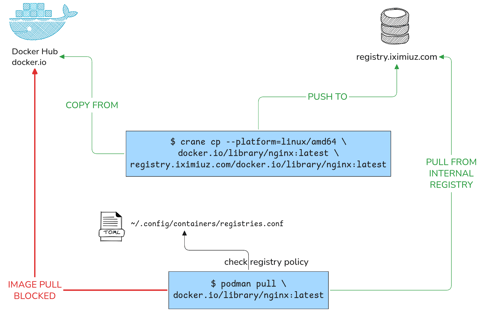
Podman Configuration: Registries, Runtimes and Containers Without a Restart
This tutorial will help you configure your rootless podman instance to pull from only from specific registries, using different OCI runtimes as well as configure all containers to have specific attributes all without any daemon restarts or sudo calls.
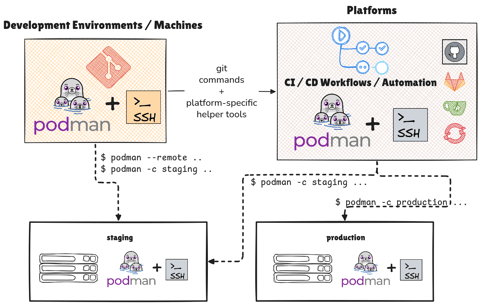
Managing Podman Instances Remotely
Learn how you can control multiple podman instances on remote machines without SSHing into them manually. Also learn to deploy your Compose application stacks without SCP / SSH with podman remote feature and Docker Compose v2
Podman with Kubernetes: Play Before You Apply
This tutorial provides an in-depth know-how of working with Pods (group of container) with Podman. It also gives insights into how the podman CLI works well with Kubernetes, albeit in limited capacity to develop better Container Workflows.
Systemd Inside Containers Using Podman
Learn how to use systemd inside containers and manage their lifecycle with podman.
Learn by doing, not just by reading or watching
Sign up for a free account to start a VM playground right on this page, track your progress, and get notified about new learning materials.