Introduction to Data Structures and Security Concepts

Companion to Universitaet Wien: Lecture Friday 13th 2026 Module 3
The Relational (Row-Based) Way with SQLite
Play around, you can't destroy anything. If you want to start over, just click on the "Destroy" button in the playground.
First, let's open the database. The chinook.db file is already available for you in the playground.
cd examples/db
sqlite3 chinook.db
Once inside the SQLite prompt, you can run commands.
Run the following command to see all the tables in the database:
.tables
What is the name of the table that stores album information? How do you query its content?
Solution
The albums table stores album information.
You can query its content using:
SELECT * FROM albums;
A schema is a blueprint of how a database is structured. It defines the tables, columns, data types, and relationships between tables. In a normalized relational database like SQLite, the schema is designed to minimize redundancy and ensure data integrity by organizing data into related tables with foreign keys.
Now, examine the schema for the albums table by running
.schema albums
What is the name of the column that links an album to an artist?
Solution
Correct! The ArtistId column links an album to an artist.
Here we can observe the following:
- AlbumId INTEGER PRIMARY KEY AUTOINCREMENT NOT NULL: This creates a column named
AlbumIdof typeINTEGER. It's the primary key for the table, uniquely identifying each record.AUTOINCREMENTensures new records get a sequentially largerAlbumId.NOT NULLmeans this column must have a value. - Title NVARCHAR(160) NOT NULL: This creates a
Titlecolumn that can hold a string up to 160 characters and cannot be empty. - ArtistId INTEGER NOT NULL: This creates an
ArtistIdcolumn of typeINTEGERthat cannot be empty. - FOREIGN KEY (ArtistId) REFERENCES "artists" (ArtistId) ...: This sets up a foreign key, linking
ArtistIdin thealbumstable to theArtistIdin theartiststable. - CREATE INDEX IFK_AlbumArtistId ON "albums" (ArtistId): This creates an index on the
ArtistIdcolumn to speed up queries.
This normalized structure can be visualized as a set of interconnected tables:
Let's query the database. Run
SELECT * FROM albums LIMIT 1;
to see the first album in the table. Hmm, that is pretty useless by itself.
What is the Title of this album? Is it deterministic? If you run the same query again, will you get the same result?
Now for a more complex query. Find the artist for the album titled 'Balls to the Wall'. You will need to JOIN the albums and artists tables.
SELECT ar.Name FROM artists ar JOIN albums al ON ar.ArtistId = al.ArtistId WHERE al.Title == 'Balls to the Wall';
Now let's try modifying data.
In a normalized relational database, data is organized into related tables to minimize redundancy and ensure data integrity.
This means, we only have one place where an artist's name is stored (in the artists table). If we want to change an artist's name, we only need to update it in one place, which is efficient and reduces the risk of inconsistencies.
Remember this point, when we discuss security implications
Data Models: Normalized vs. Denormalized
The chinook database is a great example of a normalized data model. This is the classic approach for transactional (OLTP) row-based databases like SQLite, PostgreSQL, or MySQL.
- How it works: Data is split into multiple tables to reduce redundancy. For instance, an artist's name exists in only one place in the
artiststable. Thealbumstable only stores a reference (ArtistId) to that artist. - Pros:
- Data Integrity: Changing an artist's name is a single, atomic operation. There's no risk of some records having the old name and some having the new one.
- Efficient Writes:
INSERT,UPDATE, andDELETEoperations are fast because they touch small, specific rows of data.
- Cons:
- Complex Reads: Getting a complete picture (like a track with its artist, album, and genre) requires
JOINoperations across multiple tables, which can be slower for large-scale analytics.
- Complex Reads: Getting a complete picture (like a track with its artist, album, and genre) requires
In contrast, a denormalized model puts all related data into a single, wide table. This leads to data redundancy (e.g., the same artist and album name are repeated for every track on that album).
Visually, it's just one big table with no relationships:
| TrackId | TrackName | AlbumTitle | ArtistName | GenreName |
|---|---|---|---|---|
| 1 | For Those About To Rock (We Salute You) | For Those About To Rock | AC/DC | Rock |
| 2 | Put The Finger On You | For Those About To Rock | AC/DC | Rock |
| 3 | Balls to the Wall | Balls to the Wall | Accept | Metal |
| ... | ... | ... | ... | ... |
For a row-based database like SQLite, this is generally a bad data model. It wastes space and makes updates slow and error-prone. Imagine updating a typo in a genre name—you'd have to find and change every single track associated with that genre!
Let's create this "bad" table in SQLite to see.
Querying this table might seem simpler:
SELECT TrackName, AlbumTitle, ArtistName, GenreName
FROM denormalized_tracks;

SELECT TrackName, AlbumTitle, ArtistName, GenreName
FROM denormalized_tracks
WHERE TrackId = 1;
However, this model is inefficient. The redundancy increases database size and the risk of inconsistencies. Updating data (like an artist's name) requires changes in many places, which is slow and error-prone.
Think about how you would update a typo in a GenreName for the denormalized model versus the normalized model. Can you calculate how many operations the UPDATE statement would entail?
Solution
It will take exactly as many operations as there are tracks in that genre with the typo.
UPDATE denormalized_tracks
SET GenreName = 'Rokc'
WHERE GenreName = 'Rock';
There are databases specialized for denormalized models (e.g., columnar databases like SAP HANA or below DuckDB), where this structure can be advantageous for certain types of analytics.
The Columnar Way with DuckDB
Now, let's explore a different world: columnar databases. We'll use DuckDB, an easy-to-use, in-process analytical (OLAP) database
- How it works: Instead of storing data row-by-row, a columnar database stores all values for a single column together.
- Pros:
- High Compression: Since data in a column is of the same type (e.g., all integers or all strings with similar patterns), it can be compressed very effectively.
- Efficient Reads for Analytics: Analytical queries often only need a few columns from a wide table (e.g.,
SUM(Price)). A columnar database only reads the data for thePricecolumn, ignoring all others, which is incredibly fast. It avoids reading entire rows just to get one value.
For columnar databases, a denormalized model (like the single denormalized_tracks table) is often the good data model! The cost of joins is high, but scanning a few columns of a single large table is what they are optimized for. The data redundancy is offset by high compression.
Let's see this in action. Exit SQLite (.quit) and start DuckDB.
duckdb
In the DuckDB prompt, let's create the same denormalized table. DuckDB can directly read from SQLite files! After running the commands, check the tables and then exit DuckDB (.exit).
Now, let's run an analytical query that columnar databases excel at. We want to find the average track length in minutes for each genre. This query only needs to read the GenreName and Milliseconds columns.
Run the following analytical query.
This is the core difference: Row-based databases (like SQLite) are optimized for transactions (writing/updating individual records) and prefer normalized models. Columnar databases (like DuckDB) are optimized for analytics (reading a few columns from many records) and prefer denormalized models.
Here is a mermaid diagram of a so-called CQRS architecture, where we have a normalized OLTP database for transactions and a denormalized OLAP database for analytics:
Graph DBs, Key Value Stores, and Document Stores
Now, we ll compare the same data in different types of NoSQL databases: Graph Databases, Key-Value Stores, and Document Stores.
Graph Databases
Graph databases (like Neo4j) represent data as nodes and relationships. They are ideal for highly interconnected data, such as social networks or recommendation systems. In a graph database, artists, albums, genres, and tracks would be represented as nodes, with relationships connecting them (e.g., "Artist creates Album", "Album contains Track", "Track belongs to Genre"). This allows for very efficient querying of complex relationships, but it may not be the best choice for simple tabular data or heavy transactional workloads.
Lets visualize how the chinook data would look in a graph database:
To create such a graph, you would use Cypher queries in Neo4j to create nodes for artists, albums, genres, and tracks, and then create relationships between them. This structure allows for very efficient traversal of relationships (e.g., finding all tracks by a certain artist or all albums in a genre), but it may not be as efficient for simple lookups or aggregations compared to a relational database.
Lets see two example Cypher queries:
export NEO4J_USERNAME='neo4j'
export NEO4J_PASSWORD='neo4j'
sudo neo4j start
cypher-shell
now pick a new password, we will use neo4j4j4j , then type :exit .
# Create the sample data in Neo4j using Cypher Queries
export NEO4J_PASSWORD='neo4j4j4j'
# Use MERGE to create nodes and relationships idempotently
cypher-shell "MERGE (:Artist {name: 'AC/DC'})"
cypher-shell "MERGE (:Artist {name: 'Accept'})"
cypher-shell "MERGE (:Artist {name: 'Aerosmith'})"
cypher-shell "MERGE (:Album {title: 'For Those About To Rock'})"
cypher-shell "MERGE (:Album {title: 'Balls to the Wall'})"
cypher-shell "MERGE (:Album {title: 'Let There Be Rock'})"
cypher-shell "MERGE (:Track {name: 'For Those About To Rock (We Salute You)'})"
cypher-shell "MERGE (:Genre {name: 'Rock'})"
cypher-shell "MATCH (a:Artist {name: 'AC/DC'}), (b:Album {title: 'For Those About To Rock'}) MERGE (a)-[:PRODUCED]->(b)"
cypher-shell "MATCH (b:Album {title: 'For Those About To Rock'}), (t:Track {name: 'For Those About To Rock (We Salute You)'}) MERGE (b)-[:CONTAINS]->(t)"
cypher-shell "MATCH (t:Track {name: 'For Those About To Rock (We Salute You)'}), (g:Genre {name: 'Rock'}) MERGE (t)-[:BELONGS_TO]->(g)"
Lets actually run the following querys to get a hang of it
// Find all tracks by AC/DC
cypher-shell "MATCH (a:Artist)-[:PRODUCED]->(album:Album)-[:CONTAINS]->(track:Track) WHERE a.name = 'AC/DC' RETURN track.name, album.title"
Now, find all what kind of stuff AC/DC produced (albums and tracks)
cypher-shell "MATCH (a:Artist {name: 'AC/DC'})-[*1..2]->(related) RETURN a.name, labels(related), related"
Wonderful, graphdbs get complicated quickly, but are powerful for these use-cases:
- Social networks (e.g., Facebook, LinkedIn)
- Recommendation systems (e.g., Netflix, Amazon)
- Fraud detection (e.g., in financial transactions)
- Knowledge graphs (e.g., Google Knowledge Graph)
GraphDB also often do not scale well, as partitioning them is generally very hard.
Key-Value Stores
Key-value stores (like Redis) are the simplest type of NoSQL database. They store data as a collection of key-value pairs, where the key is a unique identifier and the value can be any type of data (string, number, list, etc.). In a key-value store, you might store an artist's name under a key like artist:1:name and an album title under album:1:title. This model is extremely fast for simple lookups by key but does not support complex queries or relationships between data without additional application logic.
Start the Redis service before using it
sudo service redis-server start
Insert sample data into Redis
redis-cli SET "artist:1:name" "AC/DC"
redis-cli SET "artist:2:name" "Accept"
redis-cli SET "artist:3:name" "Aerosmith"
redis-cli SET "album:1:title" "For Those About To Rock We Salute You"
redis-cli SET "album:2:title" "Balls to the Wall"
redis-cli SET "genre:1:name" "Rock"
redis-cli SET "genre:3:name" "Metal"
redis-cli SET "track:1:name" "For Those About To Rock (We Salute You)"
redis-cli SET "track:1:album_id" "1"
redis-cli SET "track:1:genre_id" "1"
Lets query the Redis data using the redis-cli command-line tool:
# Get the name of artist with ID 1
redis-cli GET "artist:1:name"

# Get the title of album with ID 1
redis-cli GET "album:1:title"
Security Implications of Data Models
The choice of data model has significant security implications:
- Normalized Models: In a normalized relational database, data is stored in multiple tables with relationships. This can help with data integrity and consistency, but it also means that an attacker who gains access to the database can be thwarted by well implemented access controls on each table. However, if an attacker can bypass these controls, they may be able to access sensitive data across multiple tables through joins.
Methods to protect data
- Access Controls: Implementing strict access controls on who can read or write to each table can help protect sensitive data. For example, only allowing certain users to access the
artiststable while restricting access to thetrackstable can limit the damage if an attacker gains access. - Encryption: Encrypting sensitive data at rest and in transit can help protect it from unauthorized access. For example, encrypting the
ArtistNameandGenreNamecolumns can help protect this information even if an attacker gains access to the database. - Auditing: Implementing auditing and logging can help detect unauthorized access or changes to the database. This can include logging all queries that access sensitive data or all changes to the
artiststable. - Data Masking: In a denormalized model, sensitive data may be duplicated across many records. Implementing data masking techniques can help protect this data by obscuring it in query results or logs.
Lets concretely solve the following four security problems in our 4 different DBs:
- Confidentiality: Prevent unauthorized access to artist names (lets assume those are PII)
- Integrity: Ensure that track content is not tampered with (e.g. by hiding bytes in there or polluting the data with fake tracks)
- Availability: Ensure that the database is accessible and responsive to authorized users (like a DJ streaming it at a party)
- Accountability: Track who accessed or modified sensitive data and when
Let's concretely solve the following four security problems in our different DBs.
1. Confidentiality: Protecting Artist Names
Let's assume artist names are Personally Identifiable Information (PII) and we need to restrict access.
SQLite/DuckDB (Embedded Databases)
For embedded databases like SQLite and DuckDB, access control isn't built-in at the database level. It's the responsibility of the application using the database. This is called application-level enforcement. It intercepts queries and checks them against a policy before they reach the database.
Another approach is to create database VIEWs. A view can expose a "safe" version of your data.
-- In SQLite or DuckDB, create a view that hides artist names
CREATE VIEW SafeTrackInfo AS
SELECT
  t.Name AS TrackName,
  al.Title AS AlbumTitle,
  g.Name AS GenreName
FROM tracks t
INNER JOIN albums al ON t.AlbumId = al.AlbumId
INNER JOIN genres g ON t.GenreId = g.GenreId;

-- Now, an application can be restricted to only query the 'SafeTrackInfo' view.
SELECT * FROM SafeTrackInfo LIMIT 5;
Neo4j (Graph Database)
Neo4j has a powerful Role-Based Access Control (RBAC) system. We can create a role that is denied access to Artist nodes.
You would need to run these commands as admin.
-- Create a role for a user who shouldn't see artist PII
CREATE ROLE dj;

-- Grant read access on Album and Track nodes to the 'dj' role
GRANT MATCH ON GRAPH chinook NODES Album, Track TO dj;

-- Explicitly deny access to Artist nodes for this role
DENY MATCH ON GRAPH chinook NODES Artist TO dj;
A user assigned the dj role can query for tracks and albums, but any query attempting to access an Artist node will fail, ensuring confidentiality.
Redis (Key-Value Store)
Redis uses Access Control Lists (ACLs) to manage permissions. We can create a user that can only access keys matching certain patterns.
# Create a user 'dj' with password 'secret' that can access keys for tracks and albums, but not artists.
redis-cli ACL SETUSER dj ON '>secret' -@all +@read '~track:*' '~album:*'

# A DJ trying to get an artist name will be denied
redis-cli --user dj --pass secret GET "artist:1:name"
# (error) NOPERM this user has no permissions with this key

# But they can get track information
redis-cli --user dj --pass secret GET "track:1:name"
# "For Those About To Rock (We Salute You)"
2. Integrity: Preventing Data Tampering
To ensure data hasn't been altered, we can store a hash of the data (or a file) and verify it later.
SQLite/DuckDB
Let's add a sha256_hash column to our tracks table. When a new track is added, the application would calculate the hash of the track's audio file and store it.
ALTER TABLE tracks ADD COLUMN sha256_hash TEXT;

-- The application would compute the hash and run an update
UPDATE tracks SET sha256_hash = 'e3b0c44298fc1c149afbf4c8996fb92427ae41e4649b934ca495991b7852b855' WHERE TrackId = 1;

-- To verify, the application re-calculates the hash of the file and compares
SELECT sha256_hash FROM tracks WHERE TrackId = 1;
Neo4j
The same principle applies. The hash can be stored as a property on the Track node.
MATCH (t:Track {name: 'For Those About To Rock (We Salute You)'})
SET t.sha256_hash = 'e3b0c44298fc1c149afbf4c8996fb92427ae41e4649b934ca495991b7852b855';
Redis
In Redis, you could store the hash in a separate key or, more efficiently, use a Redis Hash data structure.
# Store track details in a Redis Hash
HSET track:1 name "For Those About To Rock..." sha256_hash "e3b0c44298..."

# To verify, retrieve just the hash
HGET track:1 sha256_hash
3. Availability: Ensuring Access for the DJ
Availability ensures the system is operational for authorized users.
- SQLite/DuckDB: As embedded databases, their availability is tied to the application they run within. If the application crashes, the database is unavailable. High availability would require application-level clustering and replication.
- Neo4j: Supports causal clustering, where a core group of servers handles writes and a larger group of read replicas handles reads. This provides both high availability and scalability for read-heavy workloads, perfect for our DJ. If one replica goes down, the DJ's app can connect to another.
- Redis: Supports high availability through Redis Sentinel, which monitors Redis instances, handles automatic failover if a master node goes down, and reconfigures clients. For massive scale, Redis Cluster shards data across multiple nodes.
4. Accountability: Tracking Data Access
Accountability is about knowing who did what, and when. This is typically achieved through audit logs.
- SQLite/DuckDB: These databases do not have built-in audit logging. Accountability must be built into the application layer. The
authz_middleware.pycould be extended to log every request it receives, including the user ID, the query, and the decision (allowed/denied), to a secure log file. - Neo4j: Provides a
debug.logthat can be configured to log all executed Cypher queries, including the user who ran them. For more advanced needs, enterprise-grade auditing can log access to specific nodes or properties. - Redis: The
MONITORcommand provides a real-time stream of all commands processed by the server, including the client's IP address. This is useful for debugging but can impact performance. For persistent auditing, Redis Enterprise offers more robust audit logging capabilities.
The CAP Theorem
should not be understood as a mathematical theorem, but rather as a set of trade-offs that database designers must consider when building distributed systems. It states that in the presence of a network partition (P), a distributed system can only guarantee either consistency (C) or availability (A), but not both simultaneously.
In the context of security of data, it is primarily relevant to the availability aspect.
Integrity
The famous hash collision of the MD5 algorithm is a great example of how an attacker can tamper with data without changing its hash value.
First some basics, we ll create a few text files with the same content, but different hashes:
echo "This is a test file." > txt1.txt
echo "This is a test file." > txt2.txt
echo "This is a test file." > txt3.txt
Now, we get the hash of those files using the md5 command-line tool:
md5sum txt*
They ll be identical, because the content is the same.
Now, we ll modify the content of txt2.txt and txt3.txt in a way that changes the hash.
echo "This is a test file. " > txt2.txt
echo " This is a test file." > txt3.txt
md5sum txt*
They ll not be identical. So far so clear.
Now, we ll download the shattered pdfs, which are two different pdf files with the same md5 hash AND the same sha. This is a real-world example of a hash collision, where two different inputs produce the same hash value.
wget https://raw.githubusercontent.com/AustrianDataLAB/webvm/features/hashinglab/examples/hashing/shattered-1.pdf
wget https://raw.githubusercontent.com/AustrianDataLAB/webvm/features/hashinglab/examples/hashing/shattered-2.pdf
ls -lah | grep pdf
-rw-r--r-- 1 root root 413K Jan  8 13:10 shattered-1.pdf
-rw-r--r-- 1 root root 413K Jan  8 13:10 shattered-2.pdf
Ok, now lets create the hash of those two, as well . This time we use
shasum shattered*
38762cf7f55934b34d179ae6a4c80cadccbb7f0a  shattered-1.pdf
38762cf7f55934b34d179ae6a4c80cadccbb7f0a  shattered-2.pdf
This means, they are the same, right?
Exercise: the two files are on our github https://github.com/AustrianDataLAB/webvm/blob/features/hashinglab/examples/hashing/shattered-1.pdf and https://github.com/AustrianDataLAB/webvm/blob/features/hashinglab/examples/hashing/shattered-2.pdf
You don't have to download them, but you can in-browser view them. Would you say they are the same?
Solution: Using an up-to-date hash algorithm sha256
shasum -a 256 shattered*
2bb787a73e37352f92383abe7e2902936d1059ad9f1ba6daaa9c1e58ee6970d0  shattered-1.pdf
d4488775d29bdef7993367d541064dbdda50d383f89f0aa13a6ff2e0894ba5ff  shattered-2.pdf
And here we go: they are not the same, so our eyes work just fine.
A hash collision like the above can be a critical security issue. If an attacker can create a malicious file that has the same hash as a legitimate file, they can trick systems that rely on hashes for integrity verification. For example, if a software update is distributed with a hash to verify its authenticity, an attacker could create a malicious update with the same hash, potentially leading to the installation of malware.
About the Author
Writes about
Frequently covers
More tutorials you might like
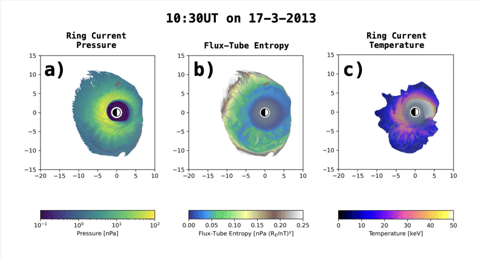
Papercompanion for APL Center of Geospace Storms
OpenScience Demo content: How to capture a massive piece of high-performance compute (HPC) code named Kaiju and Gamera in a Container
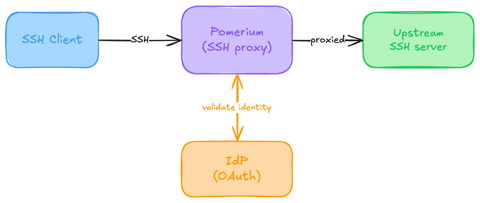
Native SSH Access with Pomerium
Pomerium can be used as a native SSH reverse proxy, adding OAuth authentication and flexible Pomerium policy enforcement to standard SSH connections, without the need for tunnels, or custom clients or servers.

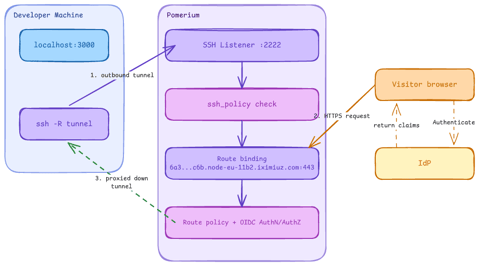
Native SSH Reverse Tunneling with Pomerium
Use Pomerium's native SSH support to publish a local service through a standard reverse SSH tunnel, with OpenID Connect (OIDC) authentication and continuous authorization on every request. Reach services behind Network Address Translation (NAT) without firewall holes or custom agents, and control both who can use the service and who can open the tunnel. Application traffic stays on infrastructure you control.
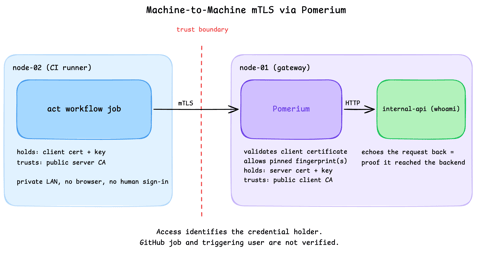
Secure Machine-to-Machine Access with mTLS and Pomerium
Run a GitHub Actions-compatible continuous integration (CI) job on a private runner and protect its internal API call with mutual TLS (mTLS) and Pomerium. Build separate server and client trust chains, authorize one machine certificate by fingerprint, then revoke, restore, and rotate its credentials through live policy changes.
Learn by doing, not just by reading or watching
Sign up for a free account to start a VM playground right on this page, track your progress, and get notified about new learning materials.