Welcome and Warmup (Docker & Kubernetes)

We would like to get familiar with the tools.
On the left you can press Start "START LESSON".

Start lesson
This opens a black panel on the right which should display "Warming up playground...". A Kubernetes Cluster is bootstrapped in the back which (just for you), the so-called Playground. Indeed it's virutal machines running on the infrastructure which present you with a Terminal.

Tabs of the lab environment.
This Playground provides you a terminal on the dev-machine and on the Kubernetes Nodes node-01.
On the dev-machine the frontends for kubectl and docker are installed. This means we could create a Docker container using docker run.
docker run -ti alpine sh
/ # ps faux
PID   USER     TIME  COMMAND
    1 root      0:00 sh
   10 root      0:00 ps faux
/ # exit
We can also start a pod on Kubernetes using kubectl.
kubectl apply -f - <<EOF
apiVersion: v1
kind: Pod
metadata:
  name: my-pod
  labels:
    app: web
spec:
  containers:
    - name: nginx
      image: nginx:1.27
      ports:
        - containerPort: 80
EOF
The pod should now be running on one of the Nodes:
kubectl get pods
NAME     READY   STATUS    RESTARTS   AGE
my-pod   1/1     Running   0          11s
We can even expose the ports:
docker run -ti -d -p 80:80 nginx
On the top-right is the "dots menu", which provides "Expose HTTP port" or you click open HTTP on dev-machine.
You're set! In the training we will run attacks and break containers.
Learn by doing, not just by reading or watching
Sign up for a free account to start a VM playground right on this page, track your progress, and get notified about new learning materials.
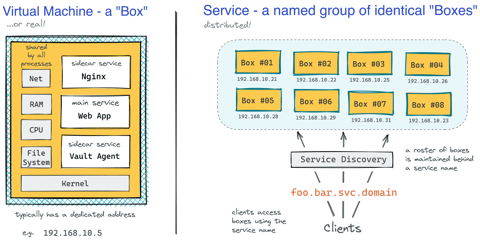
How Kubernetes Reinvented Virtual Machines - In a Good Sense
How Virtual Machines were used to deploy services. What old problems containers solve and what new problems create. How Kubernetes used containers to recreate Virtual Machines in a better way?

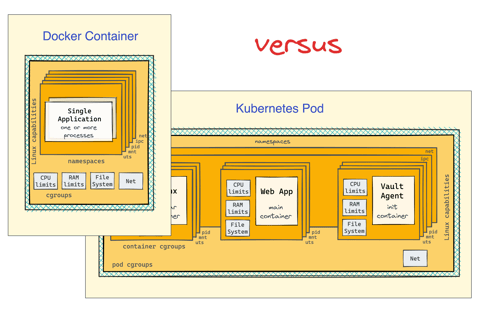
Docker Containers vs. Kubernetes Pods - Taking a Deeper Look
Can a Kubernetes Pod be created with plain Docker commands? Learn the difference between Containers and Pods by exploring how they are implemented under the hood.
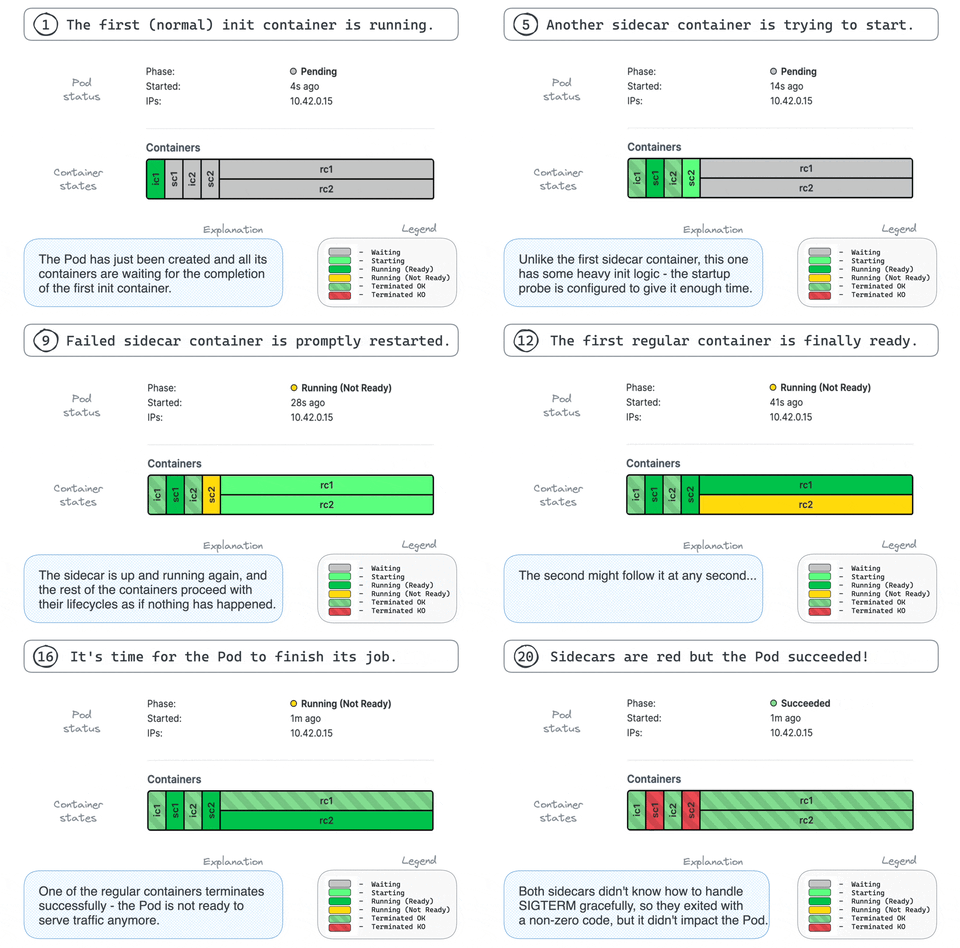
Making Sense Out of Native Sidecar Containers in Kubernetes
Understand the "native" sidecar containers, learn their difference from regular and init containers and discover their advantages in this focused and highly practical tutorial.
Getting Started with VictoriaMetrics on Kubernetes
Deploy VictoriaMetrics on Kubernetes using the VM Operator, configure metrics scraping with CRDs, and query cluster metrics.
