Gitless GitOps with Flux: Plugins, Mirrors, and Schema Validation
The scenario
You've joined a team that's all-in on Gitless GitOps using Flux. The platform team has already bootstrapped the cluster. The Flux Operator is reconciling the core controllers and the Flux Operator Web UI is live (checkout the Flux UI tab).
They've also delegated a tenant slot to you: an OCI artifact named apps/config that Flux already watches. Anything you push there, Flux applies!
Your job is to ship a full-stack application using Gitless GitOps ways of working.
💡 Some of the commands you will execute today are usually run by CI systems, e.g., flux push artifact is commonly executed via GitHub Actions.
Today, we will run through the whole process "by hand" so that you get a deep understanding of how the Gitless approach to GitOps works!
By the end of this tutorial, you will have deployed a three-tier app: a frontend, a backend, and a Redis cache. The whole process is driven through OCI artifacts, and along the way, you'll pick up three of the newest tools in the Flux 2.9 toolbox:
- The Flux CLI plugin system to install first-class
fluxsubcommands. flux schema validateto catch a broken manifest before it ever reaches the cluster.flux mirror syncto break the dependency on public Helm repositories at reconcile time.
And when something gets stuck, because something always gets stuck, we'll use the Flux Operator Web UI and the flux CLI to figure out why!
What is Gitless GitOps?
Every Iximiuz playground ships its own container registry, reachable from inside the playground at:
registry.iximiuz.com
We will make use of this OCI registry to store all of our deployment manifests. Instead of connecting Flux to a Git repository, we're going to push Kubernetes manifests to that registry as OCI artifacts, and let Flux pull them from the registry instead.
Broadly speaking, there are two different kinds of artifacts involved:
At the core we are still deploying Kubernetes manifests, such as Deployments and Services. These application specific configurations are pushed as versioned OCI artifacts into their own dedicated OCI repositories.
We also have the apps/config OCI repository, which we will use as the entry-point. It conatins the OCIRepository/Kustomization/HelmRelease objects that point at the different application configurations.
Remember, in this tutorial we are manually running all commands, such as flux push. We are also side-stepping the central git repository altogether. In a real-world setup we push our changes to git, and have a central CI pipeline execute the steps we will run, today.
The important point to remember is that Flux watches an OCI repository, instead of a git repository. This decouples the complex Git infrastructure from our production environment, and relies on the same OCI registry that already provides our container images, instead. Even if git goes down, our production environment will remain unaffected.
Let's have the tour
Open the Terminal tab and take stock of what's already running. We can see that the FluxInstance is ready:
flux operator get instance
Also, the core controllers (source-controller, kustomize-controller, helm-controller, notification-controller) are running:
flux check
Now let's see how the platform team wired things up. The FluxInstance syncs the whole cluster from a single OCI artifact:
flux operator export report | yq '.spec.sync'
That top-level artifact (flux-system/config) is owned by the platform team. It creates the apps namespace and delegates a tenant slot to you by pointing a Kustomization at your config artifact.
To get a better understading of this open the Flux UI, it will help us visualize configuration.
Follow the link in the Cluster Sync section, and open the Managed Objects - Graph. Notice the apps namespace already exists.
The Flux CLI Plugin System
Flux 2.9 shipped a CLI plugin system, so we can install independently versioned binaries as first-class flux subcommands. Let's search the available catalog:
flux plugin search
Notice that the flux operator commands we ran earlier were also shipped as plugin! The playground came with it preinstalled.
Let's install the schema plugin:
flux plugin install schema
And the mirror plugin:
flux plugin install mirror
💡 Plugins install to ~/.fluxcd/plugins, and Flux resolves them automatically.
Ship the Backend
We will use podinfo as a stand-in for our application. Actually, we will use it twice: once as a backend, and once as a frontend that calls the backend.
A starter copy of the backend's manifests is already sitting in your home directory:
yq ~/podinfo-backend/*
As you can see, it is defined as a regular Deployment and Service.
Before we push anything to the registry, though, let's run it through the schema validator we just installed:
flux schema validate ./podinfo-backend -v
Validation errors are expected here!
Read the error, find the bad field in deployment.yaml, and fix it. Both nano and vim are available.
Re-run the validation command until it passes.
Now, we push it as an OCI artifact:
flux push artifact oci://registry.iximiuz.com/podinfo/backend:v1 \
  --path="./podinfo-backend" \
  --source="laborant@k3s-01" \
  --revision="v1"
Finally, we hook it up to Flux by adding it to our tenant's configuration artifact. Create ~/config/backend.yaml:
apiVersion: source.toolkit.fluxcd.io/v1
kind: OCIRepository
metadata:
  name: backend
  namespace: apps
spec:
  interval: 1m
  url: oci://registry.iximiuz.com/podinfo/backend
  ref:
    tag: v1
---
apiVersion: kustomize.toolkit.fluxcd.io/v1
kind: Kustomization
metadata:
  name: backend
  namespace: apps
spec:
  interval: 5m
  sourceRef:
    kind: OCIRepository
    name: backend
  path: ./
  prune: true
  wait: true
  timeout: 2m
  targetNamespace: apps
An OCIRepository is Flux's equivalent of a GitRepository, except it polls a container
registry instead of a Git remote. The Kustomization is what actually applies the
artifact's contents to the cluster. The same way, it would for a Git-sourced one.
Now, we push the whole config workspace into the slot the platform team delegated to us:
flux push artifact oci://registry.iximiuz.com/apps/config:latest \
  --path="./config" \
  --source="laborant@k3s-01" \
  --revision="latest"
Flux polls the config artifact on an interval, but we don't have to wait. Let's nudge it to pull in our changes:
flux reconcile kustomization apps -n apps --with-source
This is the heart of Gitless GitOps: we changed the cluster by pushing OCI artifacts.
You can watch the reconciliation happen in the Flux UI.
Ship the Frontend
Let's apply the frontend manifests next!
They are available at ~/podinfo-frontend, and configured with --backend-url=http://backend:9898/echo, so it'll call the backend we just deployed.
flux schema validate ./podinfo-frontend -v
No typo this time! So we are clear to push the frontend!
flux push artifact oci://registry.iximiuz.com/podinfo/frontend:v1 \
  --path="./podinfo-frontend" \
  --source="laborant@k3s-01" \
  --revision="v1"
Again, we need to let Flux know about the new OCI repository. Create ~/config/frontend.yaml:
apiVersion: source.toolkit.fluxcd.io/v1
kind: OCIRepository
metadata:
  name: frontend
  namespace: apps
spec:
  interval: 1m
  url: oci://registry.iximiuz.com/podinfo/frontend
  ref:
    tag: v1
---
apiVersion: kustomize.toolkit.fluxcd.io/v1
kind: Kustomization
metadata:
  name: frontend
  namespace: apps
spec:
  interval: 5m
  dependsOn:
    - name: backend
  sourceRef:
    kind: OCIRepository
    name: frontend
  path: ./
  prune: true
  wait: true
  timeout: 2m
  targetNamespace: apps
Since the frontend depends on the backend, we add dependsOn: [name: backend]. This instructs Flux to only deploy the frontend once the backend Kustomization reports Ready.
Then re-push the config artifact:
flux push artifact oci://registry.iximiuz.com/apps/config:latest \
  --path="./config" \
  --source="laborant@k3s-01" \
  --revision="latest"
And give Flux another nudge:
flux reconcile kustomization apps -n apps --with-source
Once it's reconciled, the frontend is available on port :30080.
You can verify that the frontend communicates with the backend over the network. The podinfo's /echo endpoint forwards whatever you POST to every configured --backend-url and echoes the response back:
curl -X POST --data 'hello-flux' http://localhost:30080/echo
You should get back ["hello-flux"] — your JSON payload, round-tripped through the backend.
Breaking Dependencies on Public Helm Charts
To improve performance, our backend should also cache responses using Redis. Since Redis isn't available in this cluster, we need to install it first!
The chart lives in a public Helm repository we don't control. If that repository (or vendor) has a bad day, your reconciliation does, too! Instead, we mirror the chart into our own registry with flux-mirror, and have Flux pull it from there.
A mirror configuration is prepared at ~/redis-mirror/flux-mirror.yaml:
apiVersion: mirror.plugin.fluxcd.io/v1beta1
kind: Config
charts:
  - name: redis
    source: https://groundhog2k.github.io/helm-charts
    destination: oci://registry.iximiuz.com/db/charts
    version: "*"
    limit: 1
db/charts is where the mirrored Redis chart lands in the registry.
Before we commit to it, we can preview the operation:
flux mirror sync ~/redis-mirror/flux-mirror.yaml --dry-run
Then we run the sync:
flux mirror sync ~/redis-mirror/flux-mirror.yaml
Now we deploy it, the same way we'd deploy any Helm chart Flux manages. Create ~/config/redis.yaml:
apiVersion: source.toolkit.fluxcd.io/v1
kind: OCIRepository
metadata:
  name: redis
  namespace: apps
spec:
  interval: 10m
  url: oci://registry.iximiuz.com/db/charts/redis
  layerSelector:
    mediaType: application/vnd.cncf.helm.chart.content.v1.tar+gzip
    operation: copy
  ref:
    semver: "*"
---
apiVersion: helm.toolkit.fluxcd.io/v2
kind: HelmRelease
metadata:
  name: redis
  namespace: apps
spec:
  interval: 10m
  releaseName: redis
  chartRef:
    kind: OCIRepository
    name: redis
  values:
    redisConfig: |
      maxmemory 64mb
      maxmemory-policy allkeys-lru
    resources:
      requests:
        cpu: 50m
        memory: 64Mi
      limits:
        memory: 128Mi
Note that the values block in the HelmRelease enables us to track the configuration right in the same object (and track any changes to it, over time in git).
The HelmRelease goes into the same config artifact, exactly like the Kustomizations did. Push the artifact:
flux push artifact oci://registry.iximiuz.com/apps/config:latest \
  --path="./config" \
  --source="laborant@k3s-01" \
  --revision="latest"
Finally nudge Flux:
flux reconcile kustomization apps -n apps --with-source
We're starting to see why a CI usually takes care of this!
Finally, we need to wire the backend up to Redis.
Edit the ~/podinfo-backend/deployment.yaml and add a --cache-server flag pointing at the new Redis Service. Since we are in the same namespace, the short name redis resolves fine:
containers:
  - name: podinfod
    image: ghcr.io/stefanprodan/podinfo:6.14.0
    command:
      - ./podinfo
      - --port=9898
      - --cache-server=tcp://redis:6379
Validate for added confidence:
flux schema validate ./podinfo-backend -v
Push a new version of the artifact:
flux push artifact oci://registry.iximiuz.com/podinfo/backend:v2 \
  --path="./podinfo-backend" \
  --source="laborant@k3s-01" \
  --revision="v2"
Now roll it out by editing ~/config/backend.yaml and bumping spec.ref.tag from v1 to v2, then re-pusing the config artifact:
flux push artifact oci://registry.iximiuz.com/apps/config:latest \
  --path="./config" \
  --source="laborant@k3s-01" \
  --revision="latest"
And wake up Flux!
flux reconcile kustomization apps -n apps --with-source
When the new version has been reconciled, let's verify the backend works as expected. First, we make the backend locally available:
kubectl -n apps port-forward svc/backend 19898:9898 &
Then, we write and read using the /cache API:
curl -X POST --data 'hello-redis' http://localhost:19898/cache/demo
curl http://localhost:19898/cache/demo
You should get hello-redis back, verifying that the value round-tripped through the Redis cache!
Troubleshooting using the WebUI
Every GitOps setup eventually gets stuck: a bad tag, a typo, or a chart that moved.
Let's introduce a typo on purpose, and try some different ways to debug the issue:
Edit ~/config/backend.yaml and change the tag to something that was never pushed:
spec:
  interval: 1m
  url: oci://registry.iximiuz.com/podinfo/backend
  ref:
    tag: v99
Then push the broken config the same way you shipped the working ones:
flux push artifact oci://registry.iximiuz.com/apps/config:latest \
  --path="./config" \
  --source="laborant@k3s-01" \
  --revision="latest"
And trigger Flux:
flux reconcile kustomization apps -n apps --with-source
Switch to the Flux UI tab. You will see that Flux immediately detected the issue and reports "Degraded Performance", which also provides a direct link to the resource in question.
Alternatively, we could have followed the trail of the failing OCIRepository and the nested apps/backend.
Both approaches will quickly surface that the root of the issue is the unknown tag=v99.
The same information can be surfaced using the Flux CLI:
flux operator -n apps get all
Congratulations! 🎉
You have successfully deployed a full-stack application using Gitless Git-Ops and the latest Flux 2.9 features. We covered:
| Feature | Command(s) | What it bought you |
|---|---|---|
| CLI plugin system | flux plugin search, flux plugin install | Extend flux with independently versioned tooling |
flux-schema | flux schema validate | Catch bad manifests offline, before they ever reach the cluster |
flux-mirror | flux mirror sync | Break the dependency on public Helm charts at reconcile time |
| Gitless GitOps | flux push artifact, OCIRepository | Ship manifests without a Git repository in the loop |
| Flux Operator Web UI | (browser) | See reconciliation state and debug issues quickly |
Notice that we never touched a (remote) git repository. Also, we never asked the platform team to change anything about the cluster. Everything we shipped today went straight from the terminal to registry.iximiuz.com, and finally to the cluster.
Check out the Flux documentation for more information:
Enterprise for Flux CD
Funded upstream development. Enterprise revenue pays the maintainers who develop, secure, and release CNCF Flux for everyone.
No lock-in by design. The enterprise edition is 100% compatible with the upstream APIs. Switching back to the CNCF images is a one-field change.
If you are curious, learn more about Enterprise for Flux CD or schedule a meeting and talk to us.
Where to Go Next
Once you are comfortable with the steps above, you could dive into the following topics:
- Image automation (
ImageRepository/ImagePolicy) to auto-detect new artifact tags. - Cosign / Notation signing to verify artifact signatures before Flux pulls them.
ResourceSets to manage many tenants' Flux configuration from one place.
About the Author

Fabian Kammel
Principal Security Consultant at ControlPlane - focusing on cloud native and container security & post-quantum cryptography.
Writes about
Frequently covers
More tutorials you might like

OpenBao 2.6: Discovering secrets with AppRole and least-priviledge policies.
In this tutorial we will learn how to use the new scan feature in OpenBao 2.6. It enables apps to dynamically discover secrets scoped to their namespace.
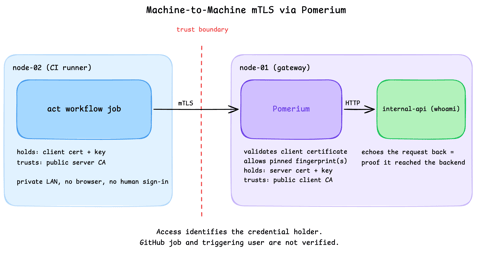
Secure Machine-to-Machine Access with mTLS and Pomerium
Run a GitHub Actions-compatible continuous integration (CI) job on a private runner and protect its internal API call with mutual TLS (mTLS) and Pomerium. Build separate server and client trust chains, authorize one machine certificate by fingerprint, then revoke, restore, and rotate its credentials through live policy changes.

Running Dagger Pipelines on GitHub Actions
Learn how to integrate Dagger into your existing CI pipelines on GitHub Actions.

Testing and Releasing Helm Charts with Dagger
Learn how to test, package and release Helm charts using Dagger.
Learn by doing, not just by reading or watching
Sign up for a free account to start a VM playground right on this page, track your progress, and get notified about new learning materials.