Expose a Whole Home Network Through an SSH Reverse SOCKS Proxy

Premium Challenge
Upgrade your membership to unlock this and all other premium materials.
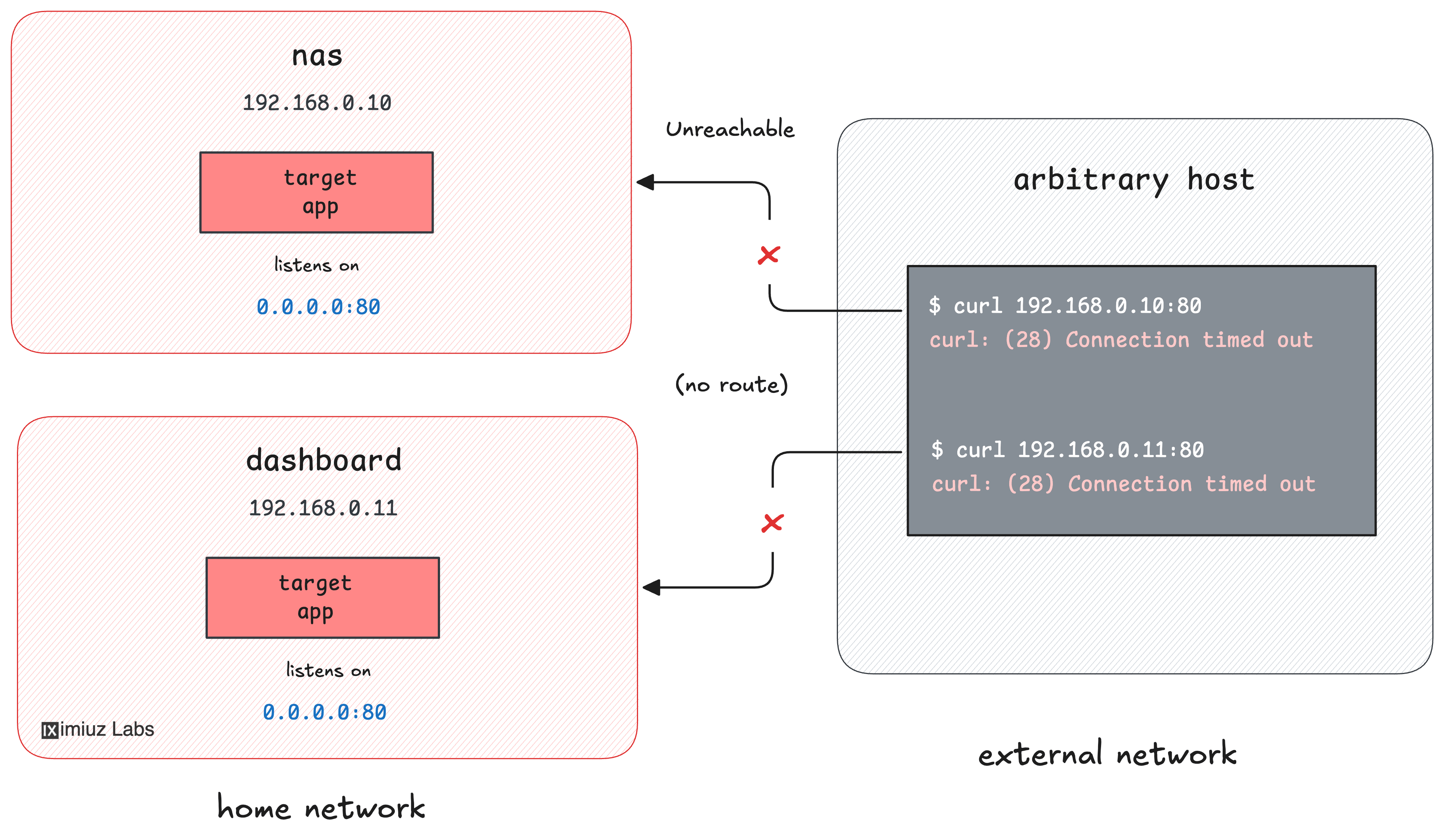
You self-host a couple of services on your home network - a web UI on the
nas box (192.168.0.10:80) and a
status dashboard on the dashboard
device (192.168.0.11:80). A collaborator working remotely needs to reach
both of them for a short debugging session, but neither device has a public
address, and tomorrow there may be a third service to share, too.
The only machine that can reach the home devices is your workstation, which is on the home LAN. From the workstation, both services answer over the LAN:
curl 192.168.0.10:80  # nas.home
curl 192.168.0.11:80  # dashboard.home
From the public Internet, though, the home devices are invisible. On the internet-host - your collaborator's machine - there is no route into your home network:
curl --connect-timeout 3 192.168.0.10:80 # nas.home, from the outside
curl: (28) Connection timed out after 3001 milliseconds
There is a public-facing gateway VM
(gateway, 203.0.113.30) that the
whole Internet can reach and that you can SSH into from your workstation. You
could open a separate reverse tunnel for each home service,
but that means one ssh -R per device (and another one for every service you add later).
Your task: instead, set up a single SSH dynamic remote port forwarding
session so that the gateway's public 203.0.113.30:1080 becomes one SOCKS proxy
that reaches every device on your home network. Your collaborator should be
able to reach both home services through that one proxy:
Hint: How remote port forwarding works
If you haven't worked with the reverse tunnel yet, try solving this simpler challenge first: Expose a Home Network Device Through an SSH Reverse Tunnel
Hint: How dynamic remote port forwarding works
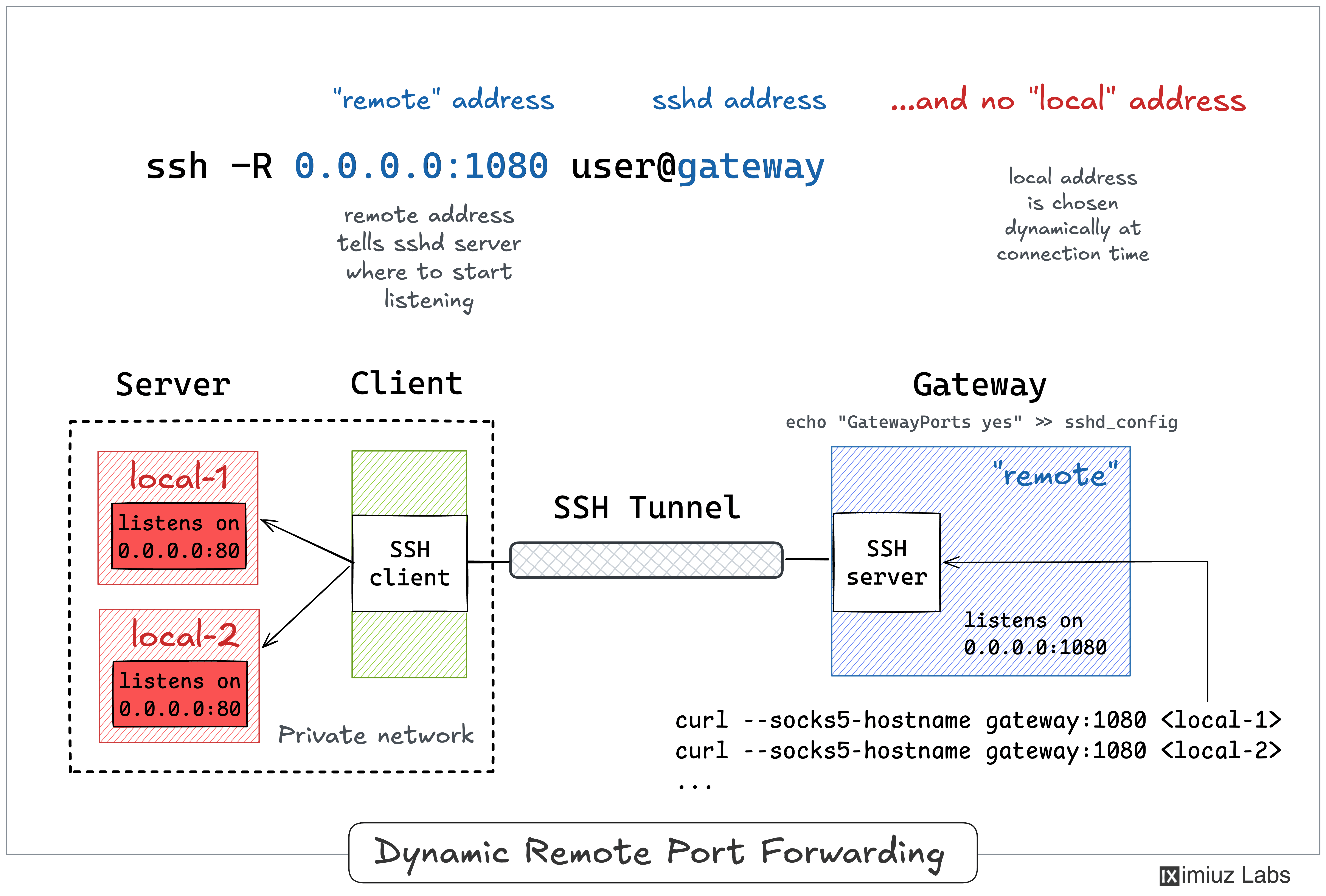
A regular reverse tunnel (ssh -R remote_port:host:port gateway) pins the forward to a single destination.
Dynamic remote forwarding doesn't specify the fixed destination:
with ssh -R and only a local address (no host:port after it),
OpenSSH turns the gateway's sshd into a SOCKS proxy.
Each connection made through that proxy is tunneled back over your SSH link
and connected to whatever address the SOCKS client asks for -
resolved from your (the workstation's) side of the network.
To learn more about it, read the corresponding section of the SSH Tunnels tutorial.