Expose a Home Network Device Through an SSH Reverse Tunnel

Premium Challenge
Upgrade your membership to unlock this and all other premium materials.
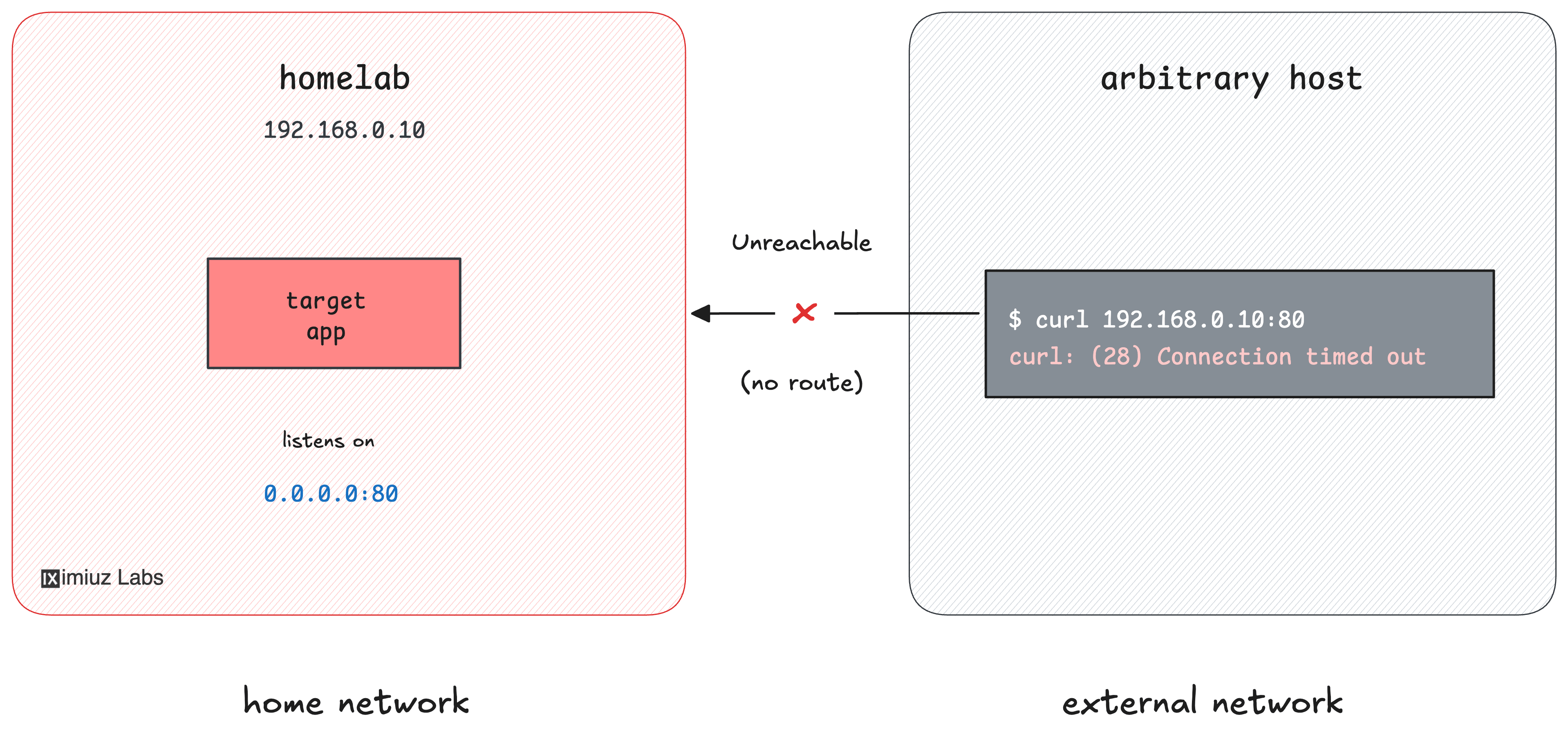
You self-host a status dashboard on a small device in your home network - the
homelab box, bound to
192.168.0.10:80. You'd like to make it reachable from the Internet for a
while (to share it with a collaborator), but the device sits on an isolated home
LAN with no inbound route from outside. The only machine that can reach it is
your workstation, which is on
the home LAN and also has Internet access.
From your workstation, the dashboard answers over the LAN:
curl 192.168.0.10:80 # homelab.home
... <h1>Homelab Status Dashboard</h1> ...
From the public Internet, though, the home device is invisible. On the internet-host there is no route into your home network:
curl --connect-timeout 3 192.168.0.10:80 # homelab.home, from the outside
curl: (28) Connection timed out after 3001 milliseconds
There is, however, a public-facing gateway VM
(gateway, 203.0.113.30) that the
whole Internet can reach and that you can SSH into from your workstation. Right
now nothing is listening on its port 8080:
curl --connect-timeout 3 203.0.113.30:8080 # gateway
curl: (7) Failed to connect to 203.0.113.30 port 8080 after 0 ms: Could not connect to server
Your task: set up remote (reverse) port forwarding, with your workstation
acting as a jump host, so that the home device's 192.168.0.10:80 becomes
reachable at the gateway's public address 203.0.113.30:8080:
The gateway's sshd already has GatewayPorts yes, so it will accept a
forwarded port bound to its public interface - you only need to establish the
tunnel from the workstation.
Hint: How remote port forwarding works
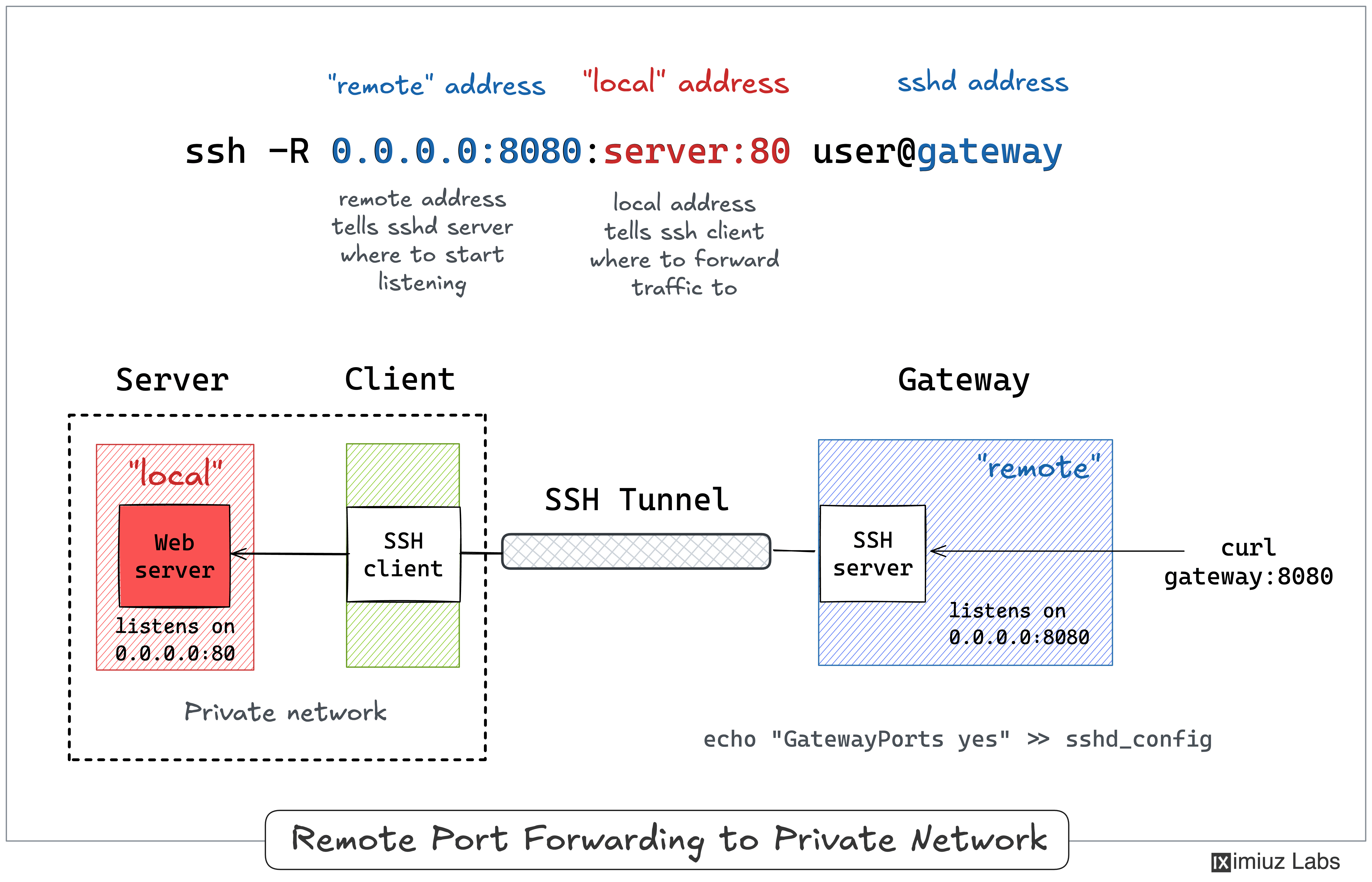
SSH remote port forwarding (ssh -R) asks the SSH server to open a
listening port and tunnel everything that arrives there, back over the SSH
connection, to a destination reachable from your side.
If you haven't used it before, start with the simpler version of this scenario: Expose a Local Service Through an SSH Reverse Tunnel.
Hint: The forwarded destination is a separate device
The key detail for this challenge: the destination of a reverse forward does
not have to be the SSH client's own localhost. It can be any host:port
that your side can reach - here, the homelab device on your home LAN. The
workstation resolves that address and opens the second hop to it on the
gateway's behalf, so the forwarding target (192.168.0.10) and the SSH server
(the gateway) are different machines.
Walk through the matching example in the SSH Tunnels tutorial.