Tailscale Homelab Access Playground

A multi-node K3s cluster to demo connecting and troubleshooting a homelab remotely via tailscale. All username/passwords are admin/admin123
- eth0
- /
- k3s-dev-machine
- eth0
- /
- k3s-cplane
- eth0
- /
- k3s-node
- eth0
- /
- k3s-node
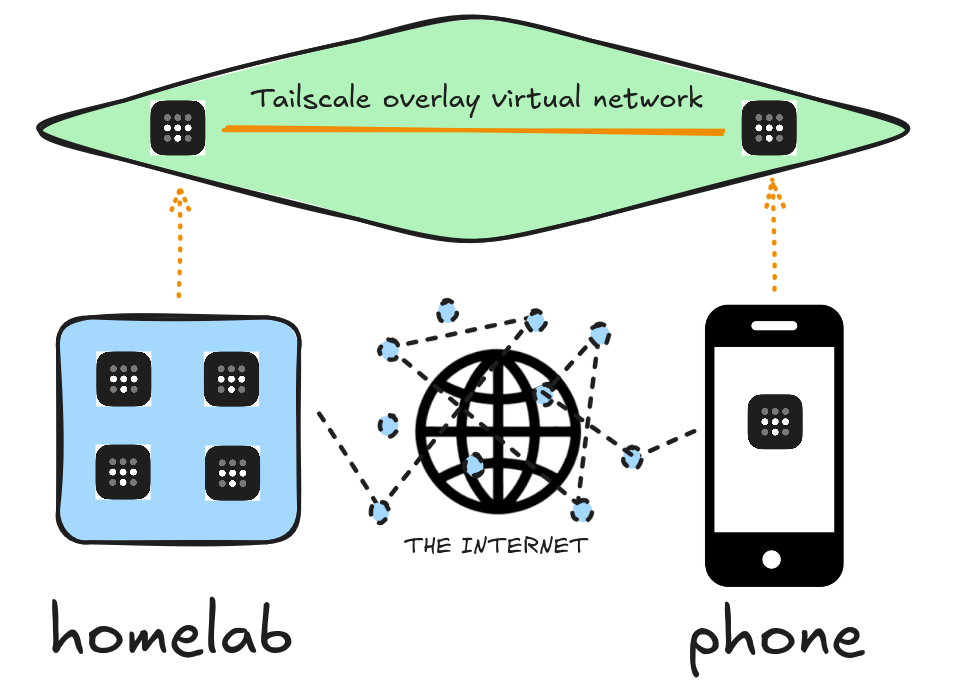
This is a demo of how you can use tailscale to log in and administer your homelab (or in this case, remotelab) from anywhere.
It's a k3s cluster spread across 4 nodes:
- control plane (cplane-01)
- worker node 1 (node-01)
- worker node 2 (node-02)
- central server (dev-machine)
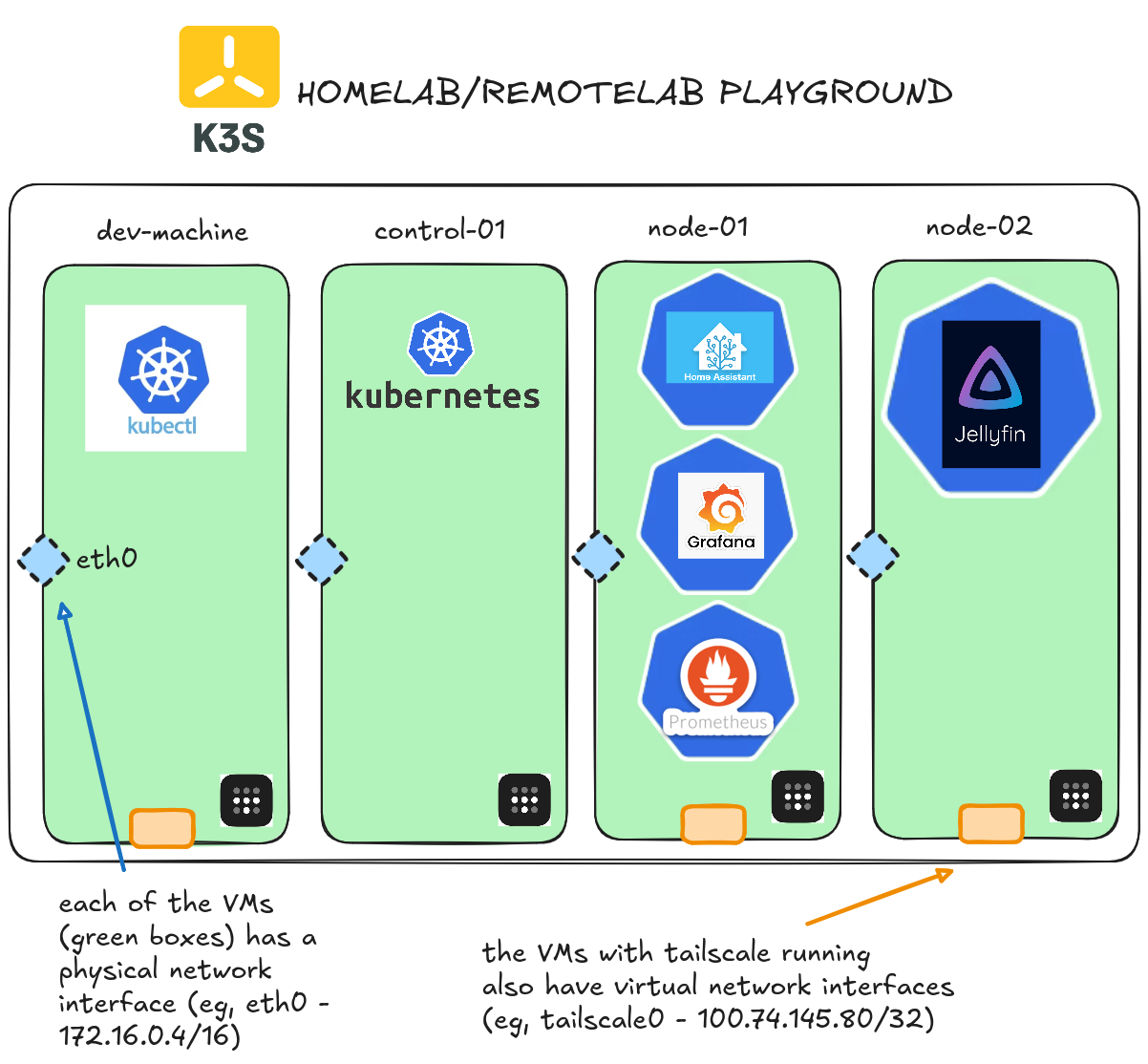
The accompanying blog walks through a simulated problem in the homelab, and how you could triage it and fix the issue, all from your phone, using tailscale to connect over private encrypted tunnels.
And here's a full video demo
The scene
The user starts out watching a slideshow of cats from the self-hosted jellyfin server. Suddenly, the cats are having issues. The user can see in Grafana (also from the phone) that the node's disk is full. The user can then ssh into the node and delete all the extra logs. After rebooting the k3s agent, the cats are back!
...and all without leaving the comfort of your mobile device via the magic of Tailscale.
A real VM, not a container
Get root on a VM with its own kernel, so Docker, Kubernetes, and systemd just work.
Read the docs →
SSH from browser or CLI
Use the built-in web terminal, or connect with labctl ssh, plain ssh, scp, or rsync.
Read the docs →
Drive it with AI
Let Claude, Codex, or any MCP client start this playground and run commands in it.
Read the docs →
Expose HTTP(S) ports
Give any web app running inside the VM a public URL - for yourself or to share with others.
Read the docs →
Share terminals
Invite others into your terminal session, or open it yourself from another device.
Read the docs →
Customize with init scripts
Add shell scripts that run at boot to install packages, clone repos, or seed test data.
Read the docs →
Private networking
VMs reach the internet via NAT with no public IP; several VMs share bridge networks.
Read the docs →
Ephemeral or persistent
By default, VMs are destroyed when the session ends; enable persistence to keep the disks for next time.
Read the docs →
Built-in container registry
A private registry.iximiuz.com for every playground to share images across services and VMs.
Read the docs →