List All Tags in a Container Repository

Premium Challenge
Upgrade your membership to unlock this and all other premium materials.
A single container repository can have dozens or even hundreds of tags in it:
semantic version releases (v1.0.0, v1.0.1, v1.0.2-rc.1),
per-commit builds (sha-1234567890), moving pointers like latest or stable, etc.
Being able to list those tags is useful when you need to see what was published,
pick the right version to deploy, check whether a CI build pushed the expected image,
or clean up old tags without guessing.
The registry API
allows you to list all tags in a repository using the GET /v2/<repo>/tags/list endpoint,
but surprisingly Docker still doesn't have a command to do this via the CLI.
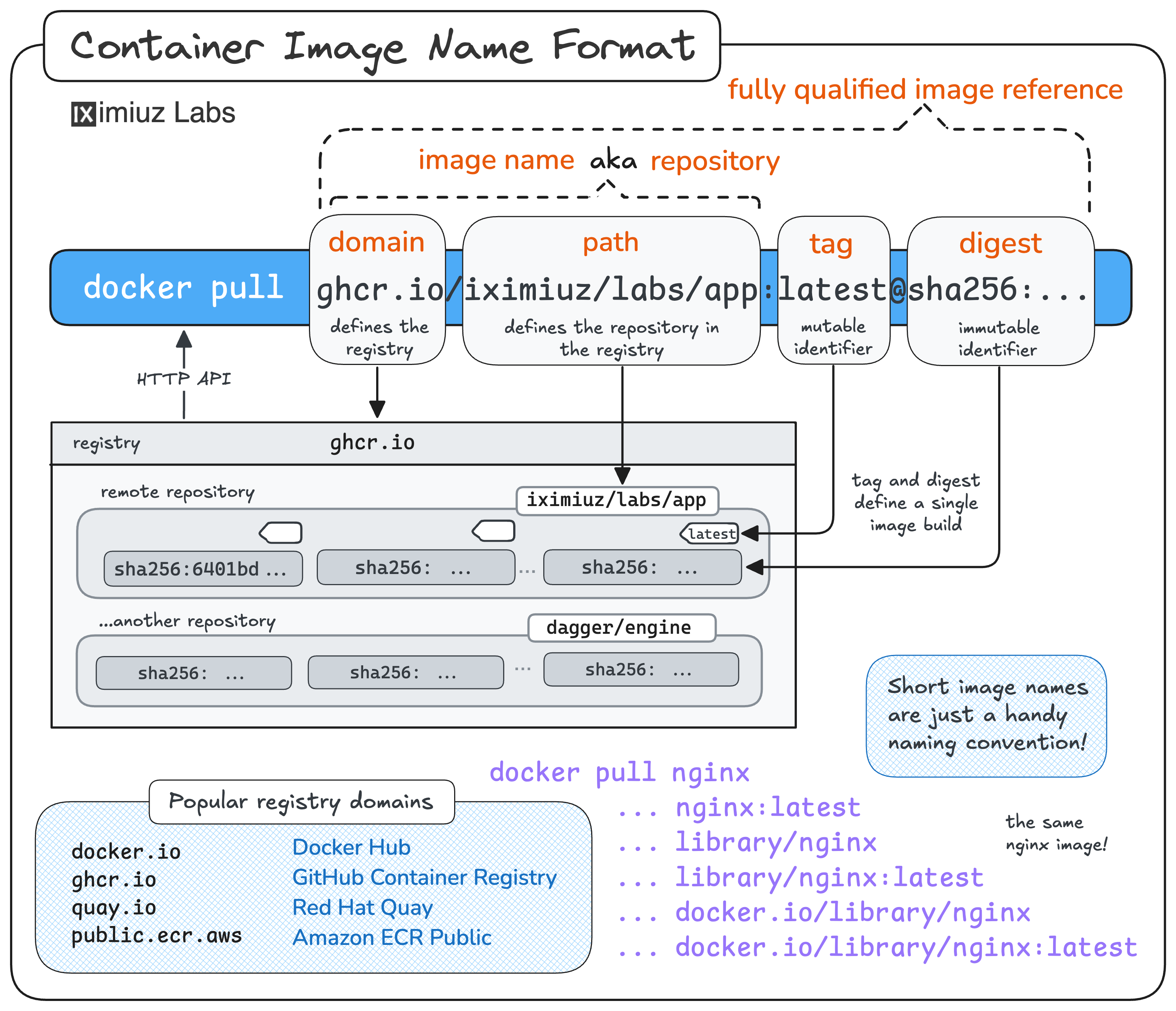
In this challenge, you'll practice listing tags in a container repository.
Your task is to enumerate all tags currently published under the
registry.iximiuz.com/acme/search-indexer repository and save them to ~/tags.txt -
one tag per line (tag names only - no registry domain, no repository path, no digests).
The order doesn't matter, but the set of tag names must match the repository's tag list exactly.
Hint 1: Tools for the job
While docker doesn't have a command to list tags in a remote repository,
there are several tools that can help you - crane, regctl, and even a plain curl call to the registry API.
Hint 2: Calling the registry API
The registry API exposes the tag list as a JSON document at the /v2/<repo>/tags/list endpoint.
To construct the full URL, you need to combine the scheme (https://),
the registry domain (registry.iximiuz.com), the repository path (with slashes),
and the tags listing endpoint (/tags/list).