Build and Compile Applications in Dockerfiles

Premium Challenge
Upgrade your membership to unlock this and all other premium materials.
In this challenge, you will write Dockerfiles for two applications that both require a build step before they can run:
- A TypeScript frontend that must be compiled from TypeScript into JavaScript
- A Go backend that must be compiled from source into a binary
Explore the applications
The frontend source is in ~/frontend/. It's a TypeScript Express.js server
that serves an HTML page and proxies API requests to the backend:
cat ~/frontend/src/server.ts
To build and run it locally, first install the dependencies (including the TypeScript compiler tsc):
cd ~/frontend
npm install
Then compile the TypeScript source into JavaScript using the tsc compiler:
npm run build # runs `tsc` against the project source files
This produces JavaScript files in the dist/ directory. Start the server:
node dist/server.js
Then in a second terminal:
curl localhost:3000
curl localhost:3000/api/health
Building inside Dockerfiles
Both applications require a build step: Go source must be compiled with go build,
and TypeScript source must be compiled with tsc.
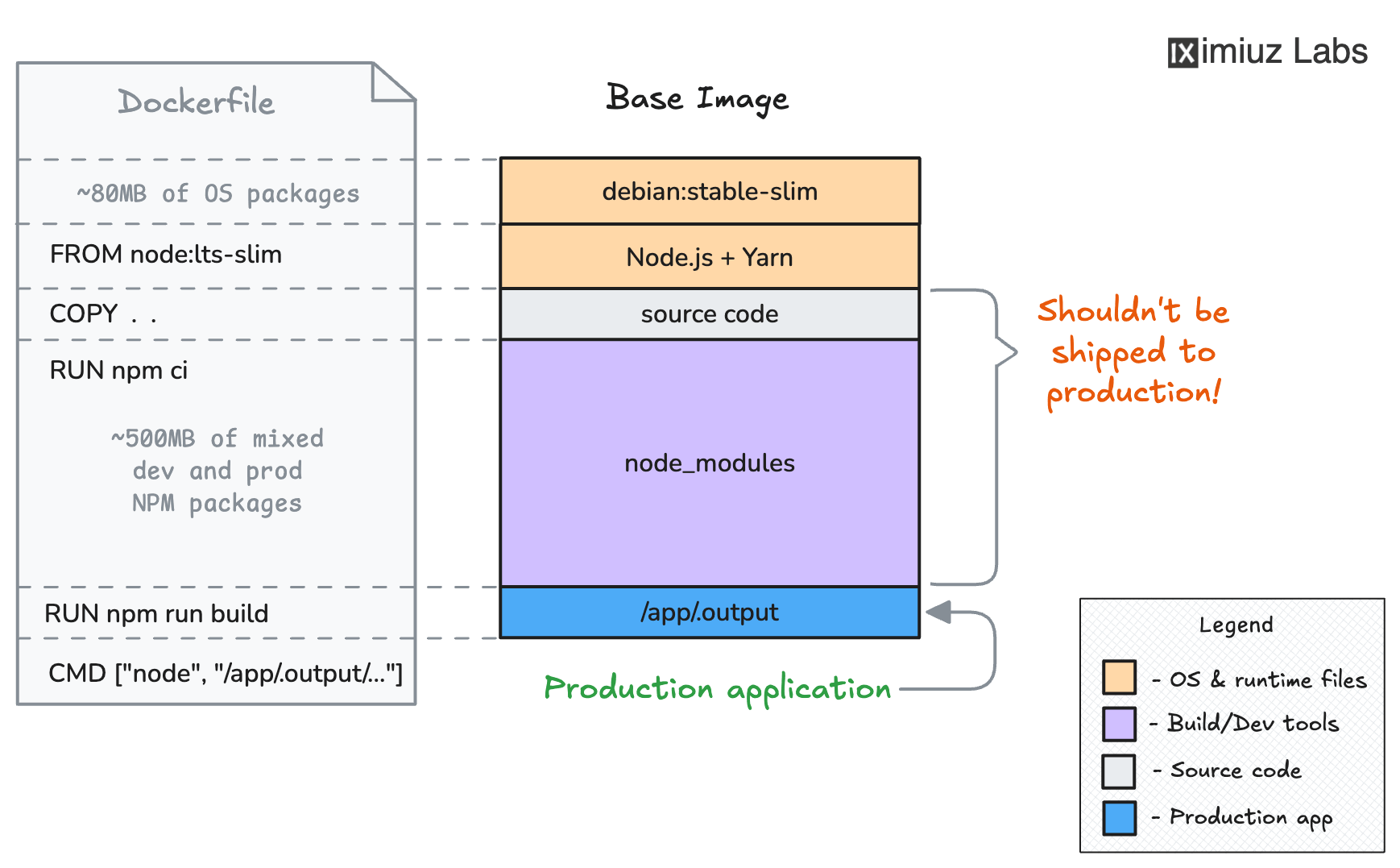
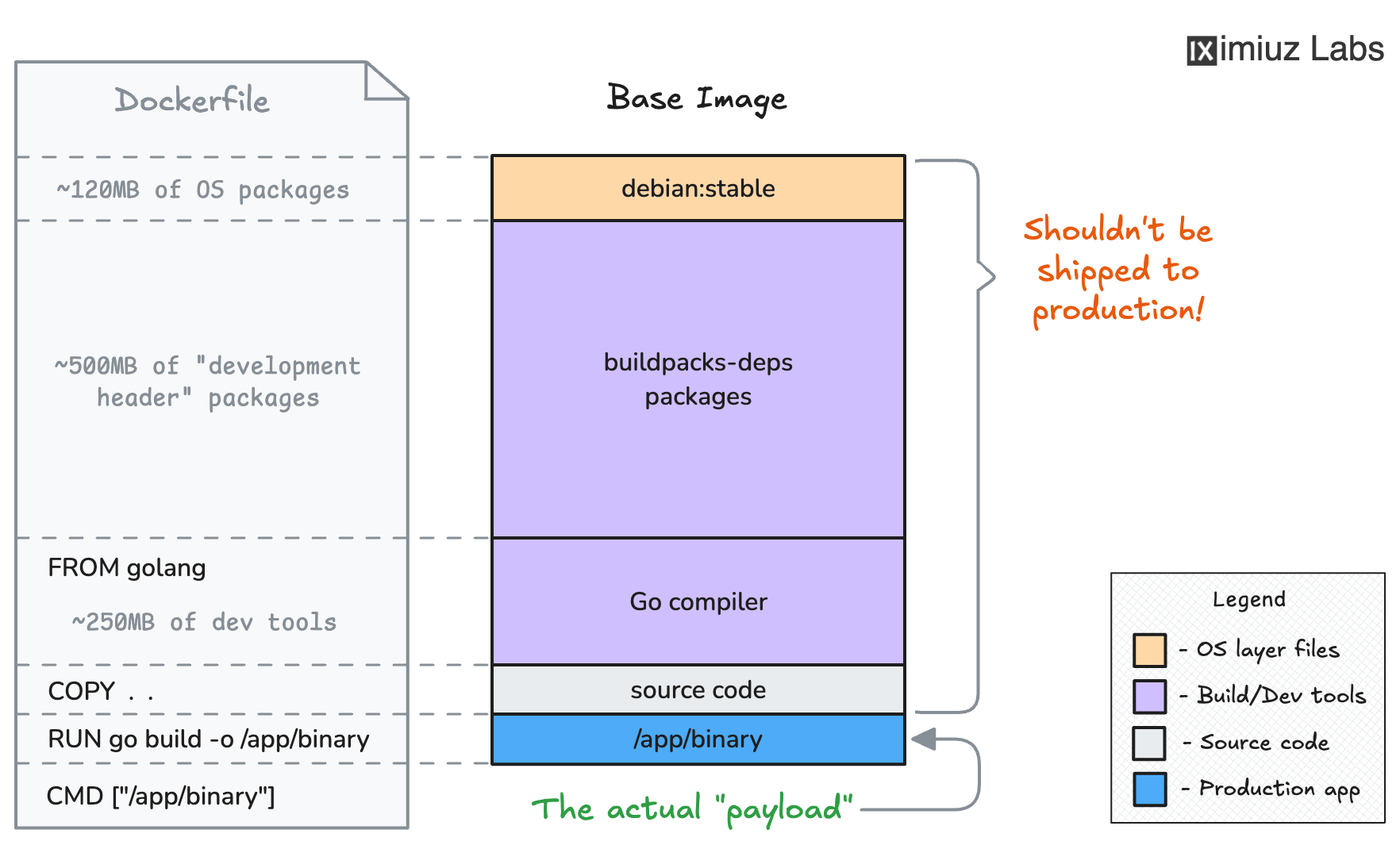
It is common practice to run these build steps right inside the Dockerfile. This means the base image (or the installed packages) must include the compiler or toolchain for the build to work, not just the runtime the application needs to run.
You can (and usually should) use multi-stage builds to separate the build environment from the runtime environment, producing smaller final images. However, multi-stage builds are not required for this challenge. The focus here is on getting the build step to work inside the Dockerfile.
The task
Your goal is to:
- Create a
Dockerfilein the~/backend/directory and build a Docker image namedmy-backend:v1.0.0. - Create a
Dockerfilein the~/frontend/directory and build a Docker image namedmy-frontend:v1.0.0. - Ensure both containerized applications start correctly and respond on their respective ports.
You can test your images at any point:
- Test the frontend (port 3000):
docker run -p 3000:3000 my-frontend:v1.0.0
- Test the backend (port 8080):
docker run -p 8080:8080 my-backend:v1.0.0
Frontend Dockerfile hint
Node.js has only limited native TypeScript execution support.
Most real-world TypeScript applications need to be compiled to JavaScript first.
The TypeScript compiler (tsc) is listed as a devDependency in the frontend's package.json.
Your frontend Dockerfile needs to:
- Use a Node.js base image (e.g.,
node:24-slim) - Install all dependencies (including dev ones - you need the compiler!)
- Run the TypeScript compiler to produce JavaScript output
- Set the compiled JavaScript file as the default command to run when the container starts
Frontend debugging hint
If the container crashes, run it in the foreground to see the error:
docker run my-frontend:v1.0.0
Backend Dockerfile hint
The Go compiler can be found in the official Go image. Your backend Dockerfile needs to:
- Use the official Go image (or any other image with the Go compiler)
- Copy the Go source files into the image
- Compile the application with
go build - Set the compiled binary as the default command (e.g.,
CMD ["/app/server"])
Backend debugging hint
If the container crashes, run it in the foreground to see the error:
docker run my-backend:v1.0.0