Run a Glibc-incompatible Binary Using chroot

You are provided with a binary located at /home/laborant/app/processor.
Try executing it directly on this Ubuntu machine:
/home/laborant/app/processor
You will notice that execution fails immediately with cannot execute: required file not found. This happens when a dynamically linked binary depends on a dynamic linker/interpreter that is not present on the host's root filesystem.
To solve this dependency issue without altering the host OS, you will isolate and run the application inside an Alpine Linux root filesystem at /tmp/newroot using chroot.
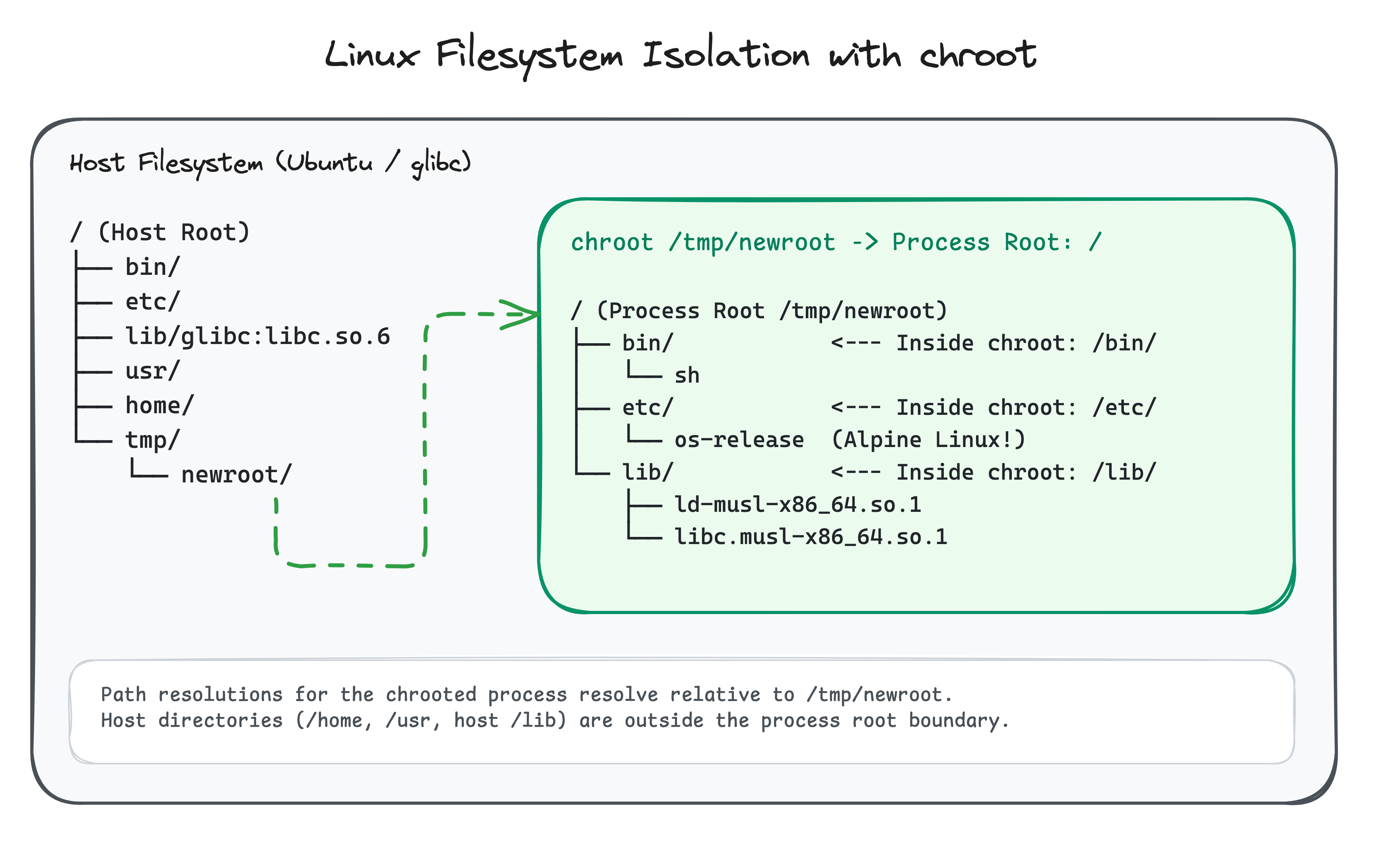
Objectives
- Find out the linking information of the binary
- Get yourself a rootfs that contains the required dynamic libraries
- Run the app inside the correct rootfs
Hint 1: Inspecting the binary with file
Run file /home/laborant/app/processor directly in your host terminal to find the program interpreter required by the binary.
Hint 2: Exporting an image rootfs with crane
crane export <image> - streams the container filesystem tarball to standard output. You can pipe it directly to tar:
mkdir -p /tmp/newroot
crane export alpine:latest - | tar -xf - -C /tmp/newroot
Hint 3: Running a command in chroot
Once the rootfs is extracted and the app is placed inside /tmp/newroot/app/, execute:
sudo chroot /tmp/newroot /app/processor
Hint 4: Need a Refresher on chroot Basics?
Check out the tutorial Change Your Root: Chroot Basics to learn how the chroot system call manages process root pointers, shared library resolution, and root filesystem isolation.